
1. Киришүү
Thank you for choosing the Easytry123 Replacement Remote Control. This remote is designed to function as a replacement for various Sony CRT HDTV TV models, including RM-Y165, KV-36HS20, KV-32XBR200, RM-Y184, KV-36HS20H, KV-32XBR450, and KV-36XBR450H. This manual provides essential information for setting up, operating, and maintaining your new remote control.
Important Note: As a replacement unit, this remote control may not support all functions of your original remote. Please ensure your TV model is listed as compatible before use.
2. Продукт бүтүп калдыview
The Easytry123 Replacement Remote Control is an ergonomic, infrared (IR) device designed for ease of use with compatible Sony televisions. It features a standard layout for common television functions.
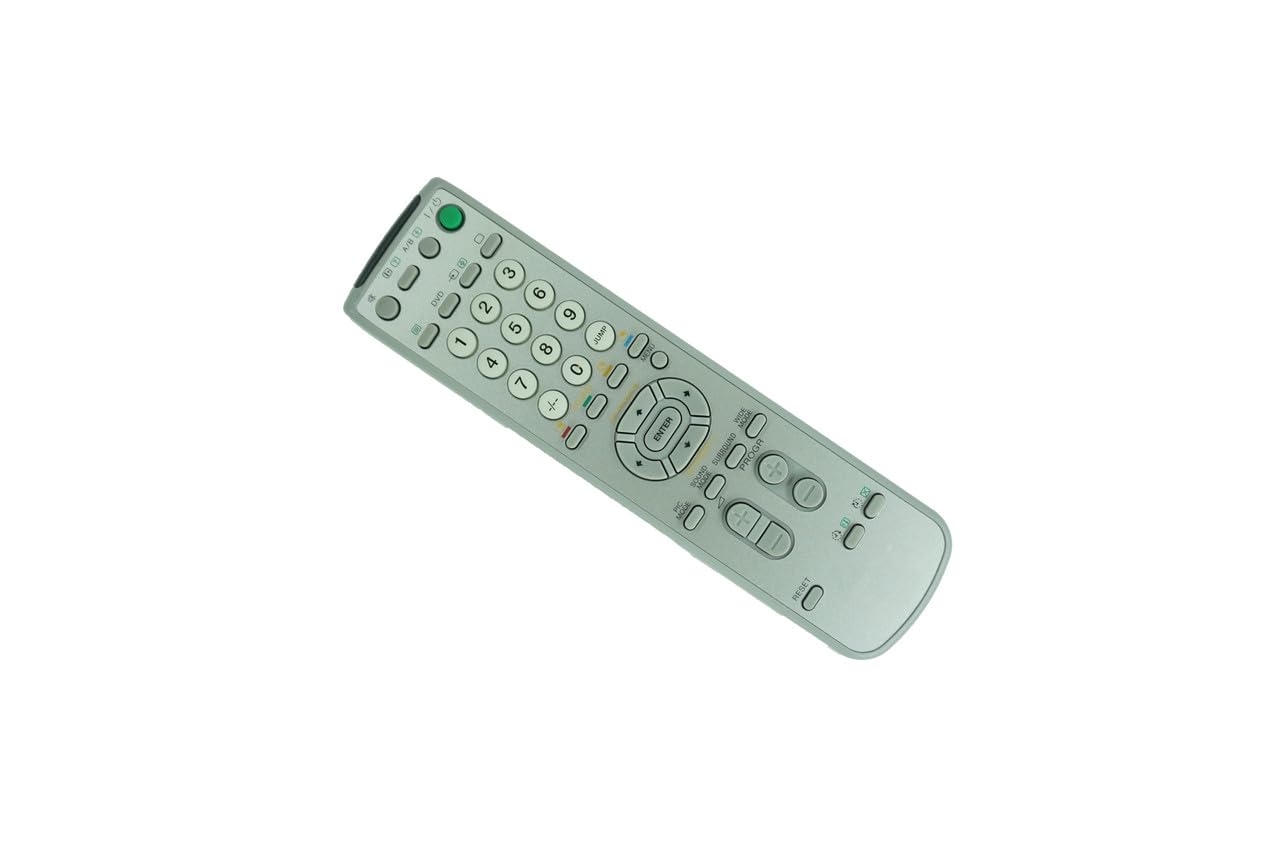
Сүрөт 2.1: Алдыңкы view of the Easytry123 Replacement Remote Control. This image displays the full button layout, including number keys, channel and volume controls, menu navigation, and power button.

2.2-сүрөт: Бурчтуу view of the Easytry123 Replacement Remote Control. This image provides a perspective view of the remote, highlighting its ergonomic design and button placement.
Негизги өзгөчөлүктөрү:
- Эргономикалык дизайн: Кармоого жана иштетүүгө ыңгайлуу.
- Инфракызыл байланыш: Standard IR signal for reliable communication with your TV.
- Түздөн-түз алмаштыруу: Functions without complex programming for listed compatible models.
3. Орнотуу
3.1 Батареяны орнотуу
The remote control requires two (2) AA batteries (not included) for operation.
- Пульттун артындагы батарея бөлүкчөсүнүн капкагын табыңыз.
- Бөлүмдү ачуу үчүн капкакты ылдый жылдырыңыз же кулпуну (эгер бар болсо) басыңыз.
- Insert two new AA batteries, ensuring the positive (+) and negative (-) terminals align correctly with the markings inside the compartment.
- Батарея бөлүкчөсүнүн капкагын бекем чыккыча ордуна жылдырыңыз.
Эскертүү: Always use fresh batteries and replace both batteries at the same time. Do not mix old and new batteries or different types of batteries.
3.2 Алгачкы колдонуу
This replacement remote control is designed to work directly with compatible Sony CRT HDTV TV models without requiring any programming. Once batteries are installed, point the remote at your television and begin operation.
4. Иштөө нускамалары
The remote control provides standard functions for your television. Familiarize yourself with the button layout shown in Figure 2.1.
- Кубат баскычы: Located at the top right, typically green. Press to turn the TV on or off.
- Сан баскычтары (0-9): Used for direct channel selection.
- Канал өйдө/төмөн: Каналдар аркылуу ырааттуу түрдө өтүңүз.
- Үнүн жогорулатуу/төмөндөтүү: Аудионун деңгээлин тууралаңыз.
- Үнсүз баскычы: Temporarily silences the TV audio.
- Меню баскычы: Accesses the TV's on-screen menu system.
- Navigation (Arrow) Buttons & ENTER: Used to navigate within menus and confirm selections.
- Киргизүү/Булак баскычы: Switches between different video input sources (e.g., TV, DVD, AV).
For specific advanced functions or TV settings, refer to your television's original user manual.
5. Техникалык тейлөө
5.1 Тазалоо
Пультту тазалоо үчүн аны жумшак, кургак чүпүрөк менен акырын сүртүңүз. Өжөр кир үчүн бир азampкездемени суу же жумшак, абразивдүү эмес тазалоочу каражат менен сүртүңүз. Катуу химиялык заттарды же ашыкча нымдуулукту колдонуудан алыс болуңуз, анткени алар пульттун электроникасына зыян келтириши мүмкүн.
5.2 Батареяны алмаштыруу
Replace batteries when the remote's response becomes sluggish or stops working. Follow the battery installation steps in Section 3.1. Dispose of used batteries responsibly according to local regulations.
5.3 Сактоо
Эгерде алыстан башкаруу куралы узак убакыт бою колдонулбай турган болсо, анда агып кетүүнүн жана аппаратка мүмкүн болуучу зыяндын алдын алуу үчүн батарейкаларды алып салыңыз.
6. Кыйынчылыктарды
- Пульт жооп бербей жатат:
- Пульттун сыналгынын инфракызыл кабылдагычы түз багытталганын текшериңиз.
- Пульт менен телевизордун ортосунда тоскоолдуктар бар-жогун текшериңиз.
- Батареяларды жаңы AA батарейкалары менен алмаштырыңыз.
- Verify that your TV model is listed as compatible with this remote.
- Айрым функциялар иштебейт:
- As a replacement remote, some advanced or specific functions of your original TV remote may not be supported. This is normal for universal or replacement remotes.
- Refer to your TV's original manual for specific function details.
- Баскычтар жабышчаак же жооп бербей жатат:
- Алыстан башкаруу пультун 5.1-бөлүмдө сүрөттөлгөндөй тазалаңыз.
- Ensure no liquids have entered the remote.
7. Техникалык шарттар
| Бренд | Easytry123 |
| Модель номери | B07VFRVV8P |
| Шайкеш түзмөктөр | Sony CRT HDTV Televisions (e.g., RM-Y165, KV-36HS20, KV-32XBR200, RM-Y184, KV-36HS20H, KV-32XBR450, KV-36XBR450H) |
| Байланыш технологиясы | Инфракызыл (IR) |
| Power Source | 2 x AA батарейкалар (киргизилген эмес) |
| Өзгөчө өзгөчөлүк | Эргономикалык дизайн |
| баскычтардын саны | 12 (as per product specifications, though visual inspection shows more) |
8. Кепилдик жана колдоо
Specific warranty information for this Easytry123 Replacement Remote Control is not provided in the product details. For any questions regarding warranty, returns, or technical support, please contact the seller directly through your purchase platform.
For further assistance or inquiries, please refer to the contact information provided by the retailer or seller where you purchased this product.