
1. Introduction and Overview
Thank you for choosing the Defender Computer Gaming Mouse. This wired optical mouse is designed for PC and laptop gamers, featuring a 7-color RGB backlight, a high-definition 1200 DPI sensor, and an ergonomic, ambidextrous design for comfortable use during extended periods. This manual provides essential information for setup, operation, maintenance, and troubleshooting to ensure optimal performance of your device.

Сүрөт 1: Алдыңкы view of the Defender Computer Gaming Mouse, showcasing its ergonomic shape and blue LED lighting.
2. Орнотуу нускамалары
The Defender Gaming Mouse is a plug-and-play device, requiring no additional software or drivers for basic functionality. It connects via a standard USB port.
- Чычканды таңгактан чыгаруу: Чычканды анын таңгагынан кылдаттык менен чыгарыңыз.
- Компьютерге туташуу: Locate an available USB port on your PC or laptop. Insert the USB connector of the mouse firmly into the USB port.
- Системаны аныктоо: Your operating system (Microsoft Windows 2000/XP/Vista/7/8/10 or Mac OS X10) will automatically detect and install the necessary drivers. This process may take a few moments.
- Колдонууга даяр: Once detected, the mouse's 7-color RGB backlight will illuminate, indicating it is ready for use.
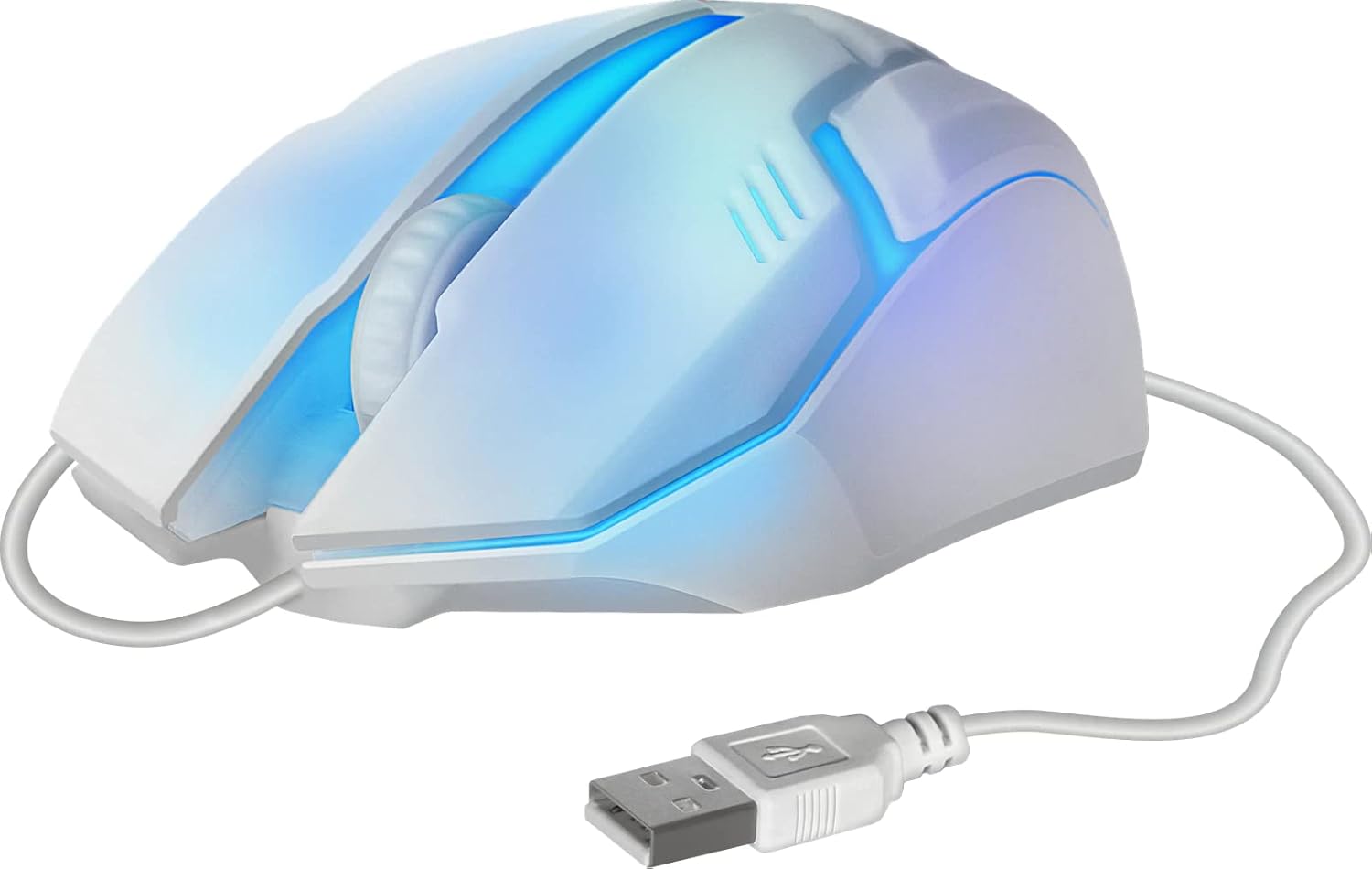
2-сүрөт: Каптал view of the mouse showing the integrated USB cable for connection to a computer.
3. Иштөө нускамалары
The Defender Gaming Mouse features three buttons and a scroll wheel for intuitive control.
- Сол чыкылдатуу баскычы: Буюмдарды тандоо, ачуу үчүн колдонулат fileс, жана негизги аракеттер.
- Оң баскычты чыкылдатуу: Used for accessing context menus and secondary actions.
- Жылдыруу дөңгөлөгү: Allows for smooth vertical scrolling through documents and web pages. The ribbed design provides enhanced grip. Pressing the scroll wheel typically acts as a middle-click button.
- 7 түстүү RGB арткы жарыгы: The mouse features an automatic color-changing backlight that cycles through 7 vibrant colors, enhancing your gaming setup. This feature is integrated and does not require manual adjustment.
- High Definition 1200 DPI Optical Sensor: Provides precise and smooth cursor movement. The optical sensor is surface-independent, meaning it can be used effectively on various surfaces without a mouse pad.

3-сүрөт: Каптал view illustrating the ergonomic design and green LED lighting of the mouse.
4. Техникалык тейлөө
Proper care will extend the life of your Defender Gaming Mouse.
- Тазалоо: жумшак, кургак же бир аз колдонуу damp cloth to wipe the surface of the mouse. Avoid using harsh chemicals, abrasive cleaners, or excessive moisture.
- Оптикалык сенсор: Так көз салууну камсыз кылуу үчүн чычкандын астыңкы жагындагы оптикалык сенсорду чаңдан же таштандыдан таза кармаңыз.
- Кабельге кам көрүү: Avoid bending, twisting, or pulling the USB cable excessively. Store the cable neatly when not in use to prevent damage.
- Сактагыч: Чычканды экстремалдык температурадан алыс, таза, кургак чөйрөдө сактаңыз.
5. Кыйынчылыктарды
If you encounter issues with your Defender Gaming Mouse, try the following solutions:
- Чычкан жооп бербейт:
- USB кабелинин компьютериңиздин USB портуна бекем туташтырылганын текшериңиз.
- Чычканды компьютериңиздеги башка USB портуна сайып көрүңүз.
- Компьютериңизди өчүрүп күйгүзүңүз.
- Курсордун туруксуз кыймылы:
- Чычкандын астындагы оптикалык сенсорду тазалаңыз.
- Ensure the surface you are using the mouse on is clean and uniform.
- Backlight Not Illuminating or Changing Colors:
- Verify the mouse is properly connected to a powered USB port.
- The 7-color RGB backlight is designed to cycle automatically. If it remains static on one color or does not light up, try reconnecting the mouse or restarting your computer.
6. Техникалык шарттар
| Өзгөчөлүк | Description |
|---|---|
| Бренд | коргоочу |
| Модель номери | 4714033525619 |
| Түс | Multicoloured (with 7-color RGB backlight) |
| Байланыш технологиясы | USB, зымдуу |
| Кыймылды аныктоо технологиясы | Оптикалык |
| DPI | 1200 DPI |
| Өзгөчө өзгөчөлүк | Ergonomic Design, Ambidextrous, 7-Color Backlight |
| Button Quantity | 3 (Left, Right, Scroll Wheel/Middle Click) |
| Колдун багыты | Эки тараптуу |
| Шайкеш түзмөктөр | Компьютер, ноутбук, планшет |
| Операция системасы | Windows 2000/XP/Vista/7/8/10, Mac OS X10 |
| Power Source | Электр зымдары (USB менен иштейт) |
7. Кепилдик маалыматы
The Defender Computer Gaming Mouse is covered by a manufacturer's warranty. Please refer to the product packaging or the official Defender website for specific warranty terms, conditions, and duration. Retain your proof of purchase for warranty claims.
8. Кардарларды колдоо кызматы
For technical assistance, troubleshooting beyond this manual, or warranty inquiries, please contact Defender customer support. Contact information can typically be found on the product packaging, the official Defender webсайты же сатуучу аркылуу.