
1. Киришүү
This manual provides instructions for the Zerone Replacement Remote Control, Model Zerone15zhcexa2d. This remote is designed as a direct replacement for various televisions, offering essential functions for daily TV operation. It is constructed from durable ABS material for longevity.
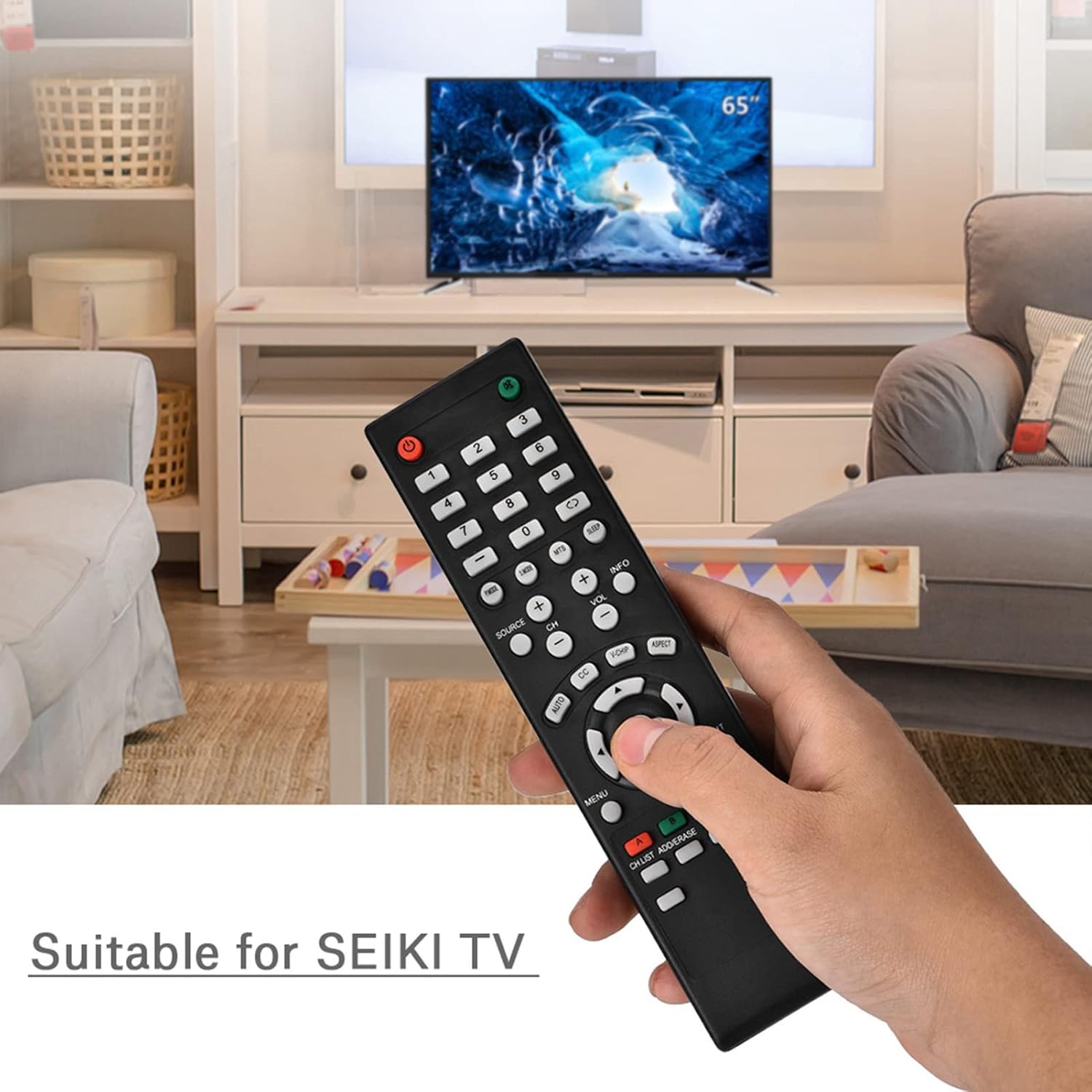
Image 1.1: The Zerone Replacement Remote Control in use, demonstrating its compatibility with televisions.
2. Орнотуу
2.1 Батареяны орнотуу
Алыстан башкарууга эки AAA батарейкасы керек (киргизилген эмес). Батареяларды орнотуу үчүн төмөнкү кадамдарды аткарыңыз:
- Пульттун артындагы батарея отсегин табыңыз.
- Батарея бөлүкчөсүнүн капкагын ачуу үчүн ылдый жылдырыңыз.
- Оң (+) жана терс (-) терминалдары бөлүмдүн ичиндеги белгилер менен туура дал келишин камсыз кылып, эки AAA батарейкасын салыңыз.
- Батарея бөлүкчөсүнүн капкагын бекем чыккыча ордуна жылдырыңыз.

Сүрөт 2.1: Арткы view батарея бөлүмүн көрсөтүп турган алыстан башкаруу пультунун сүрөтү.
2.2 Алгачкы колдонуу
This remote control is designed for immediate use with compatible televisions. No programming or setup is typically required. Once batteries are installed, the remote should function directly with your TV.
Video 2.1: Demonstration of battery installation for the Zerone Replacement Remote Control.
3. Иштөө нускамалары
3.1 Негизги функциялар
The remote control provides standard television functions. Point the remote directly at your television's infrared receiver for optimal performance.
- Кубат баскычы (●): Телевизорду күйгүзөт же өчүрөт.
- Сан баскычтары (0-9): Каналдарды түз тандаңыз.
- Үндү катуулатуу/азайтуу (VOL +/-): Үндүн катуулугун тууралайт.
- Каналдын өйдө/ылдый жагы (CH +/-): Сыналгы каналын өзгөртөт.
- Source Button (SOURCE): Cycles through input sources (HDMI, AV, etc.).
- Меню баскычы (MENU): Телевизордун негизги менюсуна кирет.
- Navigation Buttons (Arrows & OK): Менюларды карап чыгып, тандоолорду ырастаңыз.
- Чыгуу баскычы (EXIT): Exits current menu or function.
- Үнсүз баскычы (●): Телевизордун үнүн өчүрөт же өчүрөт.

Сүрөт 3.1: Алдыңкы view алыстан башкаруу пультунун баскычынын жайгашуусун белгилеп турат.
3.2 Иштөө диапазону
The effective operating distance for this remote control is typically over 8 meters (approximately 26 feet). Actual range may vary depending on the specific television model and environmental factors such as obstacles or interference.

Image 3.2: Illustration of the remote control's effective operating range.
4. Техникалык тейлөө
4.1 Тазалоо
Пультту тазалоо үчүн жумшак, кургак чүпүрөктү колдонуңуз. өжөр кир үчүн, бир аз гampкездемени суу же жумшак, абразивдүү эмес тазалоочу каражат менен сүртүңүз. Катуу химиялык заттарды же абразивдүү материалдарды колдонуудан алыс болуңуз, анткени алар пульттун бетине же ички компоненттерине зыян келтириши мүмкүн.
4.2 Батареяны алмаштыруу
Replace batteries when the remote's performance degrades (e.g., reduced range, unresponsive buttons). Refer to Section 2.1 for battery installation instructions. Always replace both batteries at the same time with new ones of the same type (AAA).

Image 4.1: The remote control, showcasing its durable construction material.
5. Кыйынчылыктарды
| Көйгөй | Мүмкүн себеп | Чечим |
|---|---|---|
| Пульт иштебейт. | Өлүк же туура эмес орнотулган батарейкалар. | Check battery orientation. Replace with new AAA batteries (refer to Section 2.1). |
| Иштөө диапазону чектелген. | Weak batteries, obstruction, or remote not pointed at TV. | Replace batteries. Ensure a clear line of sight to the TV's IR receiver. Point the remote directly at the TV. |
| Айрым баскычтар жооп бербей жатат. | Dirt or debris under buttons, or internal malfunction. | Clean the remote. If the issue persists after battery replacement and cleaning, the remote may require replacement. |
6. Техникалык шарттар
| Өзгөчөлүк | Деталь |
|---|---|
| Бренд | Zerone |
| Модель номери | Zerone15zhcexa2d |
| Шайкеш түзмөктөр | Televisions (specifically designed for SEIKI TVs, but compatible with others) |
| Байланыш технологиясы | Инфракызыл (IR) |
| Максималдуу диапазон | Over 8 meters (approx. 26 feet) |
| Power Source | 2 x AAA Батареялар (киргизилген эмес) |
| Материал | ABS |
| Өлчөмдөрү (L x W x Y) | 7.1" x 2" x 0.6" (180 мм x 50 мм x 15 мм) |
| Button Quantity | 45 |

Image 6.1: Dimensions of the Zerone Replacement Remote Control.
7. Кепилдик жана колдоо
7.1 Кепилдик маалыматы
Specific warranty details for the Zerone Replacement Remote Control may vary. Please refer to the product packaging or the retailer's purchase terms for the most accurate and up-to-date warranty information.
7.2 Кардарларды колдоо
For further assistance or inquiries regarding your Zerone Replacement Remote Control, please contact the retailer or manufacturer's customer support channels. Contact information is typically provided with your purchase documentation or on the manufacturer's official webсайт.