
1. Киришүү
This manual provides essential instructions for the safe and efficient use of your XENOCAM 12V 10A 120W DC Power Supply and 8-Way CCTV Power Splitter Cable. This product is designed to provide stable 12V DC power for various devices, including CCTV cameras, LED strip lights, wireless routers, ADSL modems, network hubs, and switches. Please read this manual thoroughly before installation and operation.
2. Пакеттин мазмуну
Төмөндө тизмеленген нерселердин баары пакетиңизге камтылганын текшериңиз:
- 1 x 12V 10A Adapter Transformer
- 1 x DC Power Female Jack Adaptor
- 1 x 8-Way DC Power Splitter Cable
- 1 x Power Cord (AC input cable)
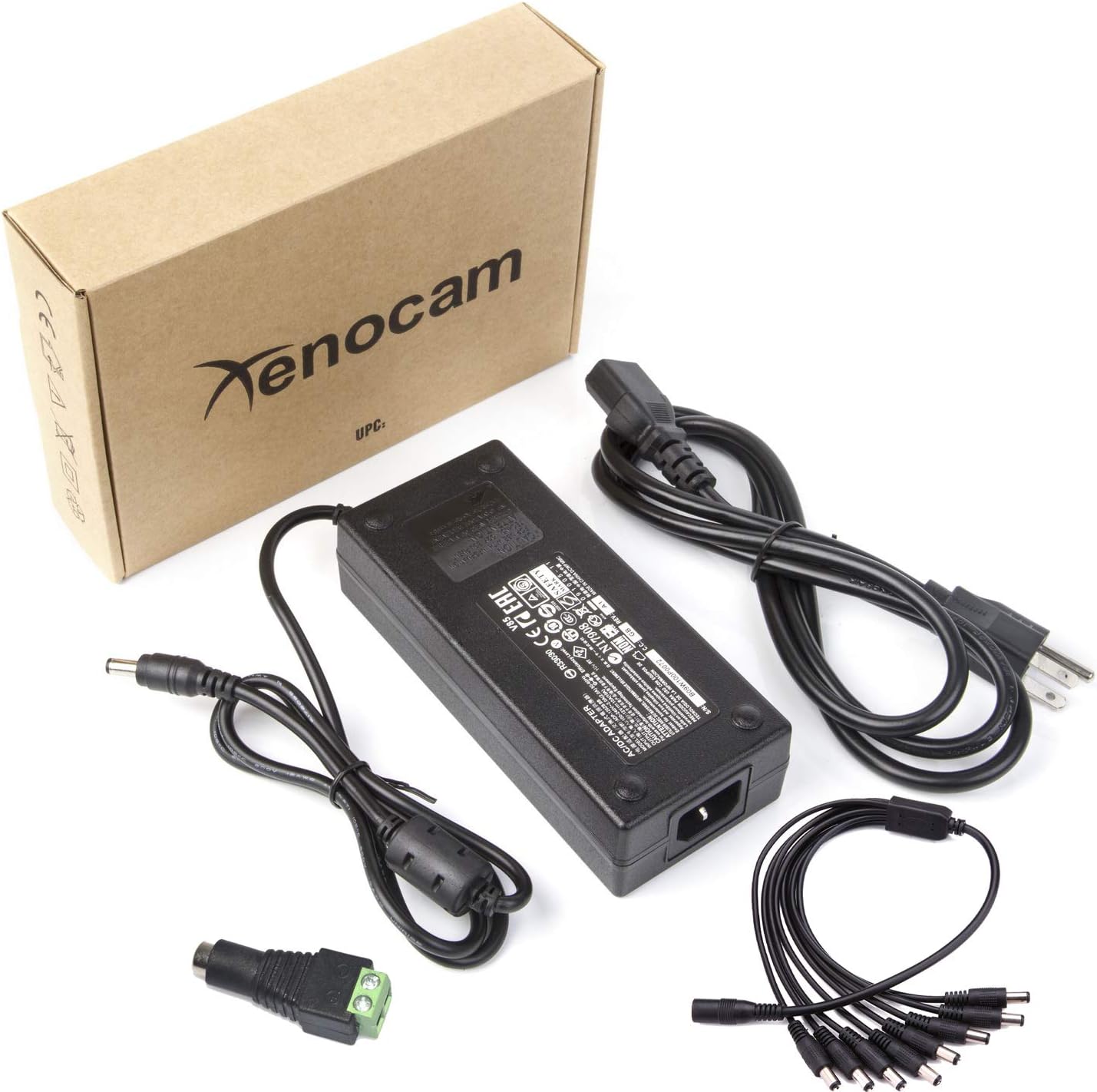
Image: Complete package contents.
3. Техникалык шарттар
| Өзгөчөлүк | Спецификация |
|---|---|
| Киргизүү көлөмүtage | 100-240V AC, 50-60Hz, 2.0A |
| Output Voltage | 12V DC |
| Output Current | 10A |
| Чыгуу Wattage | 120 Вт |
| Power Supply Output Connector | Barrel Connector (5.5mm x 2.5mm Male) |
| 8-Way Splitter Cable Input | Barrel Connector (5.5mm x 2.5mm Female) |
| 8-Way Splitter Cable Outputs | 8 x Barrel Connectors (5.5mm x 2.1mm Male) |
| Splitter Cable Length | 1.0 meter (39.3 inches) |
| Өзгөчө өзгөчөлүк | Кыска туташуулардан коргоо |
| Материал | Durable Hard Plastic |
| Сертификация | CE |
| Dimensions (Power Supply) | Болжол менен 155 мм x 65 мм x 37 мм (6.1 x 2.5 x 1.4 дюйм) |
| Салмагы | Болжол менен 1.35 фунт |

Image: Power supply dimensions.
4. Коопсуздук маалыматы
- Үй ичинде гана колдонуу: This power supply is designed for indoor use. Do not expose it to water, moisture, or high humidity.
- Туура желдетүү: Ашыкча ысып кетүүдөн сактануу үчүн электр менен жабдуунун айланасында тийиштүү желдетүүнү камсыз кылыңыз. Агрегатты жаппаңыз.
- Туура томtage: Only connect the power supply to an AC outlet providing 100-240V.
- Жүктөө жөндөмдүүлүгү: Do not exceed the maximum output of 12V 10A (120W). Overloading can cause damage to the unit and connected devices, and poses a fire hazard.
- Кабелдин бүтүндүгү: Regularly inspect all cables for damage. Do not use if cables are frayed or damaged.
- Кубатты өчүрүү: Always disconnect the power supply from the AC outlet before making or changing connections.
- Балдар жана үй жаныбарлары: Keep the power supply and cables out of reach of children and pets.
- Кесиптик орнотуу: If unsure about installation, consult a qualified professional.
5. Орнотуу нускамалары
Follow these steps to set up your XENOCAM power supply system:
- AC кубат кабелин туташтыруу: Insert the included AC power cord into the power supply unit's input port. Ensure it is firmly seated.
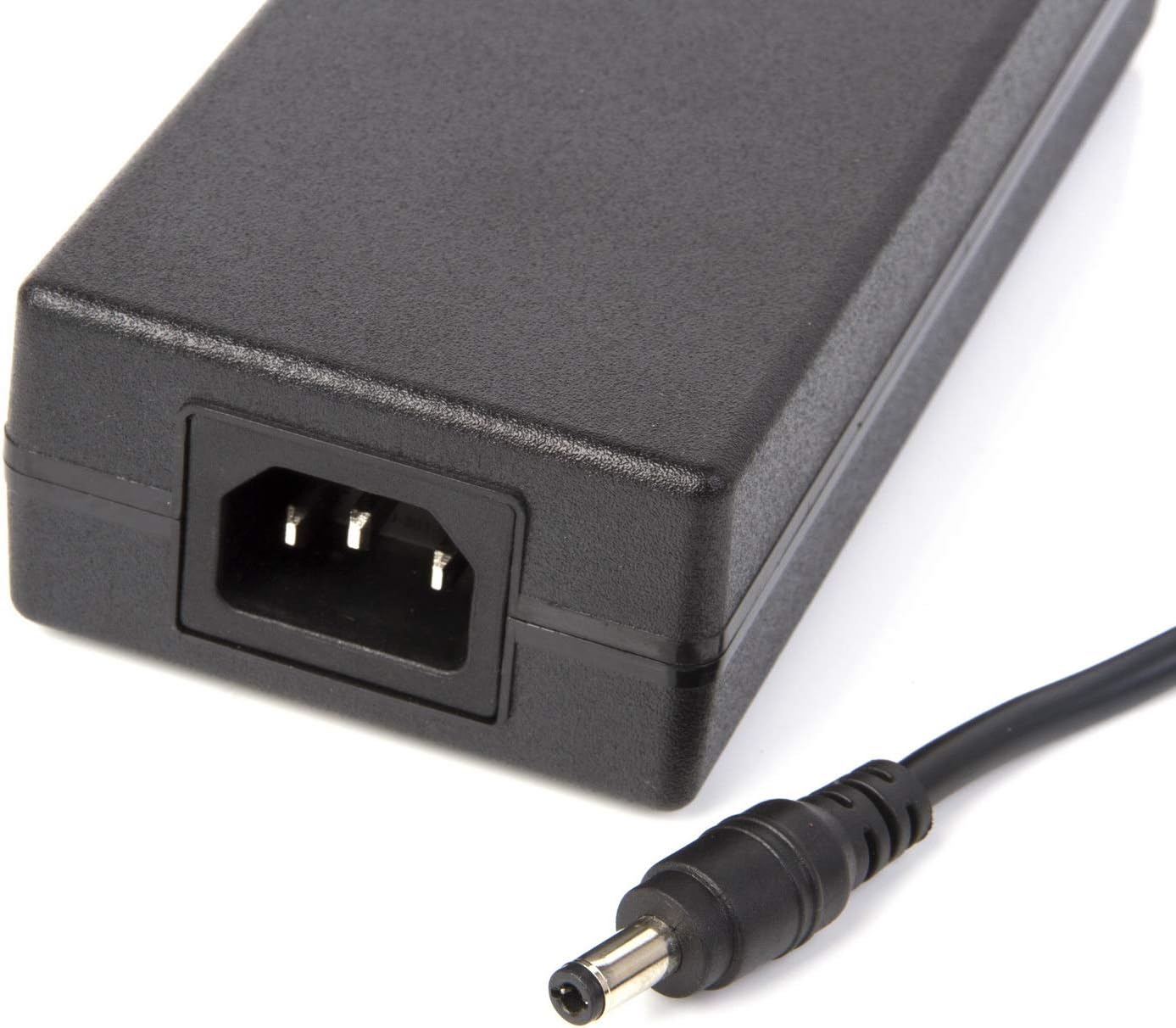
Image: AC input and DC output ports on the power supply.

Image: AC power cord.
- Connect the 8-Way Splitter Cable: Connect the female end of the 8-Way DC Power Splitter Cable to the male barrel connector output of the 12V 10A power supply. Ensure a secure connection.
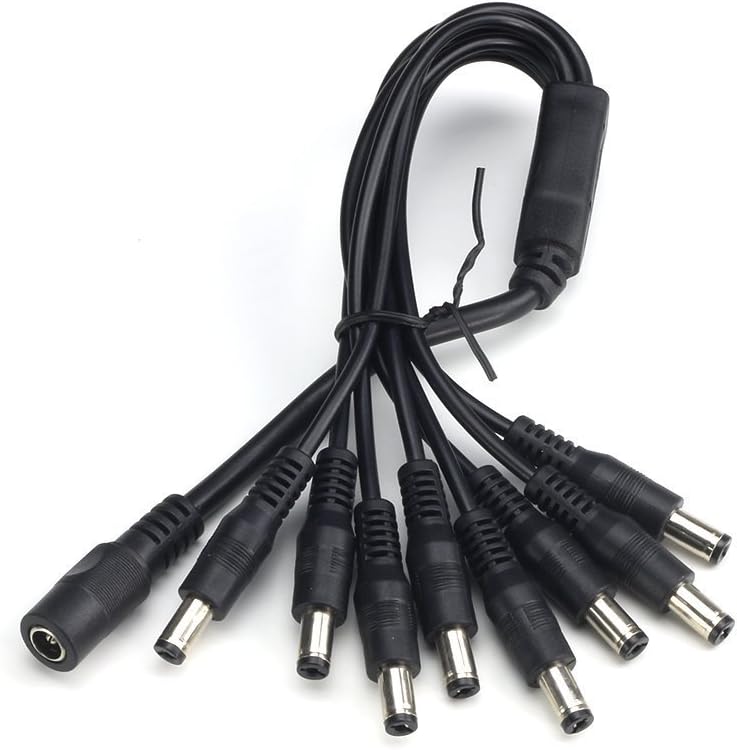
Image: 8-Way DC Power Splitter Cable.
- Түзмөктөрдү туташтыруу: Connect the male barrel connectors of the 8-Way splitter cable to your 12V DC compatible devices (e.g., CCTV cameras, LED strips). Ensure the total current draw of all connected devices does not exceed 10A.
- Optional DC Power Female Jack Adaptor: If you have a device with a bare wire input, you can use the included DC Power Female Jack Adaptor to convert it to a barrel connector. Connect your bare wires to the screw terminals on the adaptor, then plug the adaptor into one of the splitter's male outputs.

Image: DC Power Female Jack Adaptor.
- Plug into AC Outlet: Once all devices are connected, plug the AC power cord into a standard 100-240V wall outlet.
6. Иштөө нускамалары
- The power supply operates automatically once connected to an AC outlet and devices.
- Ensure all connected devices are compatible with 12V DC power and their total current draw does not exceed 10A.
- The power supply is designed for continuous operation within its specified limits.
- To power off, simply unplug the AC power cord from the wall outlet.
7. Техникалык тейлөө
- Тазалоо: Disconnect the power supply from the AC outlet before cleaning. Use a soft, dry cloth to wipe the exterior. Do not use liquid cleaners or aerosols.
- Текшерүү: Periodically inspect the power supply unit and all cables for any signs of damage, such as cuts, fraying, or discoloration.
- Сактагыч: Store the unit in a cool, dry place away from direct sunlight and moisture when not in use for extended periods.
8. Кыйынчылыктарды
| Көйгөй | Мүмкүн болгон себеп / Чечим |
|---|---|
| Түзмөктөргө кубат жок. |
|
| Power supply or splitter cable feels hot. |
|
| Devices are not receiving stable power or flicker. |
|
| Splitter cable outputs do not fit device inputs. |
|
9. Кепилдик жана колдоо
Кепилдик маалыматы жана техникалык колдоо үчүн, сатып алууда берилген документтерди караңыз же сатуучу менен түз байланышыңыз. Сатып алганыңыздын далили катары сатып алуу дүмүрчөгүңүздү сактаңыз.
You can visit the XENOCAM Store for more information: XENOCAM Store on Amazon