
1. Киришүү
Thank you for choosing the Dioche Smart Bulb Security Camera. This device integrates a full HD 1080P Wi-Fi IP camera into a standard light bulb form factor, offering 360-degree panoramic surveillance for indoor and outdoor use. It features night vision, motion detection, and two-way audio, making it suitable for monitoring babies, pets, or general home security. Please read this manual carefully before installation and operation to ensure proper use and optimal performance.
2. Коопсуздук маалыматы
- Ensure the power supply is disconnected before installing or removing the camera.
- Install the camera in a standard E27 light bulb socket.
- Камераны өтө жогорку температурага, нымдуулукка же коррозиялуу чөйрөлөргө дуушар кылбаңыз.
- Avoid direct exposure to water unless the installation area is specifically rated for such conditions (IP67 waterproof rating applies to the camera itself, but ensure the socket is protected).
- Аппаратты балдар жетпеген жерде сактаңыз.
- Өндүрүүчү көрсөткөн кубат адаптерин жана аксессуарларын гана колдонуңуз.
3. Пакеттин мазмуну
Пакетиңизде бардык буюмдар бар экенин текшериңиз:
- Dioche Smart Bulb Security Camera
- E27 Bulb Socket Adapter
- Монтаждоо бурамалар жана дубал сайгычтар
- Reset Pin / L-shaped Tool
- Колдонуучунун Колдонмосу (бул документ)

Image: The Dioche Smart Bulb Security Camera shown with its included E27 bulb socket adapter, mounting screws, and an L-shaped tool.
4. Продукт бүтүп калдыview
The Dioche Smart Bulb Security Camera offers comprehensive surveillance features in a discreet design.
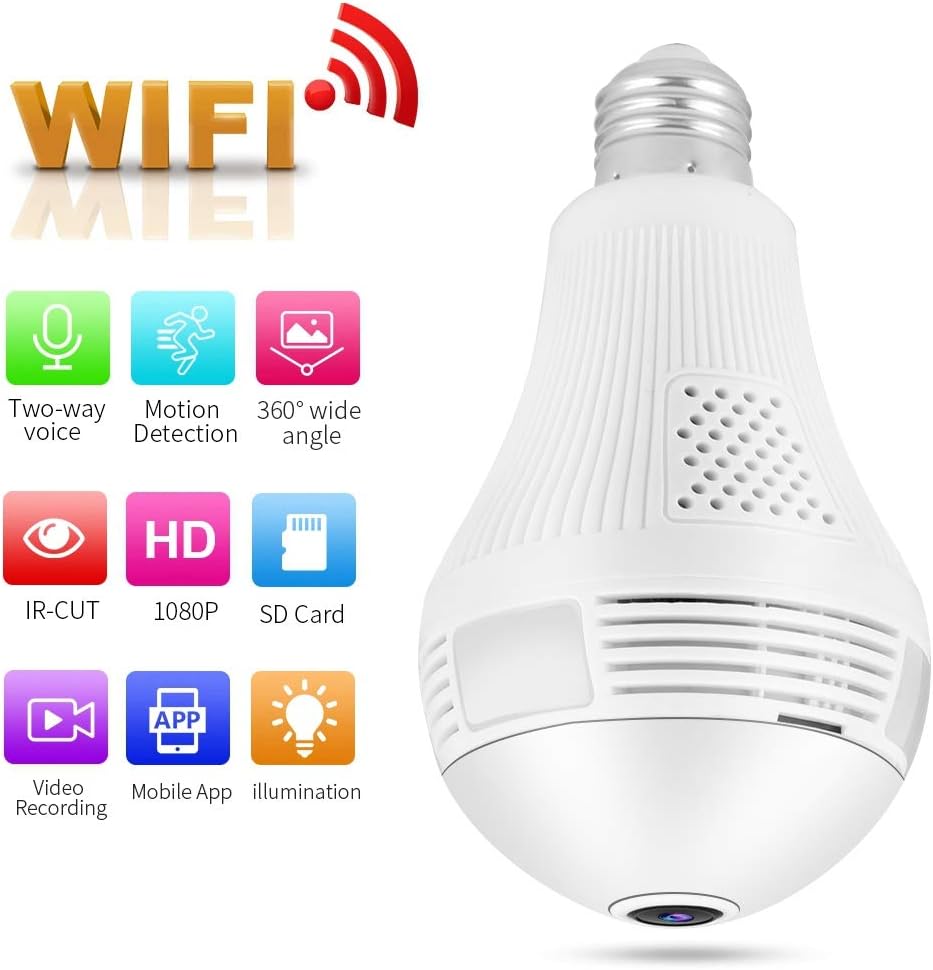
Image: The Dioche Smart Bulb Security Camera highlighting its key features: Two-way voice, Motion Detection, 360-degree wide angle, IR-CUT, HD 1080P, SD Card support, Video Recording, Mobile App control, and Illumination.
Негизги өзгөчөлүктөрү:
- Full HD 1080P токтому: Так видео тамактарды сунуштайтtage.
- 360 градус панорамалык View: Eliminates blind spots for comprehensive coverage.
- Wi-Fi туташуусу: Үй тармагыңызга оңой зымсыз туташуу.
- Түнкү көрүнүш: Built-in IR-CUT dual filter for clear monitoring in low light conditions up to 10 meters.
- Кыймылды аныктоо: Automatically detects movement and sends alerts to your mobile device.
- Эки тараптуу аудио: Камера аркылуу реалдуу убакыт режиминде байланышууга мүмкүндүк берет.
- Жергиликтүү сактагыч: Supports Micro SD card up to 128GB for video recording.
- Мобилдик колдонмону башкаруу: Алыстан viewing and control via a dedicated smartphone application.

Image: The Dioche Smart Bulb Security Camera installed in a room, illustrating its 360-degree wide viewing capability with no blind areas.
5. Орнотуу нускамалары
5.1. Физикалык орнотуу
- Өчүрүү: Ensure the power to the light socket is turned off at the circuit breaker before installation.
- Камераны орнотуу: Screw the Dioche Smart Bulb Security Camera into a standard E27 light bulb socket. Ensure it is securely tightened. If using the included adapter, first install the adapter, then screw in the camera.
- Күйгүзүү: Restore power to the light socket. The camera will power on and initiate its startup sequence.
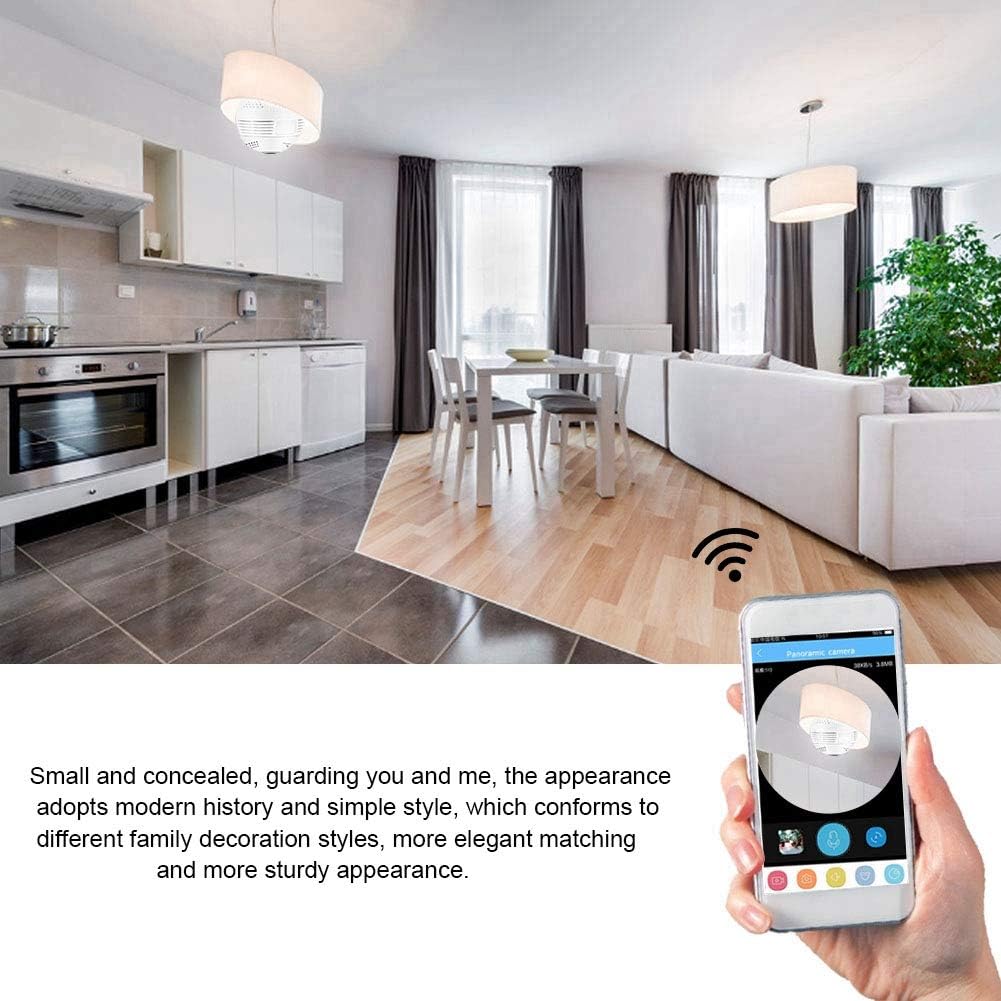
Image: The Dioche Smart Bulb Security Camera discreetly installed in a ceiling fixture, demonstrating its concealed appearance and remote monitoring via a smartphone application.
5.2. Колдонмону жүктөп алуу жана каттоо эсебин түзүү
- Колдонмону жүктөп алуу: Издөө the recommended camera application (e.g., "V380 Pro" or similar, check packaging for exact app name) in your smartphone's app store (Google Play Store for Android, Apple App Store for iOS).
- Колдонмону орнотуу: Тиркемени жүктөп алып, орнотуңуз.
- Каттоо эсеби: Open the app and follow the on-screen instructions to register a new account using your email or phone number.
5.3. Camera Pairing (Wi-Fi Connection)
- Камераны баштапкы абалга келтирүү: If this is the first time setting up or if you encounter issues, use the provided reset pin to press and hold the 'Reset' button on the camera for approximately 5-10 seconds until you hear a voice prompt indicating a reset.
- Түзмөк кошуу: Жупташтыруу процессин баштоо үчүн колдонмодо "+" сүрөтчөсүн же "Түзмөк кошууну" таптаңыз.
- Түзмөктүн түрүн тандоо: Choose the appropriate device type, usually "Smart Camera" or "Wi-Fi Camera."
- Wi-Fi конфигурациясы: Follow the app's instructions to connect the camera to your 2.4GHz Wi-Fi network. You may need to scan a QR code displayed on your phone with the camera, or enter your Wi-Fi password directly.
- Аяктоо: Once connected, the camera will announce "Wi-Fi connected" or similar. You can then name your camera and begin live viewing.
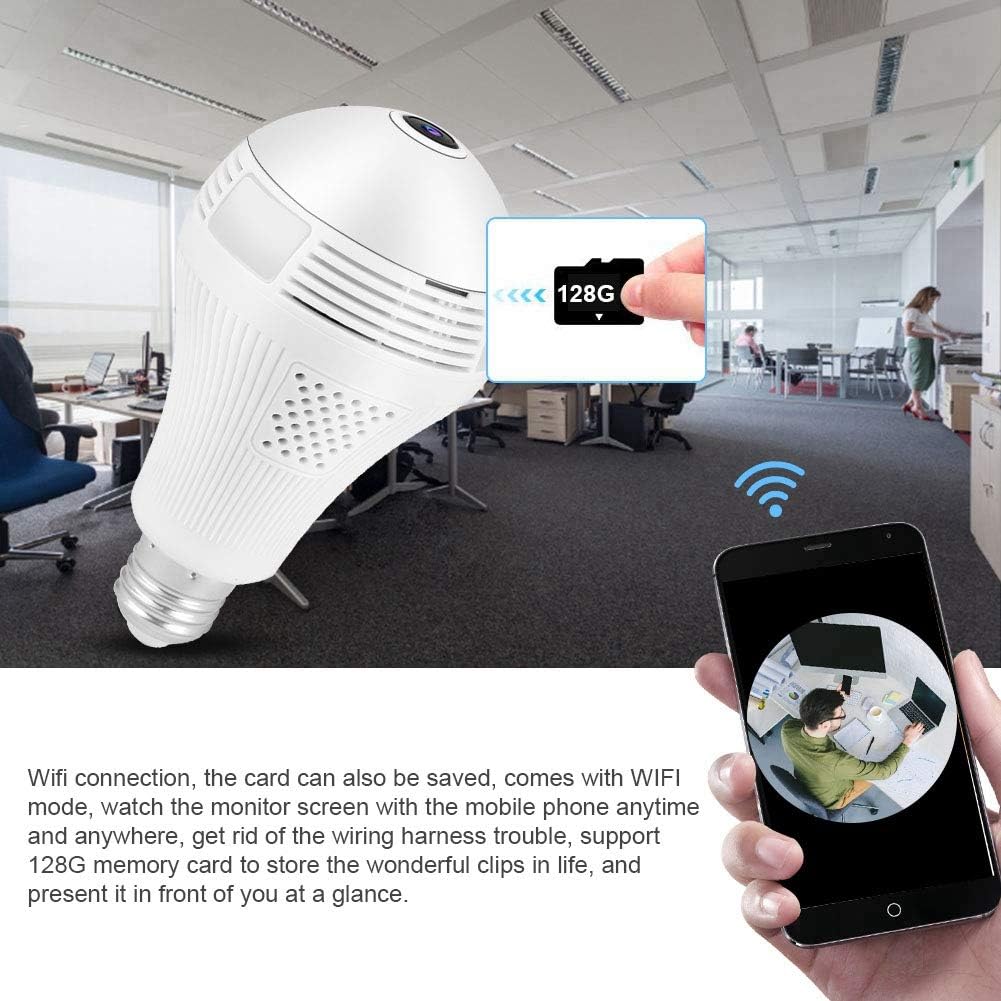
Image: The Dioche Smart Bulb Security Camera demonstrating its Wi-Fi connectivity, allowing users to view the monitor screen on their mobile phone anytime and anywhere. The image also shows the camera's support for a 128GB memory card for local storage.
6. Иштөө нускамалары
6.1. Түз эфир View
Open the app and select your camera from the device list to access the live video feed. You can pan and tilt the view by swiping on the screen for a full 360-degree panoramic experience.
6.2. Эки тараптуу аудио
Tap the microphone icon in the app to enable two-way audio. You can speak through your phone, and your voice will be transmitted through the camera's speaker. Similarly, you can hear audio from the camera's environment through your phone.

Image: A person interacting with the Dioche Smart Bulb Security Camera using its two-way audio feature, demonstrating clear communication with noise filtering algorithms.
6.3. Кыймылды аныктоо жана эскертүүлөр
Enable motion detection in the app settings. When motion is detected, the camera will automatically capture images or record video and send an alert notification to your smartphone.

Image: The Dioche Smart Bulb Security Camera's motion detection feature in action, showing a detected intruder and an alert message pushed to a mobile device.
6.4. Видео жаздыруу жана ойнотуу
Insert a Micro SD card (up to 128GB, not included) into the camera's slot for continuous or motion-triggered recording. Access recorded footagколдонмонун ойнотуу функциясы аркылуу.
6.5. Түнкү көрүнүш
The camera automatically switches to night vision mode in low light conditions, providing clear black and white (or color night vision if supported by specific models) video up to 10 meters.

Сүрөт: Бөлүнүү view demonstrating the Dioche Smart Bulb Security Camera's infrared night vision capability, showing a clear view in low light compared to a well-lit scene.
7. Техникалык тейлөө
- Тазалоо: Камера линзасын жана корпусун жумшак, кургак чүпүрөк менен акырын сүртүңүз. Катуу химиялык заттарды же абразивдүү тазалоочу каражаттарды колдонбоңуз.
- Программалык камсыздоонун жаңыртуулары: Оптималдуу аткарууну жана коопсуздукту камсыз кылуу үчүн колдонмону такай текшерип туруңуз.
- Сактагыч: Камераны узак убакытка сактасаңыз, аны кубаттан ажыратып, салкын, кургак жерде сактаңыз.
8. Кыйынчылыктарды
| Көйгөй | Мүмкүн себеп | Чечим |
|---|---|---|
| Камера Wi-Fi'га туташпай жатат | Incorrect Wi-Fi password; Camera too far from router; Only 5GHz Wi-Fi network available; Router firewall settings. | Verify Wi-Fi password; Move camera closer to router; Ensure you are connecting to a 2.4GHz Wi-Fi network; Check router settings or temporarily disable firewall. |
| Түз эфирде сүрөт же кара экран жок view | Camera offline; Poor network connection; Power issue. | Check camera's power supply; Verify Wi-Fi connection; Restart camera and app; Check internet stability. |
| SD карта жаздырылбай жатат | SD card full or corrupted; Incorrect recording settings; SD card not inserted correctly. | Format SD card via app (this will erase data); Check recording schedule/motion detection settings; Reinsert SD card; Try a different SD card. |
| Кыймылды аныктоо эскертмелери алынган жок | Motion detection disabled; App notifications blocked; Poor network connection. | Enable motion detection in app settings; Allow notifications for the app in your phone settings; Ensure stable internet connection. |
9. Техникалык шарттар
| Өзгөчөлүк | Спецификация |
|---|---|
| Модел | B07XB64GYZ |
| Резолюция | 1080P (Full HD), 720P |
| Сүрөт сенсорунун чечилиши | 2 депутат |
| Frame Rate | 15 кадр/сек |
| Байланыш | Wi-Fi (2.4 ГГц гана) |
| талаасы View | 360 градус панорама |
| Түнкү көрүнүш аралык | 10 метрге чейин |
| Сактагыч | Микро SD карта (128 ГБ чейин) |
| Эки тараптуу аудио | Колдоого алынган |
| Motion Detection | Supported (Motion Only alerts) |
| Ички/тышкы колдонуу | Ички, сырткы |
| Суу өткөрбөйт рейтинги | IP67 |
| Power Source | AC/DC |
| Ватtage | 1 Ватт |
| Иштөө температурасы | 50 градус Цельсийге чейин |
| Шайкеш түзмөктөр | Смартфон, Планшет (Android, iOS) |
| Тоо түрү | Wall Mount (via E27 socket) |
10. Кепилдик жана колдоо
Dioche products come with a standard manufacturer's warranty. For specific warranty details, please refer to the warranty card included with your purchase or contact Dioche customer support. If you encounter any issues or have questions regarding your Smart Bulb Security Camera, please contact our support team through the contact information provided on the product packaging or our official webсайт.