
TERIOS T-12
TERIOS Mobile Game Controller User Manual
Модель: T-12
Introduction
Welcome to your new TERIOS Mobile Game Controller. This manual provides detailed instructions for setup, operation, and maintenance to ensure optimal performance and an enhanced gaming experience across various platforms including Android smartphones, Windows PCs, and PlayStation 3 consoles. Please read this manual thoroughly before using the device.
Негизги өзгөчөлүктөрү
- Innovative Gaming: Designed to enrich your mobile gaming experience with precision and responsiveness.
- Кеңири шайкештик: Connects via Bluetooth 4.0 to Android smartphones, and is compatible with Windows PC and PlayStation 3. Supports popular games like PUBG, Call of Duty, and Mobile Legends.
- Gaming Joysticks: Features dual analog sticks for comprehensive and precise control.
- Эргономикалык дизайн: Comfortable grip with an integrated smartphone holder for extended gaming sessions.
- Турбо функциясы: Allows for rapid, continuous input with a single button press.
- Responsive Active Buttons: Includes 2 quick access buttons on the back and numerous action buttons for enhanced accuracy.
- Батареянын узак иштөө мөөнөтү: Up to 12 hours of continuous play on a single charge.
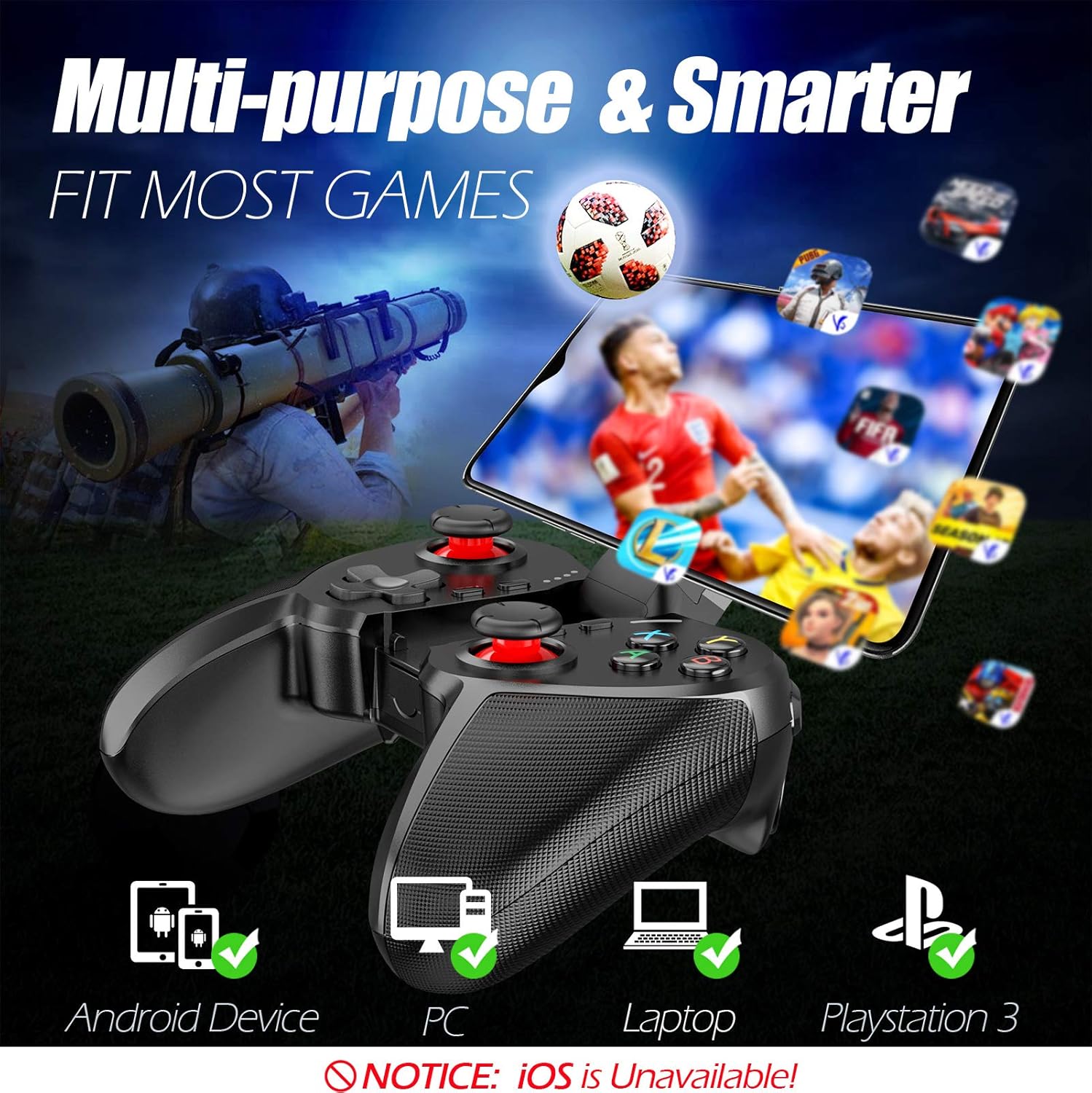
Figure 1: The TERIOS controller is compatible with Android devices, PCs, Laptops, and PlayStation 3.

Figure 2: Detail of the controller's built-in smartphone bracket, accurate buttons, and comfortable soft rubber grips.
Орнотуу жана туташуу
1. Контроллерди заряддоо
Before first use, fully charge the controller. Connect the provided Micro USB cable to the controller's charging port and the other end to a USB power source (e.g., computer USB port, USB wall adapter). The indicator lights will show charging status and turn off when fully charged.

Figure 3: The controller features a 400mAh battery, providing 12-14 hours of playtime with a 2-3 hour charging time.
2. Күйгүзүү / Өчүрүү
- Күйгүзүү үчүн: басып, кармап туруңуз ҮЙ button for 2 seconds. The indicator lights will flash.
- Өчүрүү үчүн: басып, кармап туруңуз ҮЙ button for 5 seconds until the indicator lights turn off. The controller will automatically power off after 5 minutes of inactivity.
3. Bluetooth Pairing (Android Smartphones / PS3)
- Контроллердин өчүрүлгөнүн текшериңиз.
- On your Android smartphone or PS3, enable Bluetooth.
- басып, кармап туруңуз ҮЙ button on the controller until the indicator lights flash rapidly, indicating pairing mode.
- On your device, search for new Bluetooth devices. Select "TERIOS Gamepad" or similar from the list.
- Туташкандан кийин индикатор жарыгы катуу болуп калат.
4. PC Connection
For PC connection, the controller typically uses a USB dongle (often included). Insert the USB dongle into an available USB port on your PC. The controller should automatically connect. If not, press the ҮЙ button to initiate connection.
5. Initial Setup and App (V3 App)
For optimal customization and compatibility with certain mobile games, it is recommended to download the V3 app from the Google Play Store. This app allows you to map virtual keys on your screen to the physical buttons of the controller.
- Download the "V3" app from the Google Play Store.
- Connect the TERIOS gamepad to your smartphone via Bluetooth.
- Open the V3 app and follow the on-screen instructions to customize key mappings for your desired games.

Figure 4: The V3 app allows for easy customization of virtual keys to match controller buttons, creating more combinations.
Иштөө нускамалары
1. Баскычтардын жайгашуусу жана функциялары

Figure 5: The TERIOS Mobile Game Controller with a smartphone securely mounted in its integrated holder.
- Сол аналогдук таякча: Кыймылдын негизги башкаруусу.
- Оң аналогдук таякча: Camera control or secondary movement.
- D-Pad (багыттоочу такта): Precise directional input.
- ABXY баскычтары: Standard action buttons (A, B, X, Y).
- L1/L2, R1/R2 Buttons: Shoulder and trigger buttons for various in-game actions.
- ТАНДОО баскычы: Адатта меню навигациясы же оюндун белгилүү бир функциялары үчүн колдонулат.
- START баскычы: Адатта оюндарды тындыруу же менюларга кирүү үчүн колдонулат.
- Үй баскычы: Powers on/off, enters pairing mode, and returns to home screen on some devices.
- TURBO баскычы: Activates the turbo function for other buttons.
- ТАЗАЛОО баскычы: Deactivates the turbo function.

Figure 6: The dual analog sticks are designed for precise control and execution in games.
2. Турбо функциясы
The Turbo function allows a button to be pressed repeatedly as long as you hold it down, which is useful for rapid-fire actions in games.
- Жандыруу үчүн: басып, кармап туруңуз TURBO button, then press the desired action button (e.g., A, B, X, Y, L1, R1). Release both buttons. Now, holding down the action button will activate turbo fire.
- Өчүрүү үчүн: басып, кармап туруңуз CLEAR button, then press the action button for which turbo was activated. Release both buttons.

Figure 7: The dedicated Turbo button enables rapid-fire functionality with one click.
3. Smartphone Holder Usage
The integrated smartphone holder can accommodate most smartphone sizes. Gently extend the holder and place your smartphone securely within the clamps. Ensure the phone is centered for balance.
Техникалык тейлөө
- Тазалоо: Контроллерди тазалоо үчүн жумшак, кургак чүпүрөктү колдонуңуз. Абразивдүү тазалагычтарды же эриткичтерди колдонбоңуз.
- Сактагыч: Контроллерди түз күн нурунан жана экстремалдык температурадан алыс салкын, кургак жерде сактаңыз.
- Батареяга кам көрүү: Батареянын иштөө мөөнөтүн узартуу үчүн, контроллерди тез-тез толук зарядсыздандырбаңыз. Аны көпкө чейин колдонбосоңуз да, үзгүлтүксүз кубаттап туруңуз.
Проблемаларды чечүү
| Маселе | Мүмкүн себеп | Чечим |
|---|---|---|
| Контроллер Bluetooth аркылуу туташпай жатат. | Controller not in pairing mode; device Bluetooth off; interference. | Ensure controller is in pairing mode (rapid flashing lights). Check device Bluetooth settings. Move closer to the device. Try restarting both controller and device. |
| Баскычтар жооп бербей жатат же кечигип басылып жатат. | Low battery; software glitch; interference. | Charge the controller fully. Restart the controller. Ensure no other strong wireless signals are nearby. For mobile games, check V3 app settings. |
| Контроллер тез-тезден ажыратылат. | Батареянын аздыгы; аппараттан өтө алыс; кийлигишүү. | Charge the controller. Stay within the recommended Bluetooth range. Minimize wireless interference. |
| Turbo function not working. | Incorrect activation sequence; button not supported. | Ensure you press and hold TURBO, then press the desired action button, then release both. Some games or buttons may not fully support turbo. |
Продукт спецификациялары
| Өзгөчөлүк | Деталь |
|---|---|
| Бренд | TERIOS |
| Модел | Т-12 |
| Байланыш технологиясы | Bluetooth 4.0 |
| Шайкеш түзмөктөр | Android Smartphones, Windows PC, PlayStation 3 |
| Power Source | Батарея менен иштейт (литий полимери) |
| Батарея сыйымдуулугу | 400mAh (approx. 1.48 Watt Hours) |
| Ойнотуу убактысы | 12-14 саатка чейин |
| Заряддоо убактысы | 2-3 саат |
| баскычтардын саны | 16 (including ABXY, D-pad, analog sticks, L/R triggers/bumpers, Select, Start, Home, Turbo, Clear) |
| Өзгөчөлүктөр | Turbo Function, Dual Analog Sticks, In-built Smartphone Holder, Responsive Action Buttons |
| Өлчөмдөрү (пакет) | 17 x 12.4 x 7.7 см |
| Салмагы (пакет) | 310 г |
Кепилдик жана колдоо маалыматы
The TERIOS Mobile Game Controller is designed for durability and performance. For any product-related inquiries, technical support, or warranty claims, please refer to the contact information provided with your purchase or visit the official TERIOS support webсайт. Сураныч, кепилдик максаттары үчүн сатып алганыңыздын далилин сактап коюңуз.
Ask a question about this manual
Ask about setup, troubleshooting, compatibility, parts, safety, or missing instructions. Manuals+ will review the question and use this page’s manual context to help answer it.