
Uten 2685A
Uten 2685A Electronic Sewing Machine User Manual
Модель: 2685A
1. Киришүү
Welcome to the Uten 2685A Electronic Sewing Machine user manual. This guide provides essential information for the safe and effective operation, maintenance, and troubleshooting of your new sewing machine. Please read this manual thoroughly before using the machine to ensure optimal performance and longevity.
The Uten 2685A is an advanced electronic sewing machine designed for durability and versatility. It features 200 unique built-in stitches, including alphanumeric characters, and 8 types of one-step auto-size buttonholes. Its user-friendly design, including an LCD screen and convenient control buttons, makes it suitable for various sewing projects.

Image 1.1: The Uten 2685A Electronic Sewing Machine, a versatile tool for various sewing tasks.
2. Маанилүү коопсуздук нускамалары
To reduce the risk of electric shock, burns, fire, or injury to persons, always follow basic safety precautions when using an electrical appliance.
- Бул тигүүчү машинаны колдонуудан мурун бардык көрсөтмөлөрдү окуп чыгыңыз.
- Бул көрсөтмөлөрдү машинанын жанындагы ыңгайлуу жерде сактаңыз.
- Колдонгондон кийин жана тазалоодон, капкактарды алуудан же колдонуучуга тейлөө боюнча кандайдыр бир жөндөөлөрдү жасоодон мурун, машинаны дароо электр розеткасынан сууруп алыңыз.
- Электр розеткасына кошулганда машинаны эч качан кароосуз калтырбаңыз.
- Do not operate the machine if it has a damaged cord or plug, if it is not working properly, or if it has been dropped or damaged.
- Бармактарды кыймылдуу бөлүктөрдөн алыс кармаңыз. Тигүүчү машинанын ийнесинин айланасында өзгөчө кылдаттык талап кылынат.
- Өндүрүүчүлөр сунуштаган аксессуарларды гана колдонуңуз.
- Сыртта колдонбоңуз.
3. Бөлүктөрдү идентификациялоо
Familiarize yourself with the components of your Uten 2685A sewing machine for efficient operation.

Image 3.1: Labeled diagram illustrating the key components of the Uten 2685A sewing machine.
Негизги компоненттер:
- туткасы: Машинаны алып жүрүү үчүн.
- Bobbin Winder Shaft: Used for winding bobbins.
- LCD дисплей: Shows selected stitch, length, and width settings.
- Operation Buttons for Pattern Selection: Buttons to navigate and select stitch patterns.
- Тигиштин узундугун жана туурасын тууралоо: Buttons to modify stitch dimensions.
- Letter Mode Switch/BH Selection: Toggles between letter mode and buttonhole selection.
- Twin Needle Button: Activates twin needle sewing mode.
- Power/Light Switch: Turns the machine and LED light on/off.
- Cord Socket: For power cord connection.
- Feed Dog Control: Adjusts the feed dogs for different fabric types or free-motion sewing.
- Басуучу бут көтөргүч: Басуучу бутту көтөрөт жана түшүрөт.
- Баштоо/токтотуу баскычы: Initiates and halts sewing without the foot pedal.
- Reverse Stitch/Needle Position Button: For reverse stitching and adjusting needle up/down position.
- Thread Tension Control: Үстүнкү жиптин тартылуусун жөнгө салат.
- Тигүү ылдамдыгын көзөмөлдөө: Slider to adjust sewing speed.
- Автоматтык ийне сайгыч: Assists in threading the needle.
4. Орнотуу
4.1 Пакеттен чыгаруу жана жайгаштыруу
- Машинаны таңгагынан кылдаттык менен чыгарыңыз.
- Машинаны туруктуу, тегиз бетке коюңуз.
- Ensure adequate lighting for your workspace. The machine includes an LED work light.
4.2 Кубат туташтыруу
- Insert the power cord into the cord socket on the machine.
- Plug the other end into a suitable electrical outlet.
- Use the Power/Light switch to turn the machine on.
4.3 Бобинди ороо
The Uten 2685A features a quick and automatic bobbin winding system.
- Place an empty bobbin onto the bobbin winder shaft.
- Follow the threading path indicated on the machine for bobbin winding.
- Push the bobbin winder shaft to the right.
- Start the machine (using the Start/Stop button or foot pedal) to wind the thread onto the bobbin.
- Once full, stop the machine, cut the thread, and push the shaft back to the left.

Сүрөт 4.1: Жогорку view of the machine showing the bobbin winding area.
4.4 Машинага жип салуу
Туура жип жакшы сапаты үчүн абдан маанилүү болуп саналат.
- Басуучу бут көтөргүчтү көтөрүңүз.
- Спулдун төөнөгүчтүн үстүнө жиптин катушкасын коюңуз.
- Follow the numbered threading guides on the machine for the upper thread.
- Use the automatic needle threader to easily thread the needle.
- Insert the wound bobbin into the bobbin case, ensuring the thread feeds correctly.

Image 4.2: Close-up of the automatic needle threader mechanism.
4.5 Басуучу буттарды бекитүү
The Uten 2685A comes with several quick-change presser feet for various sewing tasks.
- To change a presser foot, raise the presser foot lifter.
- Press the release button at the back of the presser foot holder to detach the current foot.
- Align the new presser foot with the holder and lower the presser foot lifter until it snaps into place.
Included presser feet typically include:
- Жалпы максаттуу бут
- Сыдырма буту
- Satin Stitch Foot
- Button Foot
- Blind Stitch Foot
- Buttonhole Foot

Image 4.3: A selection of quick-change presser feet included with the machine.
5. Иштөө нускамалары
5.1 Негизги тигүү
- Кездемеңизди басуучу буттун астына коюңуз.
- Басуучу бутту түшүрүңүз.
- Select your desired stitch pattern using the operation buttons.
- Press the Start/Stop button or use the foot pedal to begin sewing.
- Adjust the sewing speed with the speed control slider.
5.2 Тигишти тандоо жана тууралоо
The Uten 2685A offers 200 built-in stitches, displayed on the machine's body and selected via the LCD screen.

Image 5.1: Visual representation of the 200 available stitch patterns, including decorative and utility stitches.
- Use the stitch selection buttons to scroll through the available patterns. The selected stitch number will appear on the LCD.
- Adjust stitch length (0mm to 7mm) and stitch width (0mm to 4.5mm) using the dedicated adjustment buttons.
- The LCD screen provides real-time feedback on your selections.

Image 5.2: Close-up of the LCD display and control buttons for stitch selection and adjustment.
5.3 Buttonholes and Lettering
- Баскыч тешиктери: Select one of the 8 one-step auto-size buttonhole patterns. Attach the buttonhole foot and follow the machine's instructions for automatic buttonhole creation.
- Lettering and Numbers: Switch to letter mode to access the 100 alphanumeric patterns. These can be used for basic monogramming or labeling.
5.4 Өркүндөтүлгөн функциялар
- Twin Needle Sewing: Use the twin needle button to activate this mode for decorative stitching with two threads.
- Акысыз кол тигүү: Бош рычагды көрсөтүү үчүн аксессуарларды сактоочу бөлүктү алып салыңыз, ал жеңдерди, жеңдерди жана башка кичинекей, тегерек буюмдарды тигүү үчүн идеалдуу.
- Тескери тигүү: Press the reverse stitch button to sew backwards, securing the beginning and end of seams.
- Adjustable Thread Tension: Fine-tune the thread tension control to achieve balanced stitches on different fabric types.
- Ийнени өйдө/ылдый кылуу абалы: Use the needle position button to stop the needle in the up or down position, useful for pivoting fabric.
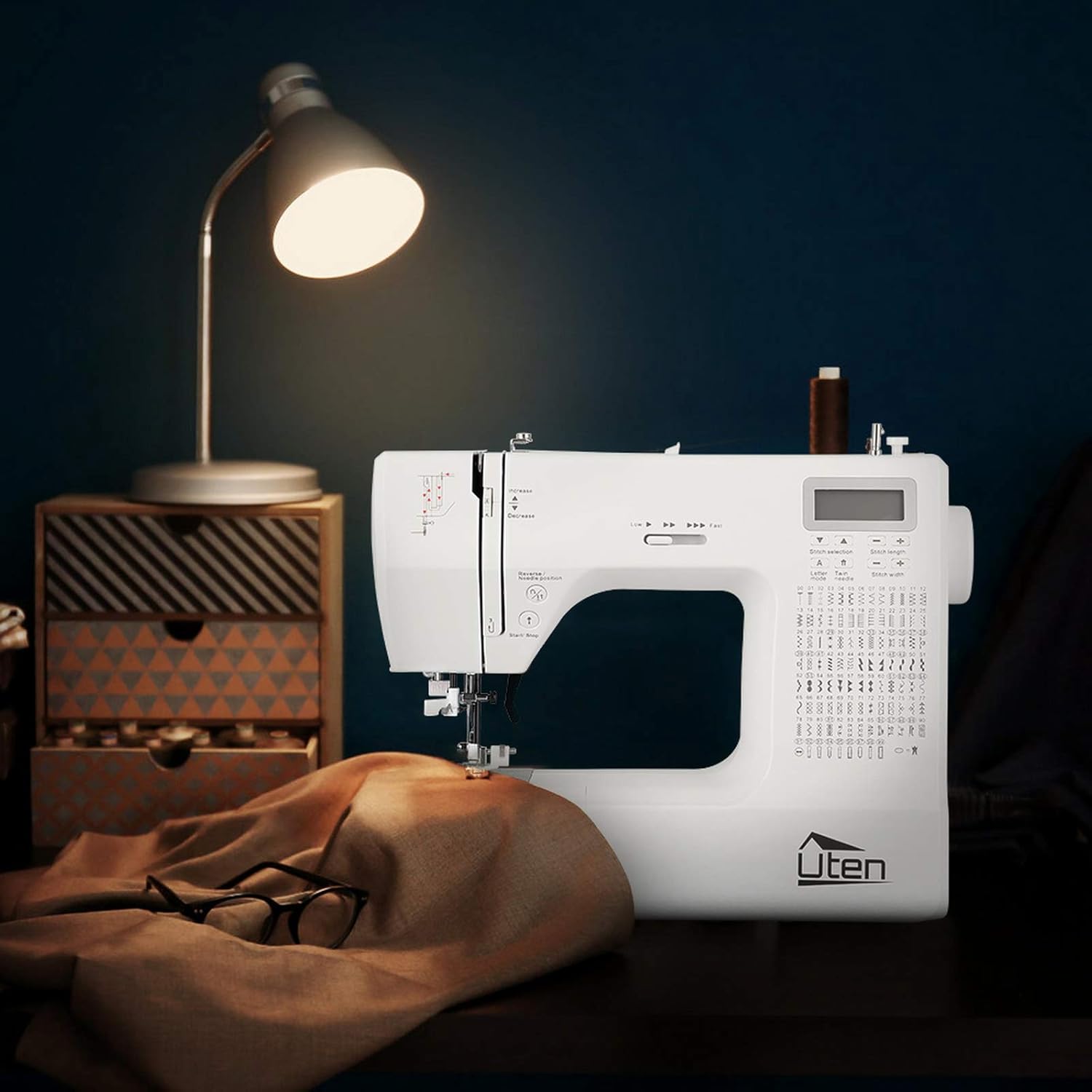
Image 5.3: Demonstrating the free arm feature for sewing cylindrical items like pant legs.
6. Техникалык тейлөө
Regular maintenance ensures your sewing machine remains in optimal working condition.
6.1 Тазалоо
- Тазалоодон мурун ар дайым машинаны розеткадан ажыратыңыз.
- Жумшак щетканы колдонуп, катушка аймагынан, тоют берүүчү иттерден жана ийне пластинасынан жүн менен чаңды кетириңиз.
- Машинанын сыртын жумшак, кургак чүпүрөк менен сүртүңүз. Суюк тазалоочу каражаттарды же катуу химиялык заттарды колдонбоңуз.
6.2 Ийне алмаштыруу
Replace the needle regularly, especially if it becomes bent, dull, or if you experience skipped stitches.
- Аппаратты өчүрүп, токтон чыгарыңыз.
- Ийне клинасын бошотуңузamp бурама.
- Эски ийнени алып салыңыз.
- Жаңы ийнени жалпак тарабын машинанын артына каратып, мүмкүн болушунча өйдө түртүңүз.
- Ийне clamp коопсуз бураңыз.
6.3 Сактоо
- Колдонулбай турган учурда, машинаны чаңдан коргоо үчүн үстүн жаап коюңуз.
- Күн тийбеген кургак, салкын жерде сактаңыз.
7. Кыйынчылыктарды
Бул бөлүмдө тигүүчү машинаңызда кездешүүсү мүмкүн болгон жалпы маселелер каралат.
| Көйгөй | Мүмкүн себеп | Чечим |
|---|---|---|
| Өткөрүлгөн тигүү | Туура эмес ийне, ийне ийилген, жип туура эмес өткөрүлгөн. | Ийнени алмаштырыңыз, машинаны кайра жиптеп өтүңүз, ийненин түрү кездемеге туура келерин текшериңиз. |
| Thread Breaking | Incorrect thread tension, poor quality thread, burr on needle/machine part. | Adjust tension, use good quality thread, check for rough spots. |
| Кездеме азыктандырбайт | Feed dogs lowered, presser foot not down, stitch length set to zero. | Тамактандыруучу иттерди көтөрүңүз, басуучу бутту түшүрүңүз, тигиштин узундугун тууралаңыз. |
| Машина иштебей жатат | Розеткага сайылган эмес, кубат өчүргүч өчүрүлгөн, коопсуздук механизми иштеп турат. | Электр туташуусун текшериңиз, өчүргүчтү күйгүзүңүз, басуучу бут ылдый жакта экенин текшериңиз. |
8. Техникалык шарттар
| Өзгөчөлүк | Деталь |
|---|---|
| Бренд | Uten |
| Модель номери | FR-2685A / E1097-2685A |
| Түс | Ак |
| Өлчөмдөрү (L x W x Y) | 31.5 x 14.5 x 27 см |
| Салмагы | 5.9 килограмм |
| Күч | 36 Ватт |
| Материал | Пластик |
| Тигүү үлгүлөрү | 200 (100 utility/decorative, 100 alphanumeric) |
| Баскыч тешигинин түрлөрү | 8 (one-step auto-size) |
| Макс тигүү ылдамдыгы | 700 ± 50 stitches per minute |
| Тигүү узундугун жөндөө | 0 ммден 7 ммге чейин |
| Тигиштин туурасын тууралоо | 0 ммден 4.5 ммге чейин |
| UPC | 841834113951 |
| Келип чыккан өлкө | Кытай |
9. Кепилдик жана колдоо
9.1 Продукциянын кепилдиги
The Uten 2685A Electronic Sewing Machine comes with a 24 айлык кепилдик from the date of purchase. This warranty covers manufacturing defects and ensures the product meets quality standards under normal use.
9.2 Кардарларды колдоо
Uten is committed to providing lifetime customer service for your product. If you encounter any issues or have questions regarding your sewing machine, please do not hesitate to contact our support team. We will offer technical support to resolve any problems you may experience.
For assistance, please refer to the contact information provided with your purchase documentation or visit the official Uten webсайт.
Ask a question about this manual
Ask about setup, troubleshooting, compatibility, parts, safety, or missing instructions. Manuals+ will review the question and use this page’s manual context to help answer it.