
Introduction
This manual provides instructions for the proper setup, operation, and maintenance of your Walker's Razor Slim Electronic Shooting Hearing Protection Muffs. These muffs are designed to protect your hearing from loud noises while allowing you to hear ambient sounds and conversations.
Коопсуздук маалыматы
- Always ensure the muffs are properly fitted and functioning before exposure to loud noise.
- Do not modify the device. Unauthorized modifications may impair performance and void the warranty.
- Агып кетпеш үчүн аппарат узак убакыт бою колдонулбаса, батареяларды алып салыңыз.
- Балдар жетпеген жерде сактаңыз.
Жайгашуу
1. Батареяны орнотуу
The Walker's Razor Slim Electronic Muffs require two AAA batteries for operation.
- Locate the battery compartment cover on one of the ear cups.
- Бөлүмдү ачуу үчүн капкакты акырын жылдырыңыз же көтөрүңүз.
- Бөлүмдүн ичинде көрсөтүлгөндөй, туура полярдуулукту (+/-) текшерип, эки AAA батарейкасын салыңыз.
- Батарея уясынын капкагын алмаштырып, анын бекем жабылганын текшериңиз.
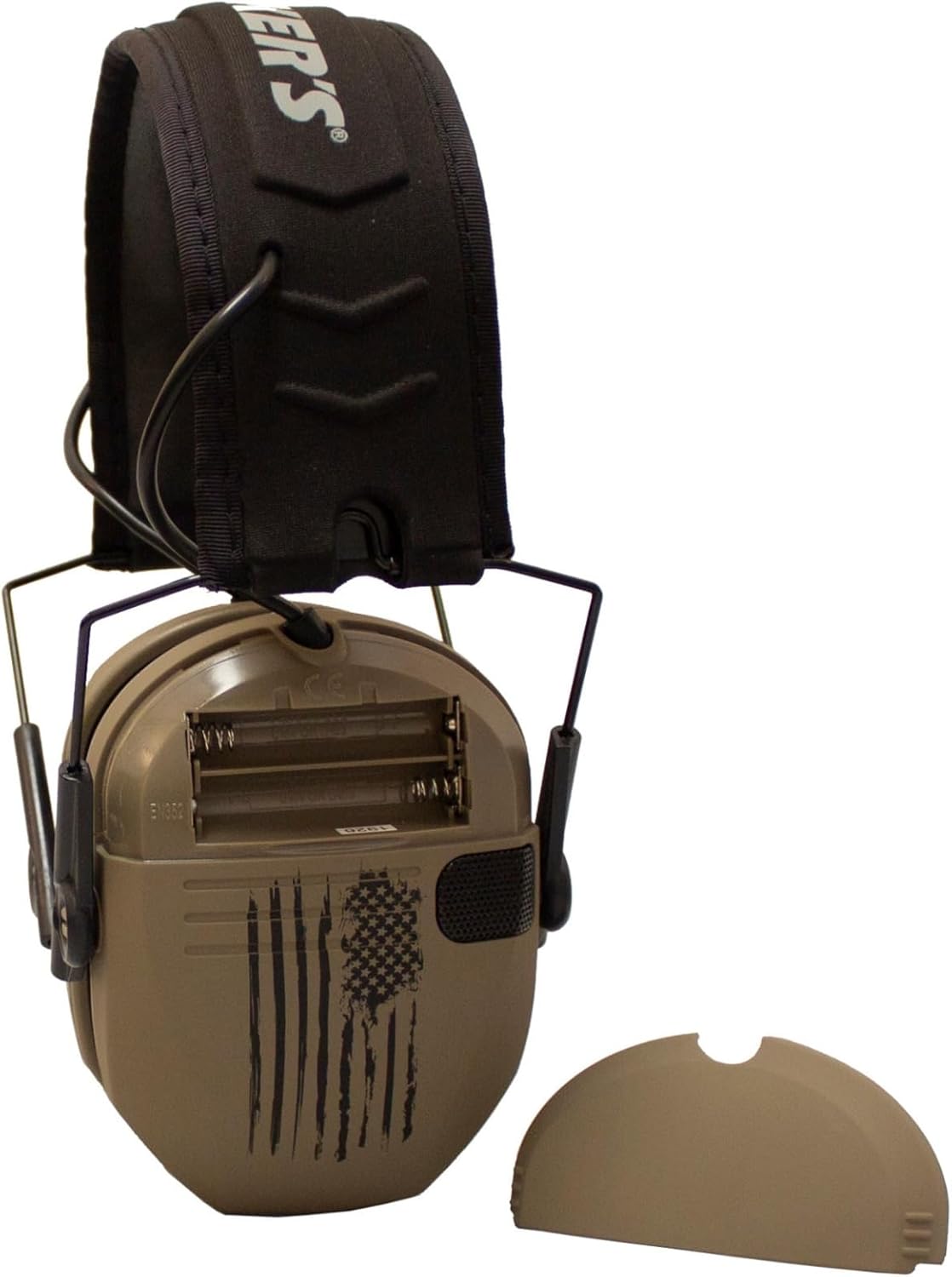
1-сүрөт: Капкагы алынган батарея бөлүмү.
2. тууралоо
For optimal hearing protection and comfort, adjust the muffs to fit snugly over your ears.
- Extend the headband by pulling the ear cups downwards.
- Place the muffs over your ears, ensuring the ear cups fully enclose your ears.
- Adjust the headband by sliding the ear cups up or down until a comfortable and secure seal is achieved around your ears.
- The padded headband should rest comfortably on the top of your head.
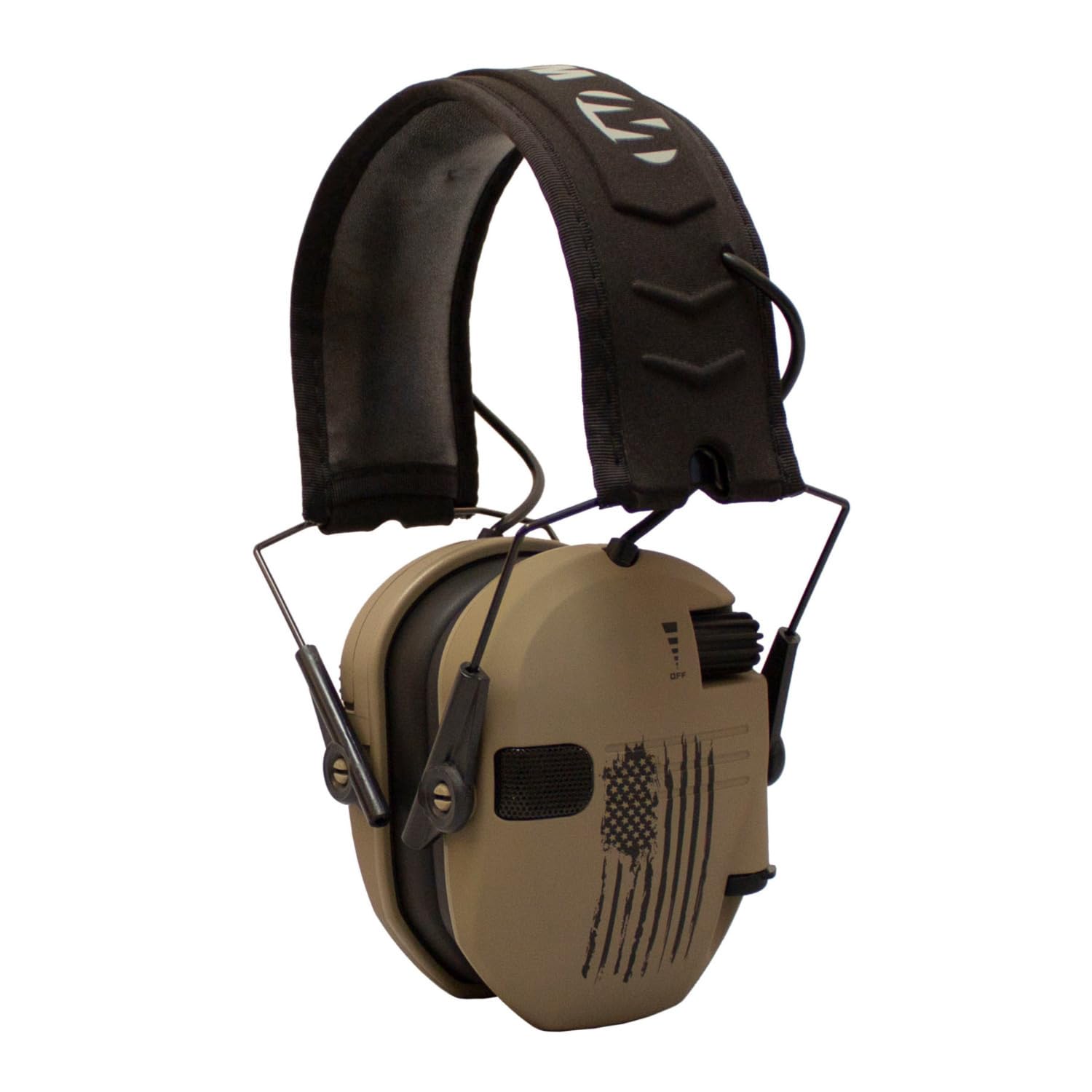
2-сүрөт: Каптал view of the hearing protection muff.
Иштөө нускамалары
1. Күйгүзүү/өчүрүү жана үндү көзөмөлдөө
The muffs feature a recessed volume control knob on one of the ear cups.
- To power on, rotate the volume control knob clockwise until you hear a click. Continue rotating to increase the volume of ambient sounds.
- Үндү азайтуу үчүн, баскычты сааттын жебесине каршы буруңуз.
- To power off, rotate the knob counter-clockwise until you hear a click and the sound amplification ceases.

Figure 3: Ear cup with volume control.
2. Sound Activated Compression (SAC)
The Razor Slim Muffs are equipped with Sound Activated Compression (SAC) technology. This feature automatically reduces loud noises above 90dB within 0.02 seconds, protecting your hearing while allowing you to hear lower-level sounds like conversations and range commands.
3. Omnidirectional Microphones and Audio Input Jack
- Omnidirectional Microphones: Two omnidirectional microphones capture ambient sounds, providing clear and balanced audio for improved situational awareness.
- Аудио киргизүү Jack: An audio input jack is provided for connecting external audio devices. Use a standard 3.5mm audio cable (not included) to connect your device.
Техникалык тейлөө
- Тазалоо: Clean the muffs gently with a damp cloth. Avoid direct water contact or submerging the device.
- Сактагыч: Store the muffs in a dry place. When not in use for extended periods, remove the batteries to prevent leakage and store compactly.
- Кулак төшөктөрү: Periodically inspect ear pads for wear and tear. Replace if damaged to maintain optimal noise reduction.
Проблемаларды чечүү
| Көйгөй | Мүмкүн себеп | Чечим |
|---|---|---|
| Үн жок же начар үн | Dead or incorrectly installed batteries. Volume too low. | Replace batteries with fresh AAA batteries, ensuring correct polarity. Increase volume using the control knob. |
| Бурмаланган же үзгүлтүктүү үн | Low batteries. Loose battery connection. Moisture in electronics. | Replace batteries. Ensure battery compartment is secure. Allow muffs to dry thoroughly if exposed to moisture. |
| Muffs do not reduce loud noise effectively | Improper fit. Damaged ear pads. | Adjust muffs for a snug seal around ears. Inspect ear pads for damage and replace if necessary. |
Техникалык шарттар
- Модел: GWP-RSEM-FDE-USF
- Чууну азайтуу рейтинги (NRR): 23 дБ
- Sound Activated Compression (SAC) Reaction Time: 0.02 секунд
- Кубат булагы: 2 x AAA батареялары
- Микрофондор: Two Omnidirectional
- Баяндамачылар: Full Dynamic Range HD Speakers
- Аудио киргизүү: 3.5 мм Jack
- Өлчөмдөрү (Продукт): 10.2 x 8.5 x 6.8 дюйм
- Өлчөмдөрү (Компакттуу): 6.5 x 4.5 x 3 дюйм
- Салмагы: 15.2 унция
- Material (Ear Cups Coating): Каучук
Кепилдик маалымат
Specific warranty details for this product are not provided in this manual. Please refer to the product packaging or the manufacturer's official website for comprehensive warranty information and terms.
Колдоо
For technical assistance, troubleshooting beyond this guide, or customer service inquiries, please contact Walker's customer support. Contact information can typically be found on the product packaging or the official Walker's webсайт.