
1. Киришүү
The UNISHEEN UC2500H is a USB 3.0 4K HDMI Video Capture Card designed for high-quality video capture and live streaming. It supports 4K Ultra HD resolution input at 60Hz and provides 1080P60 video output, ensuring clear and vibrant visuals for recording or broadcasting. This device offers plug-and-play functionality and broad compatibility across various operating systems.

Figure 1: UNISHEEN UC2500H USB 3.0 4K HDMI Video Capture Card.
2. Пакеттин мазмуну
Пакетте бардык буюмдар бар экенин текшериңиз:
- UNISHEEN UC2500H Video Capture Card
- USB 3.0 Кабель
- HDMI кабели
- USB-C - USB-A адаптер
- Driver/Application Software CD
- Колдонуучунун Колдонмосу (бул документ)

Figure 2: Contents of the UNISHEEN UC2500H package, including the capture card, cables, adapter, and software CD.
3. Техникалык шарттар
| Бренд | UNISHEEN |
| Модель аты | UC2500H |
| Продукциянын өлчөмдөрү | 3.54 x 2.48 x 0.55 дюйм |
| Элемент Салмагы | 10.8 унция |
| Аппараттык интерфейс | HDMI, USB 3.0, USB 2.0 |
| Video Input Resolution | Up to 4K Ultra HD at 60Hz (2160P60) |
| Video Output токтому | 1080P60 чейин |
| Операциялык системанын шайкештиги | Windows 7/8.1/10/11 (x86 & x64), Windows Server 2008 R2, macOS 10.10 or above, Android |
4. Түзмөк бүттүview
The UNISHEEN UC2500H features multiple ports for versatile connectivity:
- HDMI IN: Connect your video source (e.g., game console, camera).
- HDMI OUT: Connect to a monitor for real-time pass-through viewing.
- USB-C: Connect to your computer or Android device for data transfer and power.
- MIC IN: Connect an external microphone for audio commentary.
- ЧЫГЫШ: Аудио мониторинг жүргүзүү үчүн кулакчындарды туташтырыңыз.
- IN: Connect an audio source for mixing with video.

3-сүрөт: алдыңкы жана каптал view of the capture card showing the audio input/output, microphone input, USB-C port, HDMI input, and HDMI output.
5. Орнотуу нускамалары
Follow these steps to set up your UNISHEEN UC2500H video capture card:
- Connect the Capture Card: Plug the USB 3.0 cable into the USB-C port on the capture card and the other end into a USB 3.0 port on your computer or compatible Android device. If your device has only USB-A ports, use the provided USB-C to USB-A adapter.
- Видео булагын туташтыруу: Use an HDMI cable to connect your video source (e.g., game console, camera, TV box) to the HDMI-IN кармоо картасындагы порт.
- Дисплейди туташтыруу (милдеттүү эмес): For real-time monitoring without latency, connect an HDMI cable from the HDMI OUT port on the capture card to your display monitor. This provides a loop-through output.
- Аудио туташтыруу (кошумча):
- For microphone input, connect your microphone to the MIC порт.
- For headphone monitoring, connect your headphones to the OUT порт.
- For external audio input, connect your audio source to the IN порт.
- Программаны орнотуу: Insert the provided driver/application software CD into your computer's CD drive and follow the on-screen instructions to install the necessary drivers and capture software. Alternatively, download the latest software from the UNISHEEN official webсайт.

Figure 4: A typical setup for live streaming or recording, showing connections for the capture card, computer, and audio devices.

Figure 5: The capture card connected to a PC or Mac, highlighting its plug-and-play functionality.
6. Операция
6.1. Using Capture Software
Once the drivers are installed, open your preferred capture software (e.g., OBS Studio, PotPlayer, XSplit, Wirecast, vMix, YouTube Live, Twitch, TikTok Live). The capture card should be recognized as a video input device.
- Select the UNISHEEN UC2500H as your video input source.
- Configure video resolution and frame rate settings within the software (up to 1080P60 for capture).
- Adjust audio input settings to include the capture card's audio or external microphone.
- Start recording or streaming as desired.
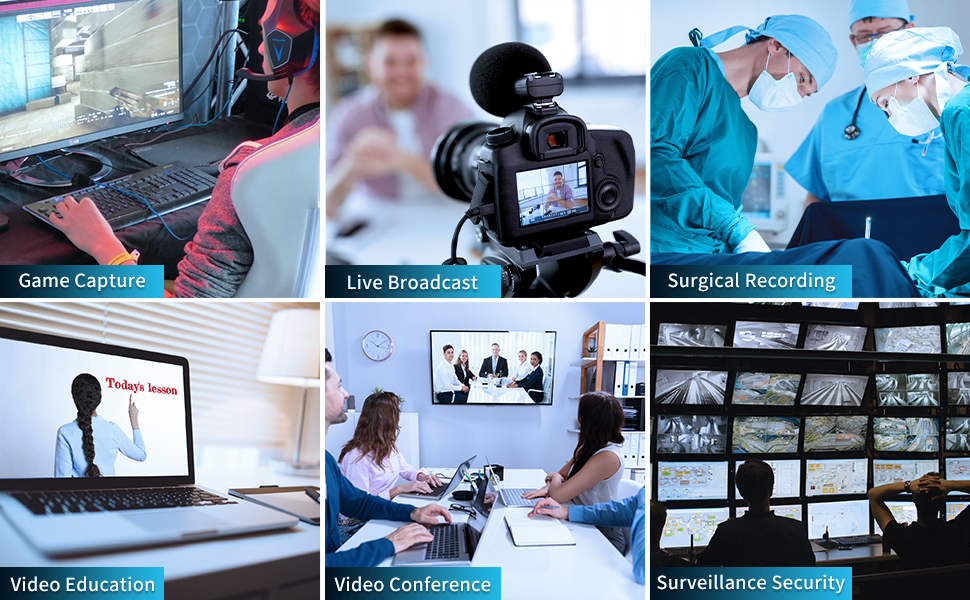
Figure 6: The capture card can be used for various applications including game capture, live broadcast, surgical recording, video education, video conferencing, and surveillance security.
6.2. Mobile Game Live Stream Setup
The UC2500H supports mobile game live streaming when connected to a compatible Android phone (PD2.0 Above) via the USB 3.0 connection. This allows for headphone monitoring, game commentary, and broadcasting through mobile applications.
Видео 1: Бүттүview of the UNISHEEN USB 3.0 Game Capture HDMI Video Adapter Card, demonstrating its features and connectivity.
Video 2: A tutorial providing an overview and usage instructions for the capture card, including setup and software configuration.
Video 3: Demonstrates the UNISHEEN USB 3.0 HDMI Capture device in action, showcasing its capabilities for capturing video content.
7. Техникалык тейлөө
- Keep the device in a dry, cool environment.
- Аппаратты экстремалдык температурага же тике күн нуруна кабылуудан сактаңыз.
- Clean the device with a soft, dry cloth. Do not use liquid cleaners or abrasive materials.
- Ашыкча ысып кетүүнүн алдын алуу үчүн, иштеп жатканда түзмөктүн айланасында жакшы желдетүүнү камсыз кылыңыз.
8. Кыйынчылыктарды
- Видео сигнал жок:
- Бардык HDMI кабелдеринин туташууларынын коопсуздугун текшериңиз.
- Видео булагыңыз күйгүзүлүп, сигнал чыгып жатканын текшериңиз.
- Ensure the correct HDMI input is selected in your capture software.
- Try a different HDMI cable or port on your source device.
- Аудио жок:
- Check audio cable connections for external microphones or headphones.
- Verify audio input/output settings in your capture software.
- Ensure the audio source is active and not muted.
- Видеонун сапаты начар/артка чегинүү:
- Ensure the capture card is connected to a USB 3.0 port for optimal performance. USB 2.0 ports may limit bandwidth.
- Check your computer's specifications to ensure it meets the minimum requirements for video capture and streaming.
- Reduce the capture resolution or frame rate in your software settings.
- Компьютериңиздин графикалык драйверлерин жаңыртыңыз.
- Түзмөк таанылган жок:
- USB кабели коопсуз туташканын текшериңиз.
- Компьютериңиздеги башка USB портуна туташып көрүңүз.
- Reinstall the device drivers from the provided CD or UNISHEEN webсайт.
- Компьютериңизди өчүрүп күйгүзүңүз.
9. Кепилдик жана колдоо
UNISHEEN offers comprehensive after-sales warranty services. If you encounter any quality issues or require further assistance, please contact our professional customer service team. We guarantee to address your concerns within 24 hours.
Колдоого кайрылуу үчүн:
- Find your order on the platform where you made the purchase.
- Click the "Contact Seller" button.
If you receive a damaged product, you may apply for an exchange through the Amazon platform within 30 days of purchase.