
5Rcom Reinforced Floor TV Stand
5Rcom Reinforced Floor TV Stand with Mount
Instruction Manual for Models Supporting 32-70 inch TVs
1. Киришүү
Thank you for choosing the 5Rcom Reinforced Floor TV Stand. This stand is designed to provide a secure, adjustable, and aesthetically pleasing solution for mounting your 32-70 inch flat or curved screen television. With its robust construction, swivel functionality, and height adjustment, it offers an optimal viewing experience in various room settings. Please read this manual thoroughly before assembly and use to ensure safe and correct installation.

Сүрөт 1.1: The 5Rcom Reinforced Floor TV Stand with a television mounted, highlighting its modern appearance and stable base.
2. Коопсуздук маалыматы
Your safety is paramount. Improper installation or use of this product can lead to serious injury or damage. Please adhere to the following safety guidelines:
- Салмак сыйымдуулугу: максималдуу салмак сыйымдуулугунан ашпаңыз 110 фунт (50 кг). This stand is significantly safer than many alternatives on the market, but exceeding its limit can cause instability.
- Сыналгы өлчөмү шайкештиги: This stand is designed for TVs between 32 жана 70 дюйм. Ensure your TV's VESA pattern is compatible (100x100mm to 400x400mm).
- Туруктуу бети: Always place the TV stand on a flat, level, and stable surface to prevent tipping.
- Балдар жана үй жаныбарлары: Keep children and pets away from the stand during assembly. Do not allow children to climb on or play with the stand or mounted TV.
- Компонентти текшерүү: Before each use, ensure all screws and connections are secure. Periodically check for any signs of wear or damage.
- Кесиптик жардам: If you are unsure about any part of the assembly or have concerns about your TV's compatibility, consult a qualified professional.
Сүрөт 2.1: Visual representation of VESA compatibility (100x100mm to 400x400mm) and the maximum weight capacity of 110 lbs, crucial for safe installation.
3. Орнотуу жана чогултуу
The 5Rcom TV stand is designed for straightforward assembly with fewer parts and no drilling required. Please follow these steps carefully:
- Пакеттен чыгаруу жана текшерүү: Carefully unpack all components and hardware. Refer to the included parts list (not provided in this manual) to ensure all items are present and undamaged.
- Базаны чогултуу: Attach the main support column to the tempered glass base using the provided screws and tools. Ensure the connection is firm and stable.
- Attach the TV Mount: Secure the TV mounting bracket to the top of the support column. This bracket allows for height adjustment and swivel functionality.
- Телевизоруңузду даярдаңыз: Attach the TV adapter brackets to the back of your television. Ensure these brackets align with your TV's VESA mounting holes. Use the appropriate screws and spacers for your TV model.
- Телевизорду орнотуу: Carefully lift your television and hook the TV adapter brackets onto the mounting bracket on the stand. Engage the safety locks to secure the TV in place. It is recommended to have assistance when lifting and mounting larger televisions.
- Кабелдик башкаруу: Utilize the integrated cable management system on the back of the stand to route and conceal your TV and media device cables for a tidy appearance.
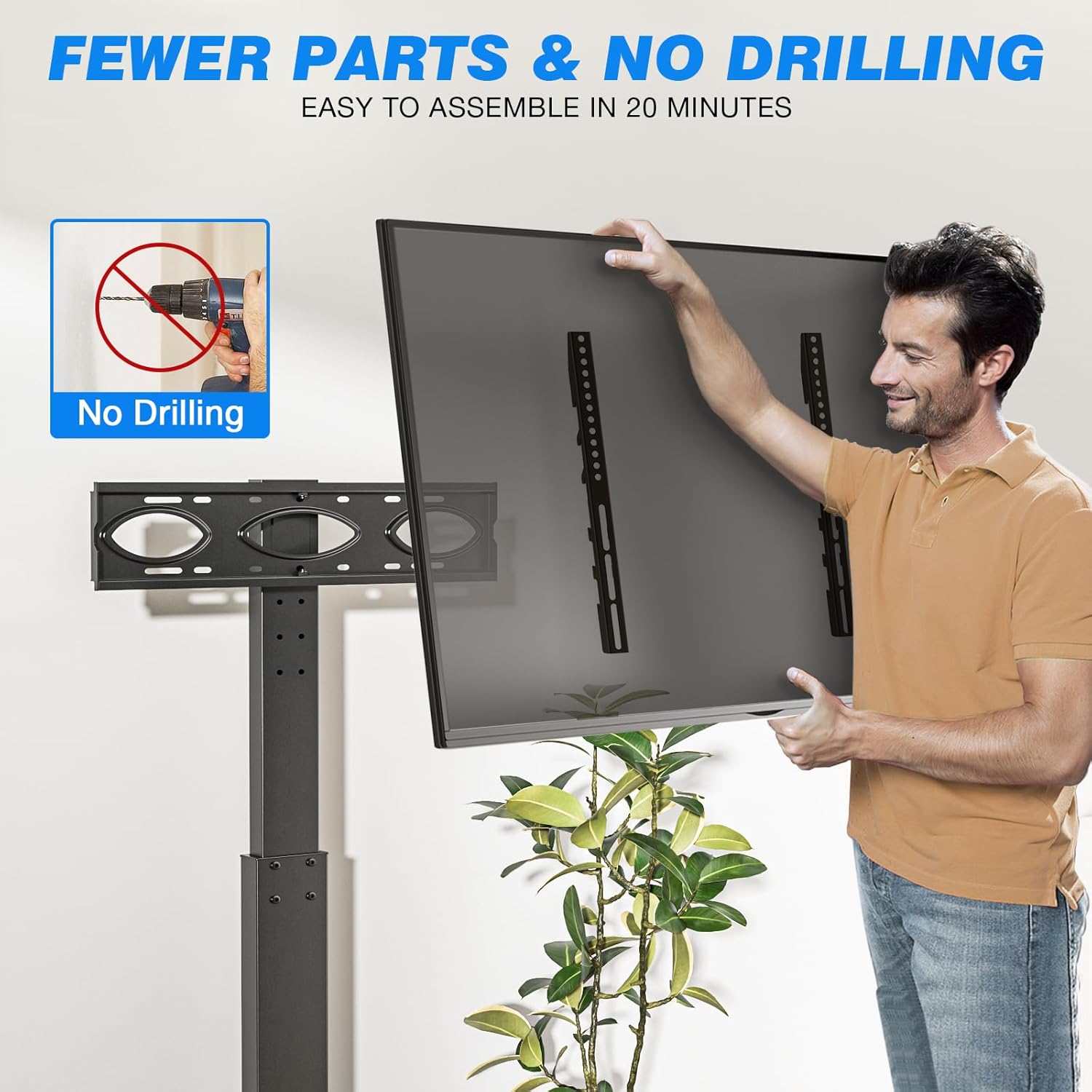
Сүрөт 3.1: Illustration of the simplified assembly process, emphasizing that no drilling is required and assembly is quick.
4. Иштөө нускамалары
Once assembled, your 5Rcom TV stand offers several features to enhance your viewтажрыйбасы:
4.1. Бийиктигин тууралоо
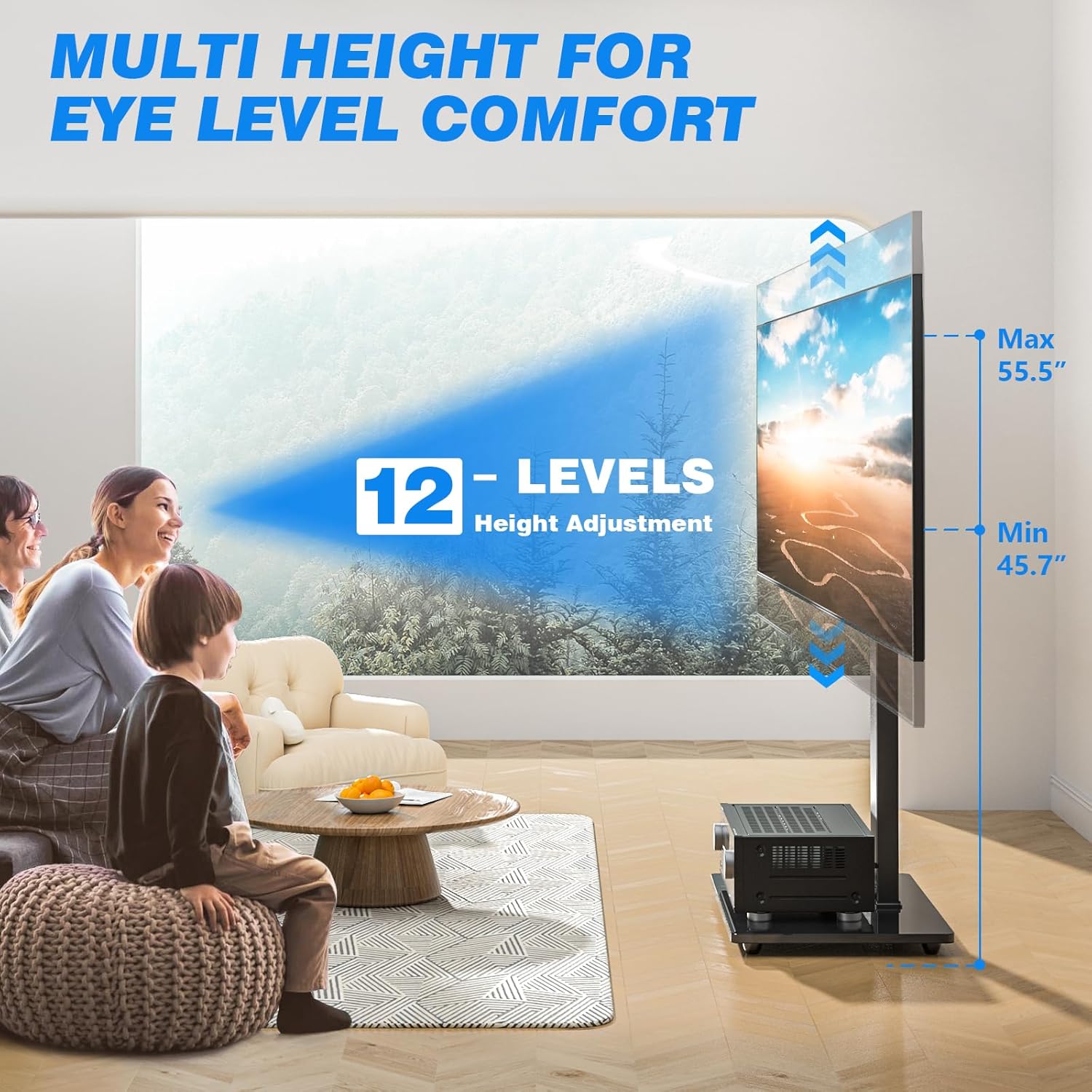
The stand features 7 levels of height adjustment, allowing you to position your TV at an optimal eye level for comfort and reduced neck strain. The TV height can be adjusted from approximately 46 inches to 56 inches off the floor. To adjust the height, loosen the securing bolts on the main column, slide the TV mount to the desired height, and re-tighten the bolts securely.
Сүрөт 4.1: Visual guide to the multi-level height adjustment feature, ensuring comfortable viewбурчтар.
4.2. Айлануу функциясы
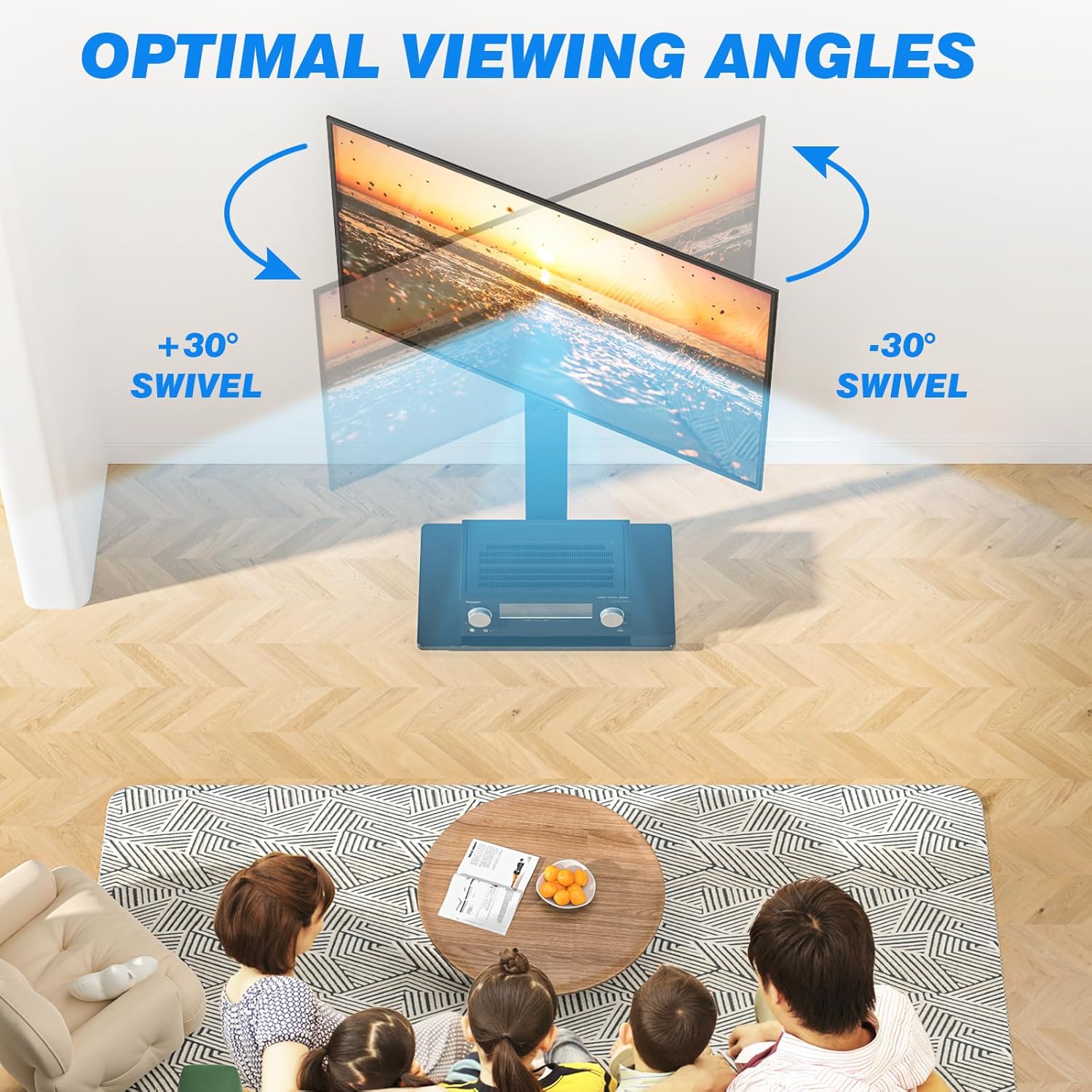
The TV mount can swivel 30 degrees left and 30 degrees right, providing a total of 60 degrees of swivel. This allows you to easily adjust the viewing angle from different positions in your room without moving the entire stand. Gently push the TV to the desired angle. Do not force the swivel beyond its limits.

Сүрөт 4.2: Demonstration of the 60-degree swivel capability, allowing for flexible viewпозициялар.
4.3. Кабелдик башкаруу
The integrated cable management system helps keep your cables organized and out of sight. Route your TV and media device cables through the designated channels on the back of the stand's column. This contributes to a cleaner and safer entertainment area.
5. Техникалык тейлөө
Regular maintenance will help prolong the life and appearance of your TV stand:
- Тазалоо: Use a soft, dry cloth to wipe down the metal and glass surfaces. For stubborn marks on the glass, a mild glass cleaner can be used, applied to the cloth first, not directly to the glass. Avoid abrasive cleaners or solvents.
- Аппараттык камсыздоону текшерүү: Periodically (e.g., every 6 months) check all screws and bolts to ensure they remain tight. Re-tighten if necessary, but do not overtighten.
- Туруктуулукту текшерүү: Ensure the stand remains on a level surface and does not wobble. Adjust if needed.
6. Кыйынчылыктарды
Эгер сыналгы стендиңизде кандайдыр бир көйгөйгө туш болсоңуз, төмөнкү жалпы көйгөйлөрдү жана чечимдерди караңыз:
- Көйгөй: The TV stand feels unstable or wobbles.
Чечим: Ensure the stand is placed on a completely flat and level surface. Check that all assembly screws, especially those connecting the base to the column and the column to the mount, are securely tightened. Verify that your TV's weight does not exceed the 110-pound capacity. - Көйгөй: The TV is not level after mounting.
Чечим: Check the alignment of the TV adapter brackets on the back of your TV. Ensure they are installed evenly. The mounting bracket on the stand may also have minor leveling adjustments; consult the detailed assembly diagrams (if provided with your product) for specific instructions. - Көйгөй: Телевизорду айлантууда кыйынчылык.
Чечим: Ensure no cables are snagged or obstructing the swivel mechanism. The swivel should move smoothly; do not force it. If it feels stiff, check for any debris or obstructions. - Көйгөй: Монтаж учурунда жетишпеген тетиктер.
Чечим: Carefully re-check all packaging materials. If parts are genuinely missing, contact 5Rcom customer support immediately with your purchase details.
7. Техникалык шарттар
| Өзгөчөлүк | Спецификация |
|---|---|
| Бренд | 5Rcom |
| Монтаж түрү | Floor Mount |
| Кыймыл түрү | Айлануучу |
| Материал | Чыңалган айнек, металл |
| Түс | КАРА |
| Туура келген сыналгы өлчөмдөрү | 32 - 70 дюйм |
| Максималдуу Салмак сыйымдуулугу | 110 фунт (50 кг) |
| VESA шайкештиги | 100x100ммден 400x400ммге чейин |
| Бийиктигин тууралоо диапазону | Approx. 46" to 56" from floor (7 levels) |
| Swivel Angle | ±30 Degrees (Total 60 Degrees) |
| UPC | 786784035802 |
8. Кепилдик жана колдоо
For warranty information or technical support, please refer to the documentation included with your purchase or visit the official 5Rcom website. If you have any questions or require assistance with assembly or operation, please contact 5Rcom customer service directly. Have your product model and purchase date ready when contacting support.
Thank you for choosing 5Rcom.
Ask a question about this manual
Ask about setup, troubleshooting, compatibility, parts, safety, or missing instructions. Manuals+ will review the question and use this page’s manual context to help answer it.