
Introduction
The Palram Greenhouse Heater is designed to provide efficient and controlled heating for your greenhouse, ensuring optimal growing conditions for your plants. With a powerful 2400W output and digital thermostat control, it helps maintain a stable temperature, protecting your plants from cold weather. This manual provides essential information for safe operation, setup, and maintenance.
Коопсуздук нускамалары
Бул шайманды иштетүүдөн мурун бардык коопсуздук көрсөтмөлөрүн окуп чыгып, түшүнүп алыңыз. Бул көрсөтмөлөрдү аткарбоо электр тогуна урунууга, өрткө же олуттуу жаракат алууга алып келиши мүмкүн.
- Always ensure the heater is connected to a properly grounded electrical outlet.
- Жылыткычты шнуру же сайгычы бузулган абалда иштетпеңиз. Эгерде шнуру бузулган болсо, коркунучту болтурбоо үчүн аны өндүрүүчү, анын тейлөө агенти же ушул сыяктуу квалификациялуу адамдар алмаштырышы керек.
- Do not immerse the heater or its electrical components in water. The heater unit has an IPX4 rating, meaning it is protected against splashing water from any direction. The external temperature sensor has an IP65 rating, offering protection against dust and low-pressure water jets.
- Maintain a minimum clearance of 1 meter (3 feet) around the heater to ensure proper ventilation and prevent fire hazards.
- Do not use the heater near flammable liquids, gases, or materials.
- Тазалоодон же кандайдыр бир техникалык тейлөөдөн мурун жылыткычты ар дайым розеткадан сууруп коюңуз.
- Бул шайман физикалык, сезүү же акыл-эс жөндөмү начар же тажрыйбасы жана билими жок адамдар (анын ичинде балдар) үчүн, эгерде алардын коопсуздугуна жооптуу адам тарабынан көзөмөлсүз же шайманды колдонуу боюнча көрсөтмө болбосо, колдонууга арналбайт.
- The heater is equipped with an automatic safety cutoff that will switch off the unit in case of overheating. The unit will reset once it has cooled down.
Пакеттин мазмуну
Таңгактан чыгарганда бардык компоненттер бар экенин жана бузулбаганын текшериңиз:
- Palram Greenhouse Heater Unit
- Санариптик термостат контроллери
- External Temperature Sensor with 1.5m cable
- Көрсөтмө (бул документ)

Image: Main heater unit with the digital thermostat and external temperature sensor.
Жайгашуу
Follow these steps to set up your Palram Greenhouse Heater:
- Жайгашкан жери: Place the heater on a stable, level surface in your greenhouse. Ensure it is not directly exposed to water spray and maintains the recommended clearance from walls, plants, and other objects.
- Термостатты туташтыруу: Plug the heater's power cord into the output socket of the digital thermostat controller.
- Температура сенсорун туташтыруу: Plug the external temperature sensor into the designated port on the digital thermostat controller.
- Позиция сенсору: Position the external temperature sensor in the greenhouse where you want to measure the ambient temperature. Avoid placing it in direct sunlight or near heat sources that could skew readings. The 1.5m cable allows for flexible placement.
- Кубат туташуу: Plug the digital thermostat controller's power cord into a grounded 240V electrical outlet.

Сүрөт: деталдуу view of the digital thermostat connections for the heater and temperature sensor.

Сүрөт: Мисample of the digital thermostat and temperature sensor placement within a greenhouse environment.
Иштөө нускамалары
The Palram Greenhouse Heater offers both heating and ventilating functions, controlled via the unit and the digital thermostat.
Heater Unit Controls
The heater unit features two rotary knobs:
- Кубат тандагыч: This knob allows you to select the heating power output. Options typically include Off (0), Fan Only (fan symbol), and two heating levels (e.g., 1.5kW and 2.4kW).
- Thermostat Dial (Internal): This dial sets the desired temperature for the heater's internal thermostat. When using the external digital thermostat, set this dial to its maximum setting to allow the external thermostat to control the heating cycle.

Image: The two control knobs on top of the heater unit for power selection and internal temperature setting.
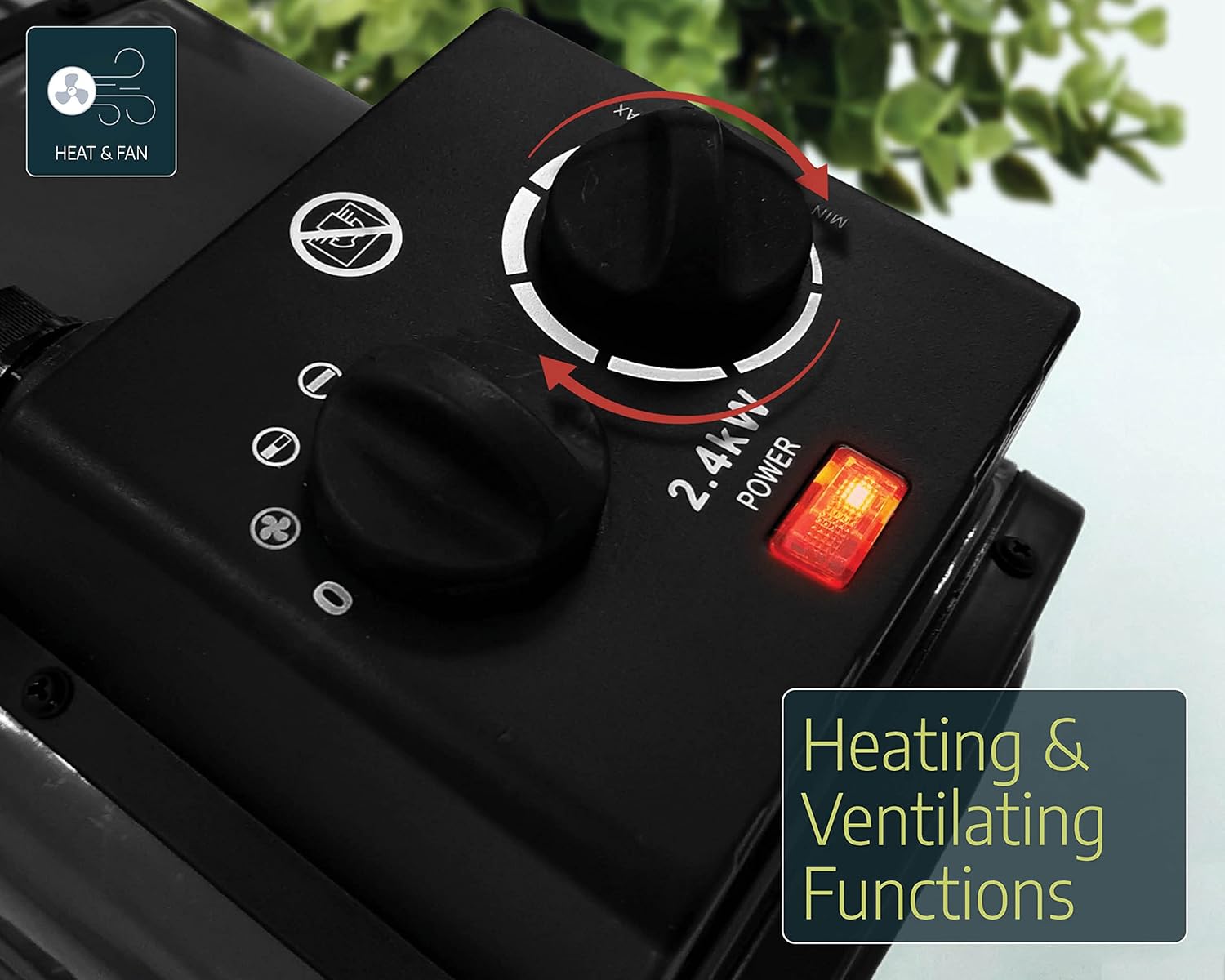
Image: The heater unit indicating its dual functionality for heating and ventilation.
Санариптик термостат контроллери
The digital thermostat provides precise temperature control for your greenhouse.
- Күйгүзүү: Ensure the thermostat is plugged into the main power supply and the heater is connected to the thermostat's output.
- Set Desired Temperature (SV): Use the 'SET' button and arrow keys (up/down) on the digital thermostat to adjust the desired temperature (Set Value, SV). The display will show the current temperature (Process Value, PV) and the set temperature (SV).
- Жылытуу/Муздатуу режими: The thermostat can be configured for heating or cooling. For greenhouse heating, ensure it is set to heating mode. Refer to the thermostat's specific manual for detailed mode configuration.
- Операция: The heater will automatically turn on when the ambient temperature (PV) drops below your set temperature (SV) and turn off when the temperature reaches or exceeds the SV.
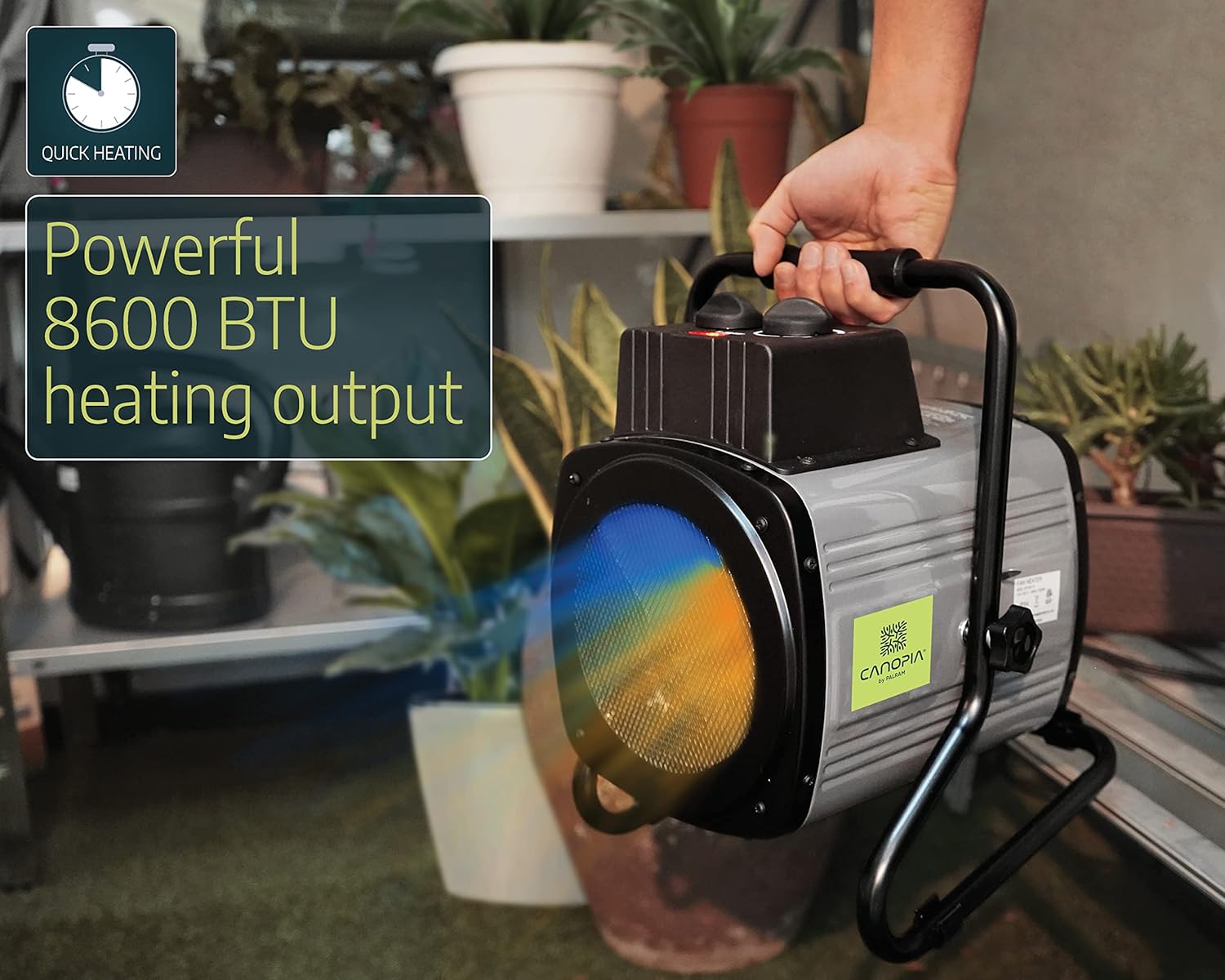
Image: A user adjusting the control knobs on the heater unit.
Техникалык тейлөө
Үзгүлтүксүз тейлөө сиздин жылыткычыңыздын узак мөөнөттүү жана натыйжалуу иштешин камсыздайт.
- Тазалоо: Before cleaning, always unplug the heater from the power source. Use a soft, damp cloth to wipe down the exterior of the heater. Do not use abrasive cleaners or solvents. Ensure no water enters the electrical components.
- Чаңды тазалоо: Periodically check the air intake and output grilles for dust or debris accumulation. Use a soft brush or vacuum cleaner to gently remove any blockages.
- Сактагыч: When not in use for extended periods, store the heater in a dry, cool place, protected from dust and moisture.
Проблемаларды чечүү
If you encounter issues with your Palram Greenhouse Heater, refer to the following common problems and solutions:
| Көйгөй | Мүмкүн себеп | Чечим |
|---|---|---|
| Жылыткыч күйбөй жатат | No power supply; Thermostat set too high; Overheating protection activated; Heater power switch off. | Check power outlet and connections; Lower the set temperature on the digital thermostat; Allow unit to cool down and reset; Ensure heater power switch is set to a heating mode. |
| Heater runs continuously | Thermostat set too low; External temperature sensor incorrectly placed or faulty. | Increase the set temperature on the digital thermostat; Reposition sensor away from cold drafts or direct contact with cold surfaces; Contact support if sensor is suspected faulty. |
| Температураны туура эмес окуу | External temperature sensor improperly placed. | Ensure sensor is in a representative area of the greenhouse, away from direct sunlight, drafts, or the heater's direct output. |
| Heater emits unusual noise or smell | Чаңдын топтолушу; Ички компоненттердеги көйгөй. | Unplug immediately and clean the unit. If problem persists, discontinue use and contact customer support. |
Техникалык шарттар
| Бренд | Palram (CANOPIA) |
| Модель номери | 705776 |
| Power Output | 2400 Вт |
| Тtage | 240 вольт |
| Аба агымынын кубаттуулугу | 233 м³/саат |
| Сунушталган жылытуу аймагы | 18 м² чейин |
| Материал | Алюминий |
| Продукциянын өлчөмдөрү | 36 x 26 x 30 см |
| Продукт Салмагы | 5 кг |
| Heater Protection Rating | IPX4 (чачууга каршы) |
| Sensor Protection Rating | IP65 (чаң өткөрбөйт, төмөнкү басымдагы суу агымдарынан корголгон) |
| Өзгөчөлүктөрү | Digital thermostat control, External temperature sensor (1.5m cable), Automatic safety cutoff. |
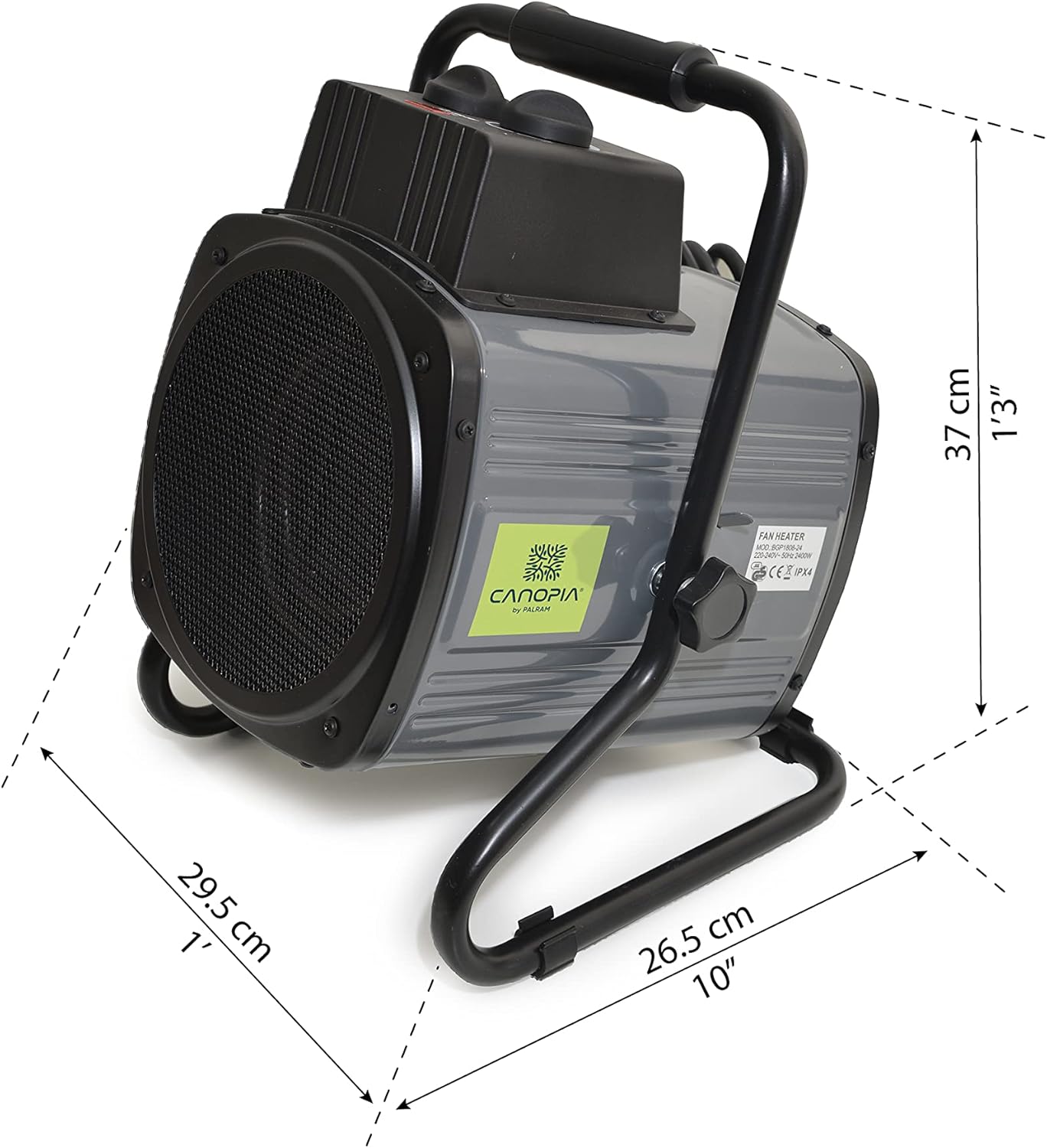
Image: Dimensions of the Palram Greenhouse Heater unit.
Кепилдик жана колдоо
For warranty information or technical support, please refer to the documentation provided with your purchase or contact Palram customer service directly. Keep your proof of purchase for warranty claims.