
1. Киришүү
This manual provides comprehensive instructions for the Microsoft Surface Laptop 3, Model VGY-00001. Designed for productivity and portability, this device features a 13.5-inch touchscreen, Intel Core i5 processor, 8GB RAM, and a 128GB Solid State Drive. Please read this manual thoroughly to ensure proper setup, operation, and maintenance of your device.
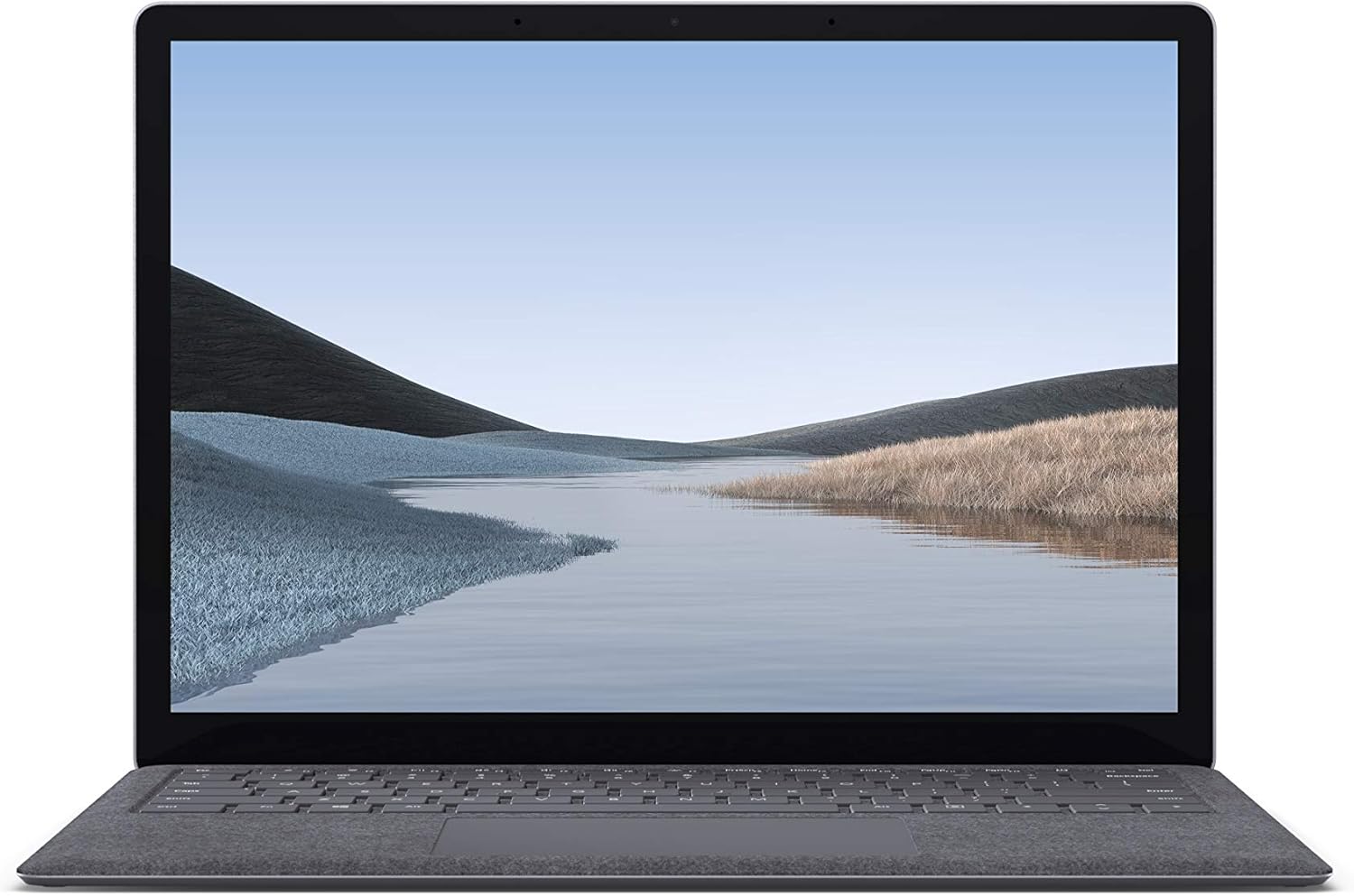
Сүрөт 1.1: Алдыңкы view of the Microsoft Surface Laptop 3 with its display active.
The Surface Laptop 3 offers a clean, elegant design, weighing approximately 2.79 pounds, making it easy to carry. It features improved speed and performance with its 10th Gen Intel Core processors, offering up to two times faster performance than previous models. Connectivity options include USB-C and USB-A ports for connecting to displays, docking stations, and accessories. The device provides up to 11.5 hours of battery life and supports fast charging, reaching up to 80% in about one hour.
2. Кутуда эмне бар
Upon unboxing your Microsoft Surface Laptop 3, verify that all the following items are present:
- Microsoft Surface Laptop 3 (Model VGY-00001)
- Ыкчам баштоо колдонмосу (QSG)
- Кубат булагы (AC адаптери)
3. Орнотуу
3.1 Баштапкы күйгүзүү
- Туташуу кубаты: Plug the power supply into a wall outlet and connect the magnetic Surface Connect port to your laptop. The LED indicator on the connector will light up when properly connected.
- Күйгүзүү: Open the laptop lid or press the power button located on the keyboard.
- Windows орнотуулары: Windows 10 Home орнотуусун аяктоо үчүн экрандагы көрсөтмөлөрдү аткарыңыз. Буга аймакты тандоо, Wi-Fi тармагына туташуу жана колдонуучу аккаунтун түзүү кирет.
- Windows Hello: Configure Windows Hello for secure and fast login using facial recognition.
3.2 Перифериялык түзүлүштөрдү туташтыруу
Сиздин Surface Laptop 3 тышкы түзмөктөрдү туташтыруу үчүн ар кандай порттор менен жабдылган:
- USB-C порту: Маалыматтарды өткөрүү, видео чыгаруу жана шайкеш келген түзмөктөрдү кубаттоо үчүн.
- USB-A порту: For connecting traditional USB devices like mice, keyboards, and external storage.
- 3.5 мм кулакчын уячасы: Кулакчындарга же тышкы динамиктерге аудио чыгаруу үчүн.
- Surface Connect Port: For the power supply and compatible Surface docking stations.

Сүрөт 3.1: Каптал view illustrating the available ports on the Surface Laptop 3.
4. Surface ноутбукуңузду иштетүү 3
4.1 Дисплей жана сенсордук экран
The 13.5-inch PixelSense touchscreen display offers a resolution of 2256 x 1504 pixels. It supports multi-touch gestures and is compatible with the Surface Pen (sold separately) for writing and drawing directly on the screen.
4.2 Баскычтоп жана сенсордук такта
The full-size ergonomic keyboard features backlighting for comfortable typing in various lighting conditions. The large precision touchpad supports multi-finger gestures for navigation and control.
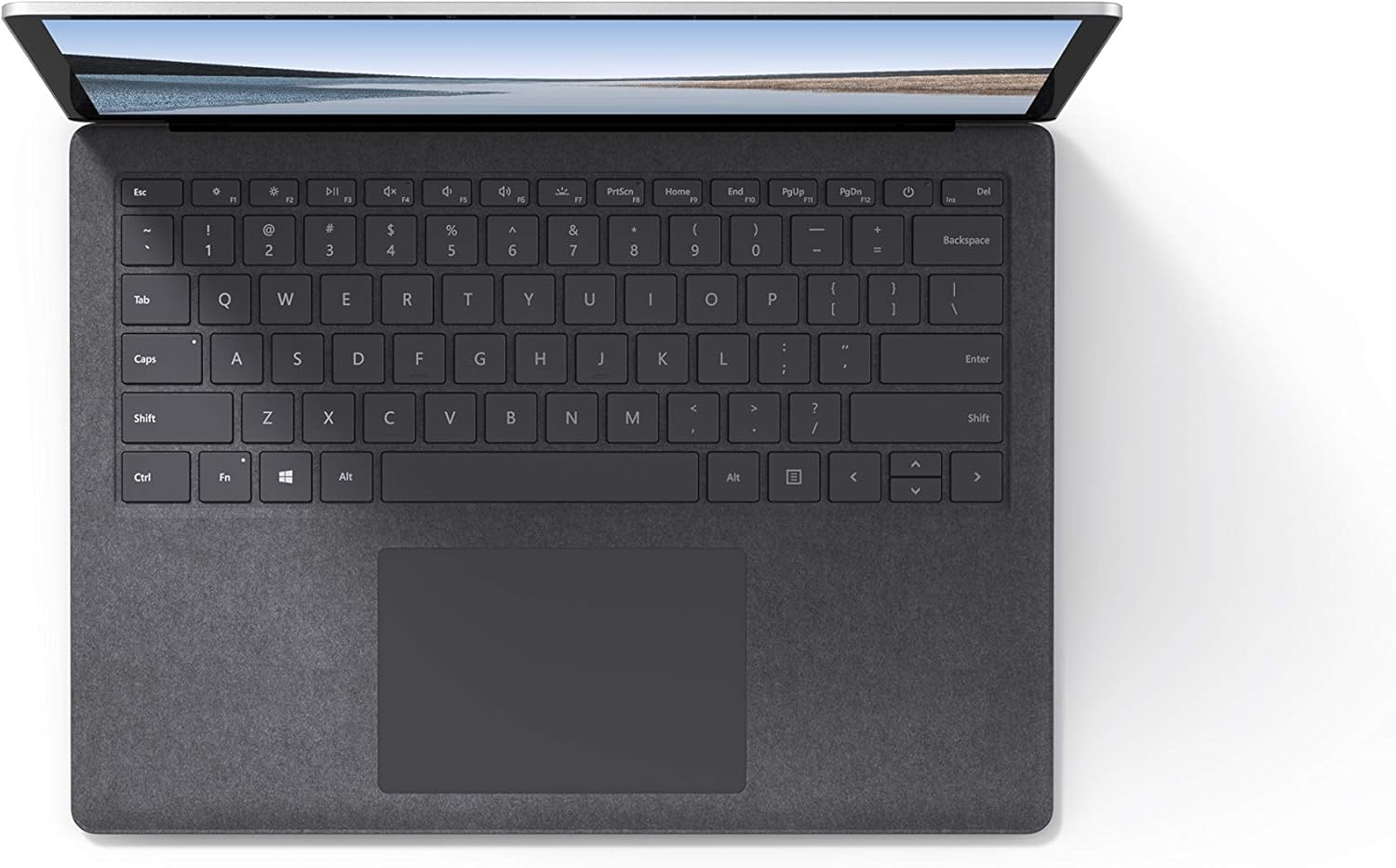
Сүрөт 4.1: жогорудан ылдыйга view клавиатуранын жана сенсордук панелдин аймагынын.
4.3 Аудио жана камера
The laptop is equipped with Omnisonic Speakers with Dolby Audio Premium for clear sound. Dual far-field Studio Mics enhance voice clarity for calls and recordings. A front-facing 720p HD camera supports video conferencing and Windows Hello facial authentication.
4.4 Зымсыз байланыш
The Surface Laptop 3 supports Wi-Fi 6 (802.11ax) for fast and reliable internet access, and Bluetooth 5.0 for connecting wireless accessories.
Видео 4.1: Microsoftтун расмий видео көрсөтүүсүasing the Surface Laptop 3's features and design.
5. Техникалык тейлөө
5.1 Аппаратыңызды тазалоо
- Жумшак, түксүз кездемени колдонуңуз dampened with water or an approved screen cleaner to clean the display.
- Баскычтоп жана шасси үчүн жумшак, кургак чүпүрөктү колдонуңуз. Катуу химиялык заттардан же абразивдүү материалдардан алыс болуңуз.
- Порттарды чаңдан жана таштандылардан тазалаңыз.
5.2 Программалык камсыздоо жаңыртуулары
Оптималдуу иштөөнү, коопсуздукту жана эң акыркы функцияларга жетүүнү камсыз кылуу үчүн Windows жаңыртууларын үзгүлтүксүз текшерип жана орнотуп туруңуз. Орнотуулар > Жаңыртуу жана Коопсуздук > Windows Жаңыртуу.
5.3 Батареяга кам көрүү
- Ашыкча температурадан сактаныңыз.
- Батареянын оптималдуу узак иштөөсү үчүн, батареяны ырааттуу түрдө 0% га чейин зарядсыздандырбаңыз же узак убакыт бою 100% кармап туруңуз.
- Берилген кубат менен камсыздоону гана колдонуңуз.
6. Кыйынчылыктарды
6.1 Электр энергиясы маселелери
- Түзмөк күйбөй жатат: Ensure the power supply is securely connected and the outlet is functional. Try a forced shutdown by holding the power button for 30 seconds, then release and press again briefly to restart.
- Батарея кубатталбай жатат: Verify the Surface Connect cable is properly attached. Check for any damage to the cable or port.
6.2 Ишти аткаруу маселелери
- Жай аткаруу: Close unnecessary applications. Check Task Manager for resource-intensive processes. Ensure Windows is up to date.
- Ашыкча ысып кетүү: Ensure ventilation vents are not blocked. Avoid using the laptop on soft surfaces that can obstruct airflow.
6.3 Байланыш көйгөйлөрү
- Wi-Fi туташпай жатат: Restart your router and the laptop. Check Wi-Fi settings and ensure the correct network is selected and password entered.
- Bluetooth түзмөгү жупташкан жок: Bluetooth түзмөгү жупташтыруу режиминде жана диапазондо экенин текшериңиз. Ноутбугуңуздагы Bluetooth жөндөөлөрүн текшериңиз.
7. Техникалык шарттар
| Өзгөчөлүк | Деталь |
|---|---|
| Бренд | Microsoft |
| Модель аты | Surface ноутбук 3 |
| Модель номери | VGY-00001 |
| Screen Size | 13.5 дюйм |
| Резолюция | 2256 x 1504 пиксел |
| CPU модели | Intel Core i5 (10-муун) |
| Процессордун ылдамдыгы | 1.2 GHz (up to 3.7 GHz with Turbo Boost) |
| RAM эстутум орнотулган өлчөмү | 8 ГБ LPDDR4 |
| Катуу дисктин өлчөмү | 128 ГБ SSD |
| Операция системасы | Windows 10 Home (мүмкүн болгон учурда Windows 11ге акысыз жаңыртуу) |
| Графикалык сопроцессор | Intel Iris Plus |
| Байланыш технологиясы | 1 x USB-C, 1 x USB-A, 3.5 mm headphone jack, 1 x Surface Connect port |
| Зымсыз технология | Wi-Fi 6 (802.11ax), Bluetooth 5.0 |
| Батареянын иштөө мөөнөтү | 11.5 саатка чейин |
| Элемент Салмагы | 2.79 фунт |
| Өлчөмдөрү (У x Туурасы x Калыңдыгы) | 8.8"L x 12.1"W x 0.57"Mh |
| Камера | Front-facing 720p HD camera with Windows Hello face authentication |
| Аудио | Dolby Audio Premium жана кош алыскы студиялык микрофондору бар Omnisonic динамиктери |
8. Кепилдик жана колдоо
8.1 Продукциянын кепилдиги
The Microsoft Surface Laptop 3 (Model VGY-00001) comes with a 1 жылдык өндүрүүчүнүн чектелген кепилдикБул кепилдик кадимки колдонуудагы материалдардагы жана жасалгалоодогу кемчиликтерди камтыйт. Так шарттар жана эрежелер үчүн, өнүмүңүзгө тиркелген кепилдик документтерин караңыз же расмий Microsoft колдоо кызматына кайрылыңыз. webсайт.
8.2 Кардарларды колдоо
For technical assistance, troubleshooting, or warranty claims, please contact Microsoft Support. You can find contact information and additional resources on the official Microsoft Surface support website. Keep your proof of purchase and product serial number readily available when contacting support.
Онлайн колдоо: Visit support.microsoft.com/surface Көп берилүүчү суроолор, драйверлер жана программалык камсыздоону жүктөп алуу үчүн.