
1. Продукт бүтүп калдыview
The OIVO PS4 Controller Charging Station is designed to efficiently charge two PlayStation 4, PS4 Slim, or PS4 Pro controllers simultaneously. It features LED indicators to display charging status and incorporates intelligent protection mechanisms to ensure safe and reliable operation.
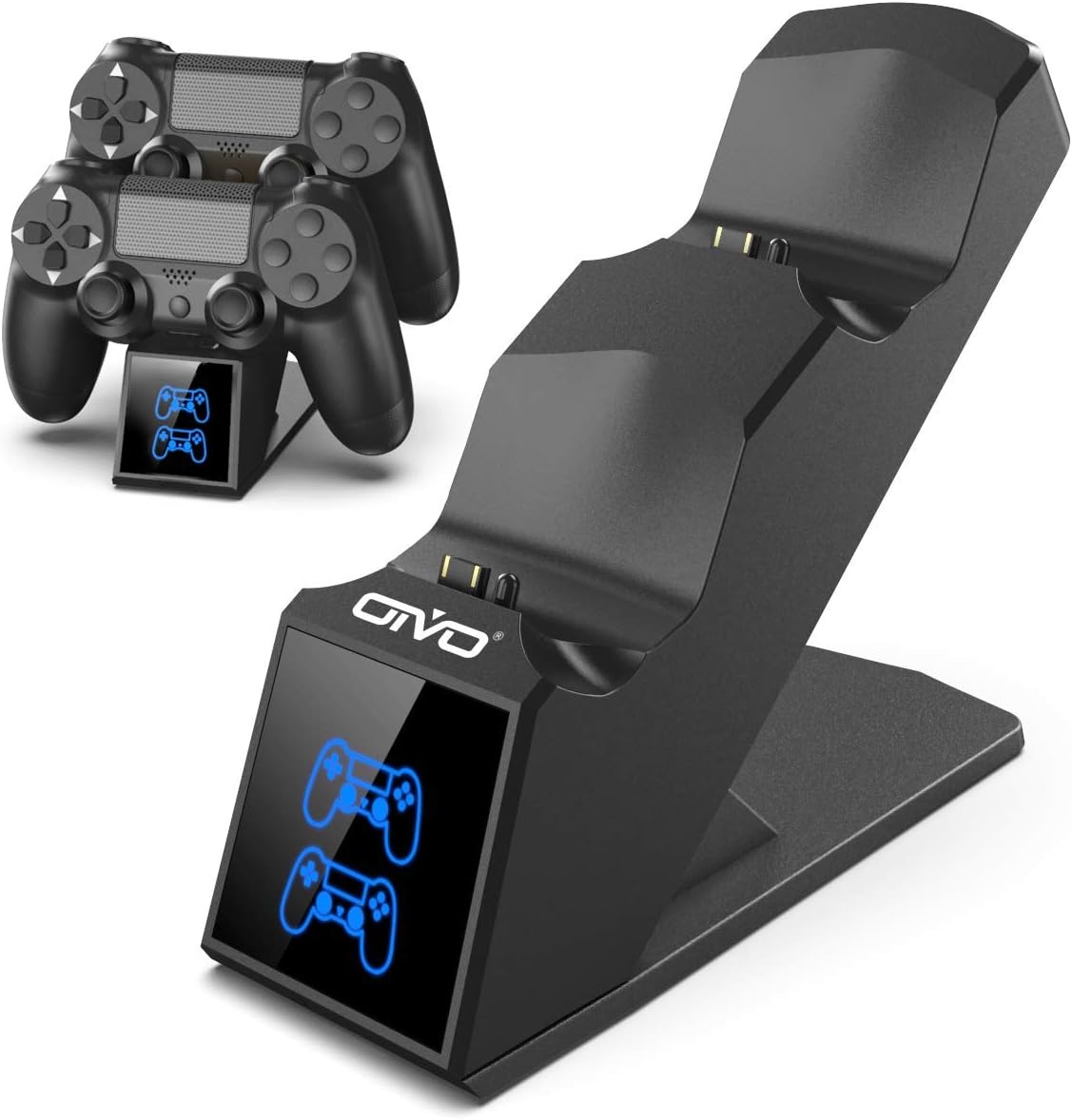
Image 1.1: The OIVO PS4 Controller Charging Station, capable of charging two controllers simultaneously.
2. Пакеттин мазмуну
Төмөндө тизмеленген нерселердин баары пакетиңизге камтылганын текшериңиз:
- 1 x OIVO PS4 Controller Charging Station
- 1 x заряддоо кабели (микро USB)
- 1 х Колдонуучунун колдонмосу (бул документ)
3. Орнотуу нускамалары
- Кубаттоочу станцияны туташтырыңыз: Insert the provided charging cable into the Micro USB port on the back of the charging station. Connect the other end of the cable to a compatible 5V/1A power source. Compatible sources include a computer USB port, PS4/Slim/Pro console USB port, wall adapter (not included), or a power bank.
- Place Controllers for Charging: Align the charging port on your PS4 controller with the connector pins on the charging station. Gently push the controller down until it securely docks. The LED indicator on the station will change color to show the charging status.

Image 3.1: Illustration of compatible power sources and how to correctly place a PS4 controller onto the charging station.
4. Иштөө нускамалары
4.1 Заряддоо контроллерлору
Once controllers are docked, the charging process begins automatically. The station is designed to charge two controllers simultaneously in approximately 1.8 hours.
- LED көрсөткүчү: The front panel features LED indicators for each charging slot.
- Кызыл жарык: Indicates that the PS4 controller is currently charging.
- Көк жарык: Indicates that the PS4 controller is fully charged or the station is in standby mode (no controller or fully charged controller).

Image 4.1: The LED indicators on the charging station display red when charging and blue when fully charged or in standby.
4.2 Тез кубаттоо мүмкүнчүлүгү
The charging station is equipped with an upgraded copper chip, enabling fast charging for both controllers. This allows for a full charge of two controllers in approximately 1.8 hours.

Image 4.2: Visual representation of the 1.8-hour fast charging cycle for two controllers.
5. Коопсуздук өзгөчөлүктөрү
The OIVO PS4 Controller Charging Station integrates smart chips and high-quality components to provide comprehensive protection for your controllers and the charging station itself. These protections include:
- Over-Heated Protection: Заряддоо учурунда ысып кетүүнүн алдын алат.
- Кыска туташуулардан коргоо: Кыска туташуулардан коргойт.
- Ашыкча ток коргоо: Ашыкча ток агымынан коргойт.
- Ашык-томtage Коргоо: Shields against voltage шиптер.

Image 5.1: Visual representation of the intelligent protection features built into the charging station.
6. Техникалык тейлөө
- Тазалоо: Disconnect the charging station from the power source before cleaning. Use a soft, dry cloth to wipe the surface. Do not use liquid cleaners or abrasive materials.
- Сактагыч: Колдонулбай турган учурда, кубаттоочу станцияны салкын, кургак жерде, күндүн түз нурунан жана өтө жогорку температурадан алыс сактаңыз.
- Колдонуу: Avoid dropping or subjecting the device to strong impacts. Do not attempt to disassemble or repair the unit yourself.
7. Кыйынчылыктарды
| Көйгөй | Чечим |
|---|---|
| Controller not charging (no LED light) |
|
| Заряддоо жай |
|
| LED light is blue but controller is not fully charged |
|
8. Техникалык шарттар
| Өзгөчөлүк | Деталь |
|---|---|
| Бренд | OIVO |
| Модель номери | 12359687031 |
| Түс | Көк |
| Туташтыргыч түрү | USB |
| Шайкеш түзмөктөр | Game Console (PS4, PS4 Slim, PS4 Pro controllers) |
| Өзгөчөлүктөр | Тез заряддоо |
| Жалпы USB порттору | 2 (for charging controllers) |
| Киргизүү көлөмүtage | 5 вольт |
| Ampөчүрүү | 1 А |
| Камтылган компоненттер | USB кабели |
| Өндүрүүчү | OIVO |
| Келип чыккан өлкө | Кытай |
9. Кепилдик жана колдоо
This OIVO product comes with a 2 жылдык өндүрүүчүнүн кепилдиги сатып алынган күндөн тартып. Бул кепилдик нормалдуу колдонуудагы материалдардагы жана жасалгадагы кемчиликтерди камтыйт.
The warranty does not cover damage caused by accident, misuse, abuse, neglect, unauthorized modification or repair, or damage from external causes such as power surges.
For warranty claims or technical support, please contact OIVO customer service through the retailer where the product was purchased or visit the official OIVO webбайланыш маалыматы үчүн сайт.