
Introduction
This manual provides instructions for the installation, operation, and maintenance of your Feit Electric Smart A19 LED Bulbs. These bulbs are designed for ease of use, offering smart control features through Wi-Fi connectivity without requiring a separate hub. Please read this manual thoroughly before use to ensure proper functionality and safety.

Image: Packaging for the Feit Electric Smart A19 LED Bulbs, showing three bulbs and compatibility with Alexa and Google Assistant.
Коопсуздук маалыматы
- Лампаны орнотуудан же алып салуудан мурун, өчүргүчтө кубат өчүрүлгөнүн текшериңиз.
- Do not use with standard dimmer switches; dimming is controlled via the app or voice assistant.
- Suitable for use in enclosed fixtures.
- Үй ичинде гана колдонуу үчүн.
Пакеттин мазмуну
- 3 x Feit Electric Smart A19 LED Bulbs (Model OM60/950CA/AG/3)
Жайгашуу
Орнотууга чейинки талаптар
- A 2.4 GHz Wi-Fi network is required. These bulbs are not compatible with 5 GHz networks.
- Download the Feit Electric app from your device's app store (available for iOS and Android).
- Ensure your mobile device's Bluetooth is enabled for easier pairing.
Орнотуу кадамдары
- Screw the smart LED bulb into the desired light fixture.
- Turn on the power switch. The bulb will begin to blink continuously, indicating it is in pairing mode.
- Open the Feit Electric app on your smartphone. The app should automatically detect the new device. If not, tap the '+' icon to add a device.
- Follow the in-app instructions to connect the bulb to your 2.4 GHz Wi-Fi network.
- Once connected, you can rename the bulb within the app for easy identification (e.g., "Living Room Lamp").
- For voice control, integrate the Feit Electric app with your Alexa or Google Home Assistant by following the instructions in their respective apps.
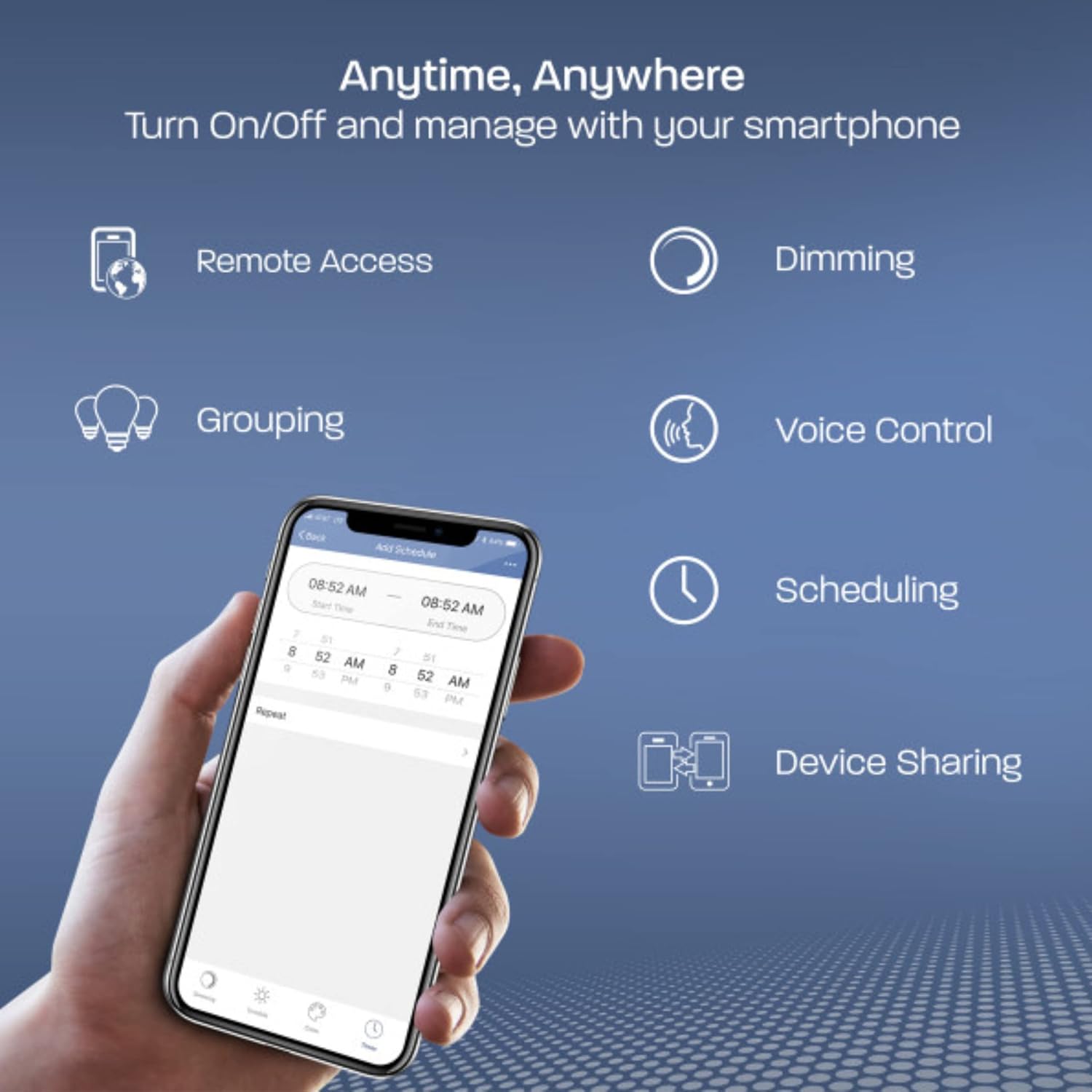
Image: A smartphone displaying the Feit Electric app interface, highlighting features like remote access, dimming, grouping, voice control, scheduling, and device sharing.
Операция
Колдонмо башкаруу
The Feit Electric app provides comprehensive control over your smart bulbs:
- Күйгүзүү/өчүрүү: Instantly turn lights on or off from anywhere.
- алсыздатуу: Adjust brightness levels to suit your preference. The bulb remembers the last dimness setting after 5 seconds and applies it the next time it's turned on.
- Топтоо: Control multiple bulbs simultaneously by creating groups (e.g., "Kitchen Lights").
- Пландаштыруу: Set custom schedules for your lights to turn on/off at specific times.
- Алыстан кирүү: Control your lights even when you are away from home.
- Түзмөктү бөлүшүү: Share control of your smart bulbs with family members through the app.

Image: A kitchen interior with multiple smart bulbs, and a smartphone displaying the Feit Electric app's grouping function, allowing control of multiple lights together.
Үн менен башкаруу
Your Feit Electric Smart Bulbs are compatible with Amazon Alexa and Google Home Assistant. Once integrated, use simple voice commands to manage your lighting:
- – Alexa, бөлмөнүн жарыгын күйгүз.
- "Окей Google, ашкананын жарыгын 50% чейин азайт."
- "Alexa, set the bedroom light to daylight."

Image: A white Google Home smart speaker, indicating compatibility with both Amazon Alexa and Google Assistant for voice control of the smart bulbs.
Техникалык тейлөө
Feit Electric Smart A19 LED Bulbs are designed for long-lasting performance with an average life of 25,000 hours. Minimal maintenance is required.
- Тазалоо: Тазалоодон мурун лампочканын муздагандыгын жана кубаты өчүк экенин текшериңиз. Жумшак, кургак чүпүрөк менен сүртүңүз. Суюк же абразивдүү тазалагычтарды колдонбоңуз.
- Алмаштыруу: Replace the bulb when it reaches the end of its operational life.
Проблемаларды чечүү
If you encounter issues with your Feit Electric Smart A19 LED Bulbs, refer to the following common solutions:
- Туташуу маселелери: Ensure your Wi-Fi network is 2.4 GHz. Older routers may have difficulty auto-selecting between 2.4 GHz and 5 GHz bands. Try moving closer to the router during the initial pairing process.
- Жылтылдап: These smart bulbs are not designed for use with traditional fader (dimmer) switches. Ensure the bulb is installed in a fixture controlled by a standard on/off switch. Using a fader switch can cause flickering and connectivity problems.
- Лампочка жооп бербей жатат: If a bulb becomes unresponsive, try turning the power off at the switch for 10 seconds, then turn it back on. If the issue persists, you may need to reset the bulb and re-pair it with the app.
- Resetting the Bulb: To reset, turn the bulb off for 2 seconds, then on for 2 seconds, repeating this cycle 5 times. The bulb will then flash rapidly, indicating it is in pairing mode.
Кыйынчылыктарды аныктоо үчүн, расмий өкүлгө кайрылыңыз Көйгөйлөрдү чечүү боюнча колдонмо (PDF).
Техникалык шарттар
| Өзгөчөлүк | Спецификация |
|---|---|
| Бренд | Feit Electric |
| Модель номери | OM60/950CA/AG/3 |
| Жарык түрү | LED |
| Лампанын формасынын өлчөмү | A19 |
| Лампанын базасы | E26 Орто |
| Ватtage | 9 Ватт (60 Ватт эквиваленти) |
| Жарыктык | 800 Lumens |
| Ачык түс | Күн |
| Түс температурасы | 5000 Келвин |
| Тtage | 120 вольт (100-120 вольт жана 60 герц) |
| Башкаруу ыкмасы | Колдонмо, Үн башкаруу |
| Байланыш | 2.4 ГГц Wi-Fi |
| Орточо жашоо | 25,000 саат |
| Ички/тышкы колдонуу | Indoor |
| Материал | Пластик |
| Продукциянын өлчөмдөрү | 2.4"W x 4.4"H |
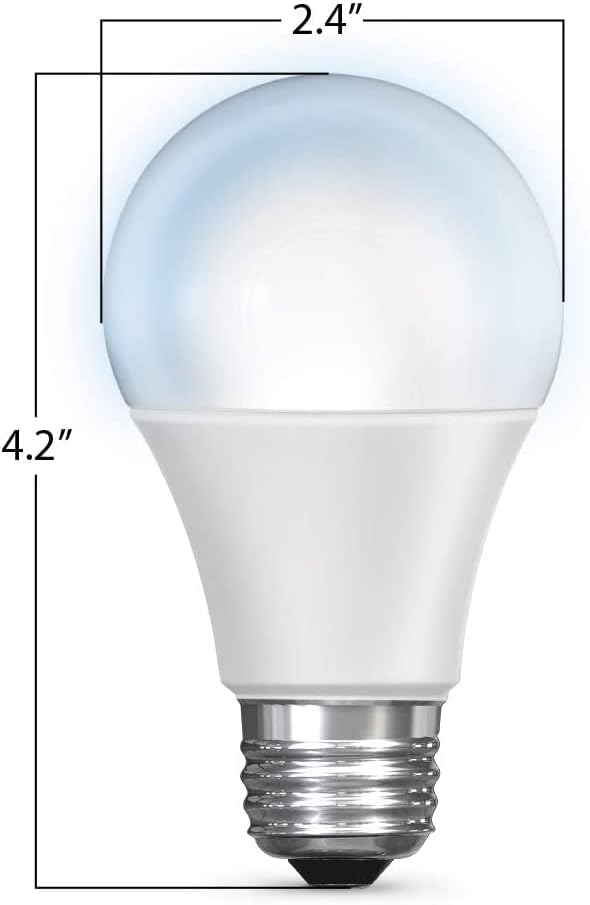
Image: A diagram illustrating the physical dimensions of the A19 LED bulb, measuring 2.4 inches in width and 4.2 inches in height.
Кепилдик жана колдоо
Кепилдик маалымат
This Feit Electric Smart A19 LED Bulb comes with a one-year warranty from the date of purchase. This warranty covers defects in materials and workmanship under normal use.
Кардарларды тейлөө
For customer service, technical support, or warranty claims, please contact Feit Electric:
- Электрондук почта: info@feit.com
- Телефон: 1-866-326-BULB (toll-free)
Additional resources, including the full user guide, can be found here: Колдонуучунун колдонмосу (PDF).