
Introduction
Welcome to the world of smart lighting with your new Feit Electric Smart Wi-Fi LED Bulbs. These bulbs offer advanced features including RGB color changing, tunable white light, dimming capabilities, and seamless control via the Feit Electric app, Alexa, or Google Assistant. This manual will guide you through the setup process and help you maximize your smart lighting experience.
Продукт бүттүview
Негизги өзгөчөлүктөрү
- Wi-Fi иштетилген: Control your bulbs from anywhere using the Feit Electric app (2.4 GHz Wi-Fi network required).
- Үн менен башкаруу: Compatible with Alexa and Google Home Assistant for hands-free operation.
- Color Changing & Tunable White: Choose from millions of colors and adjust white light from soft white to daylight.
- Өчүрүүчү: Adjust brightness levels to suit any mood or activity.
- Scheduling & Grouping: Set routines, create groups for multiple bulbs, and customize scenes.
- Энергияны үнөмдүү: 9W LED (60W equivalent) with a long lifespan of 25,000 hours.
Пакеттин мазмуну
- Feit Electric Smart Wi-Fi LED Bulbs (3-pack)
- Instruction Manual

Image: The Feit Electric Smart Wi-Fi LED Bulb 3-pack, showing the product packaging and an illuminated bulb demonstrating its color-changing capabilities.
Маанилүү коопсуздук маалыматы
Please read and understand all safety instructions before installing or using your Feit Electric Smart Wi-Fi LED Bulbs. Failure to do so may result in fire, electric shock, or other hazards.
- Электр шок коркунучу: Do not use with wet hands or in wet locations.
- Үй ичинде гана колдонуу: Бул лампалар кургак жерлерде имараттын ичинде колдонуу үчүн иштелип чыккан.
- Шашылыш чыгуулар үчүн эмес: Авариялык чыгуучу шаймандар же авариялык жарыктар менен колдонуу үчүн арналган эмес.
- Dimmer шайкештиги: Not for use with standard dimmers. Dimmable only via the Feit Electric app or compatible voice assistants.
- Иштөө температурасы: Иштөө чөйрөсү көрсөтүлгөн температура диапазонунда экенине ынаныңыз.
- Орнотуудан мурун өчүрүү: Лампаны орнотуудан же алып салуудан мурун ар дайым лампаны электр кубатынан өчүрүңүз.
- Туура жок кылуу: Лампаларды жергиликтүү эрежелерге ылайык жок кылыңыз.
Орнотуу жана орнотуу
Step 1: Physical Installation
- Жарык берүүчү лампанын кубат булагы күйгүзүлгөнүн текшериңиз ӨЧҮРҮҮ at the switch before installation.
- Carefully screw the Feit Electric Smart Wi-Fi LED Bulb into a standard E26 medium base socket.
- Күчтү буруңуз ON at the switch. The bulb should blink rapidly, indicating it is in pairing mode. If it does not blink, turn the bulb off for 1 second and on for 2 seconds, repeating this 3 times.
Step 2: Download the Feit Electric App
Download the Feit Electric app on your smartphone or tablet. Издөө "Feit Electric" in the Apple App Store or Google Play Store, or scan the QR code on the product packaging.
Каттоо эсебин түзүү же кирүү үчүн колдонмодогу көрсөтмөлөрдү аткарыңыз.
3-кадам: Wi-Fi'га туташуу
- Open the Feit Electric app and tap the + icon in the top right corner to add a device.
- "Жарыктандыруу" жана андан кийин "Жарык булагы (Wi-Fi)" тандаңыз.
- Confirm that your bulb is blinking rapidly. If not, reset it by turning it off for 1 second and on for 2 seconds, repeating 3 times.
- 2.4 ГГц Wi-Fi тармагынын атын жана сырсөзүн киргизиңиз. Note: The bulbs only support 2.4 GHz Wi-Fi networks.
- The app will begin pairing with your bulb. Once connected, you can rename your bulb for easier control.
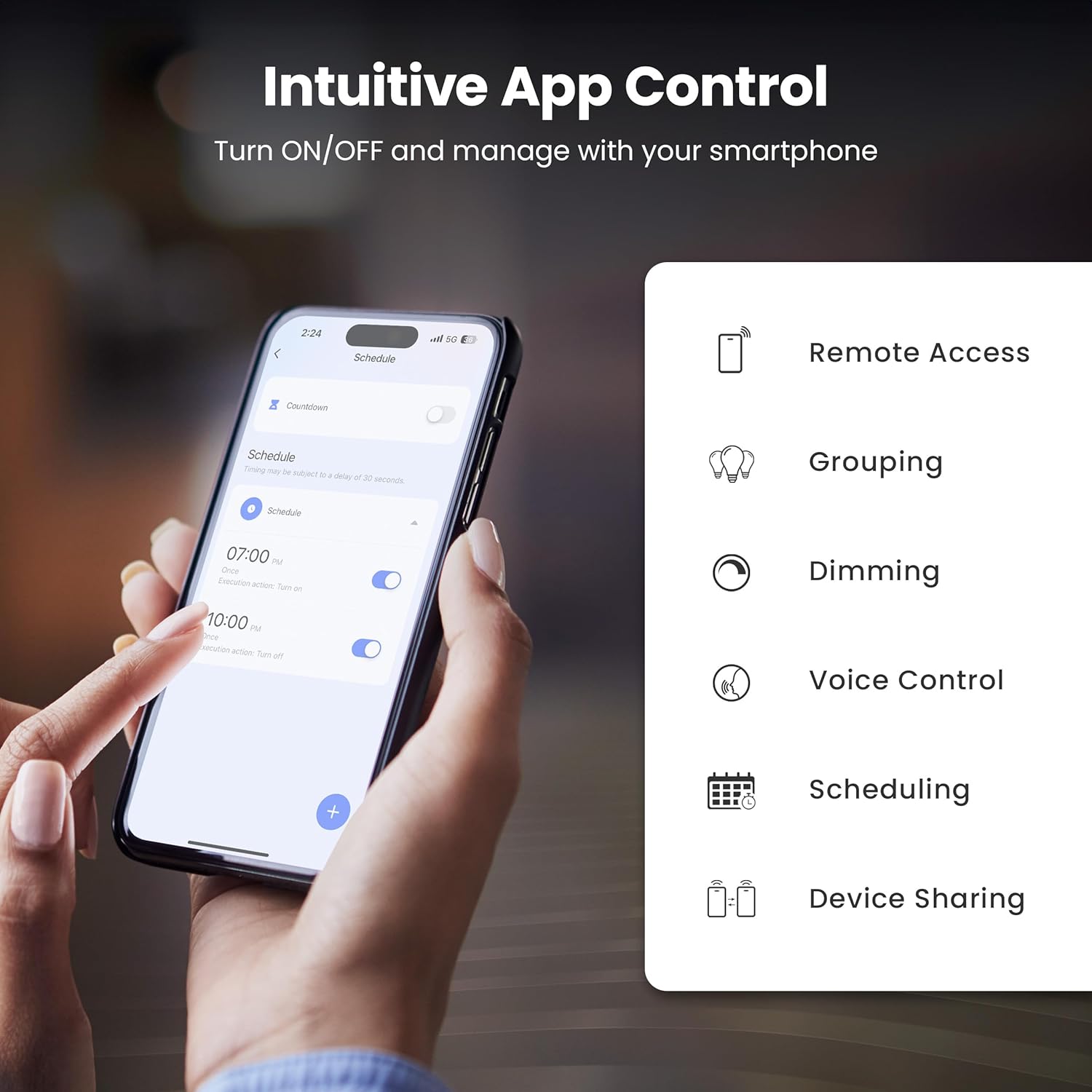
Image: A smartphone screen showing the Feit Electric app interface, demonstrating scheduling features for smart bulbs.

Image: A smartphone screen showing the Feit Electric app with a color wheel, allowing users to select from millions of colors for their smart bulb.
Акылдуу лампаңызды иштетүү
Basic Controls (App)
- Күйгүзүү/өчүрүү: Tap the bulb icon in the app to turn it on or off.
- алсыздатуу: Use the brightness slider in the app to adjust the light intensity from 1% to 100%.
Color Changing and Tunable White
- Түс тандоо: In the app, navigate to the color section to choose from a spectrum of millions of colors.
- Түзүлүүчү ак: Adjust the white light temperature from warm soft white (2700K) to cool daylight (6500K) to suit your preference.

Image: A smartphone displaying the Feit Electric app with options for dimming and scheduling, positioned next to a wall-mounted lamp.

Image: A room interior bathed in a vibrant blue light from a smart bulb, demonstrating the color-changing capability.
Үн менен башкаруу
Integrate your Feit Electric Smart Bulbs with Amazon Alexa or Google Assistant for convenient voice control.
- Ensure your smart bulb is connected to the Feit Electric app.
- Open the Alexa or Google Home app and enable the "Feit Electric" skill/service.
- Link your Feit Electric account when prompted.
- Discover devices. Once discovered, you can use voice commands such as:
- – Alexa, бөлмөнүн жарыгын күйгүз.
- "Окей Google, уктоочу бөлмөнүн жарыгын 50% чейин азайт."
- "Alexa, change the kitchen light to blue."

Image: An Amazon Echo Dot device alongside logos for Feit Electric and Google Home, illustrating compatibility with voice assistants.
Scheduling and Grouping
- Графиктер: Set specific times for your lights to turn on/off, dim, or change color. Access this feature in the Feit Electric app's "Schedule" section.
- Топтор: Combine multiple bulbs into a single group (e.g., "Living Room Lights") to control them simultaneously. This is managed in the app's "Groups" section.
- Сахналар: Create custom lighting presets for different activities or moods (e.g., "Movie Night," "Reading").

Image: A smartphone screen showing the Feit Electric app's scheduling interface, allowing users to set automated routines for their smart lights.

Image: The Feit Electric app interface demonstrating how multiple smart bulbs can be grouped and controlled by specific areas or rooms, such as the Kitchen, Dining Room, and Living Room.
Кароо жана тейлөө
- Тазалоо: Тазалоодон мурун лампочканын өчүрүлүп, муздатылганын текшериңиз. Жумшак, кургак чүпүрөк менен сүртүңүз. Суюк же абразивдүү тазалагычтарды колдонбоңуз.
- Алмаштыруу: These LED bulbs have a long lifespan. When replacement is necessary, ensure power is off before unscrewing the old bulb and installing a new one.
- Сактагыч: Эгерде лампаларды сактасаңыз, аларды күн нурунан жана экстремалдык температурадан алыс, салкын, кургак жерде сактаңыз.
Проблемаларды чечүү
| Көйгөй | Чечим |
|---|---|
| Лампочка Wi-Fiга туташпай жатат. |
|
| Bulb frequently disconnects from Wi-Fi. |
|
| Үн башкаруу иштебейт. |
|
| Bulb is unresponsive in the app. |
|
Техникалык мүнөздөмөлөр
| Спецификация | Нарк |
|---|---|
| Модель номери | OM60/RGBW/CA/AG/3 |
| Жарык түрү | LED |
| Ватtage | 9 Вт (60 Вт эквиваленти) |
| Жарыктык | 800 Lumens |
| Түс температурасы | 2700K - 6500K (Tunable White) + RGB Color Changing |
| Лампанын формасынын өлчөмү | A19 |
| Лампанын базасы | E26 Орто |
| Тtage | 120 вольт |
| Башкаруу ыкмасы | App, Voice (2.4 GHz Wi-Fi) |
| Орточо жашоо | 25,000 саат |
| Ички/тышкы колдонуу | Indoor |
| Продукциянын өлчөмдөрү | 2.4"W x 4.3"H |

Image: A visual representation of the bulb's specifications, including physical dimensions and electrical characteristics.
Кепилдик жана Кардарларды колдоо
Кепилдик маалымат
This Feit Electric Smart Wi-Fi LED Bulb comes with a one-year warranty. For warranty claims or assistance, please contact Feit Electric customer service.
Кардарларды колдоо
Кардарларды колдоо кызматы үчүн 24/7 Feit Electric жардам борборуна баш багыңыз же алар менен түз байланышыңыз:
- Webсайт: help.feit.com
- Электрондук почта: info@feit.com
- Акысыз телефон: 1-866-326-BULB

Image: Feit Electric customer support information, including a QR code and website link for 24/7 assistance.