
Introduction
This instruction manual provides comprehensive guidance for the Byron DBY-24722 Wireless Doorbell Kit. This kit includes a plug-in chime unit and a wireless push button, designed to alert you when someone is at your door. It offers a wireless range of up to 200 meters, customizable melodies, adjustable volume, and visual LED alerts. The system is also compatible with the Smartwares PRO series for smart home integration.
Пакеттин мазмуну
Орнотууну улантуудан мурун, бардык компоненттердин бар экендигин текшериңиз:
- Byron Wireless Plug-in Chime Unit (DBY-24722)
- Зымсыз баскыч
- Double-sided Adhesive Tape for Push Button
- Instruction Manual

Сүрөттүн сүрөттөлүшү: A white Byron wireless doorbell kit, showing the rectangular plug-in chime unit on the left and the smaller, oval-shaped wireless push button on the right. Both units are white with a silver-colored ring around the central button area.
Орнотуу жана орнотуу
- Install Push Button: Select a suitable location for the wireless push button, typically near your front door. Ensure the surface is clean and dry. Use the provided double-sided adhesive tape to securely attach the push button. The push button is weatherproof (IP44 rated).
- Install Chime Unit: Plug the chime unit into a standard electrical outlet within your home. For optimal performance, choose a central location or an area where you wish to be alerted. The chime unit operates on 220-240V~ 50Hz.
- Баштапкы жупташтыруу (зарыл болсо): The units are typically pre-paired from the factory. If they do not connect automatically, refer to the full manual for pairing instructions if needed.

Сүрөттүн сүрөттөлүшү: А тарап view of the Byron DBY-24722 doorbell kit. The plug-in chime unit is shown with its electrical prongs extending from the back, ready to be plugged into an outlet. The wireless push button is positioned next to it.
Иштөө нускамалары
Once installed, the Byron DBY-24722 Wireless Doorbell Kit is ready for use.
- When the push button is pressed, the chime unit will sound the selected melody and illuminate its LED indicator.
- The LED indicator on the chime unit will light up in your chosen color, providing a visual alert in addition to the audio.
Ыңгайлаштыруу
The doorbell offers several customization options:
- Мелодия тандоо: Choose from 8 different digital melodies. Refer to the chime unit's controls for melody selection.
- Үндү тууралоо: Adjust the volume of the chime up to 85 decibels. This ensures you can hear the doorbell clearly in various environments.
- LED Color Choice: The chime unit's LED can illuminate in various colors. Select your preferred color for visual alerts.
- Үнсүз функция: Activate the mute function to silence the chime while still receiving visual alerts via the LED indicator. This is useful for quiet periods or when children are sleeping.
Smart Home Integration (Smartwares PRO)
The Byron DBY-24722 doorbell is compatible with the Smartwares PRO series, allowing for integration into your smart home system.
- To enable smart home features, you will need the Smartwares Link (available separately).
- Connect the doorbell and your smartphone to the Smartwares Link network.
- Once connected, you can receive notifications on your smartphone when someone presses the doorbell, regardless of your location.
Техникалык тейлөө
- Тазалоо: Wipe the chime unit and push button with a soft, dry cloth. Do not use abrasive cleaners or solvents.
- Батареяны алмаштыруу (баскычты басуу): The push button requires 1 Lithium metal battery (CR2450, 3V). If the push button stops functioning, replace the battery. Ensure correct polarity. The battery is камтылган эмес пакетте.
- Коңгуроо бирдиги: The plug-in chime unit does not require battery replacement as it is powered by the mains electricity.
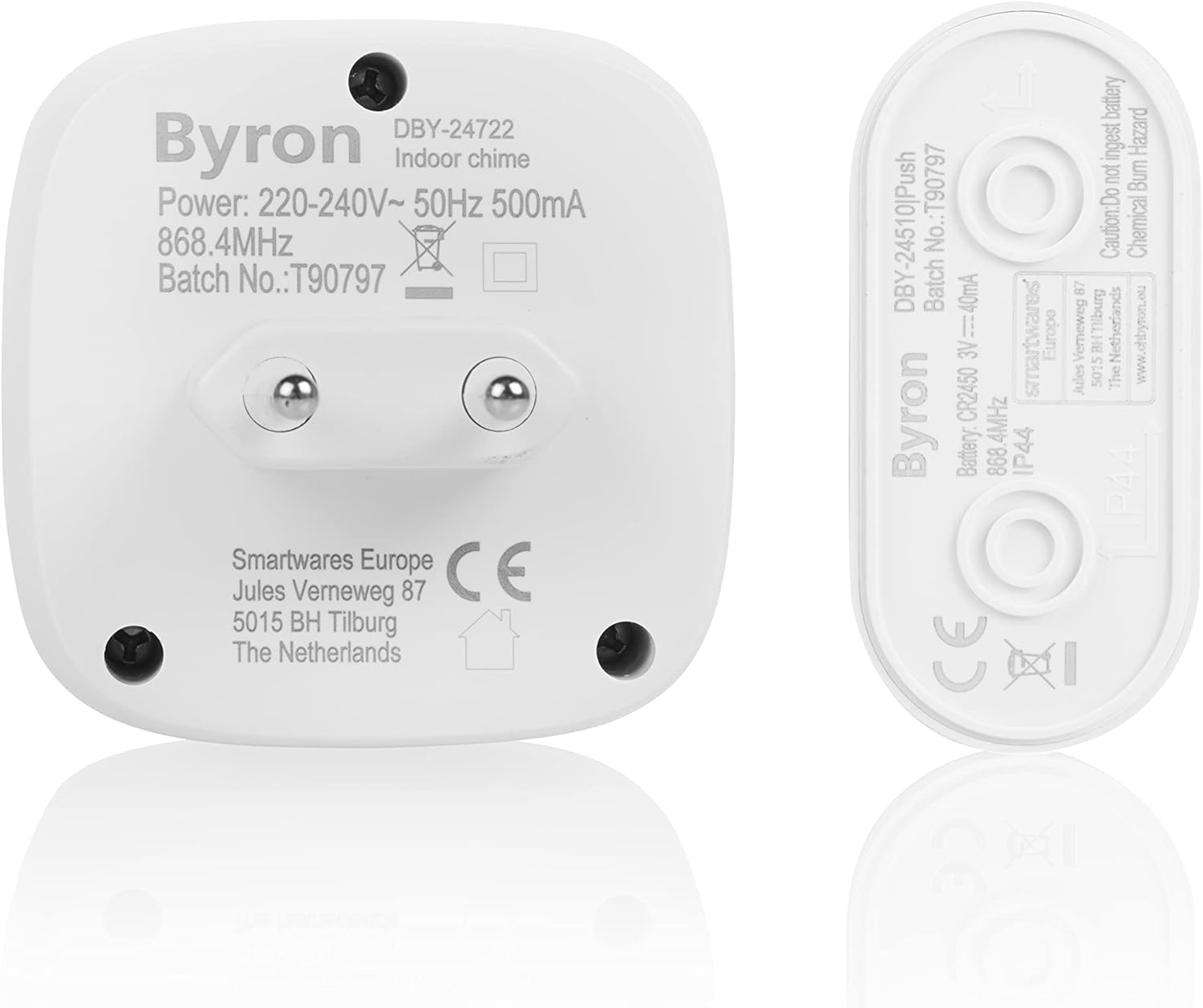
Сүрөттүн сүрөттөлүшү: A view of the back of the Byron DBY-24722 plug-in chime unit and the wireless push button. Labels on the back of both units show model numbers, power requirements, and other technical specifications, including battery type for the push button.
Проблемаларды чечүү
| Көйгөй | Мүмкүн себеп | Чечим |
|---|---|---|
| Chime does not sound when button is pressed. |
|
|
| Коңгуроо үзгүлтүк менен жаңырып турат. |
|
|
| LED индикатору күйбөйт. |
|
|
Техникалык шарттар
- Модель номери:
- DBY-24722
- Бренд:
- Байрон
- Chime Power Source:
- AC (220-240V~ 50Hz 500mA)
- Басуу баскычы батареясы:
- 1 x Lithium Metal (CR2450, 3V 40mA) - камтылган эмес
- Зымсыз диапазон:
- 200 метрге чейин (ачык талаа)
- Үн деңгээли:
- 85 дБ чейин
- Обондор:
- 8 digital melodies
- Башкаруу ыкмасы:
- Тактиль
- Продукциянын өлчөмдөрү (L x W x Y):
- 11 x 16 x 14.8 cm (Chime unit)
- Продукт Салмагы:
- 128 грамм
- Материал:
- Пластик вasing
- IP Rating (Push Button):
- IP44
- Шайкештик:
- Smartwares PRO series, Smartwares Link
Кепилдик жана колдоо
For warranty information and technical support, please refer to the documentation provided with your purchase or visit the official Byron/Smartwares webсайт. Кепилдик дооматтар үчүн сатып алганыңыздын далилин сактаңыз.