
1. Киришүү
Сатып алганыңыз үчүн рахматasing the MAX KM01 Bluetooth Karaoke Microphone. This device combines a microphone, speaker, and MP3 player into one portable unit, designed for an enjoyable karaoke experience. Please read this manual carefully before use to ensure proper operation and to maximize the product's lifespan.

Image 1.1: MAX KM01 Bluetooth Karaoke Microphone, showcasing анын кооз дизайны.
2. Продукциянын өзгөчөлүктөрү
- All-in-one karaoke experience: The MAX KM01 Bluetooth microphone combines a microphone, speaker, MP3 player, and LED light show, offering an ultimate karaoke experience.
- Wireless and Bluetooth enabled: Effortlessly connect the karaoke microphone to any Bluetooth device, such as smartphones or tablets, for hours of wireless entertainment.
- Fun LED light show: Features vibrant built-in LED lights that pulse to the rhythm of your voice, creating an immersive experience.
- Integrated MP3 player: Allows you to load your favorite tracks directly via USB or TF card for a complete karaoke experience without additional equipment.
- Компакт жана көчмө дизайн: Lightweight and easy to carry, suitable for children and adults for parties, gatherings, or home use.
- Эхо функциясы: Enhance your vocals with adjustable echo effects.
- Үн алмаштыргыч: Көбүрөөк көңүл ачуу үчүн ар кандай үн эффекттери менен эксперимент жасаңыз.
- Жазуу функциясы: Record your performances for playback.
- Selfie функциясы: Integrated button to trigger your phone's camera shutter.
3. Пакеттин мазмуну
Сураныч, пакетте төмөнкү нерселерди текшериңиз:
- MAX KM01 Bluetooth Karaoke Microphone
- USB заряддоо кабели
- User Manual
4. Башкаруу элементтери жана портторview
Familiarize yourself with the buttons and ports on your MAX KM01 microphone.
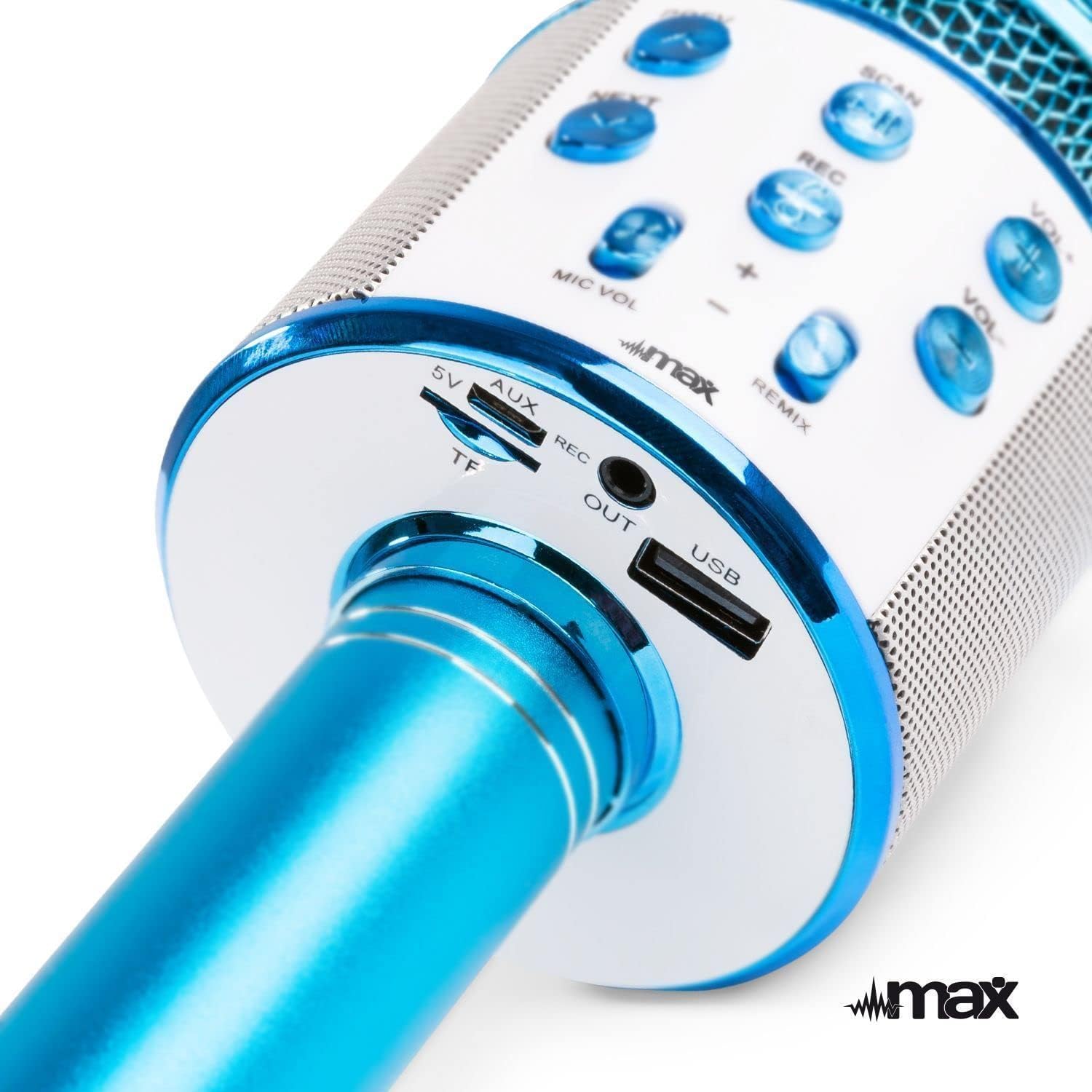
Сүрөт 4.1: Жогорку view of the microphone's control panel.
- АЛДЫНДА: Мурунку трекке кыска басыңыз.
- КИЙИНКИ: Кийинки тректи көрүү үчүн кыскача басыңыз.
- SCAN / Play/Pause: Short press to play/pause music. Long press to activate selfie function.
- РЕК: Short press to start/stop recording.
- VOL+: Музыканын үнүн жогорулатуу.
- VOL-: Музыканын үнүн азайтыңыз.
- MIC VOL +/-: Микрофондун үнүн жөндөңүз.
- REMIX (Echo): Жаңырык эффектинин деңгээлин тууралаңыз.
- Кубат баскычы: Long press to power on/off. Short press to switch modes (Bluetooth, MP3, FM).

Сүрөт 4.2: Төмөнкү view of the microphone's input/output ports.
- 5V (Micro USB): Порт кубатталууда.
- TF (Micro SD Card Slot): Insert a TF card for MP3 playback.
- AUX OUT: Audio output port to connect to external speakers or headphones.
- USB: USB port for MP3 playback from a USB drive.
5. Микрофонду заряддоо
The MAX KM01 microphone is powered by a built-in rechargeable Lithium-ion battery.
- Connect the supplied USB charging cable to the 5V (Micro USB) port on the microphone.
- USB кабелинин экинчи учун USB кубат адаптерине (кошумча эмес) же компьютердин USB портуна туташтырыңыз.
- Заряддоо учурунда LED индикатору күйөт жана толук заряддалгандан кийин өчөт.
- Толук кубаттоо адатта 2-3 саатка созулат.
Эскертүү: Do not use damaged charging cables or chargers.
6. Орнотуу жана туташуу
6.1 Күйгүзүү/өчүрүү
- Күйгүзүү үчүн: Long press the Power button until the LED lights illuminate and you hear a power-on prompt.
- Өчүрүү үчүн: Long press the Power button again until the LED lights turn off and you hear a power-off prompt.
6.2 Bluetooth жупташтыруу
Connect your smartphone or tablet to the microphone wirelessly.
- Ensure the microphone is powered on and in Bluetooth mode (indicated by a flashing blue LED or voice prompt). If not, short press the Power button to cycle modes.
- Түзмөгүңүздө Bluetooth'ду иштетиңиз (смартфон, планшет ж.б.).
- Издөө "KM01" in the list of available Bluetooth devices.
- Select "KM01" to pair. You will hear a confirmation sound once successfully connected.
- Жупташтырылгандан кийин, сиз түзмөгүңүздөн микрофондун динамиги аркылуу музыка ойной аласыз.
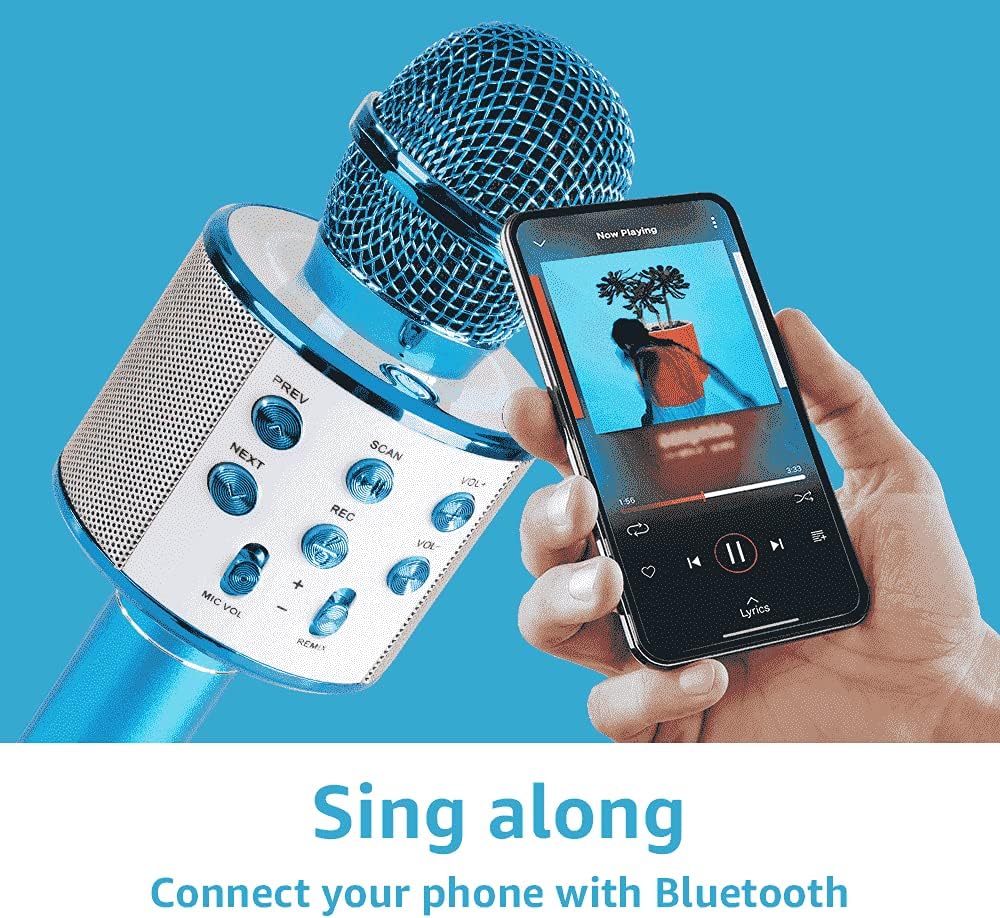
Image 6.1: Connecting the microphone to a smartphone via Bluetooth.
6.3 Using USB/TF Card for MP3 Playback
Play music directly from a USB flash drive or TF (Micro SD) card.
- Insert a USB flash drive or TF card (pre-loaded with MP3 music files) into the respective port on the microphone.
- The microphone will automatically switch to MP3 mode and begin playing music. If not, short press the Power button to cycle modes until you hear the MP3 mode prompt.
- колдонуу ПРЕВ жана КИЙИНКИ buttons to navigate tracks, and VOL+ / VOL- to adjust music volume.
7. Микрофонду иштетүү
7.1 Singing and Karaoke
Once connected via Bluetooth or playing from a USB/TF card, you can start singing along.
- Hold the microphone close to your mouth for optimal sound pickup.
- Микрофонуңуздун үнүн төмөнкү аркылуу тууралаңыз MIC VOL +/- слайдерлер.
- Музыканын үнүн төмөнкү менен жөндөңүз VOL+ / VOL- баскычтар.
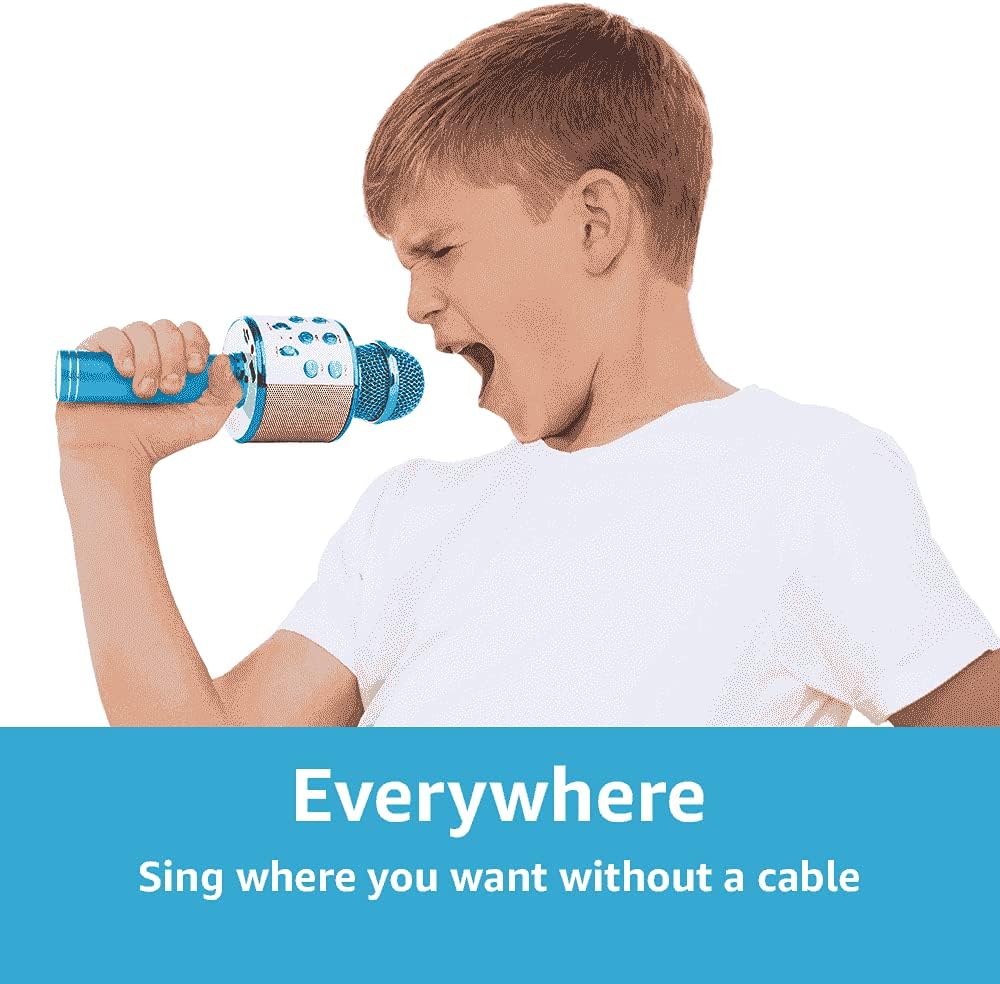
Image 7.1: The portable design allows for singing anywhere without cables.
7.2 Echo Function (REMIX)
Add a professional touch to your vocals with the adjustable echo effect.
- колдонуу РЕМИКС slider to increase or decrease the echo intensity.

Image 7.2: Adjusting the echo (REMIX) function for enhanced vocals.
7.3 Жазуу функциясы
Record your singing performances directly to a connected smartphone (via Bluetooth) or to a USB/TF card.
- Ensure a storage device (smartphone, USB, or TF card) is connected.
- баскычын кыска басыңыз REC жазууну баштоо үчүн баскыч.
- баскычын кыска басыңыз REC жазууну токтотуу үчүн кайра баскычын басыңыз.
- Recordings are typically saved in MP3 format.

Image 7.3: The REC button for recording your performances.
7.4 Селфи функциясы
Use the microphone as a remote shutter for your smartphone camera.
- Ensure the microphone is connected to your smartphone via Bluetooth.
- Смартфонуңуздун камера тиркемесин ачыңыз.
- көпкө басыңыз REC button on the microphone to trigger the camera shutter.

Image 7.4: Using the microphone's selfie function.
7.5 LED жарыктары
The integrated LED lights provide a dynamic visual effect that pulses with the music and your voice. These lights activate automatically when the microphone is powered on.
8. Кыйынчылыктарды
| Көйгөй | Мүмкүн себеп | Чечим |
|---|---|---|
| Микрофон күйбөйт. | Батарея түгөнүп калды. | Charge the microphone using the supplied USB cable. |
| Bluetooth аркылуу туташуу мүмкүн эмес. | Bluetooth is not enabled on your device or microphone. Microphone is not in pairing mode. Device is too far. | Ensure Bluetooth is active on both devices. Short press the Power button to enter Bluetooth pairing mode. Move devices closer (within 10 meters). |
| Микрофондон үн чыкпайт. | Microphone volume (MIC VOL) is too low. Microphone is muted. | Increase the MIC VOL slider. Check if any mute function is active on your connected device. |
| Music playback issues from USB/TF card. | Туура эмес file форматтоо. Карта/диск туура эмес салынган. | Музыканы камсыз кылуу fileфайлдар MP3 форматында. USB дискти же TF картасын бекем кайра салыңыз. |
| Echo effect not working. | REMIX slider is set to minimum. | Adjust the REMIX slider to increase the echo effect. |
9. Техникалык шарттар
| Өзгөчөлүк | Деталь |
|---|---|
| Бренд | МАКС |
| Модель аты | KM01 |
| Байланыш технологиясы | Bluetooth, USB |
| Туташтыргыч түрү | USB Type-A, Micro USB (charging) |
| Өзгөчөлүктөр | Bluetooth, Rechargeable, LED Lights, MP3 Player, Echo Function, Recording, Selfie Function |
| Шайкеш түзмөктөр | Amplifier, Speaker, Personal Computer, Smartphone, Tablet |
| Полярдык үлгү | Бир багыттуу |
| Ызы-чуунун катышы | 120 дБ |
| Frequency Response | 10 KHz |
| Жыштык диапазону | 100Гц - 10кГц |
| Батарея түрү | Lithium-ion (2 required, built-in) |
| Продукциянын өлчөмдөрү (L x W x Y) | 8.5 x 9.5 x 24.5 см |
| Салмагы | 370 грамм |
| Ички материал | Пластик |
| Өндүрүүчү | Tronios BV |
10. Коопсуздук маалыматы
- Аппаратты сууга же нымга тийгизбеңиз.
- Ашыкча температурадан жана түздөн-түз күн нурунан сактаныңыз.
- Аппаратты өз алдынча бөлүүгө же оңдоого аракет кылбаңыз. Квалификациялуу тейлөө кызматкерлерине кайрылыңыз.
- Кичинекей бөлүктөрдөн муунуп калуу коркунучун болтурбоо үчүн кичинекей балдардын жетпеген жеринде сактаңыз.
- Берилген заряддоо кабелин же тастыкталган эквивалентти гана колдонуңуз.
- Батареяларды жана электрондук таштандыларды жергиликтүү эрежелерге ылайык таштаңыз.
11. Кепилдик жана колдоо
For warranty information and technical support, please refer to the documentation provided at the time of purchase or contact your retailer.