
1. Киришүү
Thank you for choosing the Amcrest 1080P WiFi Pan/Tilt Indoor Security Camera (Model: ASH21-W). This manual provides essential information for setting up, operating, and maintaining your device. This camera offers advanced features such as 1080P Full-HD video, pan/tilt functionality, human and pet detection, motion tracking, two-way audio, and various storage options to ensure comprehensive monitoring of your indoor spaces.
2. Кутуда эмне бар
- Amcrest ASH21-W 1080P WiFi Pan/Tilt Camera
- Кубаттуу адаптер
- USB кубат кабели
- Монтаждоо плитасы
- Монтаждоо бурамалар жана анкерлер
- Quick Start Guide
Эскертүү: A MicroSD card (up to 256GB) for local storage is not included and must be purchased separately.
3. Орнотуу
3.1 Күйгүзүү
- USB кубат кабелин камеранын кубат портуна туташтырыңыз.
- Кубат адаптерин стандарттуу электр розеткасына сайыңыз.
- The camera will power on, and the indicator light will begin to flash.
3.2 Колдонмону жүктөп алуу жана аккаунтту каттоо
- жүктөп алыңыз Amcrest SmartHome App Store (iOS) же Google Play Дүкөнүнөн (Android) колдонмо.
- Колдонмону ачып, жаңы аккаунтка катталыңыз же сизде мурунтан эле бар болсо кириңиз.
3.3 Түзмөктү жупташтыруу
- In the Amcrest SmartHome app, tap the "Add Device" icon (usually a '+' symbol).
- Select your camera model or choose to scan the QR code.
- Камераңыздын ылдый жагында жайгашкан QR кодун сканерлеңиз.
- Follow the on-screen prompts to connect the camera to your 2.4GHz Wi-Fi network and set a device password.
- Name your device (e.g., "Living Room Camera", "Baby's Room").
3.4 Монтаждоо параметрлери
The camera can be placed on a tabletop or mounted on a wall or ceiling. Use the provided mounting plate, screws, and anchors for secure installation if mounting is desired.

Сүрөт 1: Amcrest ASH21-W camera on a table, showcasing анын компакттуу дизайны.
4. Иштөө нускамалары
4.1 Live View & Кыйшайтуу/Эңкейтүү башкаруусу
Once connected, access the live video feed through the Amcrest SmartHome app. Use the on-screen controls to remotely pan (355°) and tilt (80°) the camera lens to view different areas of your room.

Сүрөт 2: Amcrest ASH21-W camera demonstrating pan and tilt motion with blue arrows, indicating its auto-tracking capability.
4.2 Эки тараптуу аудио
The camera features a built-in microphone and speaker, enabling two-way communication. Tap the "Talk" button in the app to speak through the camera, and tap "Listen" to hear audio from the camera's location.

Сүрөт 3: A person using a smartphone to engage in two-way talk through the Amcrest camera, showing the live feed on the phone screen.
4.3 Baby Monitor Mode
Activate Baby Monitor Mode in the app to receive notifications based on adjustable sound thresholds (VOX alarm). This feature is ideal for monitoring infants or pets, alerting you to sounds like crying or barking without requiring constant visual monitoring.
Сүрөт 4: Amcrest ASH21-W camera with a smartphone displaying the baby monitor interface, showing a baby in a crib and audio level graphs.
4.4 Motion Detection & Smart Tracking
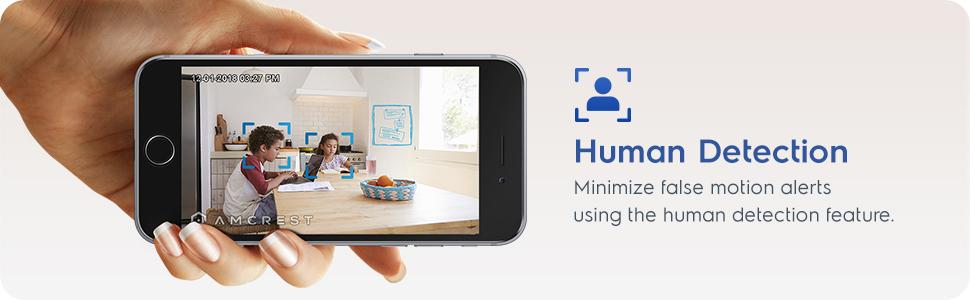
Enable motion detection to receive alerts and record footage when movement is detected. Utilize the human detection filter to reduce false alarms. With Smart Tracking enabled, the camera will automatically pan and tilt to follow detected human movement across the room.

Сүрөт 5: Amcrest ASH21-W camera on a table, with a smartphone showing a human detection alert and a 93-degree viewing angle graphic.
4.5 Түнкү көрүнүш
The camera provides clear night vision up to 33 feet in absolute darkness, ensuring continuous monitoring even in low-light conditions.
4.6 Жазуу жана сактоо
Recordings can be stored in several ways:
- MicroSD картасы: Жергиликтүү сактагыч үчүн камеранын уячасына MicroSD картасын (256 ГБ чейин, комплектке кирбейт) салыңыз.
- Amcrest Cloud: Utilize optional cloud storage services for remote access to recordings.
- Үчүнчү Тарап Программасы: Compatible with Amcrest NVRs and third-party surveillance software like Blue Iris, Synology, QNAP NAS, Zoneminder, and RTSP.

Сүрөт 6: Amcrest ASH21-W camera highlighting the MicroSD card slot and showing icons for Amcrest Smart Home Cloud and MicroSD Card storage options.
4.7 Alerts & Notifications
Receive instant notifications on your smartphone when motion or human detection events occur. Review event playback directly from the app.
Видео 1: Official Amcrest video demonstrating the Smart Home WiFi Pan/Tilt Baby Monitor Camera's features, including setup, app interface, baby monitor mode, human detection, smart tracking, night vision, and storage options.
5. Техникалык тейлөө
- Тазалоо: Камера линзасын жана корпусун тазалоо үчүн жумшак, кургак чүпүрөктү колдонуңуз. Катуу химиялык заттарды же абразивдүү материалдарды колдонбоңуз.
- Программалык камсыздоонун жаңыртуулары: Regularly check the Amcrest SmartHome app for firmware updates to ensure optimal performance and security.
- Жайгашкан жери: Ensure the camera is placed in a location with good Wi-Fi signal strength and away from direct heat sources or extreme temperatures.
6. Кыйынчылыктарды
- Туташуу маселелери: Ensure your Wi-Fi network is 2.4GHz. Check your router's signal strength and try restarting both the camera and your router.
- Live жок View: Verify the camera is powered on and connected to Wi-Fi. Check the app for any error messages.
- Жалган ойготкучтар: Adjust motion detection sensitivity settings in the app. Utilize human detection filters to minimize alerts from non-human movement.
- Сүрөттүн сапаты начар: Камера линзасынын таза экенин текшериңиз. Интернет байланышыңыздын ылдамдыгын текшериңиз.
- Эки тараптуу аудио көйгөйлөр: Check volume settings on your phone and in the app. Ensure there is no obstruction to the camera's microphone or speaker.
7. Техникалык шарттар
| Өзгөчөлүк | Деталь |
|---|---|
| Видео тартуунун резолюциясы | 1080p |
| Pan/Tilt диапазону | Пан 355°, Тилт 80° |
| Viewбурч | 93 градус |
| Түнкү көрүү диапазону | 33 фут чейин |
| Сактагыч параметрлери | MicroSD (up to 256GB), Amcrest Cloud, NVR/3rd Party Software |
| Байланыш | Wi-Fi (2.4 ГГц) |
| Эки тараптуу аудио | Yes (Built-in Mic & Speaker) |
| Motion Detection | Yes (Human & Pet Detection, Motion-Tracking) |
| Шайкеш түзмөктөр | Amazon Alexa |
| Power Source | Зымдуу электр (5V DC, 5W) |
| Өлчөмдөрү (L x W x Y) | 4.17 x 3.04 x 3.04 дюйм |
| Элемент Салмагы | 0.53 фунт (8.4 унция) |
| Материал | Пластик |
| Ички/тышкы колдонуу | Indoor |
8. Кепилдик жана колдоо
The Amcrest ASH21-W camera comes with a full 1 жылдык АКШ кепилдиги. For any technical assistance or support, please contact Amcrest directly. Lifetime technical support is provided by Amcrest, a United States-based company headquartered in Houston, TX.
For further assistance, please refer to the Amcrest SmartHome app's support section or visit the official Amcrest webсайт.