
iLuv bbgtwsairbl
iLuv Bubble Gum True Wireless Earbuds (Blue) - User Manual
Model: bbgtwsairbl
Introduction
This manual provides essential information for the proper use and maintenance of your iLuv Bubble Gum True Wireless Earbuds. Please read this manual thoroughly before using the product to ensure optimal performance and longevity.
The iLuv Bubble Gum True Wireless Earbuds are designed for a seamless audio experience, featuring true wireless connectivity, simple controls, and a waterproof design for versatile use.
Пакеттин мазмуну
- iLuv Bubble Gum True Wireless Earbuds (Left and Right)
- Заряддоо кутусу
- USB заряддоо кабели
- Колдонуучунун Колдонмосу (бул документ)
- Changeable Eartips (various sizes)
Продукт бүттүview
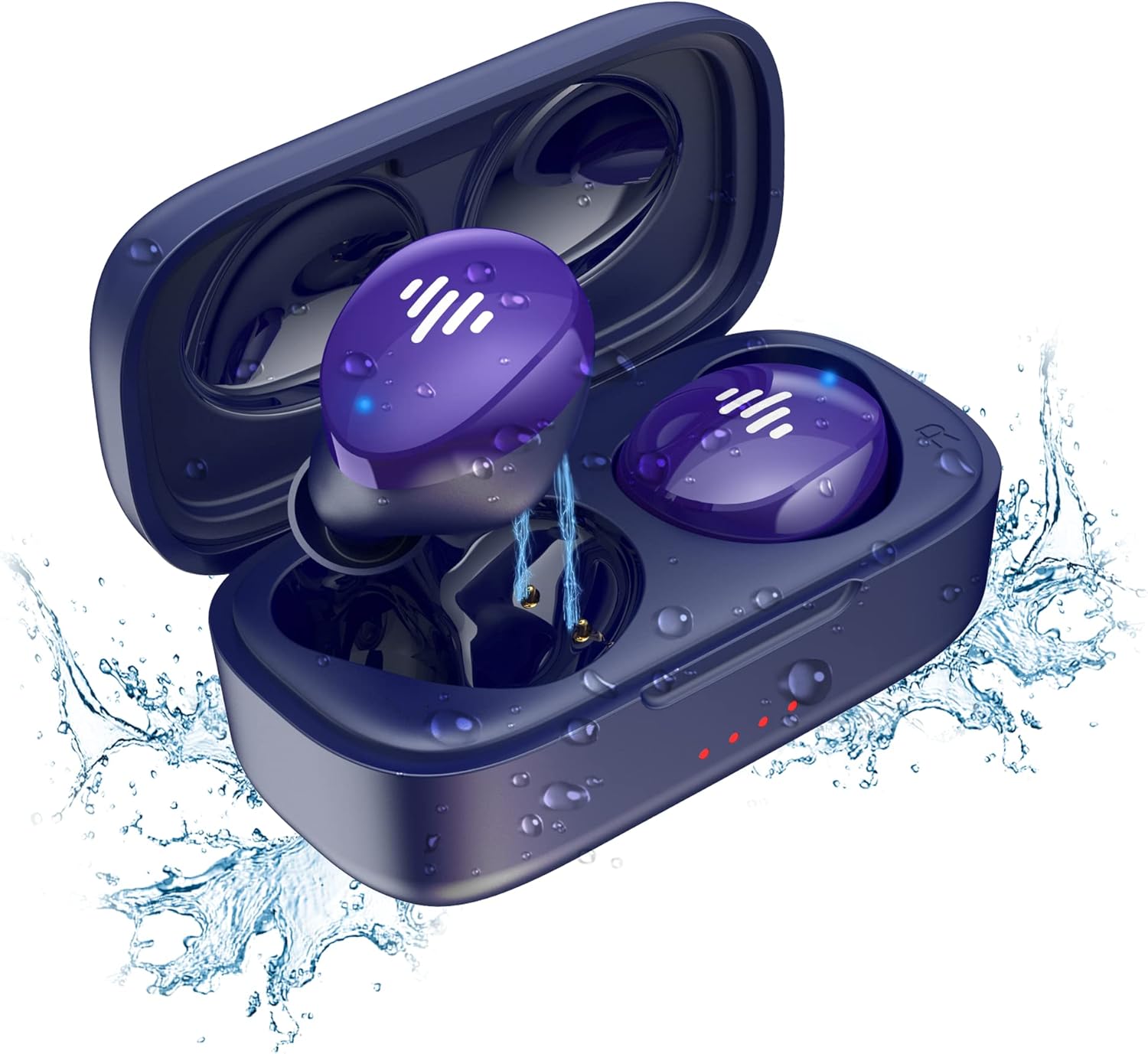
Figure 1: iLuv Bubble Gum True Wireless Earbuds and Charging Case. The image displays the blue earbuds inside their open charging case, surrounded by water droplets, highlighting their waterproof feature. The earbuds are a vibrant purple-blue with white indicator lights, and the case has small red indicator lights on the front.
The iLuv Bubble Gum True Wireless Earbuds consist of two independent earbuds (left and right) and a portable charging case. The earbuds are designed to fit comfortably in the ear and provide high-quality audio. The charging case not only protects the earbuds but also recharges them on the go.
Негизги өзгөчөлүктөрү:
- Чыныгы Wireless Stereo (TWS) технологиясы
- Туруктуу байланыш үчүн Bluetooth 5.0
- Up to 20 hours of total listening time (with charging case)
- Simple, intuitive touch controls
- Суу өткөрбөйт дизайн
- Бир кадам жупташтыруу
Жайгашуу
1. Кулакчындарды жана кутуну кубаттоо
Биринчи колдонуудан мурун, кулакчындарды да, кубаттоочу кутучаны да толук заряддаңыз.
- Кулакчындарды кубаттоочу кутуга салып, алардын тиешелүү уячаларына туура орнотулганын текшериңиз (сол үчүн L, оң үчүн R).
- USB кубаттоочу кабелди корпустагы кубаттоочу портко, ал эми экинчи учун USB кубат булагына (мисалы, дубал адаптери, компьютердин USB порту) туташтырыңыз.
- The indicator lights on the charging case will illuminate to show charging status. Once fully charged, the lights may turn solid or turn off, depending on the model.
- The earbuds will also show an indicator light while charging inside the case, which will turn off or change color when fully charged.
2. Түзмөгүңүз менен жупташтыруу
Ыңгайлуулук үчүн кулакчындар бир баскычтуу жупташтыруу функциясына ээ.
- Заряддоо кутучасын ачыңыз. Кулакчындар жупташтыруу режимине автоматтык түрдө кирет.
- Түзмөгүңүздө (смартфон, планшет, компьютер) Bluetooth жөндөөлөрүнө өтүңүз.
- Bluetooth иштетилгенин текшериңиз.
- Издөө available devices. You should see "iLuv Bubble Gum TWS" or a similar name.
- Select the earbuds from the list to connect. Once connected, you will hear an audible confirmation, and the earbud indicator lights may turn off or flash slowly.
- Эгер жупташтыруу ишке ашпай калса, кулакчындарды корпуска кайра салып, капкакты жаап, бир нече секунд күтүп, андан кийин кадамдарды кайталаңыз.
Эскертүү: Эгерде аппаратта Bluetooth иштетилген болсо, кулакчындар кутудан чыгарылганда акыркы жупташтырылган түзмөккө автоматтык түрдө кайра туташат.
Иштөө нускамалары
Сенсордук башкаруу каражаттары:
The iLuv Bubble Gum True Wireless Earbuds feature intuitive touch controls on each earbud. The specific functions may vary slightly, but common controls include:
| Акция | Функция |
|---|---|
| Бир таптоо (Сол/Оң) | Музыка ойнотуу/тындыруу, Чалууга жооп берүү/аяктоо |
| Эки жолу таптаңыз (оң кулакчын) | Кийинки трек |
| Эки жолу таптаңыз (Сол кулакчын) | Мурунку трек |
| Үч жолу таптап (Сол/Оң) | Үн Жардамчысын жандырыңыз (Siri, Google Жардамчы) |
| Узак басуу (2 секунд) | Чакырууну четке кагуу |
Please refer to the specific control scheme provided in your product's quick start guide if it differs.
Кулакчындарды тагынуу:
For optimal sound quality and comfort, choose the correct size eartips. Gently insert each earbud into your ear canal and twist slightly to secure a snug fit. The "L" and "R" markings indicate the left and right earbuds, respectively.
Техникалык тейлөө
Тазалоо:
Үзгүлтүксүз тазалоо үн сапатын жана гигиенаны сактоого жардам берет.
- Кулакчындарды жана кубаттоочу кутуну сүртүү үчүн жумшак, кургак, түксүз чүпүрөктү колдонуңуз.
- өжөр кир үчүн, бир аз гampчүпүрөктү суу менен. Катуу химиялык заттарды же абразивдүү материалдарды колдонбоңуз.
- Gently clean the earbud mesh and charging contacts with a dry cotton swab or a soft brush.
- Ensure the earbuds and charging case are completely dry before placing them back in the case or charging.
Сактагыч:
Колдонулбай турган учурда, кулакчындарды коргоо жана кубаттоо үчүн кубаттоочу кутучасында сактаңыз. Кутучаны салкын, кургак жерде, күндүн нуру түз тийбеген жана өтө жогорку температурадан алыс сактаңыз.
Суу каршылык:
The earbuds are waterproof. However, this does not mean they are suitable for swimming or prolonged submersion. They are designed to withstand sweat, splashes, and light rain. Always ensure the charging port on the case is dry before charging.
Проблемаларды чечүү
| Көйгөй | Мүмкүн чечим |
|---|---|
| Кулакчындар жупташкан жок |
|
| Бир гана кулакчын иштейт |
|
| Көлөмү төмөн же үн сапаты начар |
|
| Заряддоо куту заряддалбай жатат |
|
Техникалык шарттар
| Өзгөчөлүк | Деталь |
|---|---|
| Модель аты | bbgtwsairbl |
| Бренд | Мен сүйөм |
| Байланыш | Bluetooth 5.0 |
| Кулак жайгаштыруу | Кулакта |
| Форма фактору | Кулакта |
| Түс | Көк |
| Суу каршылык | Суу өткөрбөйт |
| Батареянын иштөө мөөнөтү (жалпы) | 20 саатка чейин (кубаттоочу корпусу менен) |
| Батареялар | 2 литий-иондук батарейкалар (кошумча) |
| Элемент Салмагы | 3.52 унция |
| Продукциянын өлчөмдөрү | 1.39 x 3.18 x 7.15 дюйм |
| Өндүрүүчү | JWIN Electronics |
| UPC | 639247142220 |
Кепилдик жана колдоо
For warranty information and customer support, please visit the official iLuv webсайтка же түздөн-түз кардарларды тейлөөгө кайрылыңыз. Кепилдик дооматтар үчүн сатып алганыңыздын далилин сактаңыз.
Official iLuv Webсайт: www.iluv.com
Ask a question about this manual
Ask about setup, troubleshooting, compatibility, parts, safety, or missing instructions. Manuals+ will review the question and use this page’s manual context to help answer it.