
Introduction
This manual provides essential information and instructions for the Easytry123 replacement remote control. This remote is designed to be compatible with various Hisense LCD LED HDTV models, specifically those that originally used the EN3A31 series remote. Please review this manual thoroughly before use.
Жайгашуу
Батарея орнотуу
Пультту иштетүү үчүн эки (2) AAA батарейкасы керек. Батарейкалар пульт менен кошо берилбейт жана аларды өзүнчө сатып алуу керек.
- Пульттун артындагы батарея отсегин табыңыз.
- Батарея уясынын капкагын ылдый жылдырыңыз жана аны алып салыңыз.
- Оң (+) жана терс (-) терминалдары бөлүмдүн ичиндеги белгилер менен туура дал келишин камсыз кылып, эки AAA батарейкасын салыңыз.
- Батарея бөлүмүнүн капкагын бекем чыкылдаган үн чыкканга чейин кайра ордуна жылдырып, кайра ордуна коюңуз.

This image illustrates the battery compartment located on the back of the remote control. The cover slides off to allow insertion of two AAA batteries.
Иштөө нускамалары
This replacement remote control is designed for immediate use with compatible Hisense televisions. No programming is typically required.
Шайкештик
- Ensure your television model is listed as compatible with the Hisense EN3A31 series remote. Compatible models include LTDN42K320UWSEU, LTDN42K390XWSEU3D, and LTDN42K680XWSEU3D.
- While designed to replace the original, some advanced or specific functions of your original remote may not be fully supported by this replacement unit.
Негизги функциялар
Point the remote control directly at the infrared receiver on your television. Press the desired buttons to control functions such as power, volume, channel selection, and menu navigation.
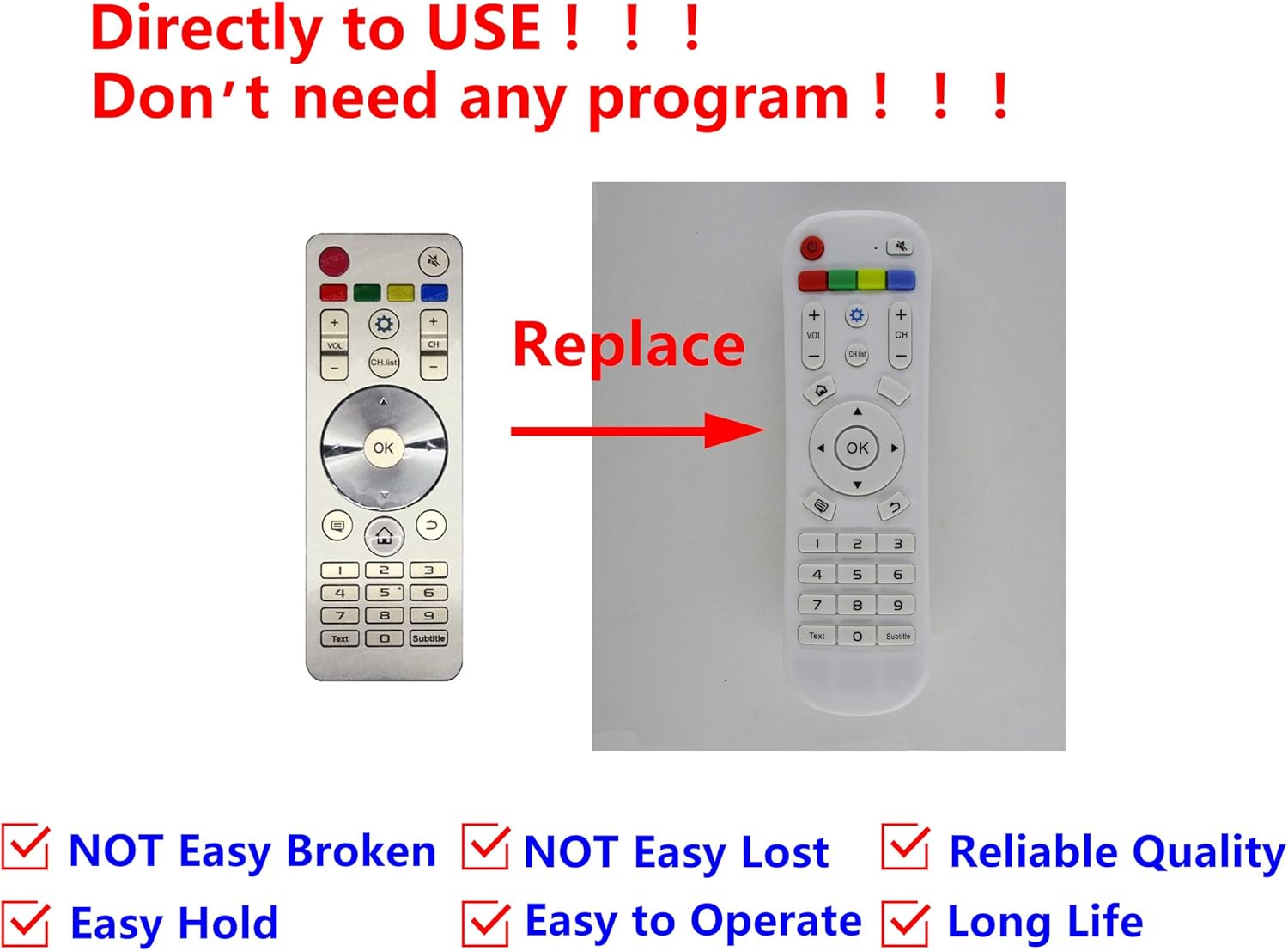
This image displays the Easytry123 replacement remote control, showing its button layout. It also includes a comparison to an original Hisense remote, indicating that the replacement is designed to function similarly.
Техникалык тейлөө
Тазалоо
To clean the remote control, gently wipe it with a soft, dry cloth. Do not use liquid cleaners, abrasive pads, or chemical solvents, as these can damage the remote's surface or internal components.
Батареяга кам көрүү
- Пульттун иштеши начарлаганда же иштебей калганда, батареяларды алмаштырыңыз.
- Remove batteries if the remote control will not be used for an extended period to prevent leakage and potential damage.
- Колдонулган батарейкаларды жергиликтүү эрежелерге ылайык таштаңыз.
Проблемаларды чечүү
Алыстан жооп бербейт
- Батареяларды текшерүү: Батареялар туура полярдуулукта (+/-) туура салынганын жана заряды түгөнүп калбаганын текшериңиз. Зарыл болсо, жаңы AAA батареялары менен алмаштырыңыз.
- Көрүү сызыгы: Make sure there are no obstructions between the remote control and the television's infrared receiver. The remote uses infrared technology, requiring a clear line of sight.
- Аралык: Алыстан башкаруу пультунун натыйжалуу иштөө диапазонунда экениңизди текшериңиз.
- TV шайкештиги: Double-check that your television model is indeed compatible with the EN3A31 series remote.
Техникалык шарттар
| Бренд | Easytry123 |
| Моделдер сериясы | EN3A31 |
| Шайкеш түзмөктөр | Hisense Televisions (e.g., LTDN42K320UWSEU, LTDN42K390XWSEU3D, LTDN42K680XWSEU3D) |
| Байланыш технологиясы | Инфракызыл (IR) |
| Controller Type | Control Button |
| Өзгөчө өзгөчөлүк | Эргономикалык дизайн |
| Батареялар талап кылынат | 2 x AAA (киргизилген эмес) |
Кепилдик жана колдоо
For any issues or questions regarding your Easytry123 replacement remote control, please contact the seller directly through your purchase platform. Specific warranty details may vary by retailer and purchase date.