
NETVUE Vigil
NETVUE Vigil Outdoor Security Camera User Manual
Model: Vigil | Brand: NETVUE
1. Киришүү
The NETVUE Vigil Outdoor Security Camera is designed to provide reliable surveillance for your property. Featuring 1080p Full HD video, advanced night vision, two-way audio communication, and smart motion detection, this camera ensures comprehensive monitoring day and night. Its robust, weather-resistant design allows for outdoor installation in various conditions.

Image: The NETVUE Vigil camera provides clear 1080p video both during the day and at night, as illustrated by the comparison of a driveway scene.
2. Пакеттин мазмуну
Пакетиңизде бардык буюмдар бар экенин текшериңиз:
- NETVUE Vigil Outdoor Security Camera
- Кубаттуу адаптер
- Монтаждоо бурамдары жана дубал анкерлери
- Монтаж шаблону
- Колдонуучунун Колдонмосу (бул документ)
3. Орнотуу жана орнотуу
3.1 Орнотуудан мурун
- Ensure your Wi-Fi network operates on the 2.4GHz band. The camera does not support 5GHz Wi-Fi.
- Position the camera within range of your Wi-Fi router for a stable connection. The camera features an enhanced 5dBi antenna for improved signal strength.
- Prepare a power outlet near the intended installation location.
3.2 Физикалык орнотуу
The NETVUE Vigil camera can be mounted on a wall or ceiling/roof. Choose a location that provides the desired viewing angle and is within reach of a power source.
- Каалаган бетке бургулоочу тешиктерди белгилөө үчүн берилген шаблонду колдонуңуз.
- Drill holes and insert wall anchors if mounting on masonry.
- Secure the camera's mounting base using the screws.
- Камера бурчун керек болсо тууралаңыз.
- Кубат адаптерин камерага туташтырыңыз жана аны розеткага сайыңыз.

Image: The NETVUE Vigil camera offers flexible installation options for both wall and roof mounting.

Image: The camera features a 5dBi antenna designed for a more stable Wi-Fi connection.
3.3 Колдонмону орнотуу
- Download the 'Netvue' app from your mobile device's app store (iOS or Android).
- Жаңы каттоо эсебин түзүңүз же сизде мурунтан эле бар болсо кириңиз.
- Follow the in-app instructions to add your new NETVUE Vigil camera. This typically involves scanning a QR code on the camera or manually entering its details.
- Колдонмонун суранычы боюнча камераны 2.4 ГГц Wi-Fi тармагыңызга туташтырыңыз.
4. Камераны иштетүү
4.1 Live View жана Remote Access
Access your camera's live feed anytime, anywhere through the Netvue app on your smartphone or tablet. You can also integrate the camera with Amazon Alexa for voice control and viewшайкеш келген түзмөктөрдө иштетүү.
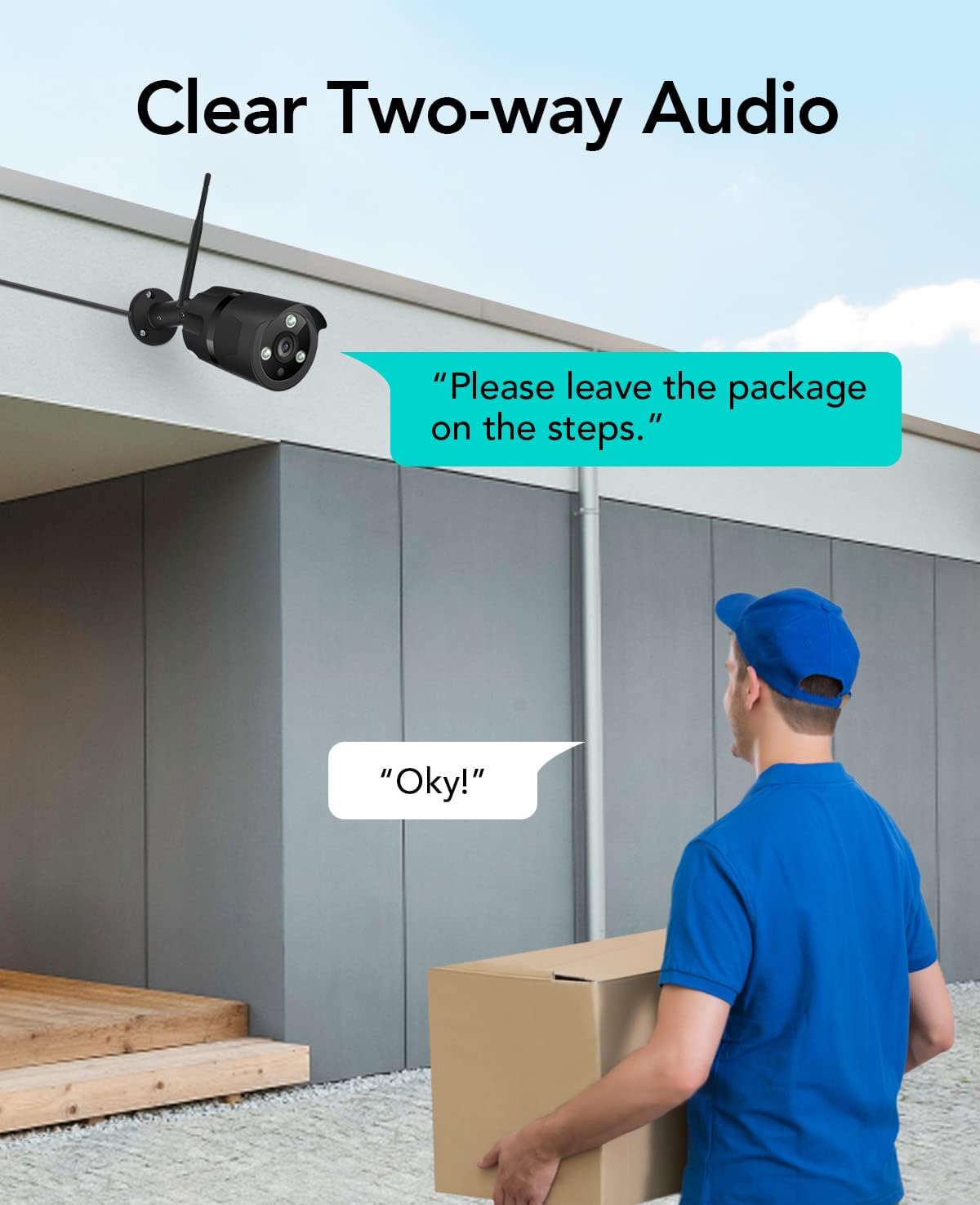
Image: The NETVUE Vigil camera is compatible with Amazon Alexa, allowing you to view the live feed on devices like the Echo Show.
4.2 Эки тараптуу аудио
The built-in microphone and speaker allow for two-way communication. Use this feature to speak with visitors or deter unwanted guests directly through the Netvue app.

Image: Engage in clear two-way audio communication with individuals near your camera, such as a delivery person.
4.3 Кыймылды аныктоо жана эскертүүлөр
The camera features smart motion detection. When motion is detected, you will receive instant notifications on your mobile phone. You can customize motion detection zones, sensitivity levels, and alert schedules within the Netvue app to focus on areas of importance.

Image: The camera sends smart motion alerts to your phone when activity is detected, as shown with a person at a door.
4.4 Түнкү көрүнүш
Equipped with infrared LEDs and IR-Cut technology, the camera automatically switches to night vision mode in low-light conditions, providing clear video up to 19.8 meters (65 feet) in complete darkness.
4.5 Видео сактагыч
The NETVUE Vigil camera supports two storage options:
- Жергиликтүү сактагыч: Insert a microSD card (up to 128GB, not included) into the camera for continuous recording or event-triggered recordings. You can view playback directly from the Netvue app.
- Булуттагы сактагыч: Optional cloud storage plans are available through the Netvue app for secure, off-site video backup and advanced AI features like person/vehicle detection. Subscription fees apply for cloud services.

Image: The camera supports both local storage via an SD card and optional cloud storage for video recordings.
5. Техникалык тейлөө
- Тазалоо: Periodically clean the camera lens with a soft, dry cloth to ensure clear image quality. Do not use harsh chemicals.
- Программалык камсыздоонун жаңыртуулары: Keep your camera's firmware updated through the Netvue app to ensure optimal performance and access to new features.
- Туташуу текшерүү: Regularly verify the camera's Wi-Fi connection status in the app to ensure continuous operation.
6. Кыйынчылыктарды
6.1 Камера Wi-Fiга туташпай жатат
- Wi-Fi тармагыңыз 2.4 ГГц экенин текшериңиз.
- Check if the camera is within range of your router.
- Колдонмого киргизилген Wi-Fi сырсөзү туура экенин текшериңиз.
- Роутериңизди жана камераңызды өчүрүп күйгүзүңүз.
6.2 Сүрөттүн сапаты начар
- Камера линзасын тазалаңыз.
- Ensure sufficient lighting for optimal day vision.
- Интернетке туташуу ылдамдыгын текшериңиз.
6.3 No Motion Alerts
- Verify motion detection is enabled in the Netvue app.
- Check motion detection zone settings and sensitivity.
- Телефонуңузда колдонмо эскертмелери иштетилгенин текшериңиз.
For further assistance, please refer to the support section or contact NETVUE customer service.
7. Техникалык шарттар
| Өзгөчөлүк | Спецификация |
|---|---|
| Модель номери | Vigil |
| Video Resolution | 1080p (1920 x 1080 пиксел) |
| Сүрөт сенсорунун чечилиши | 2 депутат |
| Түнкү көрүү диапазону | 19.8 метрге чейин (65 фут) |
| Байланыш | Wireless (2.4GHz Wi-Fi), Ethernet |
| Аба ырайына каршылык | IP66 (Суу өткөрбөйт) |
| Иштөө температурасы | -15.6 °C to 50.0 °C (-20 °C to 50 °C) |
| Power Source | AC |
| Шайкеш түзмөктөр | Смартфон (iOS/Android), Amazon Alexa |
| Сактагыч параметрлери | MicroSD картасы (128 ГБ чейин), Cloud Storage (жазылуу талап кылынат) |
| Өлчөмдөр | 20.1 x 12.4 x 8.1 см |
8. Кепилдик жана колдоо
NETVUE products come with a limited warranty. Please refer to the warranty card included in your package or visit the official NETVUE webдеталдуу кепилдик шарттары жана шарттары үчүн сайт.
For technical support, product inquiries, or warranty claims, please contact NETVUE customer service through their official website or the contact information provided in the Netvue app. Our support team is available to assist you with any questions or issues you may encounter.
Онлайн ресурстар:
- Official NETVUE Webсайт: www.netvue.com
- Netvue App: Available on Apple App Store and Google Play Store
Ask a question about this manual
Ask about setup, troubleshooting, compatibility, parts, safety, or missing instructions. Manuals+ will review the question and use this page’s manual context to help answer it.