
1. Киришүү
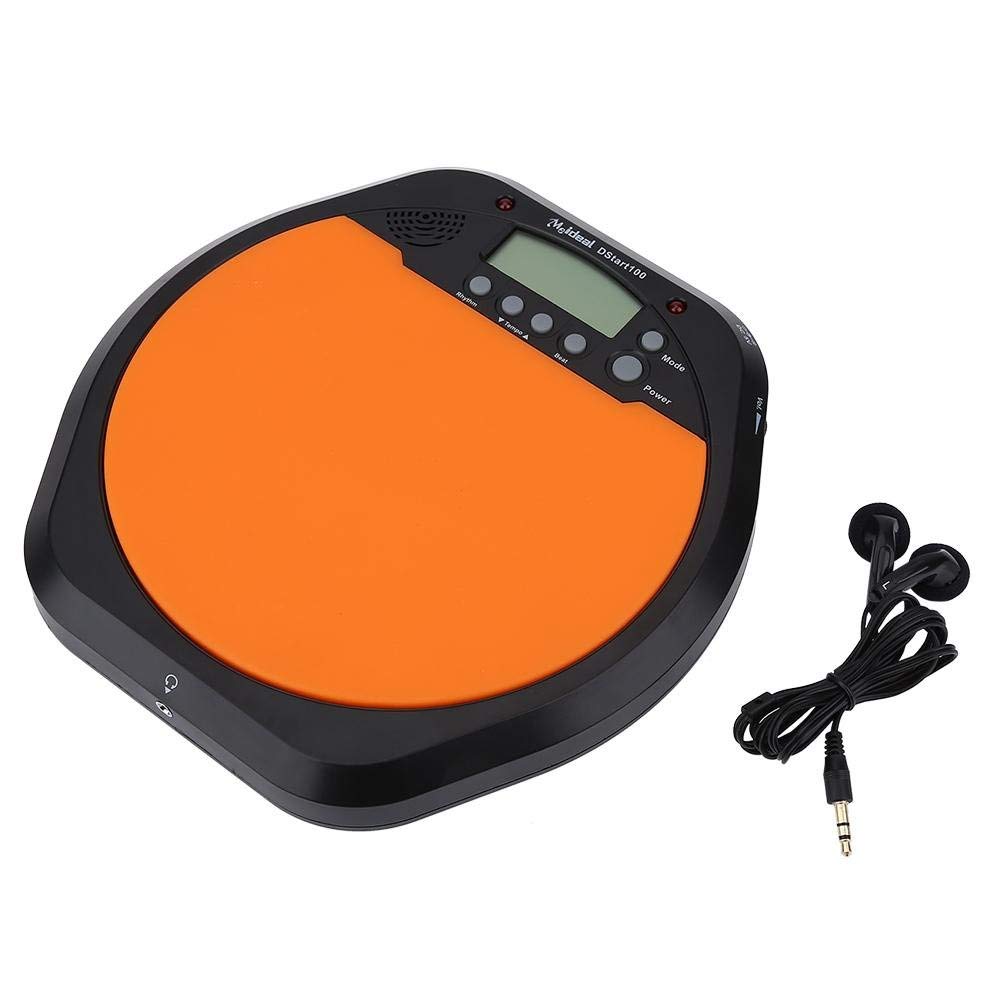
Thank you for choosing the Alomejor Digital Drum Metronome Practice Pad. This device is designed to assist drummers and musicians in developing precise rhythm and tempo. It features a digital LCD screen, multiple practice modes, and an earphone jack for private practice sessions. Please read this manual thoroughly before using the product to ensure proper operation and longevity.
Пакеттин мазмуну:
- 1 x Digital Drum Metronome Practice Pad
- 1 х Наушник
- (2 x AAA batteries not included)
2. Продукциянын өзгөчөлүктөрү
- Көп функционалдуу дизайн: Offers various modes for comprehensive rhythm training.
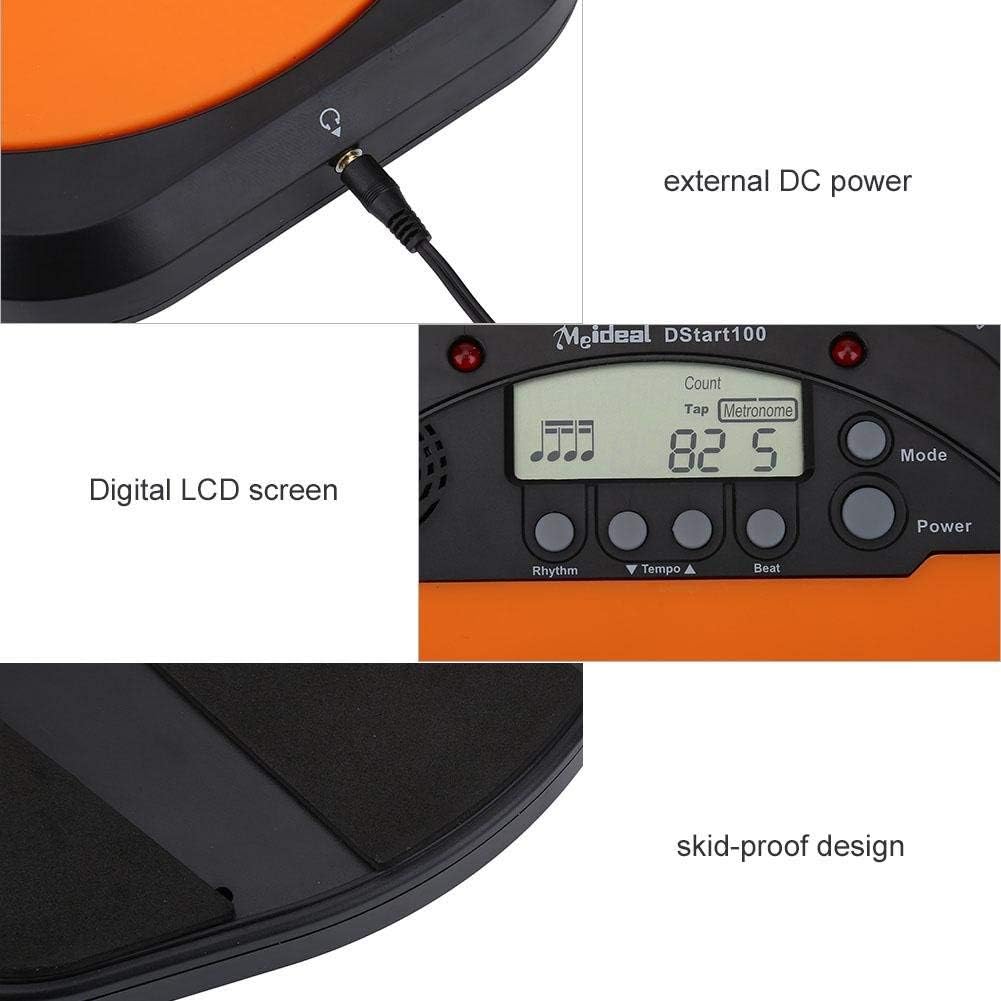
- Digital LCD экран: Provides clear visual feedback for tempo, rhythm, and count.
- Таптоо функциясы: Allows users to test and set their ideal tempo or match a song's tempo.
- Realistic Drum Feel: Engineered to provide a responsive surface similar to a real drum.
- Наушник джек: Enables silent practice, ideal for use in various environments without disturbing others.
- External DC Power Option: Supports external power supply for extended use (adapter not included).
- Туруктуу курулуш: Features anti-shock and anti-slip design for stability and longevity.


3. Орнотуу
3.1 Батареяны орнотуу
- Locate the battery compartment on the underside of the practice pad.
- Батарея уясынын капкагын ачыңыз.
- Туура полярдуулукту (+/-) камсыз кылып, эки (2) AAA батарейкасын салыңыз.
- Батарея уясынын капкагын бекем жабыңыз.

3.2 Кубат туташтыруу
- Батарея кубаттуулугу: Once batteries are installed, the device is ready for use.
- External DC Power (Optional): For continuous use, connect a compatible DC power adapter (not included) to the external DC power port located on the side of the unit.

3.3 Гарнитураны туташтыруу
To practice silently, plug the included earphone into the 3.5mm headphone jack located on the side of the practice pad.

4. Иштөө нускамалары
4.1 Күйгүзүү/өчүрүү
- басыңыз Күч аппаратты күйгүзүү үчүн баскыч.
- басып, кармап туруңуз Күч аппаратты өчүрүү үчүн баскыч.
4.2 Режимди тандоо
басыңыз Mode button to cycle through the available practice modes:
- Metronome Mode: Provides a steady click for tempo practice.
- Tapping Mode: Allows you to tap a rhythm, and the device will display the calculated tempo.
- Эсептөө режими: Helps in practicing specific counts or measures.

4.3 Adjusting Tempo and Rhythm
- колдонуу Tempo ▲ жана Tempo ▼ buttons to increase or decrease the metronome's tempo (BPM).
- колдонуу Ритм button to change the rhythm pattern.
- колдонуу Beat button to adjust the beat subdivision.
The LCD screen will display the current tempo, rhythm, and beat settings.
5. Техникалык тейлөө
- Тазалоо: Wipe the surface of the practice pad with a soft, dry cloth. Do not use abrasive cleaners or solvents.
- Сактагыч: Аппаратты түз күн нурунан жана экстремалдык температурадан алыс салкын, кургак жерде сактаңыз.
- Батареяга кам көрүү: Агып кетпеш үчүн аппарат узак убакыт бою колдонулбаса, батареяларды алып салыңыз.
- Таасирден качуу: While designed to be shockproof, avoid dropping the device or subjecting it to strong impacts.
6. Кыйынчылыктарды
| Көйгөй | Мүмкүн себеп | Чечим |
|---|---|---|
| Түзмөк күйбөйт. |
|
|
| Динамиктен/кулакчындан үн чыкпайт. |
|
|
| Tap function is inaccurate. |
|
|
7. Техникалык шарттар
| Бренд | Alomejor |
| Модель номери | Alomejorrxzdnhs6e2 |
| Түс | Кара/кызгылт сары |
| Материал | Пластик |
| Өлчөмдөрү (болжол менен) | 207 x 206 x 29 мм (8.15 x 8.11 x 1.14 дюйм) |
| Салмагы (болжол менен) | 496 г (1.1 фунт) |
| Темп диапазону | 30-280 сок/м |
| Электр камсыздоо | 2 x AAA batteries (not included) or external DC power (adapter not included) |
8. Кепилдик жана колдоо
Alomejor products are designed for quality and performance. While specific warranty details are not provided in this manual, please refer to your purchase documentation or contact the retailer for information regarding warranty coverage and customer support.
For any issues or inquiries, please contact Alomejor customer service through the platform where you purchased the product.