
Pifco P55003
Pifco P55003 Mini USB Desk Fan
Колдонуучунун инструкциясы
Introduction
Сатып алганыңыз үчүн рахматasing the Pifco P55003 Mini USB Desk Fan. This compact and lightweight fan is designed to provide personal cooling in various settings, such as your desk at work, home office, or bedside table. Its simple USB power connection and adjustable design make it a convenient solution for staying cool.

Сүрөт 1: Алдыңкы view of the Pifco P55003 Mini USB Desk Fan, showcasing its black plastic body, protective grille, and brown leather-look strap handle.
Маанилүү коопсуздук маалыматы
Сураныч, шайманды колдонуудан мурун бул нускаманы кунт коюп окуп чыгыңыз. Бул колдонмону келечекте маалымат алуу үчүн сактаңыз.
- Оңдоп кетпеш үчүн желдеткич туруктуу, жалпак бетке коюлганын текшериңиз.
- Вентилятор иштеп жатканда анын ичине манжаларыңызды же башка буюмдарды салбаңыз.
- Вентиляторду суудан же башка суюктуктардан алыс кармаңыз. Вентиляторду сууга салбаңыз.
- Вентиляторду шнуру же сайгычы бузулган абалда иштетпеңиз. Эгерде шнуру бузулган болсо, аны өндүрүүчү же квалификациялуу тейлөө агенти алмаштырышы керек.
- Бул шайман үй ичинде гана колдонуу үчүн.
- Тазалоодон мурун же узак убакыт бою колдонулбай турганда желдеткичти USB кубат булагынан сууруп коюңуз.
- Балдар жана үй жаныбарлары жетпеген жерде сактаңыз.
Продукт өзгөчөлүктөрү
- Натыйжалуу муздатуу: Equipped with a 2.5 W motor and three blades, providing 2000 rpm for effective airflow.
- USB менен иштейт: Plugs directly into any standard USB socket, laptop, or desktop computer for convenient operation.
- Компакттуу жана көчмө: Lightweight design for easy transport and placement on desks or tables.
- Жөнгө салынуучу аба агымы: Features two adjustable tilt angles (45 and 60 degrees) to direct air precisely.
- Интегралдык тутка: Double leather strap handle for easy carrying.
- Туруктуу база: Foldable metal feet with anti-slip grip ensure stability on various surfaces.

Figure 2: The fan's integrated leather-look strap handle allows for easy portability.
Бөлүктөрдү аныктоо
Familiarize yourself with the components of your Pifco Mini USB Desk Fan:
- Fan Grille (Front and Rear)
- Fan Blades
- Мотор корпусу
- Leather Strap Handle
- Foldable Metal Feet with Anti-slip Grips
- USB кубат кабели (тиркелген)
- On/Off Switch (located on the rear of the motor housing)

Figure 3: Detail of the foldable metal feet, providing stability and compact storage.
Жайгашуу
- Таңылганын ачуу: Вентиляторду таңгагынан этияттык менен чыгарыңыз. Зарыл болсо, келечекте сактоо же ташуу үчүн таңгакты сактап коюңуз.
- Позициялоо: Place the fan on a firm, level surface such as a desk or table. Ensure there is adequate space around the fan for proper air circulation.
- Буттарды тууралоо: Extend the foldable metal feet to provide a stable base for the fan.
- Туташуу кубаты: Insert the USB plug of the fan's power cable into a compatible USB port on a laptop, desktop computer, or a USB wall adapter (not included).
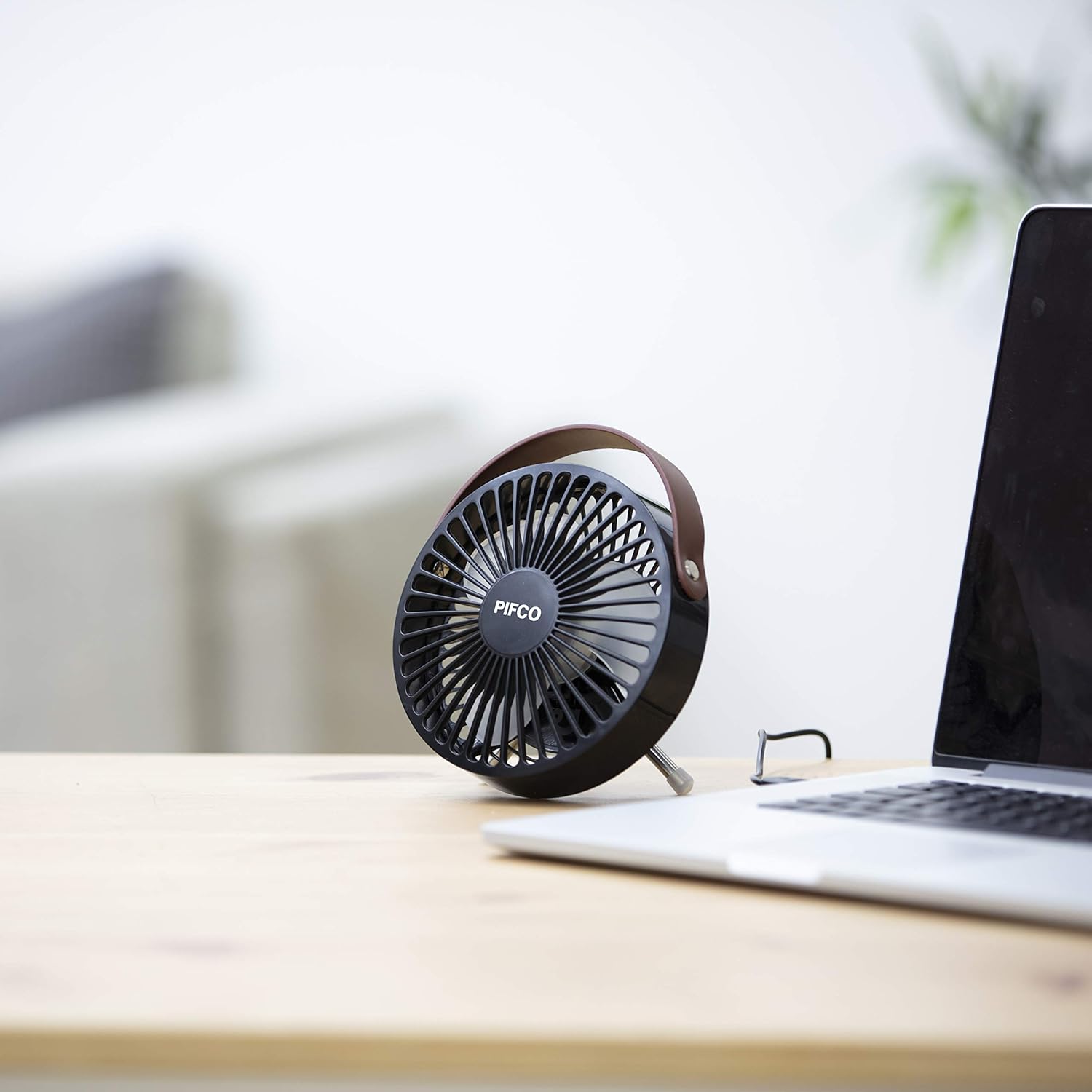
Figure 4: The fan is designed to fit neatly on a desk alongside other devices like a laptop.

Figure 5: The fan is powered via a standard USB connection.
Иштөө нускамалары
- Күйгүзүү/өчүрүү: Locate the On/Off switch on the rear of the fan's motor housing. Flip the switch to the 'ON' position to start the fan. Flip it to the 'OFF' position to turn the fan off.
- Бурчту тууралоо: The fan head can be manually tilted to one of two preset angles (45 or 60 degrees) to direct the airflow. Gently push or pull the fan head to adjust its vertical angle.

Figure 6: The fan's head can be tilted to adjust the direction of airflow.
Техникалык тейлөө
Regular cleaning will help maintain the performance and appearance of your fan.
- Тазалоо: Ensure the fan is unplugged from the USB power source before cleaning. Use a soft, damp вентилятордун сырткы беттерин сүртүүчү чүпүрөк. Абразивдүү тазалагычтарды же эриткичтерди колдонбоңуз.
- Чаңды тазалоо: Use a soft brush or a vacuum cleaner with a brush attachment to gently remove dust from the fan grille and blades.
- Сактагыч: Колдонулбай турган учурда, желдеткичти салкын, кургак жерде, чаңдан жана бузулуудан коргоо үчүн, мүмкүн болсо, баштапкы таңгагында сактаңыз.
Проблемаларды чечүү
| Көйгөй | Мүмкүн себеп | Чечим |
|---|---|---|
| Желдеткич күйбөйт. | Сайтылган эмес же байланышы үзүлгөн. | USB кабели иштеген USB портуна бекем сайылганын текшериңиз. |
| Желдеткич күйбөйт. | USB port is not providing power. | Try plugging the fan into a different USB port or a different power source (e.g., a wall adapter). |
| Желдетүүчү адаттан тыш үн чыгарат. | Obstruction in fan blades or grille. | Unplug the fan and carefully check for any foreign objects. Clean the blades and grille. |
| Кыскартылган аба агымы. | Dust accumulation on blades or grille. | Unplug the fan and clean the blades and grille as per maintenance instructions. |
Техникалык шарттар
| Модель номери | P55003 |
| Бренд | Pifco |
| Power Source | Электр зымдары (USB) |
| Ватtage | 2.5 Ватт |
| Fan Design | Стол желдеткич / Үстөл желдеткич |
| Материал | Пластик |
| Түс | Black (as per product title and images) |
| Өлчөмдөрү (болжол менен) | 17.2 x 14.4 x 7.9 см |
| Салмагы (болжол менен) | 264 г |
| Кабелдин узундугу | 1 метр |
| Жөнгө салынуучу бурчтар | 45 жана 60 градус |
Кепилдик жана колдоо
Pifco products are designed to meet high quality standards. For information regarding warranty, returns, or technical support, please refer to the warranty card included with your purchase or visit the official Pifco website. Please have your model number (P55003) and purchase details ready when contacting support.
Кошумча жардам алуу үчүн, сиз продукт сатылып алынган сатуучуга да кайрылсаңыз болот.