
1. Киришүү
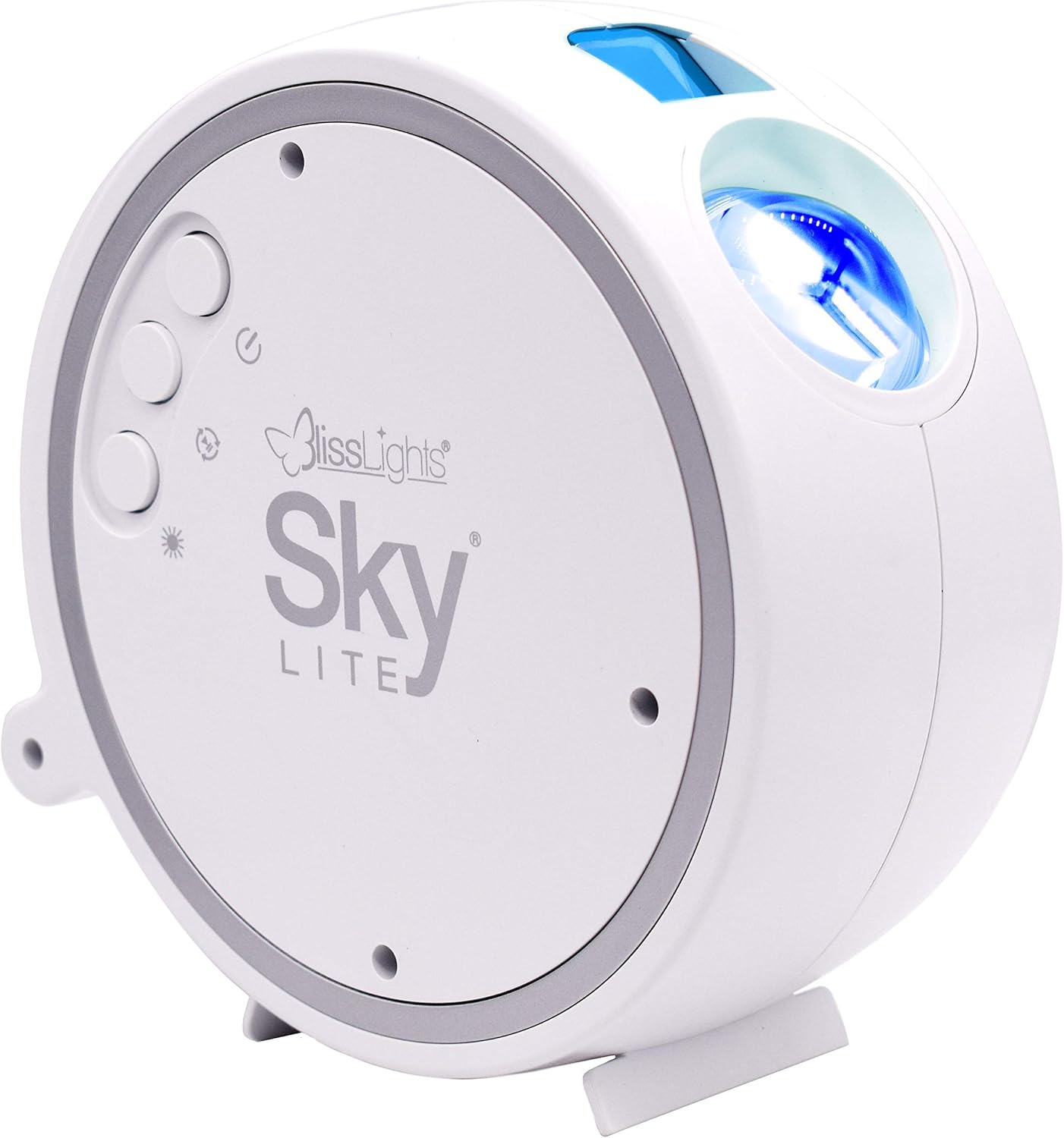
The BlissLights Sky Lite LED Laser Star Projector transforms any room into a mesmerizing celestial experience. It projects a field of drifting blue stars against a transforming blue nebula cloud, creating a relaxing and immersive atmosphere. This manual provides essential information for setting up, operating, maintaining, and troubleshooting your Sky Lite projector.
2. Продукциянын өзгөчөлүктөрү
- Dynamic Star Projection: Instantly projects a field of drifting blue stars.
- Nebula Cloud Effect: Features a transforming blue nebula cloud for an otherworldly visual experience.
- өнүккөн технология: Incorporates a direct diode Laser, precision glass optics, and holographic technologies.
- Тынчтандыруучу атмосфера: Creates a relaxing environment suitable for various settings including bedrooms, gaming stations, and meditation spaces.
- Колдонуучуга ыңгайлуу башкаруулар: Simple button controls allow for cycling through light effects, adjusting brightness, and controlling rotation.
- Автоматтык таймер: Equipped with a 6-hour auto timer for convenience.
3. Орнотуу
3.1 кутудан чыгаруу
Бардык компоненттерди таңгактан кылдаттык менен алып салыңыз. Төмөнкү нерселердин бар экенин текшериңиз:
- BlissLights Sky Lite Projector
- Кубаттуу адаптер
- Колдонуучунун Колдонмосу (бул документ)
3.2 Орнотуу
For optimal projection, place the Sky Lite on a flat, stable surface. The projector can be angled to direct the light effects onto a ceiling or wall. Consider placing it in a corner or against a wall to maximize the spread of the projection.


3.3 Кубат туташтыруу
Connect the provided power adapter to the DC input port on the Sky Lite projector. Plug the other end of the adapter into a standard electrical outlet (AC 120V).
4. Иштөө нускамалары
The Sky Lite features intuitive button controls for easy operation.
4.1 Күйгүзүү/өчүрүү
- басыңыз Кубат баскычы (circular button with a vertical line and circle) once to turn the unit ON.
- басыңыз Кубат баскычы аппаратты өчүрүү үчүн кайра.
4.2 Баскыч функциялары
The Sky Lite has three main control buttons:
- Кубат баскычы: Controls power ON/OFF.
- Жылдыз баскычы: Cycles through different star brightness levels (Off, Low, Medium, High).
- Nebula Button: Cycles through different nebula effects (Off, Static, Rotating).
4.3 Automatic Timer
The Sky Lite is equipped with a 6-hour automatic timer. After 6 hours of continuous operation, the device will automatically shut off to conserve energy and ensure longevity.
5. Техникалык тейлөө
5.1 Тазалоо
To maintain the clarity and performance of your Sky Lite projector:
- Тазалоодон мурун аппараттын розеткадан ажыратылганын текшериңиз.
- Use a soft, dry, lint-free cloth to wipe the exterior of the projector.
- For the projection lens, gently wipe with a microfiber cloth. Avoid using abrasive cleaners or solvents, as they may damage the lens or finish.
5.2 Сактоо
When not in use for extended periods, store the Sky Lite in a cool, dry place, away from direct sunlight and extreme temperatures. Keep it in its original packaging or a protective case to prevent dust accumulation and damage.
6. Кыйынчылыктарды
If you encounter issues with your Sky Lite, refer to the table below for common problems and solutions.
| Көйгөй | Мүмкүн себеп | Чечим |
|---|---|---|
| Жарык проекциясы жок | Not powered on; loose connection; faulty adapter. | Ensure power adapter is securely plugged in. Press the Power Button. Try a different outlet. |
| Stars not moving/Nebula static | Rotation feature is off. | Press the Nebula Button to cycle through rotation modes. |
| Күңүрт проекция | Low brightness setting; dirty lens. | Press the Star Button to increase brightness. Clean the projection lens with a soft cloth. Ensure room is dark. |
| Түзмөк күтүлбөгөн жерден өчүп калат | Automatic timer activated. | This is normal operation due to the 6-hour auto timer. Turn the unit back on if desired. |
7. Техникалык шарттар
| Спецификация | Деталь |
|---|---|
| Модель номери | 900-00047_А |
| Түс | Blue/Blue - White Housing |
| Форма | Жылдыз |
| Материал | Айнек |
| Аяктоо түрү | Лазер |
| Жарык булагы түрү | LED |
| Power Source | Электр зымдары |
| Тtage | 120 вольт (AC) |
| Элемент Салмагы | 1.65 фунт |
| Продукциянын өлчөмдөрү | 5.91"L x 2.95"W x 5.91"H |
| Өзгөчөлүктөр | 6 Hour Auto Timer |
8. Кепилдик маалыматы
The BlissLights Sky Lite is covered by a manufacturer's warranty. Please refer to the official BlissLights webсайтына кириңиз же кепилдиктин толук шарттары жана эрежелери үчүн кардарларды колдоо кызматына кайрылыңыз.
9. Колдоо жана байланыш
Кошумча жардам, өнүмдөрдү каттоо, же үчүн view the full user guide, please visit the official BlissLights webсайтка же кардарларды колдоо тобуна кайрылыңыз.
- Официалдуу Webсайт: BlissLights Store on Amazon
- Колдонуучунун толук колдонмосу (PDF): PDF колдонмосун жүктөп алыңыз