
1. Продукт бүтүп калдыview
The SanDisk Ultra Dual Drive Luxe Type-C is a versatile 2-in-1 flash drive designed for seamless data transfer between USB Type-C and traditional USB Type-A devices. Featuring an all-metal casing and a swivel design, it offers both durability and convenience. This drive provides up to 512GB of storage capacity and boasts ultra-fast read speeds of up to 400MB/s, making it ideal for quickly moving large files.

Image: The SanDisk Ultra Dual Drive Luxe Type-C flash drive, showcasinанын компакттуу дизайны жана кош туташтыргычтары.
Негизги өзгөчөлүктөрү:
- Кош туташтыргычтар: Equipped with both a reversible USB Type-C and a traditional USB Type-A connector for broad compatibility.
- Жогорку ылдамдыктагы аткаруу: USB 3.2 Gen 1 interface with read speeds up to 400MB/s for rapid file которуулар.
- Туруктуу дизайн: Толугу менен металлдан жасалганasing provides robust protection for your data.
- Swivel Cap: Protects connectors when not in use and includes a keyring hole for portability.
- SanDisk Memory Zone колдонмосу: Facilitates automatic backup of photos and videos from your mobile device.
2. Орнотуу
Connecting to a USB Type-C Device (Smartphone, Tablet, Mac):
- Locate the USB Type-C connector on the flash drive.
- Insert the USB Type-C connector into the compatible port on your smartphone, tablet, or Mac. Ensure the connection is firm.
- Your device should automatically detect the flash drive. You may receive a notification to open a file менеджер же SanDisk Memory Zone колдонмосу.

Image: The flash drive connected to a smartphone, demonstrating its use with mobile devices.
Connecting to a USB Type-A Device (Computer):
- Locate the USB Type-A connector on the flash drive.
- Insert the USB Type-A connector into an available USB port on your computer.
- The computer's operating system will typically recognize the drive automatically. It may appear as a removable disk in 'My Computer' or 'This PC' (Windows) or on the desktop/Finder (macOS).

Image: Illustrates the ease of transferring files between different devices using the dual connectors.
3. Иштөө нускамалары
File өткөрүүсү:
- Once the drive is connected and recognized, you can drag and drop files to and from the drive using your device's file башкаруу системасы.
- For optimal performance, ensure your device supports USB 3.0 or higher for the USB Type-A connection, and USB 3.2 Gen 1 for the USB Type-C connection.
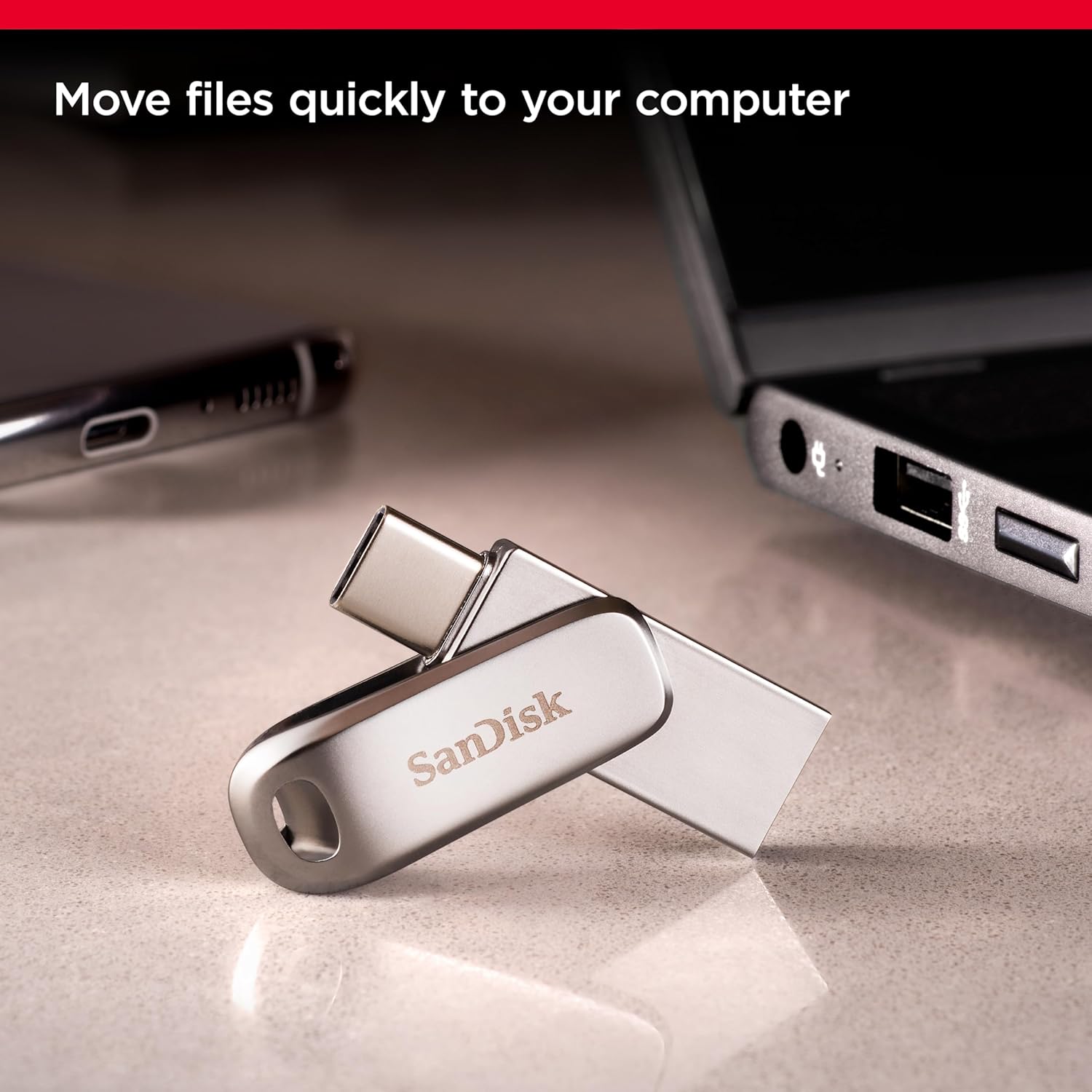
Image: The flash drive connected to a laptop, demonstrating its use for quick file которуулар.
Using the SanDisk Memory Zone App (for Mobile Devices):
The SanDisk Memory Zone app (available for Android devices) helps manage and back up content on your smartphone or tablet. Download the app from your device's app store.
- SanDisk Ultra Dual Drive Luxe түзмөгүңүздү мобилдик түзмөгүңүзгө туташтырыңыз.
- SanDisk Memory Zone тиркемесин ачыңыз.
- Follow the in-app instructions to browse files, move content, or set up automatic backups. This can help free up space on your mobile device.

Image: A smartphone displaying a 'storage full' message, highlighting how the drive can free up space.

Image: The SanDisk Memory Zone app confirming a successful photo backup, with the flash drive connected.
4. Техникалык тейлөө
- Физикалык кам көрүү: толугу менен металлдан жасалган casing provides durability, but avoid dropping the drive or subjecting it to excessive force. Keep the connectors clean and free from dust or debris.
- Температура: Store and operate the drive within recommended temperature ranges (typically 0°C to 45°C for operation, -10°C to 70°C for storage) to ensure optimal performance and longevity.
- Коопсуз чыгаруу: Always safely eject the flash drive from your computer or mobile device before removing it physically. This prevents data corruption.
- Маалыматтын камдык көчүрмөсү: While the drive is reliable, it is good practice to maintain backups of critical data on multiple storage devices.
5. Кыйынчылыктарды
- Диск аныкталган жок:
- Диск USB портуна толугу менен киргизилгенин текшериңиз.
- Түзмөгүңүздөгү башка USB портун колдонуп көрүңүз.
- Test the drive on another computer or mobile device to rule out a device-specific issue.
- For computers, check 'Disk Management' (Windows) or 'Disk Utility' (macOS) to see if the drive is recognized but not assigned a drive letter or mounted.
- Жай өткөрүү ылдамдыгы:
- Ensure you are using a USB 3.0/3.1/3.2 compatible port on your host device. Connecting to a USB 2.0 port will result in slower speeds.
- Көп сандагы кичинекейлер fileбир нече чоңдорго караганда жайыраак өткөрүп берет files.
- Other background processes on your computer or mobile device can affect transfer speeds.
- Колдонуу учурунда кыймылдаткыч ысыйт:
- It is normal for flash drives, especially those with metal casings and high-speed performance, to become warm during extended use or large file transfers. This is typically not a cause for concern unless it becomes excessively hot to touch or causes performance issues.
- If overheating is severe, disconnect the drive and allow it to cool down. Ensure proper ventilation around the drive and host device.
- Маалыматтын бузулушу:
- Дискти алып салуудан мурун ар дайым коопсуз түрдө чыгарыңыз.
- If data appears corrupted, try running a disk check utility on your computer.
6. Техникалык шарттар
| Бренд | SanDisk |
| Модель аты | Ультра кош айдоочу люкс |
| Модель номери | SDDDC4-512G-I35 |
| Эстутум сактоо сыйымдуулугу | 512 ГБ |
| Аппараттык интерфейс | USB Type C, USB Type A |
| Окуу ылдамдыгы | Секундасына 400 Мегабайтка чейин |
| Өзгөчө өзгөчөлүк | Lightweight, All-metal casing, Swivel design |
| Шайкеш түзмөктөр | USB Type-C smartphones, tablets, Mac, USB Type-A computers |
| Түс | Silver |
| Элемент Салмагы | 12 грамм |
| Flash эс тутум түрү | NAND |
7. Кепилдик жана колдоо
Кепилдик маалыматы:
This SanDisk Ultra Dual Drive Luxe Type-C flash drive comes with a 5 жылдык чектелген кепилдик. Please retain your proof of purchase for warranty claims. For detailed terms and conditions, refer to the official SanDisk warranty policy available on their webсайт.
Кардарларды колдоо:
For technical assistance, troubleshooting, or warranty inquiries, please visit the official SanDisk support website or contact their customer service. You can find more information and resources by visiting the Amazon'догу SanDisk дүкөнү.
8. Маанилүү маалымат

Image: Notice regarding SanDisk's logo transition, assuring consistent quality.
During a transition period, products may feature either the previous SanDisk logo or the new SanDisk logo. Both logos represent genuine, high-quality SanDisk products.