
Baja Designs 290001
Baja Designs LP4 Pro LED Light Pod Instruction Manual
Модель: 290001
1. Киришүү
This manual provides comprehensive instructions for the installation, operation, and maintenance of your Baja Designs LP4 Pro LED Light Pod. Please read this manual thoroughly before installation and use to ensure proper function and safety.
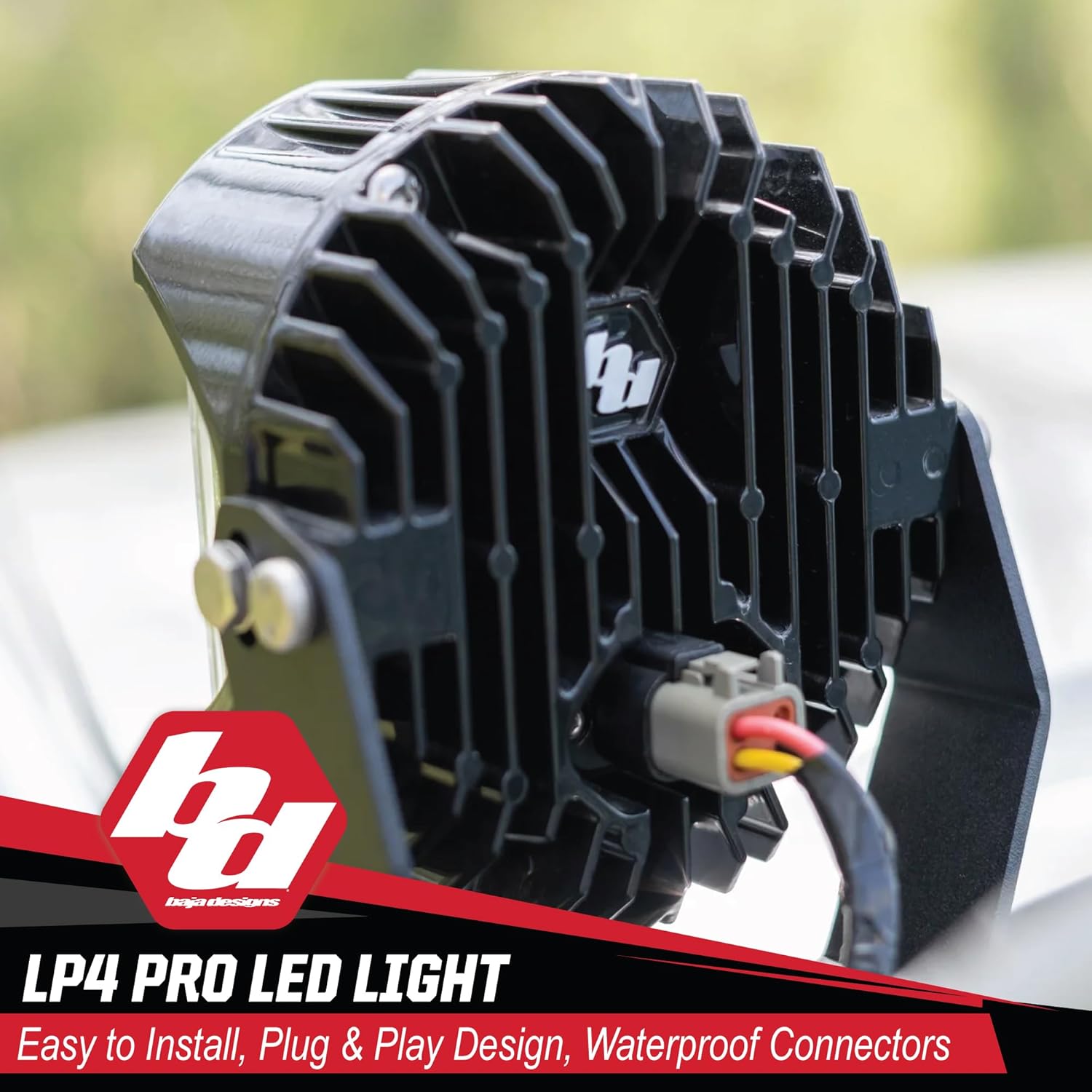
The Baja Designs LP4 Pro LED Light Pod is designed for auxiliary lighting applications in various off-road vehicles, including Jeeps, 4x4s, trucks, UTVs, and ATVs. It features a spot lens for focused illumination and a clear lens for optimal light output.
2. Негизги өзгөчөлүктөрү
- Built for Off-Road: Designed with MoistureBlock technology, ensuring the light is waterproof, submersible, and IP69K rated. CopperDrive technology efficiently powers each LED to 100% while providing vibration dampэning.
- Өркүндөтүлгөн Viewing: Emits a 5000K color temperature, which reduces driver fatigue and improves terrain recognition.
- ТазаView Оптика: Custom-designed optical lenses by Baja Designs' expert racing engineers for optimal lighting performance.
- uService Lens and Optics: Allows for easy replacement or swapping of lenses in minutes due to a specially designed O-ring.
- Туруктуу курулуш: Made from plastic material, designed for rugged use.
3. Продукттун спецификациялары
| Атрибут | Деталь |
|---|---|
| Бренд | Baja Designs |
| Модель аты | LP4 Pro LED Light Pod |
| Модель номери | 290001 |
| Түс | Amber Backlight w/ Clear Lens; Spot Beam |
| Ватtage | 60 ватт |
| Линзанын түсү | Таза |
| Линзанын материалы | Поликарбонат |
| Элементтин өлчөмдөрү (LxWxH) | 12 x 10 x 8 дюйм |
| Элемент Салмагы | 20 фунт |
| Өзгөчөлүктөр | Waterproof, Submersible, IK10 Impact Resistant, Dustproof, IP69K Rated |
| Ассамблея талап кылынат | Ооба |
| UPC | 819314029375 |
4. Пакеттин мазмуну
The LP4 Pro LED Light Pod package typically includes:
- (1) LP4 LED Light with Lens
- (1) Swivel Mounting Bracket
- Орнотуу жабдыктары
A recommended wiring harness (BD-640175) is sold separately.

5. Орнотуу боюнча колдонмо
5.1. Коопсуздук чаралары
- Электр орнотууну баштоодон мурун, ар дайым унаанын аккумуляторун сууруп алыңыз.
- Бардык зымдар жакшылап изоляцияланганын жана кыска туташуулардын жана бузулуулардын алдын алуу үчүн бекитилгенин текшериңиз.
- Коопсуздук көз айнеги жана кол кап сыяктуу тиешелүү жеке коргонуу каражаттарын (ЖКК) кийиңиз.
- Орнотуу процессинин кандайдыр бир бөлүгүнө ишенбесеңиз, адиске кайрылыңыз.
5.2. Mounting the Light Pod
- Identify a suitable mounting location on your vehicle. Common locations include bumpers, roof racks, or A-pillars.
- Use the provided swivel mounting bracket and hardware to securely attach the light pod. Ensure the mounting surface is strong enough to support the light's weight and withstand vibrations.
- Adjust the angle of the light pod to achieve the desired beam direction.


5.3. Электр зымдары боюнча нускамалар
- Connect the light pod to a suitable wiring harness (sold separately, e.g., BD-640175).
- Бардык электр туташуулары коопсуз жана айлана-чөйрөнүн таасиринен корголгонун текшериңиз.
- Route the wiring safely away from moving parts, hot surfaces, and sharp edges.
- Connect the harness to the vehicle's power source, typically through a relay and fuse, following the harness manufacturer's instructions.
6. Operating the Light Pod
The LP4 Pro LED Light Pod is designed for auxiliary lighting. It should be operated in conjunction with your vehicle's existing lighting system, primarily for off-road use or in situations requiring enhanced visibility.
- Activate the light pod using the switch connected to your wiring harness.
- The 5000K daylight color temperature provides natural color recognition and reduces eye strain during extended use.
- The amber backlight feature can be used for accent lighting or in conditions where a less intense light is preferred.

7. Техникалык тейлөө жана кам көрүү
- Regularly inspect the light pod and mounting hardware for any signs of damage or loosening. Tighten fasteners as needed.
- Clean the lens periodically with a soft cloth and mild soap and water to maintain optimal light output. Avoid abrasive cleaners.
- The uService design allows for easy lens and optics replacement. If a lens is damaged or a different beam pattern is desired, refer to the Baja Designs website or contact customer support for replacement parts and instructions.

8. Кыйынчылыктарды
| Көйгөй | Мүмкүн себеп | Чечим |
|---|---|---|
| Жарык күйбөйт. | Электр кубаты жок, туташуу бош, сактагыч күйүп, өчүргүч бузулган. | Электр менен камсыздоону текшериңиз, бардык зымдардын туташууларын текшериңиз, сактагычты алмаштырыңыз, өчүргүчтүн иштешин текшериңиз. |
| Жарык бүлбүлдөп же күңүрт. | Электр энергиясынын жетишсиздиги, байланыштын бош болушу, зымдардын бузулушу. | Туура томду текшериңизtage, tighten connections, inspect wiring for damage. |
| Ашыкча термелүү. | Бош монтаждоочу аппаратура. | Tighten all mounting bolts and nuts. Ensure proper installation. |
If you encounter issues not listed here or require further assistance, please contact Baja Designs customer support.
9. Кепилдик жана колдоо
Baja Designs offers a Чектелген өмүр бою коргоо on this product. This warranty covers defects in materials and workmanship. For detailed warranty terms and conditions, please refer to the official Baja Designs webсайтка же кардарларды колдоо тобуна кайрылыңыз.
Кардарларды колдоо: For technical assistance, warranty claims, or replacement parts, please contact Baja Designs directly. Their San Diego, CA based customer support team is available to assist you.
You can visit the official Baja Designs store for more information: Baja Designs Store
10. Расмий продукт Videos
Төмөнкү видеодо толук маалымат берилетview of Baja Designs' commitment to quality and performance:
Ask a question about this manual
Ask about setup, troubleshooting, compatibility, parts, safety, or missing instructions. Manuals+ will review the question and use this page’s manual context to help answer it.