
Продукт бүттүview
The secucore I190ZW Outdoor WiFi IP Camera provides advanced surveillance for your home or business. It features 2K (5 Megapixel) high-definition video, robust weather resistance, and flexible recording options. This manual will guide you through the setup, operation, and maintenance of your camera.

Figure 1: secucore I190ZW Camera with key features: WiFi connectivity, SD card slot, multiple remote access options, night vision, and ONVIF compatibility.
Пакеттин мазмуну
Орнотууну улантуудан мурун бардык элементтердин бар экенин текшериңиз:
- 1 x secucore I190ZW WiFi IP Camera
- 1 х кубат адаптери
- 1 x Монтаж базасы
- 1 х Колдонуучунун колдонмосу (бул документ)
Техникалык шарттар
| Өзгөчөлүк | Деталь |
|---|---|
| Резолюция | 5 мегапиксел (2K HD) |
| Түнкү көрүнүш | 6 Infrared LEDs for night vision, White LEDs for color night vision |
| Видеону кысуу | H.265 |
| Объектив | 3.6 мм |
| Сенсор | 1/4" |
| Байланыш | 2.4 GHz WiFi (Wireless) |
| Аба ырайына каршылык | IP66 (Сууга жана чаңга туруктуу) |
| Аудио | Integrated Microphone and Speaker (Two-way audio) |
| Сактагыч | Micro SD card slot (supports up to 128 GB), Cloud storage (additional cost) |
| Motion Detection | Yes, with email alerts |
| Өлчөмдөр | 19.5 x 10 x 10.5 см |
| Салмагы | 460 грамм |
| Башкаруу ыкмасы | Мобилдик колдонмо |
| Шайкештик | ONVIF protocol for DVR/NVR integration, Free CMS software for PC monitoring (up to 64 devices) |

Figure 2: Detailed diagram of the camera's components and dimensions.
Орнотуу жана орнотуу
The secucore I190ZW camera is designed for easy installation. Follow these steps to set up your camera:
- Камераны орнотуу:
Securely attach the provided mounting base to a wall or ceiling, either indoors or outdoors. The camera is fully resistant to water, sun, and dust (IP66 rated).

Figure 3: The camera's IP66 rating ensures durability against various weather conditions, including rain, snow, and heat.
- Кубат туташуу:
Connect the camera to an electrical outlet using the provided power adapter.
- App Installation and Configuration:
Download the dedicated mobile application to your smartphone or tablet. Follow the in-app instructions to link the camera to your 2.4 GHz WiFi network. The app will guide you through scanning a QR code and setting up a secure password.
Video 1: This video demonstrates the easy installation process, including mounting the camera and connecting it to the mobile application via QR code scanning for quick setup.
Иштөө нускамалары
Camera Control via Mobile App
The mobile application provides full control over your camera's functions:
- Жандуу мониторинг: View real-time video feed from anywhere.
- Pan/Tilt кыймылы: Control the camera's robotic movement (355° horizontal, 93° vertical) to cover a wide area.
- Конфигурация: Adjust settings such as motion detection sensitivity, recording schedules, and alert preferences.
- Ойнотуу: Кирүү жана кайраview foo жазылганtage SD картада же булутта сакталат.
- Эки тараптуу аудио: Listen to audio from the camera's location and speak through the camera's speaker.
- Эскертмелер: Кыймыл аныкталганда мобилдик түзмөгүңүзгө эскертүүлөрдү алыңыз.
Кыймылды аныктоо жана эскертүүлөр
The camera features intelligent motion detection. When movement is detected, the camera can:
- Жаздырууну баштаңыз.
- Мобилдик түзмөгүңүзгө заматта эскертмелерди жөнөтүңүз.
- Activate white LEDs for color night vision and to deter intruders.

Figure 4: Smart motion alerts notify you of detected movement, enhancing security.
Night Vision Capabilities
The camera offers advanced night vision modes:
- Инфракызыл түнкү көрүнүш: Provides clear black and white video in complete darkness using IR LEDs.
- Түнкү көрүнүш: When motion is detected, the camera can activate its white LEDs to illuminate the area, providing full-color video and acting as a deterrent.
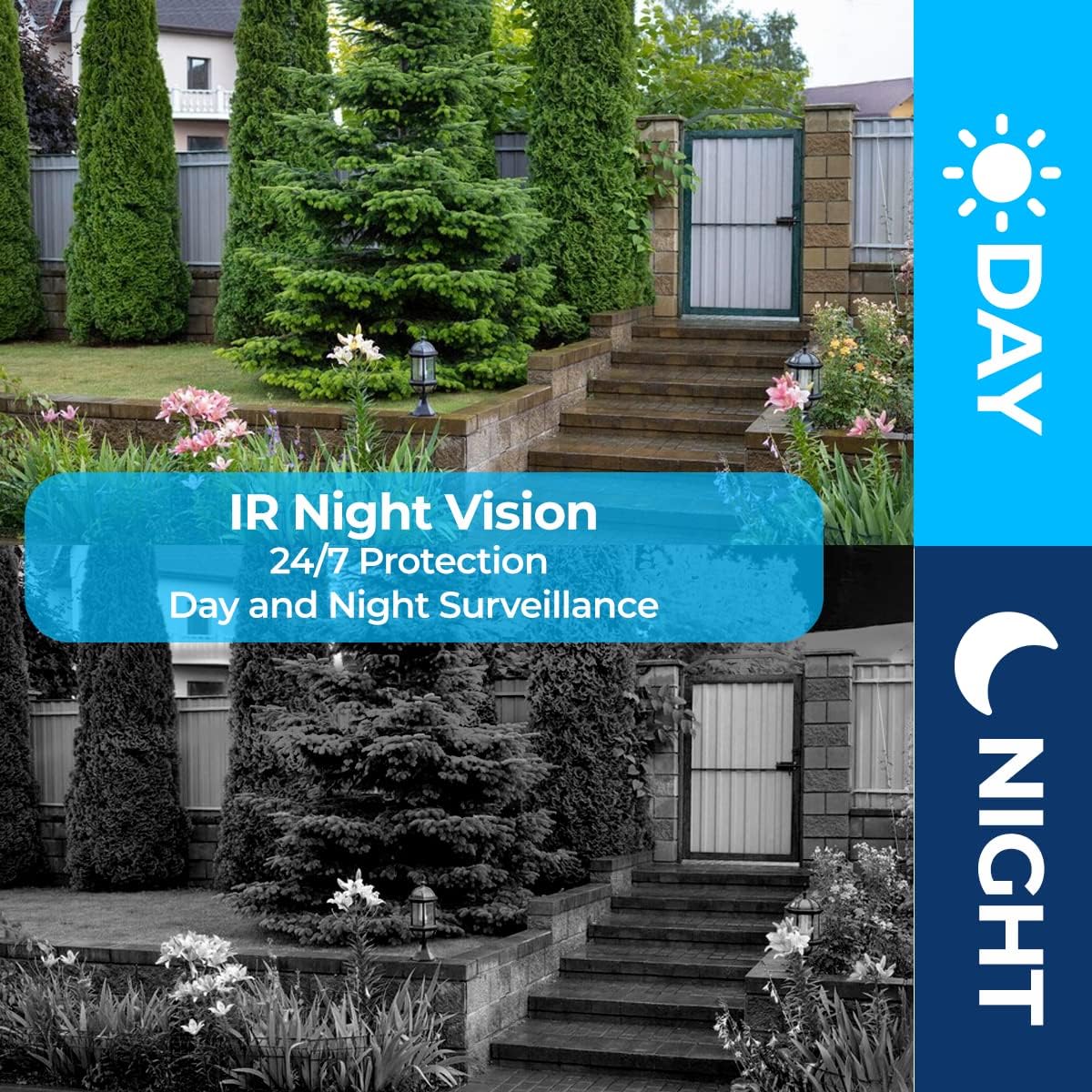
Figure 5: Day and Night Surveillance capabilities of the camera, ensuring 24/7 monitoring.
Эки тараптуу аудио
The integrated microphone and speaker enable two-way communication. You can:
- Listen to sounds from the camera's environment.
- Speak through your mobile device, and your voice will be broadcast through the camera's speaker.
- Program the camera to automatically play a siren or a pre-recorded message upon motion detection.
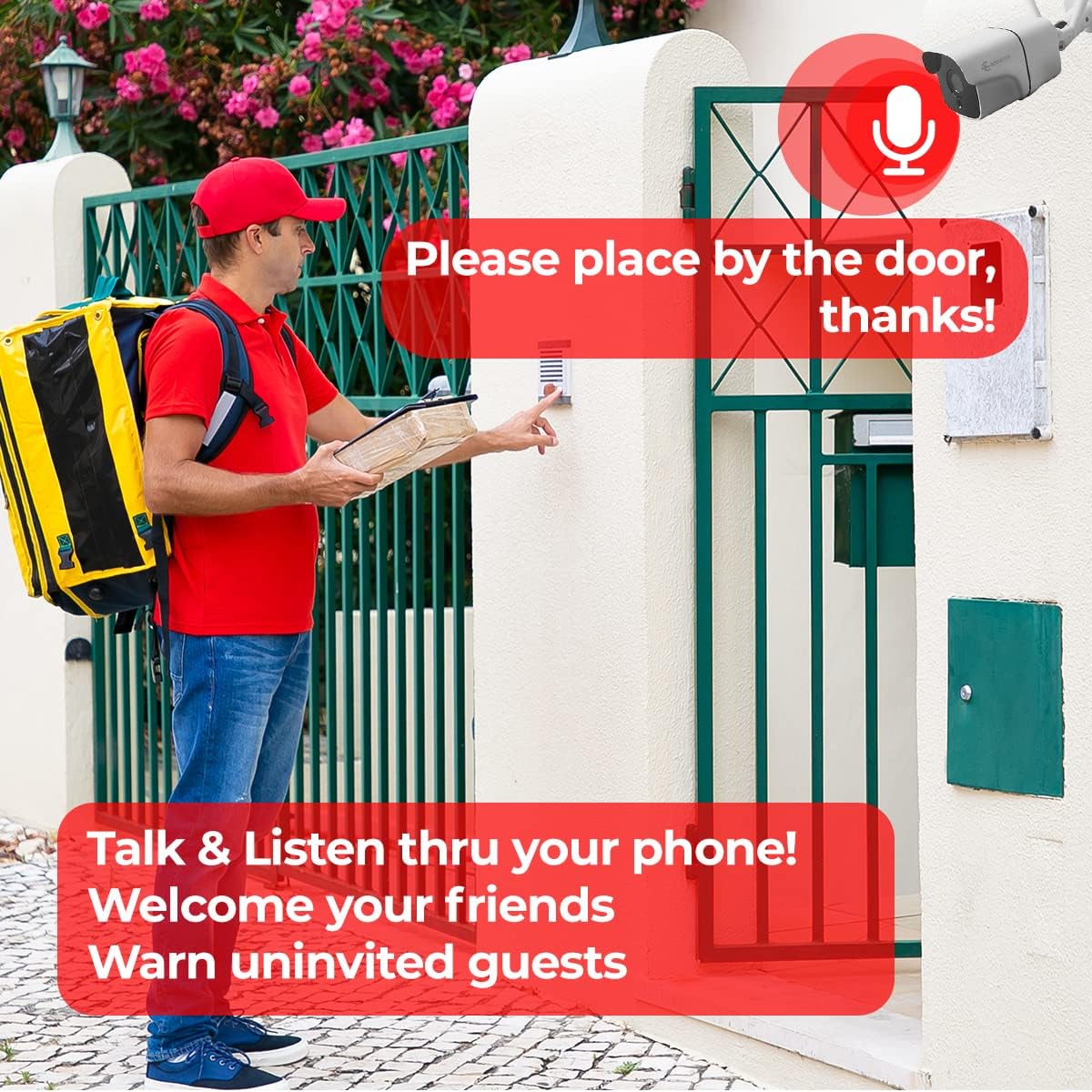
Figure 6: Two-way audio feature allows you to talk and listen through your phone, useful for welcoming guests or deterring unwanted visitors.
Жаздыруу параметрлери
The camera offers versatile recording and storage solutions:
- Micro SD картасы: Insert a Micro SD card (up to 128 GB) into the designated slot for local storage. This is a cost-effective way to store recordings.
- Булуттагы сактагыч: Securely store your recordings in the cloud (subscription may be required). Cloud storage provides an additional layer of security, ensuring your footage is safe even if the camera is damaged or stolen.

Figure 7: The camera supports both local Micro SD card storage and optional cloud storage for flexible recording solutions.
Техникалык тейлөө
To ensure optimal performance and longevity of your secucore I190ZW camera, follow these maintenance guidelines:
- үзгүлтүксүз тазалоо: Мезгил-мезгили менен камеранын линзасын жана корпусун жумшак, гamp кездеме. Линзаны чийип салуучу абразивдүү тазалагычтардан алыс болуңуз.
- Программалык камсыздоонун жаңыртуулары: Check the mobile application regularly for firmware updates. Keeping your camera's firmware up-to-date ensures you have the latest features and security enhancements.
- Кубат менен камсыздоону текшерүү: Ensure the power adapter and cable are free from damage. A stable power supply is crucial for continuous operation.
- Тармактын туруктуулугу: Verify your WiFi network is stable and provides sufficient signal strength to the camera for uninterrupted connectivity.
- Сактагычты башкаруу: If using an SD card, periodically check its status and ensure there is enough free space. For cloud storage, monitor your subscription status.
Проблемаларды чечүү
If you encounter issues with your secucore I190ZW camera, refer to the following common problems and solutions:
| Көйгөй | Мүмкүн себеп | Чечим |
|---|---|---|
| Камера оффлайн | No power, WiFi signal loss, incorrect WiFi password. | Check power connection. Restart router. Reconfigure WiFi in the app. Ensure 2.4 GHz WiFi. |
| Жаздыруу жок | SD card full/faulty, cloud storage subscription expired, recording settings incorrect. | Format or replace SD card. Renew cloud subscription. Verify recording schedules in the app. |
| Видеонун сапаты начар | Dirty lens, weak WiFi signal, low light conditions. | Clean the lens. Improve WiFi signal strength. Ensure night vision is active in low light. |
| Кыймылды аныктоо иштебей жатат | Sensitivity too low, detection zone not set, firmware outdated. | Adjust motion sensitivity. Define detection zones. Update camera firmware. |
| Эки тараптуу аудио көйгөйлөр | Microphone/speaker blocked, volume settings incorrect, network latency. | Ensure clear path for audio. Check volume levels in app. Verify network connection. |
Эгер көйгөй чечилбесе, кошумча жардам алуу үчүн кардарларды колдоо бөлүмүнө кайрылыңыз.
Кепилдик жана колдоо
Your secucore I190ZW camera comes with a warranty. Please refer to your purchase documentation for specific warranty terms and duration. For technical support, warranty claims, or any questions regarding your product, please contact secucore customer service.
Байланыш маалыматы:
- Бренд дүкөнү: secucore Amazon Store
- Сатуучу: Secucore Mexico
- Колдоо: Technical support available in Mexico.
We are committed to providing quality products and unlimited technical assistance.