
BLACK+DECKER BXAC40006GB
BLACK+DECKER BXAC40006GB көчмө 3-бирде кондиционер колдонуучусунун колдонмосу
Модели: BXAC40006GB
1. Киришүү
Сатып алганыңыз үчүн рахматasing the BLACK+DECKER BXAC40006GB Portable 3-in-1 Air Conditioner. This manual provides important information for the safe and efficient operation of your appliance. Please read this manual thoroughly before use and retain it for future reference.
1.1 Коопсуздук маалыматы
- Ар дайым шайман жалпак, туруктуу бетке коюлганын текшериңиз.
- Аба кирүүчү же чыгуучу жерлерди жаап албаңыз.
- Шайманды жылуулук булактарынан жана түз күн нурунан алыс кармаңыз.
- Бузулган шнур же сайгыч менен иштебеңиз.
- Тазалоодон же тейлөөдөн мурун шайманды розеткадан ажыратыңыз.
- Бул шайман үй ичинде гана колдонуу үчүн.
2. Продукт бүтүп калдыview
The BLACK+DECKER BXAC40006GB is a versatile 3-in-1 unit offering air conditioning, dehumidifying, and fan functions.
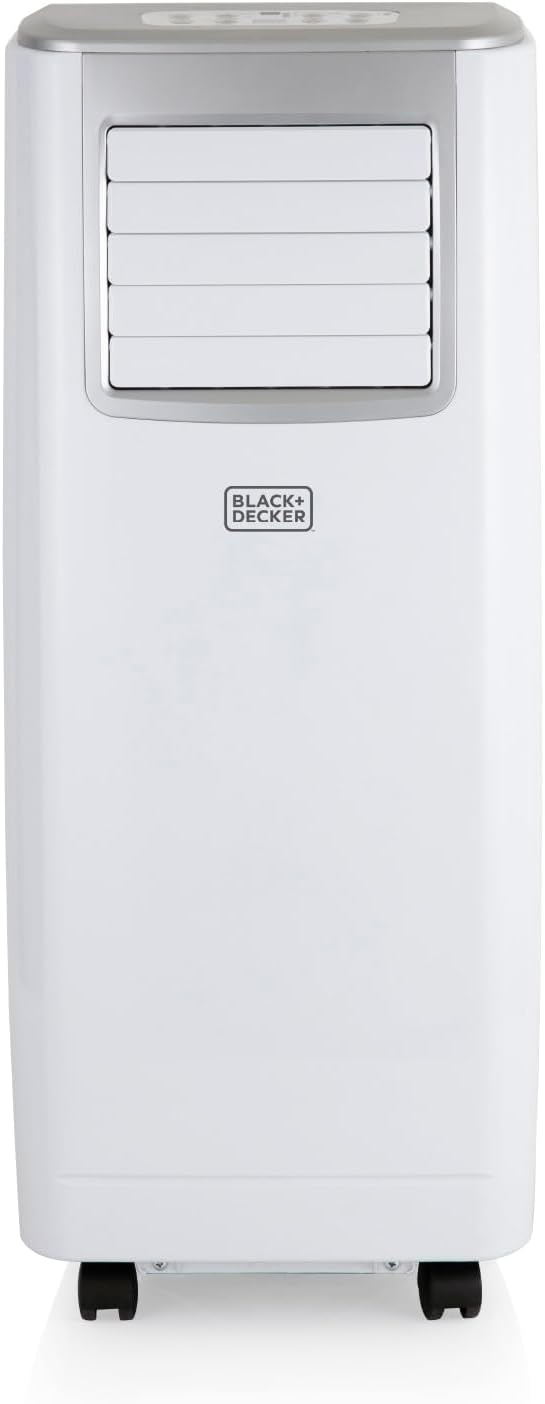
Сүрөт 2.1: Алдыңкы view of the BLACK+DECKER BXAC40006GB Portable Air Conditioner.
2.1 Компоненттер жана башкаруу элементтери
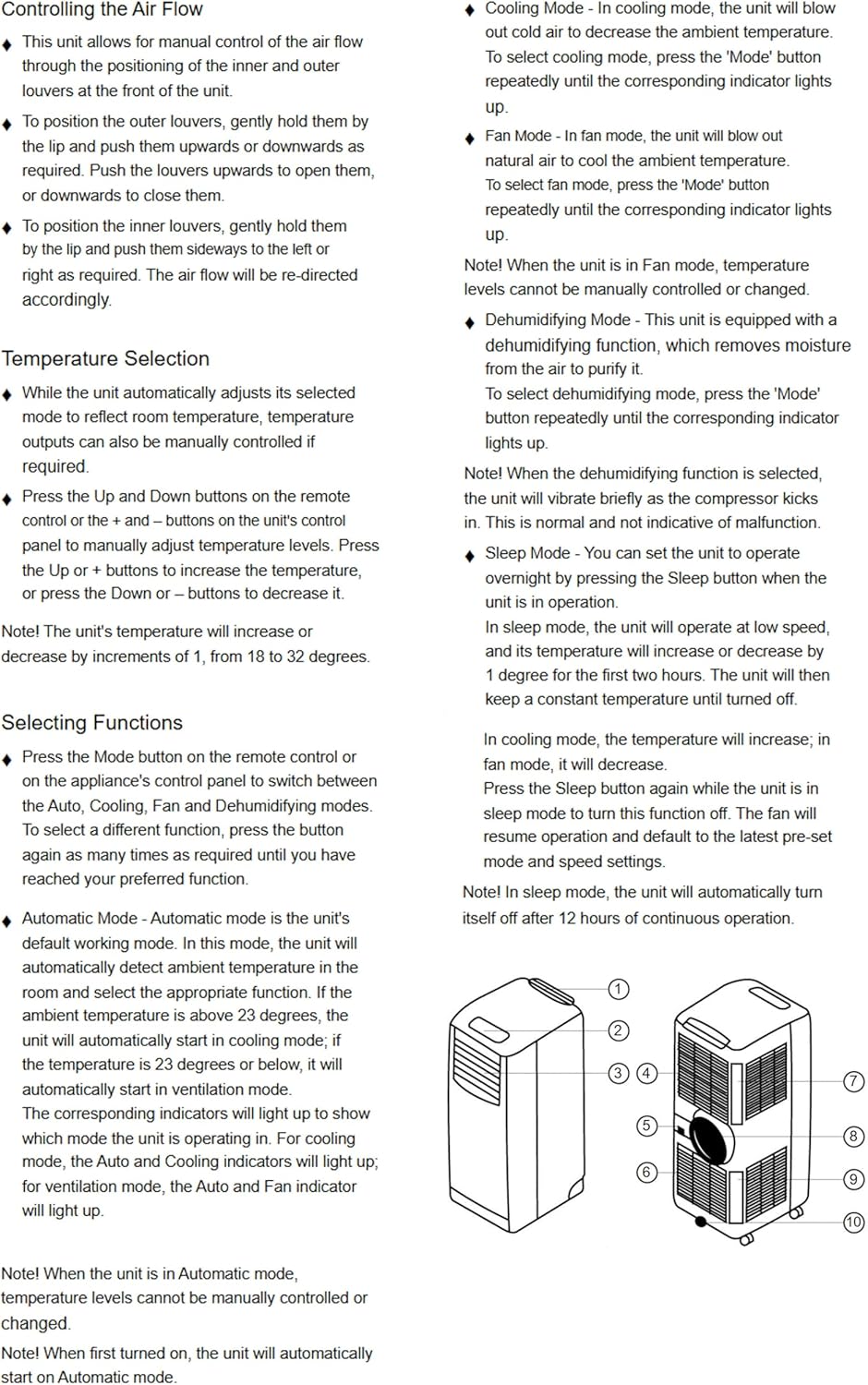
Figure 2.2: Detailed diagram of the air conditioner with key components labeled.
Негизги компоненттерге төмөнкүлөр кирет:
- Аба чыгуучу жалюзи
- Башкаруу панели
- Handle
- Air Filter (Rear)
- Аба чыгаруучу түтүк
- Дренаж розеткасы
- Электр кабели
- Дөңгөлөктөр (дөңгөлөктөр)

Figure 2.3: Control panel and remote control for easy operation.
The control panel and remote allow you to adjust settings such as mode, temperature, fan speed, and timer.
3. Орнотуу жана орнотуу
Туура орнотуу оптималдуу аткаруу жана коопсуздук үчүн өтө маанилүү болуп саналат.
3.1 Пакеттен чыгаруу
Этияттык менен шайманды жана бардык аксессуарларды таңгактан чыгарыңыз. Таңгакты келечекте сактоо же ташуу үчүн сактаңыз.

Figure 3.1: "What's in the Box?" - All included accessories.
3.2 Чыгаруучу түтүктү орнотуу
- Attach the hose adaptor to one end of the exhaust hose.
- Attach the window kit adaptor to the other end of the exhaust hose.
- Insert the hose adaptor into the exhaust air outlet on the back of the unit.
3.3 Терезе топтомун орнотуу
The unit comes with both sash and casement window kits. Choose the appropriate kit for your window type.
- For Sash Windows: Adjust the sash window kit to fit your window opening. Secure it in place.
- For Casement Windows: Use the casement window kit (fabric seal) to create a sealed opening around the window.
Once the window kit is installed, insert the window kit adaptor of the exhaust hose into the opening, ensuring a tight seal to prevent hot air from re-entering the room.
4. Иштөө нускамалары
Familiarize yourself with the various functions and settings of your air conditioner.
4.1 Күйгүзүү/өчүрүү
- басыңыз КҮЙГҮЗҮҮ/ӨЧҮРҮҮ аппаратты күйгүзүү же өчүрүү үчүн башкаруу панелиндеги же алыстан башкаруудагы баскыч.
4.2 Режимди тандоо
басыңыз РЕЖИМ button to cycle through the available modes: Cool, Dehumidify, and Fan.
- Муздатуу режими: For air conditioning. The unit will blow out cold air to decrease the ambient temperature. Adjust temperature between 18-32°C.
- Нымсыздандыруу режими: Removes excess moisture from the air. The unit will vibrate briefly as the compressor kicks in.
- Күйөрман режими: Муздатпай абаны айлантат.

Figure 4.1: The 3-in-1 functionality of the unit.
4.3 Temperature Adjustment (Cooling Mode Only)
- Муздатуу режиминде, колдонуңуз UP or ылдый buttons to set your desired temperature (18-32°C).
4.4 Желдетүүчү ылдамдык
- басыңыз ЫЛДАМ button to select between low, medium, and high fan speeds.
4.5 Таймер функциясы
- басыңыз ТАЙМЕР button to set a desired shut-off or start-up time (up to 24 hours).
4.6 Уйку режими
- Activate Sleep Mode by pressing the УЙКУ button. In this mode, the unit operates at a low speed, and the temperature will increase by 1 degree for the first two hours, then remain constant. The unit will automatically shut off after 12 hours.
4.7 Controlling the Air Flow
- To position the outer louvers, gently hold them by the tip and push them upwards or downwards as required.
- To position the inner louvers, gently hold them by the lip and push them sideways to the left or right as required.
5. Техникалык тейлөө
Үзгүлтүксүз техникалык тейлөө кондиционериңиздин узак иштөөсүн жана натыйжалуулугун камсыздайт.
5.1 Аба чыпкасын тазалоо
Аба чыпкасын колдонууга жараша ар бир эки жумада же андан көп жолу тазалап туруу керек.
- Агрегатты розеткадан сууруп алыңыз.
- Аба чыпкасын аппараттын артындагы алып салыңыз.
- Clean the filter with a vacuum cleaner or wash it with warm water and a mild detergent.
- Кылдаттык менен жууп, кайра салаардан мурун аны толугу менен кургатуу керек.
5.2 Сууну агызуу
The unit has a 0.5L water tank and is designed to extract up to 24.8 litres of unwanted moisture per day. For continuous drainage, connect the provided drainage hose to the drainage outlet.
- For manual drainage, place a shallow pan under the drainage outlet and remove the cap to allow water to drain.
- For continuous drainage, attach the drainage hose to the outlet and direct it to a suitable drain or container.
5.3 Сырты тазалоо
Агрегаттын сыртын жумшак менен сүртүңүз, гamp кездеме. Катуу химиялык заттарды же абразивдүү тазалагычтарды колдонбоңуз.
5.4 Сактоо
Агрегатты узак мөөнөткө сактасаңыз:
- Түзмөктөн бардык суу агып чыкканын текшериңиз.
- Аба чыпкасын тазалаңыз.
- Агрегатты кургак, салкын жерде, эң жакшысы баштапкы таңгагында сактаңыз.
6. Кыйынчылыктарды
Кардарларды колдоо кызматына кайрылуудан мурун, төмөнкү жалпы маселелерди жана чечимдерди караңыз:
| Көйгөй | Мүмкүн себеп | Чечим |
|---|---|---|
| Түзмөк күйбөйт. | Электр кубаты жок, шнур ажыратылган, өчүргүч өчүрүлгөн. | Электр туташуусун текшериңиз, автоматтык өчүргүчтү баштапкы абалга келтириңиз. |
| Агрегат эффективдүү муздабай жатат. | Аба чыпкасы кир, түтүн чыгаруучу түтүк туура эмес орнотулган, бөлмө өтө чоң, терезелер/эшиктер ачык. | Clean air filter, ensure hose is sealed, close windows/doors, check room size suitability (up to 18m²). |
| Агрегат ызы-чуу. | Compressor operation (normal), unit not on a flat surface, fan obstruction. | Ensure unit is on a flat surface. Some noise is normal during compressor operation. |
| Суунун агып чыгышы. | Drainage hose blocked or disconnected, water tank full (if not using continuous drainage). | Check drainage hose for kinks/blockages, ensure continuous drainage is set up correctly, or manually drain the tank. |
7. Техникалык шарттар
Technical specifications for the BLACK+DECKER BXAC40006GB Portable Air Conditioner:
| Өзгөчөлүк | Деталь |
|---|---|
| Модель номери | BXAC40006GB |
| Муздатуу кубаттуулугу | 9,000 BTU |
| Функциялар | Кондиционер, нымдандыргыч, желдеткич |
| Сунушталган бөлмө өлчөмү | 18 м² чейин |
| Нымдуулукту азайтуучу кубаттуулук | Күнүнө 24.8 литрге чейин |
| Суу резервуарынын сыйымдуулугу | 0.5 литр |
| Power Source | Электр зымдары |
| Тtage | 240 вольт |
| Ватtage | 1000 ватт |
| Ызы-чуу деңгээли | 49 дБ |
| Продукциянын өлчөмдөрү (L x W x Y) | 31.5D x 39.2W x 77H см |
| Элемент Салмагы | 23.8 кг |
| Температура диапазону | 18 - 32°C |
| Өзгөчөлүктөр | 24-hour timer, Remote control, Sleep mode, Overheat protection |
8. Кепилдик жана колдоо
Your BLACK+DECKER BXAC40006GB Portable Air Conditioner comes with a 2-year guarantee.
- Includes a 1-year manufacturer’s guarantee.
- An additional 1-year extension is available upon product registration online.
For warranty claims, technical support, or spare parts, please contact BLACK+DECKER customer service. Refer to the official BLACK+DECKER webСиздин аймакка тиешелүү байланыш маалыматы үчүн сайт же сатып алуу документтериңиз.
Ask a question about this manual
Ask about setup, troubleshooting, compatibility, parts, safety, or missing instructions. Manuals+ will review the question and use this page’s manual context to help answer it.