
1. Киришүү
The Marmitek View ME is an indoor Wi-Fi camera designed for remote monitoring of your home. It offers Full HD 1080p video, motion detection, two-way audio communication, and infrared night vision. This camera integrates seamlessly with the Smart me application, allowing you to control and monitor your home from your smartphone or tablet.
2. Пакеттин мазмуну
Пакетте бардык буюмдар бар экенин текшериңиз:
- Мармитек View ME Indoor Wi-Fi Camera
- Кубаттуу адаптер
- USB кабели
- Mounting Accessories (if applicable, not explicitly listed but common)
- Көрсөтмө (бул документ)

Image: The Marmitek View ME product box, showing the camera and branding.
3. Продукт бүтүп калдыview
Familiarize yourself with the different parts of your Marmitek View ME camera.
Фронт View
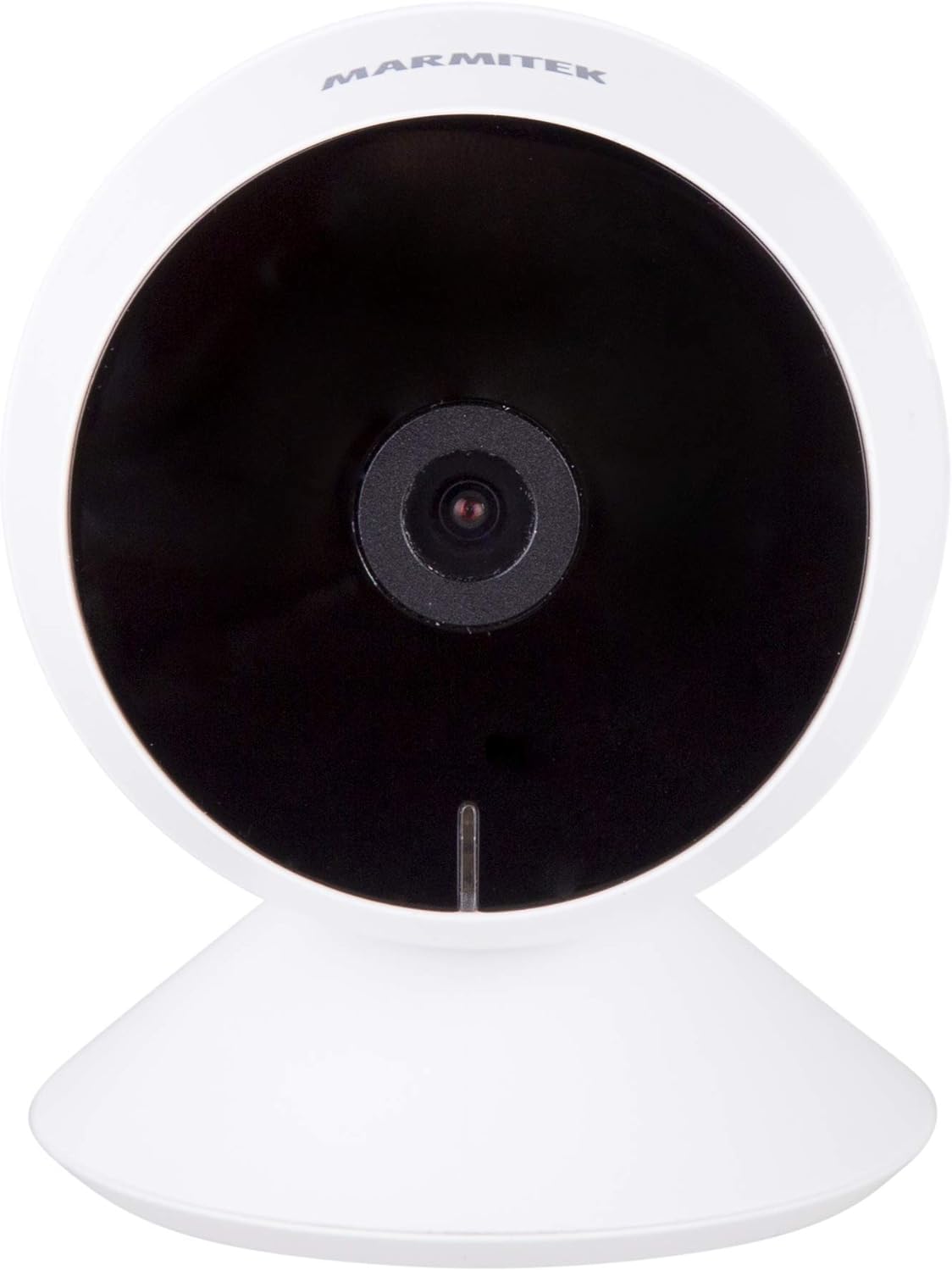
Сүрөт: алдыңкы view of the Marmitek View ME camera, showing the lens and indicator light.
Side View

Сүрөт: каптал view of the Marmitek View ME camera, highlighting its compact design.
Арткы View

Сүрөт: Арткы view of the Marmitek View ME camera, showing the micro-USB port, speaker, and reset button.
4. Орнотуу
4.1 Орнотуу
Position the camera in a central location within the area you wish to monitor. Ensure it has a clear line of sight and is within range of your Wi-Fi network. The camera is designed for indoor use and can be placed on a desk, shelf, or mounted on a wall or ceiling.

Image: The Marmitek View ME camera discreetly placed on a shelf in a living room environment.
4.2 Кубат туташтыруу
- Connect the USB cable to the micro-USB port on the back of the camera.
- USB кабелинин экинчи учун берилген кубат адаптерине сайыңыз.
- Кубат адаптерин стандарттуу электр розеткасына кыстарыңыз.
- The camera will power on, and an indicator light will illuminate.

Image: The Marmitek View ME camera connected to its power adapter via a USB cable.
4.3 Колдонмону орнотуу жана аккаунт түзүү
The Marmitek View ME camera operates with the Smart me application. No gateway or additional software is required.
- жүктөп алыңыз Мени акылдуу App Store (iOS) же Google Play Дүкөнүнөн (Android) колдонмо.
- Колдонмону ачып, жаңы каттоо эсебин түзүү үчүн экрандагы нускамаларды аткарыңыз же сизде мурунтан эле бар болсо кириңиз.

Image: The Smart me application logo, featuring a Wi-Fi symbol.
4.4 Wi-Fiга туташуу
- Ensure your smartphone is connected to a 2.4 GHz Wi-Fi network. The camera does not support 5 GHz networks.
- In the Smart me app, tap the "+" icon to add a new device.
- Select "Camera" or the specific model if listed.
- Follow the in-app instructions to put the camera into pairing mode (usually indicated by a flashing light). You may need to press the reset button on the camera.
- Суралганда, Wi-Fi тармагыңыздын сырсөзүн киргизиңиз.
- The app will generate a QR code. Hold your phone with the QR code in front of the camera lens at a distance of 15-20 cm until you hear a confirmation sound from the camera.
- Once connected, the camera's indicator light will change, and you will see the camera added to your Smart me app.
4.5 SD Card Installation (Optional)
The camera supports local storage via an SD card (not included) for recording videos.
- Locate the SD card slot on the camera (refer to the product overview images).
- Gently insert a compatible microSD card (Class 10 or higher, up to 128GB recommended) into the slot with the contacts facing down until it clicks into place.
- In the Smart me app, navigate to the camera settings to format the SD card before first use.
5. Иштөө нускамалары
5.1 Live View
Open the Smart me app and select your View ME camera from the device list to access the live video feed. You can view реалдуу убакыт footagИнтернет байланышы бар каалаган жерден.

Image: A person interacting with the Smart me application on a smartphone, demonstrating remote access.
5.2 Эки тараптуу аудио
The camera features an integrated speaker and microphone for two-way communication. While in live view, tap the microphone icon in the app to speak through the camera, and listen to audio from the camera's surroundings.
5.3 Motion Detection & Notifications
The integrated motion detector can alert you to activity. Configure motion detection settings and notification preferences within the Smart me app. You will receive push notifications on your smartphone when motion is detected.
5.4 Жаздыруу жана ойнотуу
If an SD card is installed, the camera can record video footage. You can set the camera to record continuously, on motion detection, or manually. Access recorded videos through the playback function in the Smart me app.
5.5 Түнкү көрүнүш
The camera is equipped with infrared night vision, providing clear video footage up to 10 meters in low-light or dark conditions. This feature activates automatically when ambient light is insufficient.
5.6 Smart Home интеграциясы
The Marmitek View ME camera is part of the Smart me ecosystem. You can link it with other Smart me products to create automated scenarios. For example, configure a rule to turn on a connected light bulb when the camera detects motion.

Image: A diagram illustrating the interconnectedness of various Smart me devices, including the camera, within a smart home setup.
6. Техникалык тейлөө
6.1 Тазалоо
To clean the camera, gently wipe the lens and exterior with a soft, dry cloth. Do not use harsh chemicals or abrasive cleaners, as these can damage the device.
6.2 Микропрограмма жаңыртуулары
Periodically check the Smart me app for available firmware updates. Keeping your camera's firmware up-to-date ensures optimal performance and security.
6.3 SD картаны башкаруу
If using an SD card for storage, regularly check its status in the app. Format the card periodically to maintain performance and free up space, or replace it if it becomes corrupted or full.
7. Кыйынчылыктарды
- Камера Wi-Fi'га туташпай жатат: Ensure your Wi-Fi network is 2.4 GHz. Check Wi-Fi password. Move the camera closer to the router. Try resetting the camera by pressing the reset button for 5 seconds.
- Жандуу эмес view: Check your internet connection and the camera's power supply. Ensure the camera is online in the Smart me app.
- Кыймылды аныктоо иштебей жатат: Verify that motion detection is enabled in the app settings. Adjust sensitivity levels. Ensure the camera's view тоскоол болбойт.
- Эки тараптуу аудио көйгөйлөрү: Check your phone's microphone and speaker permissions for the Smart me app. Ensure the camera's microphone and speaker are not obstructed.
- SD карта жаздырбай жатат: Ensure the SD card is correctly inserted and formatted within the app. Check if the card is full or corrupted.
8. Техникалык шарттар
| Өзгөчөлүк | Спецификация |
|---|---|
| Модель номери | 08528 |
| Өлчөмдөрү (L x W x Y) | 7.8 x 6 x 6 см |
| Салмагы | 240 грамм |
| Video Resolution | Full HD 1080p |
| Байланыш | Wi-Fi (2.4 ГГц гана) |
| Түнкү көрүү диапазону | 10 метрге чейин (Инфракызыл) |
| Аудио | Two-way (Built-in microphone and speaker) |
| Сактагыч | MicroSD картасы (128 ГБ чейин, кошулган эмес) |
| Power Source | AC/DC (230 Volts, 2.5 Watts) |
| Ички/тышкы колдонуу | Indoor |
| IP рейтинги | IP54 |
| Шайкеш түзмөктөр | Smartphone, Tablet (iOS, Android) |
9. Коопсуздук маалыматы
- Берилген кубат адаптерин жана кабелин гана колдонуңуз.
- Камераны сууга же нымга тийгизбеңиз.
- Камераны жылуулук булактарынын жанына же күндүн түз тийген жерине узак убакытка койбоңуз.
- Камераны өз алдынча бөлүктөргө бөлүүгө же оңдоого аракет кылбаңыз. Жардам алуу үчүн колдоо кызматына кайрылыңыз.
- Камераны балдар жана үй жаныбарлары жетпеген жерде сактаңыз.
10. Кепилдик жана колдоо
Marmitek products are manufactured to high quality standards. For warranty information, please refer to the warranty card included with your product or visit the official Marmitek webсайт. Техникалык колдоо, мүчүлүштүктөрдү оңдоо боюнча жардам же кошумча суроолор боюнча Marmitek кардарларды тейлөө кызматына алардын расмий каналдары аркылуу кайрылыңыз.