
KODLIX N33 Mini PC
KODLIX N33 Mini PC User Manual
Model: N33 Mini PC
1. Киришүү
This manual provides comprehensive instructions for the setup, operation, maintenance, and troubleshooting of your KODLIX N33 Mini PC. Please read this manual carefully before using the device to ensure proper functionality and to maximize your user experience.

Image: KODLIX N33 Mini PC, a compact black desktop computer.
2. Продукт бүтүп калдыview
2.1 Негизги өзгөчөлүктөрү
- Процессор: Intel Celeron N3350 Dual-Core Processor (up to 2.4 GHz)
- Эстутум: 4GB LPDDR4 RAM
- Сактагыч: 64GB eMMC internal storage
- Графика: Intel HD Graphics 500, supporting 4K HD video output
- Байланыш: Dual-band Wi-Fi (2.4GHz/5.8GHz), Gigabit Ethernet (1000Mbps LAN), Bluetooth 4.2
- Дисплей чыгаруу: HDMI and VGA ports for dual monitor support
- Дизайн: Fanless for silent operation
- Операция системасы: Pre-installed with Windows 10
2.2 Порттор жана туташтыргычтар
The KODLIX N33 Mini PC features a variety of ports for connecting peripherals and external devices.

Image: Rear ports of the KODLIX N33 Mini PC.
- USB 3.0 порттору: For high-speed data transfer with external drives, keyboards, and mice.
- HDMI порту: Connects to monitors or TVs for digital video and audio output, supporting up to 4K resolution.
- VGA порту: Connects to monitors for analog video output, enabling dual display setups.
- Ethernet порту (RJ45): For wired network connection (1000Mbps LAN).
- Аудио Jack: Наушниктерди же тышкы динамиктерди туташтыруу үчүн.
- Кубат киргизүү: Кубат адаптерин туташтыруу үчүн.
- SD карта уячасы: For storage expansion using a Micro SD card.
3. Орнотуу колдонмосу
3.1 Кутудан чыгаруу жана алгачкы текшерүү
Бардык компоненттерди таңгактан кылдаттык менен алып салыңыз. Төмөнкү нерселердин бар экенин текшериңиз:
- KODLIX N33 Mini PC
- Кубаттуу адаптер
- HDMI кабели
- Mounting Bracket (for VESA mounting)
- User Manual
Inspect the Mini PC for any physical damage. If any damage is found, contact customer support immediately.
3.2 Перифериялык түзүлүштөрдү туташтыруу
- Дисплейди туташтыруу: Connect your monitor or TV to the Mini PC using the HDMI cable. If you are using a VGA monitor, connect it to the VGA port. For dual display, connect both HDMI and VGA.
- Баскычтоп менен чычканды туташтыруу: Plug your USB keyboard and mouse into the available USB ports on the Mini PC. Wireless peripherals can be connected via Bluetooth or a USB dongle.
- Туташуу кубаты: Plug the power adapter into the power input port on the Mini PC, then plug the adapter into a power outlet.
- Optional - Network Connection: For a wired internet connection, connect an Ethernet cable from your router to the Ethernet port on the Mini PC.
3.3 Күйгүзүү жана баштапкы орнотуу
- Press the power button on the Mini PC. The power indicator light will illuminate.
- Follow the on-screen instructions to complete the initial Windows 10 setup, including language selection, network configuration, and user account creation.
4. Иштөө нускамалары
4.1 Негизги операция
Once Windows 10 is set up, you can use the Mini PC like any standard desktop computer. Navigate using your connected keyboard and mouse.
4.2 Network and Bluetooth Connectivity
- Wi-Fi: To connect to a wireless network, click the Wi-Fi icon in the system tray, select your desired network, and enter the password. The Mini PC supports both 2.4GHz and 5.8GHz bands.
- Bluetooth: To pair Bluetooth devices (e.g., headphones, speakers, keyboards), go to Windows Settings > Devices > Bluetooth & other devices, and follow the pairing instructions.
4.3 Кош дисплейди орнотуу
The KODLIX N33 Mini PC supports connecting two displays simultaneously using its HDMI and VGA ports. This can significantly enhance productivity.
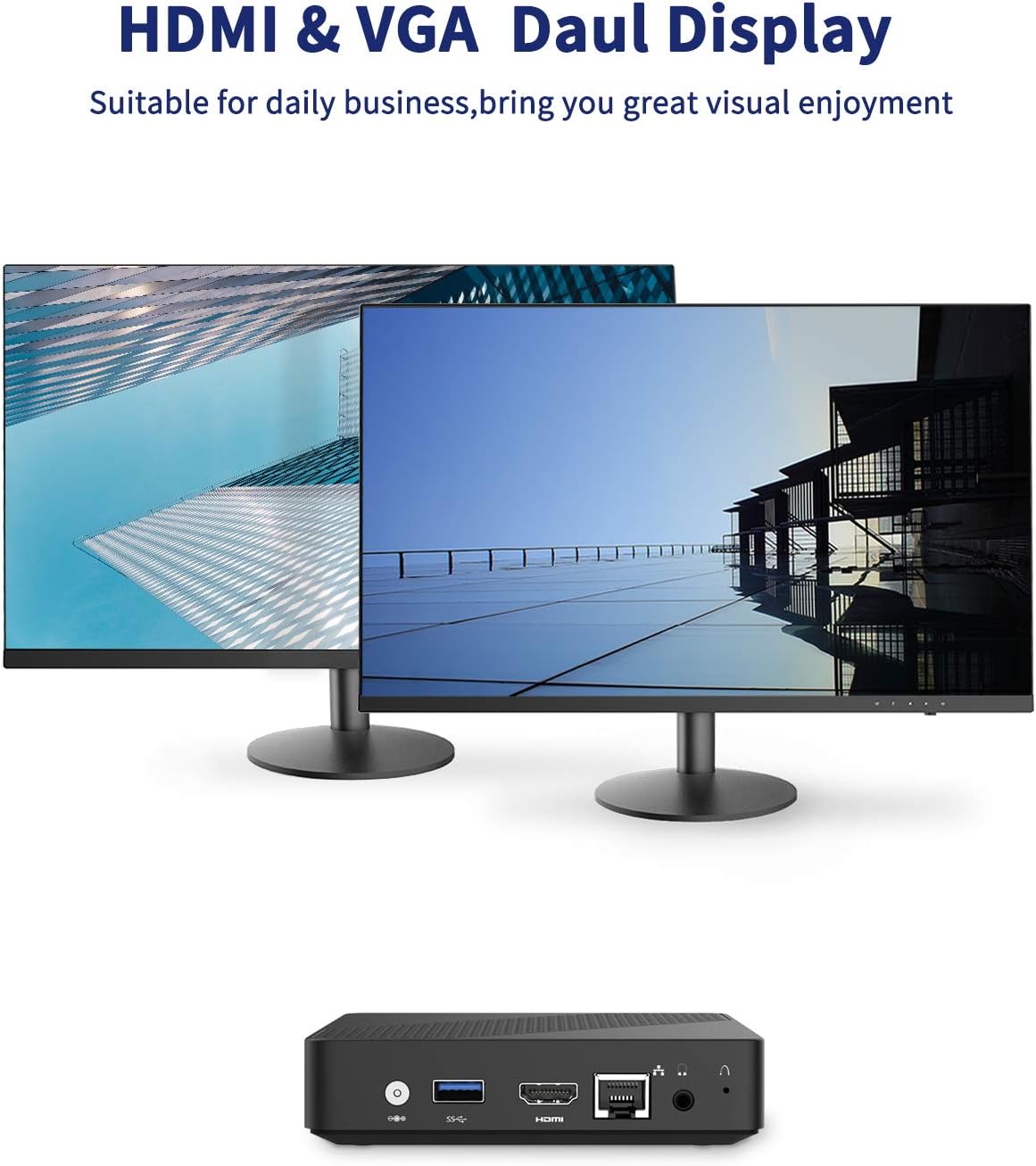
Image: Dual display setup with KODLIX N33 Mini PC.
- Connect the first monitor to the HDMI port.
- Connect the second monitor to the VGA port.
- Once both monitors are connected and powered on, Windows should automatically detect them.
- To configure display settings (e.g., extend, duplicate, resolution), right-click on the desktop, select "Display settings," and adjust as needed.
4.4 4K HD Video Playback
The Mini PC's Intel HD Graphics 500 supports 4K HD video output via the HDMI port. Ensure your display device also supports 4K resolution for optimal viewing.

Image: KODLIX N33 Mini PC supporting 4K HD resolution.
5. Сактагычты кеңейтүү
The KODLIX N33 Mini PC comes with 64GB eMMC storage, which can be expanded using several methods:

Image: Internal and external storage expansion options for the KODLIX N33 Mini PC.
- Micro SD картасы: Insert a Micro SD card (up to 128GB, not included) into the dedicated SD card slot for additional storage.
- M.2 2242 SATA SSD: The Mini PC supports an internal M.2 2242 SATA SSD (up to 1TB, not included). This requires opening the device and installing the SSD. Refer to the detailed instructions provided with the SSD or consult a professional if unsure.
- External Hard Drive: Connect a 2.5-inch or 3.5-inch mobile hard disk box via the USB 3.0 interface for up to 2TB of external storage.
6. Техникалык шарттар
| Өзгөчөлүк | Деталь |
|---|---|
| Бренд | KODLIX |
| Модель аты | N33 Мини PC |
| Процессор | Intel Celeron N3350 (2.4 ГГц) |
| RAM | 4 ГБ LPDDR4 |
| Ички сактагыч | 64 ГБ eMMC |
| Сактагычты кеңейтүү | Micro SD (up to 128GB), M.2 2242 SATA SSD (up to 1TB), USB 3.0 for external drives (up to 2TB) |
| Графика | Intel HD Graphics 500 |
| Max Screen Resolution | 3840 x 2160 пиксел (4K) |
| Зымсыз байланыш | 2.4GHz/5.8GHz Dual-Band Wi-Fi |
| Bluetooth | Bluetooth 4.2 |
| Ethernet | 1000Mbps LAN |
| Операция системасы | Windows 10 |
| Порттар | HDMI, VGA, USB 3.0, Audio Jack, SD Card Slot, Ethernet, Power Input |
| Элемент Салмагы | 1.46 фунт |
| Пакеттин өлчөмдөрү | 8.07 x 6.93 x 2.32 дюйм |
7. Кыйынчылыктарды
This section addresses common issues you might encounter with your KODLIX N33 Mini PC.
- Дисплей жок:
- Монитор күйгүзүлгөнүн жана туура киргизүү булагынын тандалганын текшериңиз.
- Check that the HDMI or VGA cable is securely connected to both the Mini PC and the monitor.
- Try a different cable or monitor to rule out faulty equipment.
- Кубат жок:
- Verify the power adapter is securely connected to the Mini PC and a working power outlet.
- Ensure the power button has been pressed.
- Wi-Fi/Bluetooth туташуу маселелери:
- Check if Wi-Fi/Bluetooth is enabled in Windows settings.
- Restart the Mini PC and your router/Bluetooth device.
- Ensure the Mini PC is within range of the wireless signal.
- Update network adapter drivers if necessary.
- Жай аткаруу:
- Фондо иштеп жаткан керексиз тиркемелерди жабыңыз.
- Windowsтун жаңыртылганын текшериңиз.
- Кесепеттүү программаларды же вирустарды текшериңиз.
- Consider expanding storage with an SSD if the eMMC is nearly full, as this can impact performance.
8. Техникалык тейлөө
- Тазалоо: Use a soft, dry cloth to clean the exterior of the Mini PC. Avoid liquid cleaners. Use compressed air to gently clear dust from vents if necessary.
- Программалык камсыздоо жаңыртуулары: Системанын туруктуулугун жана коопсуздугун камсыз кылуу үчүн Windows жаңыртууларын дайыма текшерип, орнотуп алыңыз.
- Маалыматтын камдык көчүрмөсү: Дайындардын жоголушун алдын алуу үчүн тышкы дискке же булут сактагычка маанилүү маалыматтарды мезгил-мезгили менен камдык көчүрмөсүн сактап туруңуз.
- Оптималдуу жайгаштыруу: Place the Mini PC in a well-ventilated area to prevent overheating, despite its fanless design.
9. Кепилдик жана колдоо
The KODLIX N33 Mini PC comes with a 1-year after-sales service. For technical support, warranty claims, or further assistance, please refer to the contact information provided with your purchase documentation or visit the official KODLIX support webсайт.
Сураныч, кепилдик максаттары үчүн сатып алганыңыздын далилин сактап коюңуз.
Ask a question about this manual
Ask about setup, troubleshooting, compatibility, parts, safety, or missing instructions. Manuals+ will review the question and use this page’s manual context to help answer it.