
1. Киришүү
Сатып алганыңыз үчүн рахматasing the Vonyx CVB215 Active Speaker. This powerful 1600W speaker features dual 15-inch woofers, Bluetooth connectivity, and MP3 playback capabilities, making it ideal for various audio applications including music playback, parties, and public announcements. This manual provides essential information for safe operation, setup, and maintenance of your speaker. Please read it thoroughly before use and retain it for future reference.
2. Коопсуздук нускамалары
- Электр камсыздоо: Ensure the speaker is connected to a power outlet with the correct voltage (230V AC / 50Hz).
- Нымдуулук: Do not expose the speaker to rain or moisture to prevent electric shock.
- Вентиляция: Ensure adequate ventilation around the speaker. Do not block ventilation openings.
- Жылуулук булактары: Динамикти радиаторлор, жылуулук регистрлери, мештер же жылуулук чыгарган башка аппараттар сыяктуу жылуулук булактарынан алыс кармаңыз.
- Тазалоо: Тазалоодон мурун электр кубатынан сууруп алыңыз. Кургак чүпүрөктү колдонуңуз.
- Тейлөө: Динамикти өзүңүз оңдоого аракет кылбаңыз. Бардык тейлөө иштерин квалификациялуу тейлөө кызматкерлерине тапшырыңыз.
- Жайгашкан жери: Динамик кулап калбашы үчүн аны туруктуу, жалпак бетке коюңуз.
3. Продукт бүтүп калдыview
The Vonyx CVB215 is a robust active speaker designed for high-quality audio output. It features a durable enclosure with a metal grille protecting the dual 15-inch woofers and tweeters. Integrated handles allow for easier transport.
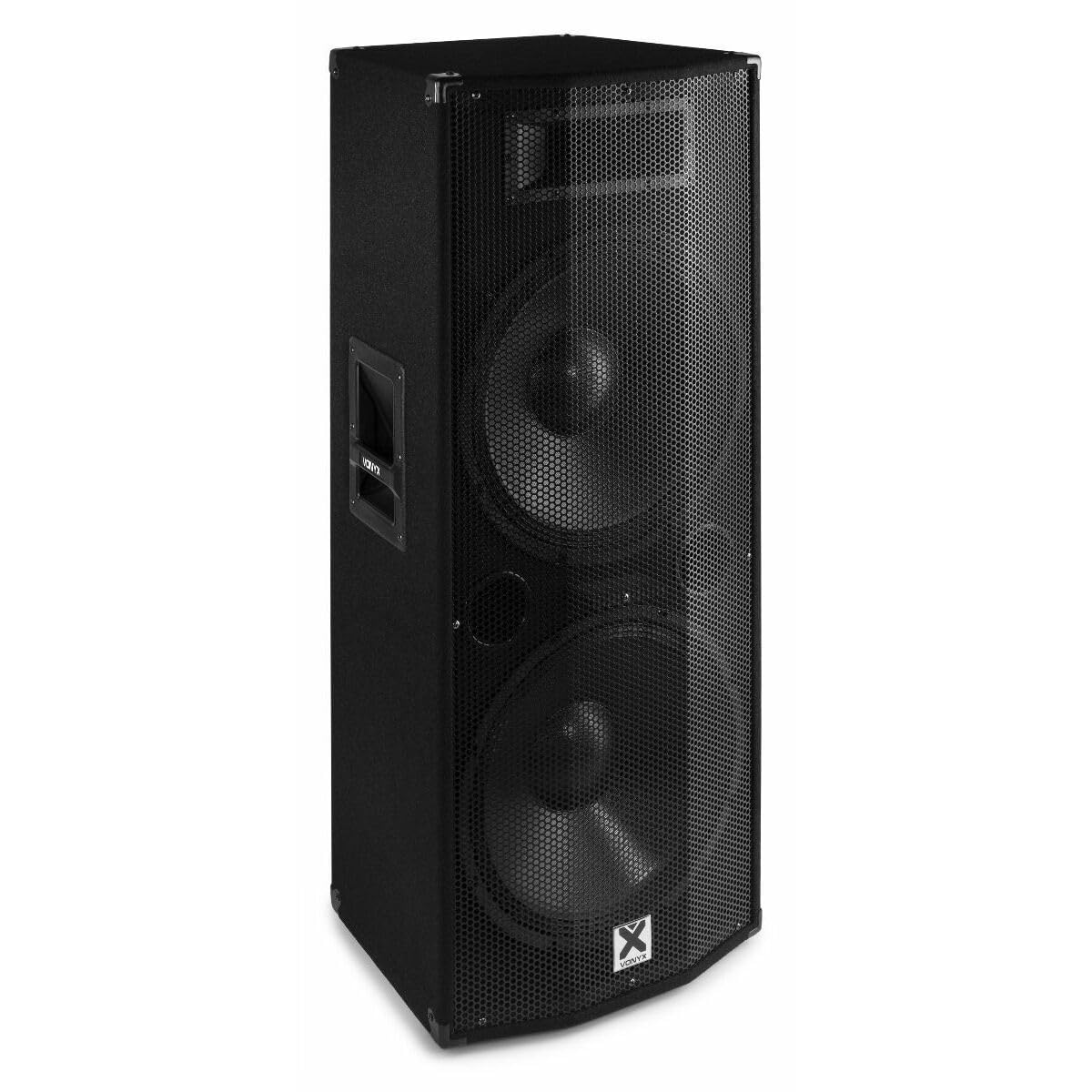
Сүрөт 3.1: Фронт view of the Vonyx CVB215 active speaker. This image displays the speaker's front, highlighting the protective metal grille and the Vonyx logo.
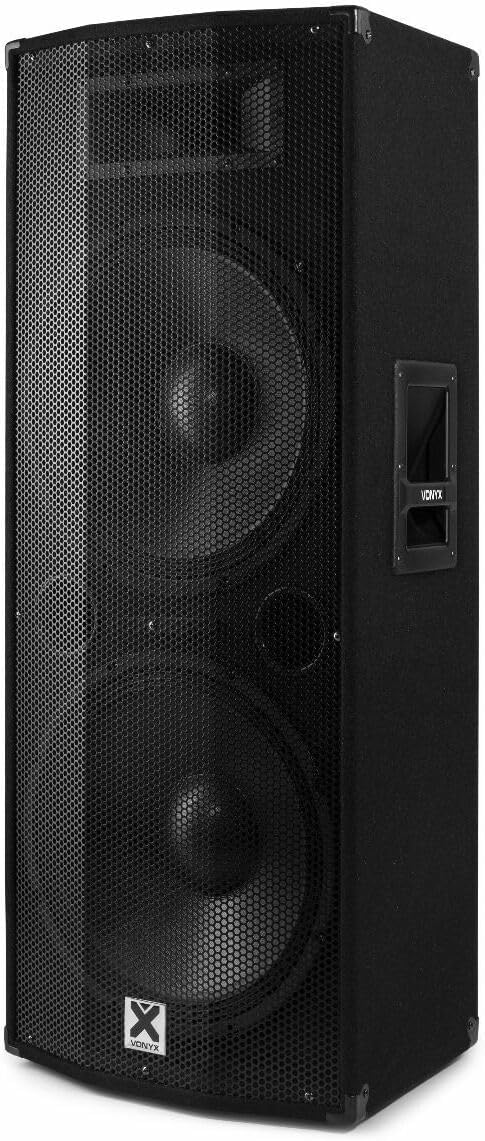
Сүрөт 3.2: Бурчтуу view of the Vonyx CVB215 active speaker. This perspective shows the speaker's side with an integrated handle, designed for portability.
Арткы панелдин башкаруу элементтери жана байланыштары
The rear panel houses all input/output connections and control knobs for audio adjustment.

Сүрөт 3.3: Rear panel of the Vonyx CVB215 active speaker. This image provides an overview of all connections and controls located on the back of the unit.
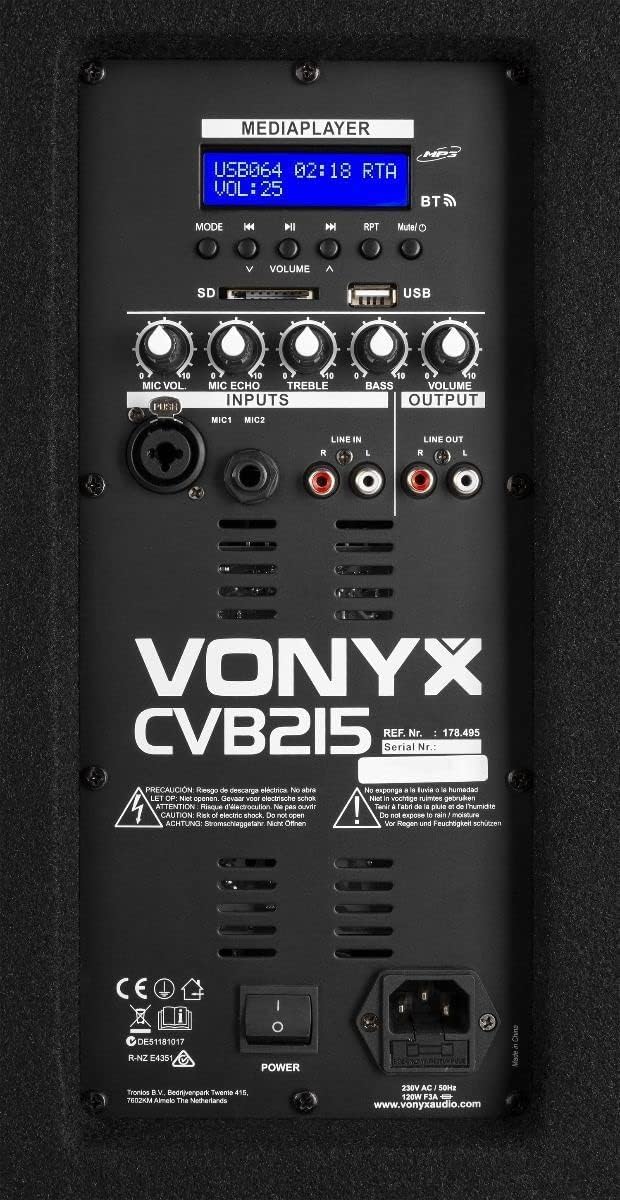
Сүрөт 3.4: Деталдаштырылган view of the Vonyx CVB215 rear panel controls. This close-up highlights the media player interface, USB and SD card slots, microphone inputs (MIC1, MIC2), Line In (RCA), Line Out (RCA), and various adjustment knobs.
- MEDIAPLAYER Display: Shows current mode, track information, and volume level.
- USB/SD карта уячалары: For MP3 playback from USB drives or SD cards.
- MODE баскычы: Switches between Bluetooth, USB, SD, and Line-in modes.
- ҮНҮН КЕҢЕЙТҮҮЧҮ баскычтар: Adjusts overall volume, microphone volume (MIC VOL), microphone echo (MIC ECHO), treble, and bass.
- MIC1/MIC2 киргизүүлөрү: Микрофондор үчүн 6.3 мм уяча киргизүүлөрү.
- LINE IN (RCA): Stereo RCA inputs for connecting external audio sources (e.g., mixer, CD player).
- LINE OUT (RCA): Stereo RCA outputs for connecting to another active speaker or ampөмүрлүү.
- POWER которуштуруу: Динамикти күйгүзөт/өчүрөт.
- AC IN: Электр кабелин туташтыруу.
Алыстан башкаруу
The speaker comes with a remote control for convenient operation of the media player functions.

Сүрөт 3.5: Remote control for the Vonyx CVB215 speaker. This image displays the layout of the remote control, including buttons for media playback, volume adjustment, and mode selection.
4. Орнотуу
- Пакеттен чыгаруу: Динамикти таңгагынан этияттык менен чыгарыңыз. Келечекте ташуу же сактоо үчүн таңгакты сактап коюңуз.
- Жайгашкан жери: Place the speaker on a stable, level floor. Ensure there is sufficient space around the speaker for proper ventilation. The speaker is designed for floorstanding use.
- Кубат туташуу: Connect the supplied power cable to the AC IN socket on the rear panel of the speaker and then to a suitable power outlet.
- Баштапкы күйгүзүү: Ensure all volume controls are set to minimum before turning on the speaker using the POWER switch.
5. Иштөө
5.1. Bluetooth туташуусу
- Динамикти күйгүзүңүз.
- басыңыз РЕЖИМ button on the rear panel or remote control until "BT" (Bluetooth) appears on the MEDIAPLAYER display. The speaker will enter pairing mode.
- Bluetooth иштетилген түзмөгүңүздө (смартфон, планшет, ноутбук) жеткиликтүү Bluetooth түзмөктөрүн издеңиз.
- Select "Vonyx" or a similar name from the list.
- Once paired, you will hear a confirmation sound, and the display will indicate a successful connection.
- You can now play audio from your device through the speaker. The Bluetooth range is approximately 10 meters (33 feet).
5.2. MP3 Playback (USB/SD)
- Insert a USB flash drive or SD card (containing MP3 fileс) арткы панелдеги тиешелүү уячага.
- The speaker will automatically switch to USB or SD mode and begin playing the first track. If not, press the РЕЖИМ button to select USB or SD mode.
- Use the playback controls (Play/Pause, Previous, Next) on the rear panel or remote control to manage your music.
- тууралаңыз VOLUME knob to control the playback level.
5.3. Line-in Connection (RCA)
- Connect your external audio source (e.g., mixer, CD player, TV) to the LINE IN (RCA) inputs on the rear panel using appropriate RCA cables.
- басыңыз РЕЖИМ button until "LINE" or "AUX" appears on the display.
- Play audio from your connected device and adjust the main VOLUME knob on the speaker.
5.4. Микрофонду колдонуу
- Connect your microphone(s) to the MIC1 or MIC2 6.3mm jack inputs.
- тууралаңыз MIC VOL микрофондун үнүн башкаруу үчүн баскыч.
- колдонуу MIC ECHO knob to add an echo effect to the microphone signal, if desired.
5.5. Тон көзөмөлү
- колдонуу ҮЧЧҮ knob to adjust the high frequencies of the audio.
- колдонуу БАС knob to adjust the low frequencies of the audio.
6. Техникалык тейлөө
- Тазалоо: Disconnect the speaker from the power supply before cleaning. Use a soft, dry cloth to wipe the exterior surfaces. Do not use abrasive cleaners or solvents.
- Сактагыч: If not in use for an extended period, store the speaker in a dry, dust-free environment. It is recommended to use the original packaging for protection.
- Текшерүү: Periodically check the power cable for any signs of damage. If damaged, replace it immediately with an approved cable.
7. Кыйынчылыктарды
| Көйгөй | Мүмкүн себеп | Чечим |
|---|---|---|
| Күч жок | Power cable not connected; Power switch off; Outlet fault | Check power cable connection; Turn power switch on; Test outlet with another device |
| Үн чыгышы жок | Volume too low; Incorrect input mode selected; Audio source issue; Cables not connected properly | Increase master volume; Select correct input mode (Bluetooth, USB, Line); Check audio source; Ensure all cables are securely connected |
| Bluetooth туташпай жатат | Speaker not in pairing mode; Device too far; Bluetooth off on source device | Ensure speaker is in BT mode; Move device closer (within 10m); Enable Bluetooth on your device and re-scan |
| Бузулган аудио | Volume too high (clipping); Poor audio source quality; Damaged cables | Reduce volume on speaker and source; Use high-quality audio files; Replace damaged cables |
| MP3 playback issues | Колдоого алынбайт file format; Corrupt USB/SD card; Incorrect mode | камсыз кылуу files are MP3 format; Try a different USB/SD card; Select USB/SD mode |
8. Техникалык шарттар

Сүрөт 8.1: Dimensions of the Vonyx CVB215 active speaker. This diagram illustrates the height, width, and depth of the speaker for placement planning.
- Бренд: Vonyx
- Модель номери: 178.495
- Максималдуу чыгаруу кубаттуулугу: 1600 Ватт
- Динамик түрү: Multimedia, Active, Floorstanding
- Вуфердин диаметри: 2 x 15 дюйм
- Аудио чыгаруу режими: Стерео
- Байланыш технологиясы: Bluetooth, RCA, USB
- Bluetooth диапазону: 10 метр
- Total USB 2.0 Ports: 1
- Шайкеш түзмөктөр: Laptop, MP3-player, Smartphone, Tablet, Television
- Башкаруу ыкмасы: Алыстан башкаруу
- Кубат булагы: Corded Electric (230V AC / 50Hz)
- Продукциянын өлчөмдөрү (L x W x Y): 46.5 x 40 x 112.5 см
- Камтылган компоненттер: Handles, metal grille, remote control
9. Кепилдик жана колдоо
Кепилдик жөнүндө маалымат жана техникалык колдоо алуу үчүн, сатып алууңуз менен кошо берилген документтерди караңыз же сатуучуга кайрылыңыз. Кепилдик боюнча дооматтар үчүн сатып алууну тастыктаган документти сактап коюңуз.