
Introduction
The Aerocool Duo 12 Pro Pack provides an advanced cooling solution for your computer system, featuring three 120mm Addressable RGB (ARGB) fans, an H66F RGB fan hub, and a remote control. This system is designed to enhance both the aesthetic and thermal performance of your PC with vibrant lighting and efficient airflow.
This manual provides detailed instructions for the installation, operation, and maintenance of your Aerocool Duo 12 Pro Pack to ensure optimal performance and longevity.
Пакеттин мазмуну
Орнотууну улантуудан мурун, бардык компоненттердин топтомуңузда бар экенин текшериңиз:
- 3 x Aerocool Duo 12 ARGB 120mm Fans
- 1 x H66F RGB Fan Hub
- 1 x Алыстан башкаруу
- Монтаждоо бурамалар
- Cables for connection (6-pin fan connectors, 5V ARGB connector)
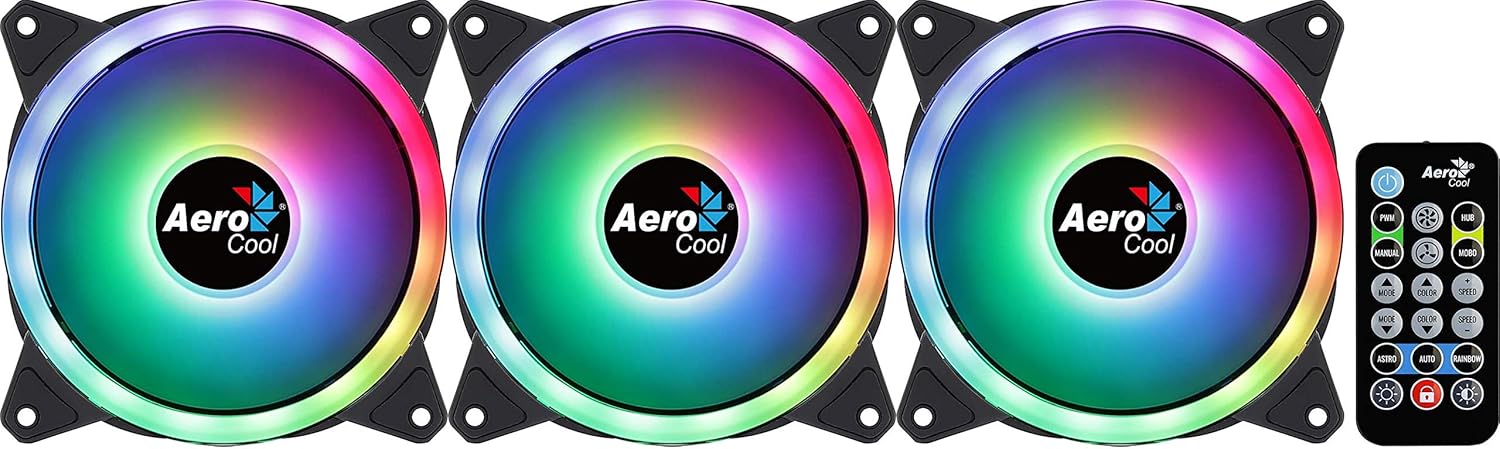
Image: The Aerocool Duo 12 Pro Pack showing three ARGB fans and the included remote control.
Орнотуу жана орнотуу
Follow these steps to properly install your Aerocool Duo 12 Pro Pack fans and hub into your computer system.
1. Системаңызды даярдаңыз
- Компьютериңиздин өчүрүлгөнүн жана розеткадан суурулуп турганын текшериңиз.
- Open your computer case to access the internal components.
2. Install the Fans
- Identify suitable 120mm fan mounting locations within your PC case (e.g., front, top, rear).
- Position each fan in the desired location, ensuring correct airflow direction (typically, the side with the frame supports is the exhaust side).
- Secure each fan using the provided mounting screws. The anti-vibration pads on the fan corners help reduce noise.
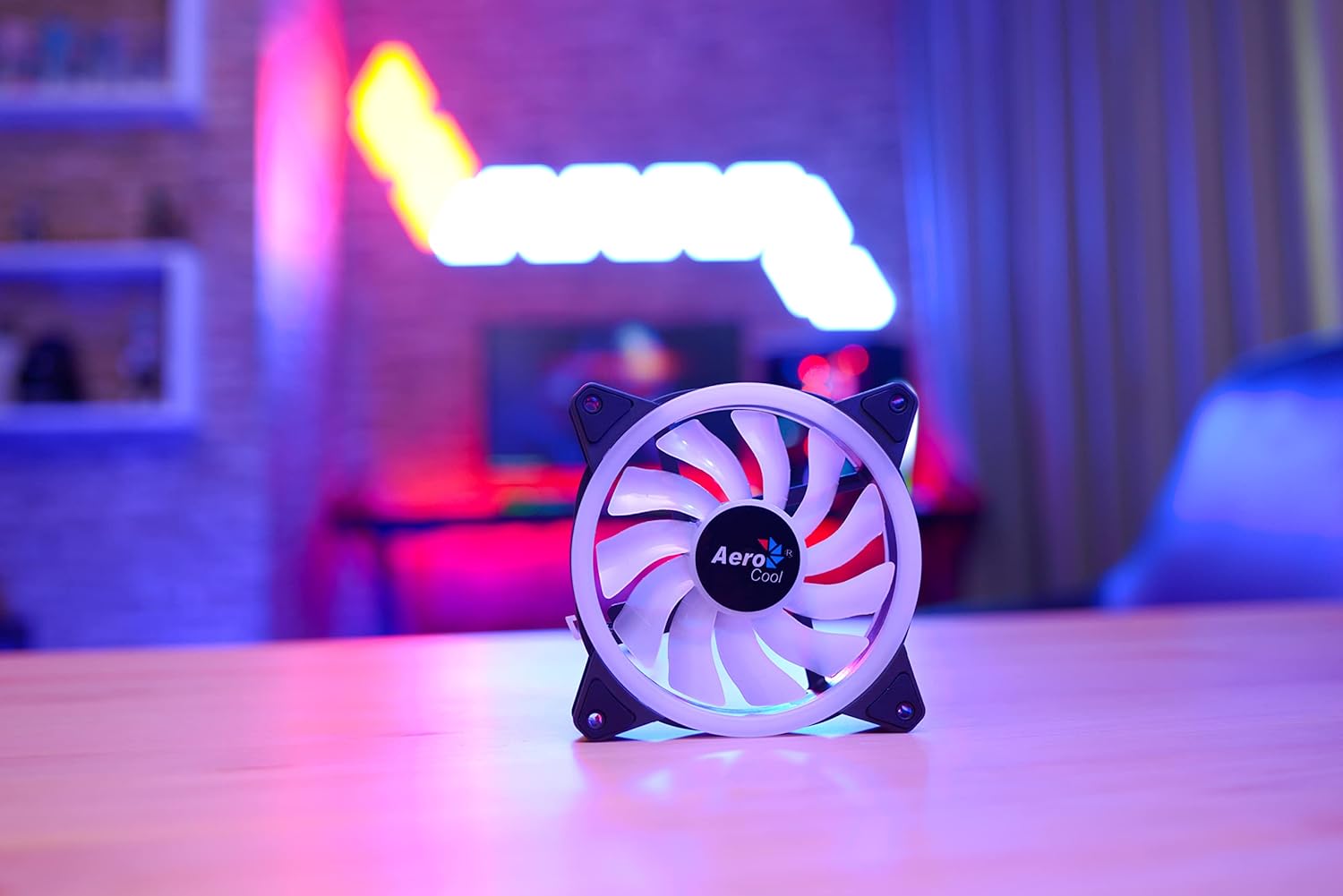
Image: A single Aerocool Duo 12 ARGB fan, highlighting its curved blades and anti-vibration pads.
3. Connect to the H66F RGB Fan Hub
- Locate a suitable mounting spot for the H66F RGB Fan Hub inside your case, away from moving parts and heat sources.
- Connect each 6-pin fan cable from the Aerocool Duo 12 fans to the corresponding 6-pin ports on the H66F RGB Fan Hub. The hub supports up to six 6-pin ARGB fans.
- Connect the 5V ARGB connector from the H66F hub to a compatible 5V ARGB header on your motherboard (if you wish to synchronize lighting with your motherboard's software).
- Connect the SATA power connector from the H66F hub to an available SATA power cable from your power supply unit (PSU). This provides power to the hub and connected fans/LEDs.

Image: The Aerocool Duo 12 Pro fans, H66F RGB fan hub, and remote control arranged on a desk, illustrating the components of the system.
Иштөө нускамалары
Once installed, you can control the fan speed and lighting effects using the included remote control or compatible motherboard software.
Алыстан башкарууну колдонуу
The remote control allows for easy adjustment of lighting modes, colors, and fan speeds without needing to open your PC case or use software.
- Кубат баскычы: Turns the LED lighting on or off.
- PWM Button: Cycles through fan speed modes (e.g., Silent, Standard, Performance).
- MODE баскычы: Changes the ARGB lighting effect mode.
- ТҮС баскычы: Selects static colors or color cycling effects.
- SPEED +/- Buttons: Динамикалык жарыктандыруу эффекттеринин ылдамдыгын тууралайт.
- BRIGHTNESS +/- Buttons: Adjusts the brightness of the LED lighting.
- AUTO баскычы: Initiates an automatic cycle through all available lighting effects.
Motherboard Synchronization
If the H66F hub is connected to a 5V ARGB header on a compatible motherboard, you can control the lighting effects through your motherboard's RGB software (e.g., ASUS Aura Sync, MSI Mystic Light Sync, Gigabyte RGB Fusion, ASRock Polychrome Sync). This allows for synchronized lighting across your entire system.
Техникалык тейлөө
Regular maintenance ensures optimal performance and extends the lifespan of your Aerocool Duo 12 Pro fans.
- Тазалоо: Periodically clean the fan blades and frames to remove dust buildup. Use compressed air or a soft, dry cloth. Ensure the system is powered off and unplugged before cleaning.
- Anti-Vibration Pads: The integrated anti-vibration pads are designed for durability. Inspect them occasionally for wear and tear, though replacement is rarely needed.
- Кабелдик башкаруу: Ensure all cables are neatly routed and secured to prevent interference with fan blades or other components, which can cause noise or damage.
Проблемаларды чечүү
If you encounter issues with your Aerocool Duo 12 Pro Pack, refer to the following common problems and solutions:
Күйөрмандар айланбай жатышат
- Кубат туташуу: Verify that the H66F RGB Fan Hub's SATA power connector is securely connected to your PSU.
- Желдеткич туташуулары: Ensure all 6-pin fan cables are firmly connected to the H66F hub.
- Хабдын функциялары: Check if the hub itself is receiving power (some hubs have an indicator LED).
RGB жарыктандыруу иштебей жатат же туура эмес
- ARGB туташуусу: Confirm the 5V ARGB connector from the H66F hub is correctly plugged into a compatible 5V ARGB header on your motherboard (not a 12V RGB header, which can cause damage).
- Алыстан башкаруу: Ensure the remote control has a working battery and is pointed towards the hub or a clear line of sight. Try pressing the power button on the remote.
- Энелик плата программасы: If using motherboard software, ensure it is up-to-date and correctly configured to control the ARGB header.
- LED башкаруу баскычы: If your system has an external LED control button connected to the hub, try using it to cycle through effects.
Ашыкча ызы-чуу
- Монтаждоо: Ensure fans are securely mounted and not vibrating against the case. The anti-vibration pads should minimize this.
- Тоскоолдуктар: Желдеткичтин калактарын тосуп турган кабелдерди же нерселерди текшериңиз.
- Чаңдын пайда болушу: Clean the fans as described in the Maintenance section.
- желдеткич ылдамдыгы: Adjust fan speed using the remote control or motherboard software to a lower setting if noise is a concern.
Техникалык шарттар
| Өзгөчөлүк | Деталь |
|---|---|
| Бренд | AeroCool |
| Модел | DUO12PRO |
| Fan Size | 120мм |
| Кубат туташтыргычынын түрү | 6-Pin (for fans to hub) |
| Hub Power Connector | SATA |
| ARGB туташтыргычы | 5V ARGB (3-pin) |
| Тtage | 5 Volts (LEDs), 12 Volts (Fan Motor) |
| Муздатуу ыкмасы | Аба |
| Шайкеш түзмөктөр | Үстөл компьютерлери |
| Ызы-чуу деңгээли | 19.7 децибел (дБ) |
| Максималдуу айлануу ылдамдыгы | 2000 RPM |
| Материал | Поликарбонат |
| Элемент Салмагы | 420 Grams (Total Pack) |
| LEDs per Fan | 18 (Double RGB LED Ring) |
Кепилдик жана колдоо
Aerocool products are manufactured to high-quality standards. In the unlikely event of a defect, please refer to the following information.
- Кепилдик мөөнөтү: The EU spare part availability duration is 2 years. Please check your local retailer or Aerocool's official webсиздин аймагыңыздагы белгилүү бир кепилдик шарттары үчүн сайтты караңыз.
- Техникалык колдоо: For technical assistance, troubleshooting beyond this manual, or warranty claims, please contact Aerocool customer support through their official webсайт.
- Сатып алуу далили: Кепилдикти жарактуулук мөөнөтүн текшерүү үчүн сатып алганыңызды тастыктаган документти сактап коюңуз.