
1. Киришүү
This manual provides detailed instructions for the setup, operation, and maintenance of your YABER C450 Projector. The YABER C450 is a high-performance projector designed for home entertainment, offering Native 1080P resolution with 4K support, 19000 Lumens brightness, and a 20000:1 contrast ratio for a vivid viewing experience. It features advanced connectivity options including WiFi 6 and Bluetooth 5.2, along with versatile keystone correction and zoom functions.

Figure 1.1: YABER C450 Projector with included carrying bag and a smartphone demonstrating its compact size.
2. Кутуда эмне бар
Upon unboxing your YABER C450 Projector, please ensure all the following items are present:
- YABER C450 Projector
- Ташуу сумкасы
- AV Cable
- HDMI кабели
- Тазалоо комплекти
- Алыстан башкаруу
- Электр кабели
- Көрсөтмө (бул документ)
3. Продукт бүтүп калдыview
3.1 Физикалык компоненттер
Familiarize yourself with the various ports and controls on your projector for optimal setup and operation.

Figure 3.1: Rear panel of the YABER C450 Projector, highlighting the power input, power switch, and various connectivity ports including HDMI, USB, and AV inputs.
The projector features a power input and on/off switch on the side. The rear panel includes multiple connectivity options such as HDMI, USB, and AV ports for connecting various devices. The top panel houses control buttons for basic adjustments, and the lens area includes focus and keystone adjustment rings.
Видео 3.1: Бүттүview of the YABER C450 Projector, showcasing its design, various ports, and the projection in different environments. This video provides a visual guide to the projector's physical attributes and capabilities.
4. Орнотуу
4.1 Орнотуу
Place the projector on a stable, flat surface. Ensure there is adequate ventilation around the unit to prevent overheating. The recommended viewing distance for optimal image quality is approximately 10.5 feet, allowing for a screen size up to 200 inches.

Figure 4.1: The YABER C450 Projector positioned to project a large image, demonstrating its short-throw capability for a massive screen size even in smaller spaces.
4.2 Кубат туташтыруу
- Connect the provided Power Cord to the projector's power input.
- Plug the other end of the Power Cord into a suitable electrical outlet.
- Flip the power switch on the projector to the 'ON' position. The power indicator light will illuminate.
4.3 Түзмөктөрдү туташтыруу
The YABER C450 supports multiple input sources:
- HDMI: Use the included HDMI cable to connect to laptops, gaming consoles (PS5), TV sticks, or other HDMI-enabled devices.
- USB: Медиа файлдарды ойнотуу үчүн USB дискти USB портуна салыңыз fileтүздөн-түз с.
- OF: Use the included AV cable to connect to older devices with AV output.
- Зымсыз (WiFi 6): Connect to your home network for wireless screen mirroring from iOS/Android devices. A WiFi 6 router is recommended for optimal performance, though 5G/2.4G WiFi is also supported.
- Bluetooth 5.2: Pair with external Bluetooth speakers, headphones, or other audio devices for enhanced sound.
5. Иштөө нускамалары
5.1 Күйгүзүү/өчүрүү
To power on the projector, ensure it is plugged in and the main power switch is on, then press the power button on the projector or the remote control. To power off, press the power button again and confirm shutdown.
5.2 Фокустоо жана Keystone коррекциясы
Adjust the image clarity and shape using the rings near the lens and the digital keystone correction features:
- Фокусту тууралоо: Rotate the focus ring on the lens until the projected image is sharp and clear.
- 4D/4P Keystone Correction: Use the remote control or the projector's menu to adjust the image's horizontal and vertical angles (up to ±50°) to correct trapezoidal distortion.
- Чоңойтуу функциясы: Utilize the 50% zoom function via the remote or menu to adjust the screen size without moving the projector.

Figure 5.1: Visual representation of WiFi 6's faster transmission speed compared to normal WiFi, illustrating smoother streaming for gaming and live content.
5.3 Зымсыз байланыш
The YABER C450 offers advanced wireless options:
- WiFi 6: For screen mirroring, navigate to the WiFi settings in the projector's menu. Select your WiFi network and enter the password. Once connected, use your iOS or Android device's screen mirroring function (e.g., Miracast) to cast content.
- Bluetooth 5.2: To connect Bluetooth audio devices, go to the Bluetooth settings. Enable Bluetooth, search for your device, and pair. The projector's built-in 5W Hi-Fi speakers provide clear audio, but external speakers can be connected for a more immersive experience.
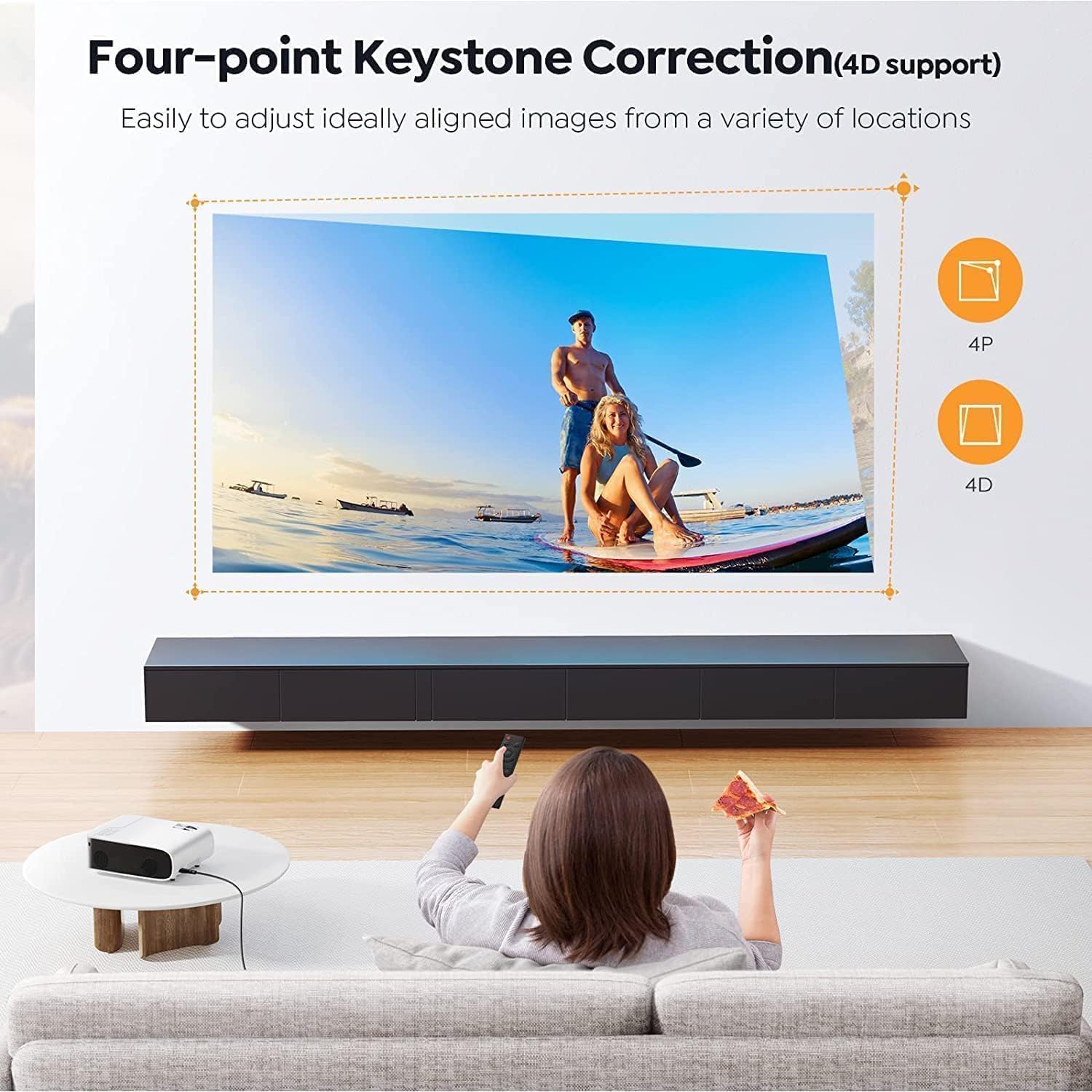
Figure 5.2: The YABER C450 Projector wirelessly connected to multiple Bluetooth audio devices, including headphones and external speakers, demonstrating its versatile audio output capabilities.
5.4 Колдонмону башкаруу
Control your projector using a dedicated app on your smartphone. This app can function as a remote and mouse, providing convenient control, especially if the physical remote is misplaced. Refer to the instruction manual for details on downloading and connecting the app.
6. Техникалык тейлөө
Proper maintenance ensures the longevity and optimal performance of your YABER C450 Projector.
- Lamp Жашоо: Проектордун светодиоду лamp has an extended lifespan of up to 160,000 hours. No regular lamp replacement is typically needed under normal usage.
- Муздатуу системасы: The projector is equipped with a built-in cooling system featuring three fans to prevent overheating during prolonged use. Ensure ventilation vents are not obstructed.
- Тазалоо: Use the provided Cleaning Kit to gently clean the lens and exterior of the projector. Avoid abrasive materials or harsh chemicals.
7. Кыйынчылыктарды
If you encounter issues with your YABER C450 Projector, please refer to the following common troubleshooting steps:
- Кубат жок: Ensure the power cord is securely connected to both the projector and the electrical outlet. Check the main power switch on the projector.
- Сүрөт жок: Verify the input source selected on the projector matches the device connected (e.g., HDMI 1, USB). Check all cable connections.
- бүдөмүк сүрөт: Adjust the focus ring on the lens. If the image is distorted (trapezoid shape), use the keystone correction function.
- Үн жок: Check the volume settings on both the projector and the connected device. Ensure external audio devices are correctly paired via Bluetooth or connected via audio cables.
- Зымсыз туташуу маселелери: Ensure your WiFi network is active and the password is correct. Try restarting both the projector and your wireless device.
For more detailed troubleshooting or persistent issues, please contact YABER customer support.
8. Техникалык шарттар
| Өзгөчөлүк | Спецификация |
|---|---|
| Бренд | ЯБЕР |
| Модель номери | C450 |
| Display Resolution | Native 1920 x 1080P (4K Support) |
| Жарыктык | 19000 Lumens |
| Контраст катышы | 20000:1 |
| Проекциянын өлчөмү | 50" - 200" (Recommended 10.5 ft distance for 200") |
| Lamp Жашоо | 160,000 саат |
| Байланыш технологиясы | Bluetooth 5.2, Wi-Fi 6 (2.4G/5G), USB, HDMI, AV |
| Өзгөчөлүктөр | 4P/4D Keystone Correction, 50% Zoom Function, App Control |
| Продукциянын өлчөмдөрү | 3.74 x 7.72 x 9.53 дюйм |
| Элемент Салмагы | 8.38 фунт |
9. Кепилдик жана колдоо
YABER is committed to providing high-quality products and excellent customer service. Your YABER C450 Projector comes with:
- 3 Years After-Sales Service: Comprehensive support for three years from the date of purchase.
- Өмүр бою кесиптик техникалык колдоо: Access to expert technical assistance for the lifetime of the product.
- Акысыз алмаштыруу бөлүктөрү: Should any parts require replacement due to manufacturing defects, they will be provided free of charge.
For any inquiries, technical assistance, or warranty claims, please contact YABER Support through their official webсайт же сатып алуу менен камсыз болгон байланыш маалыматы.