
1. Киришүү
This manual provides comprehensive instructions for the installation, setup, operation, and maintenance of your Sifely Digital Keyless Entry Deadbolt Smart Door Lock, model D323T. This smart lock offers multiple access methods including passcodes, key fobs, smartphone app control, and traditional physical keys, enhancing convenience and security for your property.
2. Коопсуздук маалыматы
- Орнотуудан жана колдонуудан мурун бардык нускамаларды кылдат окуп чыгыңыз.
- Кулпуну ажыратууга же өзгөртүүгө аракет кылбаңыз. Бул кепилдикти жокко чыгарып, коопсуздукту бузушу мүмкүн.
- Көрсөтүлгөн батареянын түрүн гана колдонуңуз (4 AA щелочтуу батарея). Эски жана жаңы батареяларды же ар кандай батарея түрлөрүн аралаштырбаңыз.
- Физикалык ачкычтарды кулпудан алыс, коопсуз жерде сактаңыз.
- Avoid exposing the lock to extreme temperatures or direct water immersion. While weatherproof, it is not submersible.
- Regularly check battery levels and replace batteries promptly when indicated.
3. Пакеттин мазмуну
Орнотууну баштоодон мурун бардык компоненттер бар экендигин текшериңиз:
- Front Panel (Exterior Keypad)
- Back Panel (Interior Thumb Turn)
- Монтаждоо плитасы
- Аксессуар бурамалары
- Аллен Wrench
- Лач
- Резина прокладка
- Орнотуу боюнча колдонмо (бул документ)

Figure 3.1: Sifely D323T Smart Deadbolt Lock and included accessories.
4. Продукт бүтүп калдыview
The Sifely D323T Smart Lock is designed for ease of use and robust security. It features a sleek exterior keypad and an interior thumb turn for manual operation. The lock is weatherproof, ensuring reliable performance in various environmental conditions.

Figure 4.1: Key features of the Sifely D323T Smart Lock.
5. Орнотуу
Installation of the Sifely D323T Smart Lock is designed to be straightforward, requiring only a Philips screwdriver. No additional drilling is typically needed for standard door preparations.
5.1 Керектүү куралдар
- Philips баш бурагычы

Figure 5.1: A Philips screwdriver is the primary tool for installation.
5.2 Орнотуу кадамдары (Жалпы)
- эшикти даярдоо: Ensure your door has standard deadbolt preparations. Refer to the diagram for dimensions.
- Latch орнотуу: Эшиктин четине кулпуну салып, бурама менен бекитиңиз.
- Сырткы панелди орнотуу: Route the cable from the exterior panel through the door and align the panel with the latch.
- Монтаждоо плитасын орнотуу: Secure the mounting plate to the interior side of the door, connecting it to the exterior panel.
- Connect Cables and Install Interior Panel: Connect the cable from the exterior panel to the interior panel. Attach the interior panel, ensuring the thumb turn spindle engages correctly with the latch mechanism. Secure with screws.
- Батареяларды салыңыз: Install 4 AA alkaline batteries into the battery compartment of the interior panel.
- Сыноо операциясы: Manually test the deadbolt operation with the thumb turn and a physical key to ensure smooth movement.

Figure 5.2: Door preparation and lock dimensions.
6. Орнотуу жана баштапкы конфигурация
After physical installation, configure your Sifely Smart Lock using the Sifely app.
6.1 Sifely App Download and Account Creation
- Download the Sifely Smart Lock app from your smartphone's app store (available for iOS and Android).
- Create a new user account and log in.
6.2 Pairing the Lock via Bluetooth
- Ensure Bluetooth is enabled on your smartphone and you are within close proximity to the lock.
- In the Sifely app, tap the "Add Device" or "+" icon.
- Select your Sifely D323T lock from the list of discoverable devices.
- Жупташтыруу процессин аяктоо үчүн экрандагы көрсөтмөлөрдү аткарыңыз.

Figure 6.1: Sifely app interface for lock management.
6.3 Creating Access Codes
The Sifely app allows you to generate various types of access codes:
- Custom Codes: 4-6 digit codes that can be created for permanent access.
- Timed Codes: Codes valid only during specific dates and times.
- Recurring Codes: Codes valid on a scheduled basis (e.g., every Monday-Friday).
- One-Time Codes: Codes that work only once.

Figure 6.2: Types of access codes available.
7. Кулпуну иштетүү
7.1 Using Passcodes
- Аны иштетүү үчүн баскычтопту басыңыз.
- 4-6 орундуу сырсөзүңүздү киргизиңиз.
- Press the "#" key to confirm. The lock will unlock.
7.2 Using Key Fobs
- Present the key fob to the center of the keypad.
- The lock will emit a sound and unlock.

Figure 7.1: Unlocking with a key fob.
7.3 Using the Sifely App
- Open the Sifely app on your smartphone.
- Ensure Bluetooth is active and you are within range of the lock.
- Tap the lock icon in the app to unlock or lock the door.
7.4 Using Physical Keys
In case of battery depletion or electronic malfunction, the lock can always be opened using the provided physical keys. Insert the key into the keyhole and turn to unlock.
8. Өркүндөтүлгөн функциялар
8.1 Автоматтык кулпулоо функциясы
The lock can be configured to automatically lock after a set period of time (e.g., 5-900 seconds) once the door is closed. This feature can be enabled and adjusted within the Sifely app settings for your specific lock.
8.2 Өткөрүү режими
Passage Mode allows the lock to remain unlocked for a specified duration or permanently, eliminating the need to enter a code for every entry. This is useful for high-traffic periods. Activate and deactivate this mode via the Sifely app.
8.3 Remote Control / Wi-Fi Access (Optional)
For remote control functionality, including locking/unlocking from anywhere, setting codes remotely, and checking real-time access logs, the Sifely Wi-Fi Gateway (sold separately) is required. Once connected, the lock can also integrate with smart home systems like Amazon Alexa and Google Assistant.

Figure 8.1: Remote passcode generation via Sifely app.
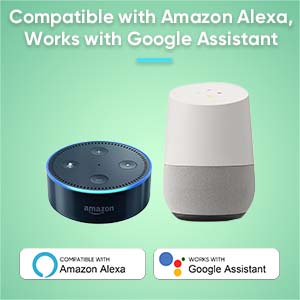
Figure 8.2: Compatibility with Amazon Alexa and Google Assistant (requires Sifely Wi-Fi Gateway).
9. Техникалык тейлөө
9.1 Батареяны алмаштыруу
The Sifely D323T lock is powered by 4 AA alkaline batteries, providing an average battery life of approximately one year. When battery levels are low, the lock will provide an audible or visual alert. To replace batteries:
- Remove the battery cover on the interior panel.
- Эски батарейкаларды алып салыңыз.
- Туура полярдуулукту камсыз кылуу үчүн 4 жаңы AA щелочтуу батарейканы салыңыз.
- Батареянын капкагын алмаштырыңыз.
9.2 Тазалоо
Кулпунун сырткы беттерин жумшак, гamp кездеме. Абразивдүү тазалагычтарды, эриткичтерди же катуу химиялык заттарды колдонуудан алыс болуңуз, анткени алар финишке жана электрондук компоненттерге зыян келтириши мүмкүн.
10. Кыйынчылыктарды
- Кулпу жооп бербей жатат: Check battery levels. Replace batteries if low. Ensure the keypad is activated by touching it.
- Өткөрүүчү код иштебей жатат: Verify the passcode is entered correctly. Check if the code is expired (for timed or one-time codes) or if the lock is in a specific mode (e.g., Lock Out Mode).
- Key fob not working: Ensure the fob is correctly registered in the app. Present the fob directly to the keypad.
- Lock not engaging fully: Check for any obstructions in the door frame or strike plate. Ensure the latch is properly aligned. A factory reset may be required if mechanical issues persist after checking alignment.
- Колдонмо туташуу көйгөйлөрү: Ensure Bluetooth is enabled on your phone and you are within range. For Wi-Fi features, verify the Sifely Wi-Fi Gateway is properly installed and connected to your network.
11. Техникалык шарттар
| Өзгөчөлүк | Спецификация |
|---|---|
| Бренд | Sifely |
| Модель аты | Д323Т |
| Кулпу түрү | joldar, |
| Материал | Цинк |
| Түс | Silver (Satin Nickel Finish) |
| Power Source | 4 AA Batteries (Alkaline) |
| Батареянын орточо иштөө мөөнөтү | 1 жыл |
| Байланыш | Bluetooth, Wi-Fi (with optional Gateway) |
| Башкаруу ыкмасы | App, Keypad, Fob, Physical Key |
| Элемент Салмагы | 2.48 фунт |
| Өлчөмдөрү (L x W x Y) | 3 x 3 x 1 дюйм (болжол менен) |
| Иштөө температурасы | -4°F – 140°F (-20°C – 60°C) |
12. Кепилдик жана колдоо
The Sifely D323T Smart Door Lock comes with a Продукцияга 1 жылдык кепилдик from the date of purchase. Sifely also provides өмүр бою кардарларды колдоо for its products. The Sifely app and associated software are free to use, with no hidden charges or long-term costs.
For technical assistance, troubleshooting, or warranty claims, please refer to the contact information provided with your product packaging or visit the official Sifely support webсайт.