
Introduction
Сатып алганыңыз үчүн рахматasing the eKids Harry Potter Bluetooth Speaker. This portable wireless speaker is designed to provide clear audio from your Bluetooth-enabled devices. This manual provides essential information for setting up, operating, and maintaining your speaker.

Сүрөт: алдыңкы view of the eKids Harry Potter Bluetooth Speaker, featuring the Harry Potter character design.
Коопсуздук маалыматы
Please read and follow all safety instructions before using this product to prevent injury or damage.
- Түзмөктү өтө жогорку температурага, түз күн нуруна же нымдуулукка дуушар кылбаңыз.
- Do not immerse the unit in water. This product is not waterproof.
- Берилген заряддоо кабелин гана колдонуңуз.
- Агрегатты ажыратууга же өзгөртүүгө аракет кылбаңыз.
- Кичинекей балдар жетпеген жерде сактаңыз.
- Батареяларды жергиликтүү эрежелерге ылайык туура жок кылыңыз.
Пакеттин мазмуну
Пакетте бардык буюмдар бар экенин текшериңиз:
- Harry Potter Bluetooth Speaker
- Микро USB заряддоо кабели
- Билек боо
Продукт бүттүview
Familiarize yourself with the components of your speaker:

Image: Diagram showing the speaker's dimensions (2.2 inches / 56mm height, 1.8 inches / 46mm width) and labeled parts including the speaker grille, slot to attach wrist strap, port for charging (Micro USB), and Power/Pairing Button.
- Динамик тор: Аудио чыгаруу үчүн жогорку жагында жайгашкан.
- Кубат/жупташтыруу баскычы: Кубатты башкарат жана Bluetooth жупташуусун баштайт.
- Заряддоо порту: Micro USB port for connecting the charging cable.
- Билек боосу үчүн уяча: For attaching the included wrist strap.
Спикерди заряддоо
The speaker is powered by a built-in rechargeable Lithium-Ion battery. Before first use, fully charge the speaker.
- Connect the small end of the Micro USB charging cable to the Charging Port on the speaker.
- Connect the large end of the Micro USB charging cable to a powered USB port (e.g., computer, USB wall adapter).
- The charging indicator light (if present, refer to product for exact location) will illuminate during charging and turn off when fully charged.
- Заряддоо убактысы ар кандай болушу мүмкүн. Заряддоо аяктагандан кийин кабелди ажыратыңыз.
Bluetooth Жупташтыруу
Follow these steps to connect your speaker to a Bluetooth-enabled device:
- Динамик толугу менен кубатталганын текшериңиз.
- басып, кармап туруңуз Кубат/жупташтыруу баскычы on the speaker until you hear an audible prompt or see an indicator light flashing, indicating it is in pairing mode.
- On your Bluetooth-enabled device (smartphone, tablet, computer, etc.), go to the Bluetooth settings menu.
- Bluetooth'ду иштетиңиз жана жеткиликтүү түзмөктөрдү издеңиз.
- Select "Harry Potter Speaker" (or similar name) from the list of devices.
- Once paired, you will hear a confirmation tone, and the indicator light will stop flashing.
- The speaker can wirelessly stream audio up to 30 feet from your device.
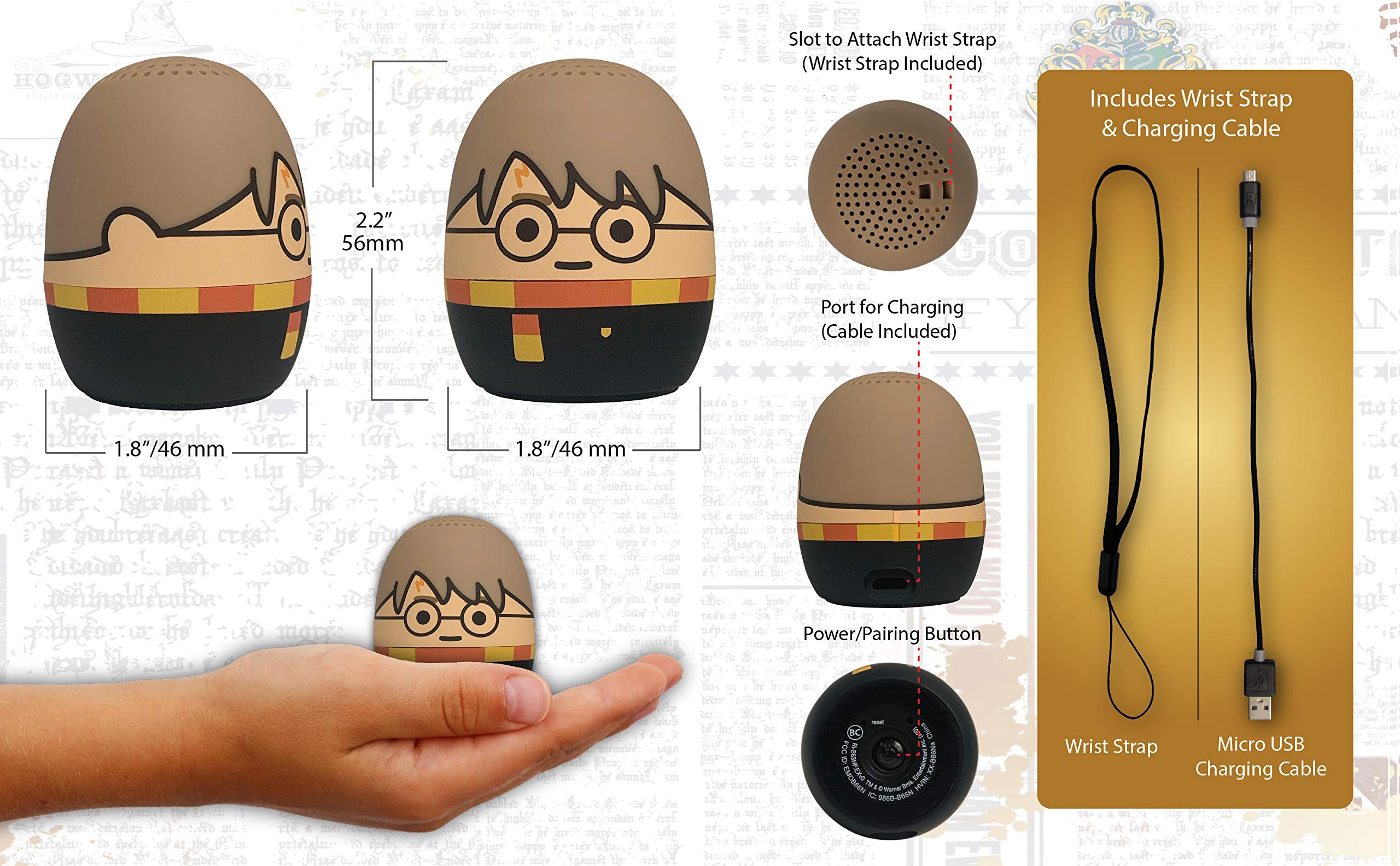
Image: The Harry Potter Bluetooth Speaker shown with icons representing compatible devices: mobile phone, tablet, notebook, PC, smart watch, and game device.
Операция
After successful pairing, you can begin playing audio:
- Аудио ойнотуу: Start playing music or other audio content on your paired device. The sound will be transmitted to the speaker.
- Үндү көзөмөлдөө: Adjust the volume directly from your paired device.
- Күйгүзүү/өчүрүү: басып, кармап туруңуз Кубат/жупташтыруу баскычы to turn the speaker on or off.
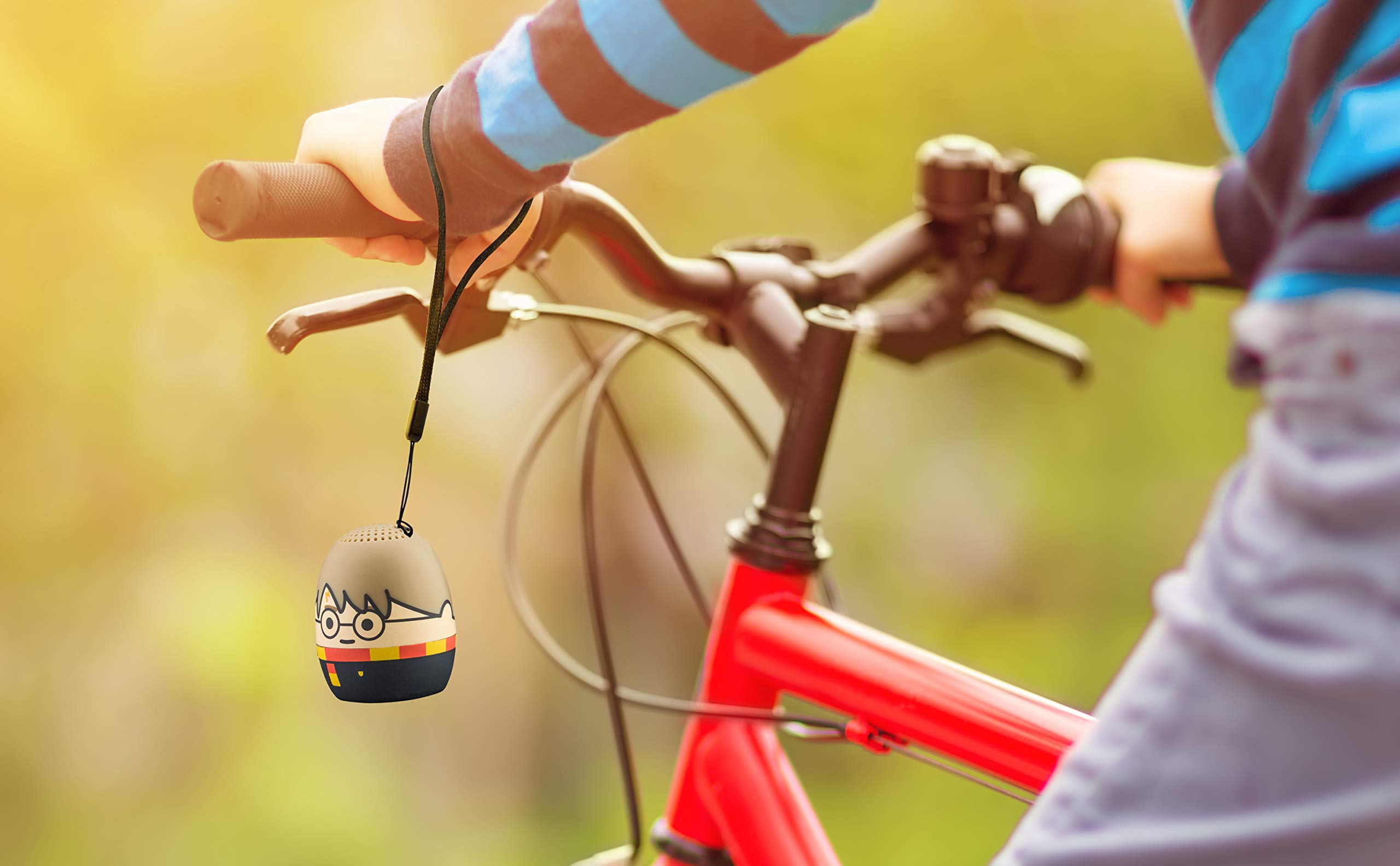
Image: The Harry Potter Bluetooth Speaker, with its wrist strap, attached to the handlebar of a bicycle, demonstrating its portability for outdoor use.
Техникалык тейлөө
To ensure the longevity of your speaker, follow these maintenance guidelines:
- Тазалоо: Wipe the speaker with a soft, dry cloth. Do not use liquid cleaners or abrasive materials.
- Сактагыч: Динамикти узак убакыт бою колдонбогондо, түз күн тийбеген, кургак, салкын жерде сактаңыз.
- Батареяга кам көрүү: For optimal battery life, avoid fully discharging the battery frequently. Charge it regularly, even if not used often.
Проблемаларды чечүү
Эгерде сиз динамик менен көйгөйлөргө туш болсоңуз, төмөнкү таблицаны караңыз:
| Көйгөй | Чечим |
|---|---|
| Динамик күйбөйт. | Ensure the battery is charged. Connect the speaker to a power source using the Micro USB cable. |
| Bluetooth түзмөгү менен жупташтыруу мүмкүн эмес. |
|
| Үн жок же үнү төмөн. |
|
| Аудио сапаты начар. |
|
Техникалык шарттар
| Өзгөчөлүк | Деталь |
|---|---|
| Бренд | eKids |
| Модель аты | Гарри Поттер |
| Байланыш технологиясы | Bluetooth, USB |
| Динамиктин максималдуу чыгаруу күчү | 10 Ватт |
| Аудио чыгаруу режими | Стерео |
| Динамик түрү | Portable |
| Башкаруу ыкмасы | баскыч |
| Динамик өлчөмү | 40 миллиметр |
| Power Source | Батарея менен иштейт (1 литий-иондук батарейка камтылган) |
| Шайкеш түзмөктөр | Personal Computer, Smartphone, Tablet, Television |
| Суу өткөрбөйт | ЖАЛГАН |
| UPC | 092298948775 |
| ASIN | B087NFC293 |
Кепилдик жана колдоо
This product comes with a Limited Warranty. For specific warranty details, please refer to the documentation included with your purchase or contact eKids customer support.
For technical support or further assistance, please visit the eKids official webсайтка же кардарларды тейлөө бөлүмүнө кайрылыңыз. Кепилдик дооматтар үчүн сатып алуу дүмүрчөгүңүздү сактаңыз.