
1. Киришүү
Сатып алганыңыз үчүн рахматasing the HOMPOW Mini Projector. This projector is designed to provide a high-quality viewing experience with its 1080P Full HD support and 6500 lumens brightness. It includes a 100-inch projection screen for immediate use. This manual will guide you through the setup, operation, and maintenance of your new projector.
Пакеттин мазмуну
- HOMPOW Mini Projector
- 100-inch Projection Screen
- Алыстан башкаруу
- HDMI кабели
- Кубаттуу адаптер
- User Manual
2. Коопсуздук нускамалары
Проекторду колдонуудан мурун бардык коопсуздук көрсөтмөлөрүн кунт коюп окуп чыгыңыз. Бул көрсөтмөлөрдү аткарбоо өрткө, электр тогуна урунууга же башка жаракаттарга алып келиши мүмкүн.
- l болгондо проектордун объективине тике карабаamp күйүк. Жарык жарык көзгө зыян келтириши мүмкүн.
- Вентиляция тешиктерин жаппаңыз. Ашыкча ысып кетүүнүн алдын алуу үчүн абанын туура агымы зарыл.
- Keep the projector away from water or other liquids. Do not operate in wet environments.
- Place the projector on a stable, flat surface to prevent it from falling.
- Проектор менен кошо берилген кубат адаптерин гана колдонуңуз.
- Чагылган бороондордо же көпкө колдонулбаганда проекторду электр розеткасынан ажыратыңыз.
- Проекторду өз алдынча оңдоого аракет кылбаңыз. Бардык тейлөө иштерин квалификациялуу адистерге тапшырыңыз.
3. Продукт бүтүп калдыview
Проектор компоненттери
Familiarize yourself with the main parts of your HOMPOW Mini Projector.


Киргизүү/чыгыш порттору
- HDMI порту: Connect to devices like laptops, gaming consoles (PS3/PS4), Fire TV Stick, and TV boxes.
- USB порт: Connect USB drives for media playback or power for streaming devices.
- SD карта уячасы: Insert SD cards for direct media playback.
- AV порт: Эски түзмөктөргө AV кабели аркылуу туташыңыз.
- VGA порту: Connect to computers with VGA output.
- Аудио чыгышы (3.5 мм уяча): Тышкы динамиктерди же гарнитураны туташтырыңыз.
- DC In: Проектор үчүн кубат булагы.
4. Орнотуу
Баштапкы жайгаштыруу
Place the projector on a stable surface. For optimal viewing, ensure the projector is positioned directly in front of the projection surface (wall or screen). The recommended projection distance is approximately 3 meters for a clear image.
Power Connection
- Connect the power adapter to the DC In port on the projector.
- Кубат адаптерин розеткага сайыңыз.
- Аны күйгүзүү үчүн проектордун же пульттун кубат баскычын басыңыз.
Түзмөктөрдү туташтыруу
The projector supports various input sources. Below are common connection methods:
HDMI Connection (e.g., Fire TV Stick, Laptop, Gaming Console)
- Connect the HDMI output cable from your device (e.g., Fire TV Stick) to the HDMI input port on the projector.
- If using a streaming stick like Fire TV Stick, connect its USB power cable to the projector's USB port for power.
- On the projector's main menu, select the "HDMI" input source.
Smartphone/Tablet Connection
To connect a smartphone or tablet, an HDMI conversion adapter (not included) is required. Connect your device to the adapter, then connect the adapter to the projector's HDMI port.

USB Drive/SD Card Playback
Insert a USB drive into the USB port or an SD card into the SD card slot. Select the corresponding input source from the main menu to browse and play media files.
5. Иштөө нускамалары
Фокусту тууралоо
Rotate the focus ring on the projector lens until the image appears clear and sharp on the screen.
Keystone Correction
The projector features a ±15-degree keystone correction function. Adjust the keystone dial to correct distorted images (trapezoidal shape) if the projector is not perfectly perpendicular to the screen.
Булак тандоо
Use the remote control or the buttons on the projector to navigate the main menu and select your desired input source (HDMI, USB, SD, AV, VGA).
Аудио чыгаруу
The projector has two built-in speakers for immersive sound. For a different audio experience, you can connect external speakers or headphones via the 3.5mm audio jack.
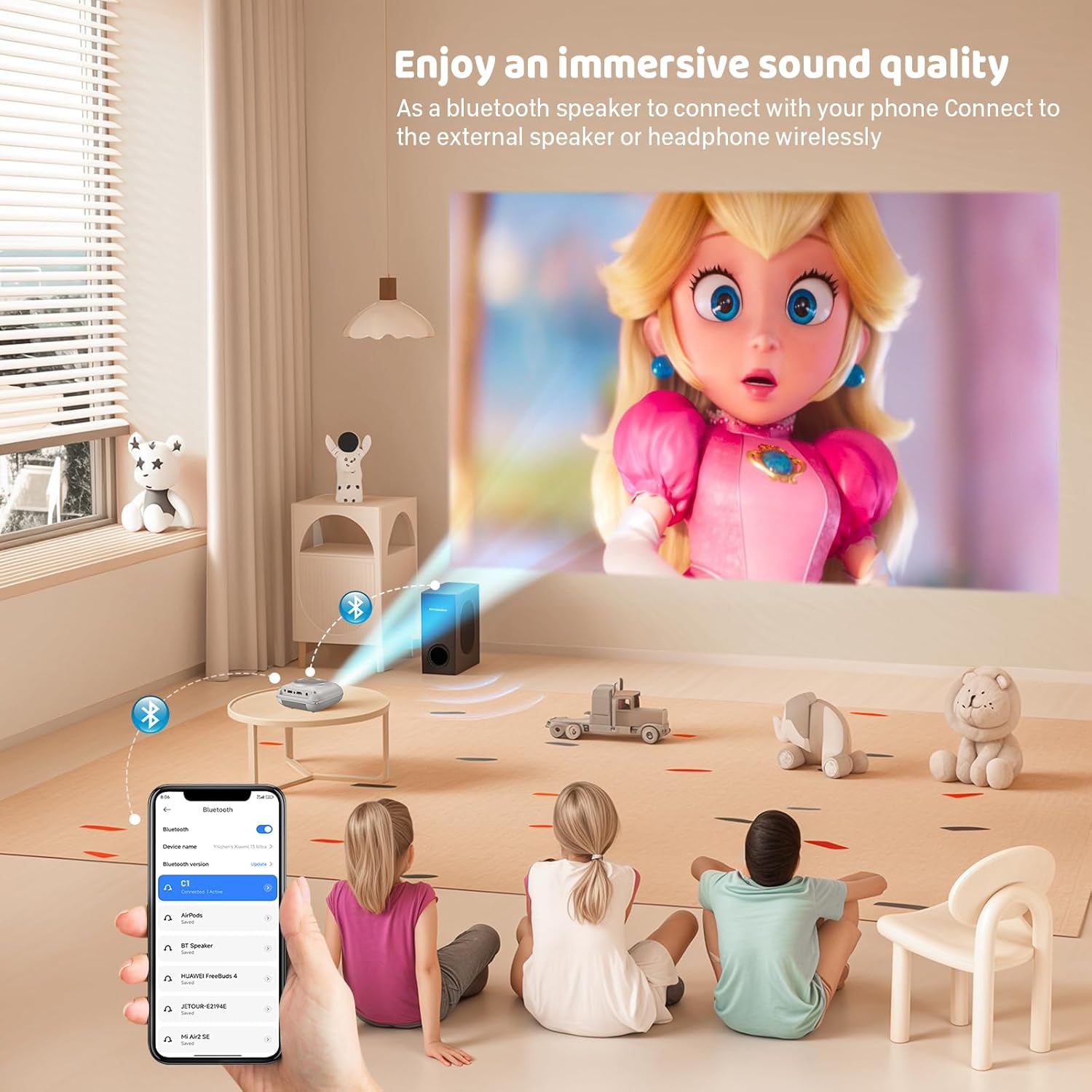
Экранды чагылдыруу
The projector supports screen mirroring for compatible devices. Refer to the on-screen instructions or the projector's menu for specific steps to enable screen mirroring from your smartphone or tablet.
6. Техникалык тейлөө
Линзаны тазалоо
Use a soft, lint-free cloth specifically designed for optical lenses to gently wipe the projector lens. Avoid using abrasive cleaners or cloths that could scratch the lens.
Cleaning the Projector Body
Проектордун сыртын жумшак, кургак чүпүрөк менен сүртүңүз. Суюк тазалагычтарды же эриткичтерди колдонбоңуз.
Вентиляция
Ensure the ventilation openings are clear of dust and debris. The projector features a dual-fan cooling system to maintain optimal operating temperature and extend lamp life. Do not obstruct these vents.
Lamp Жашоо
LED lamp in your HOMPOW projector has a lifespan of approximately 60,000 hours, providing long-term use without frequent lamp алмаштыруу.
7. Кыйынчылыктарды
| Көйгөй | Мүмкүн себеп | Чечим |
|---|---|---|
| Сүрөт жок же бүдөмүк сүрөт | Focus not adjusted; incorrect input source; cable not connected properly. | Adjust the focus ring; select the correct input source; check all cable connections. |
| Үн жок | Volume too low; audio cable not connected; device audio settings. | Increase projector volume; ensure audio cables are connected; check audio output settings on the connected device. |
| Сүрөт трапеция түрүндө | Проектор экранга перпендикуляр эмес. | Adjust the keystone correction dial or reposition the projector. |
| Пульт иштебей жатат | Batteries low or dead; obstruction between remote and projector. | Replace batteries; ensure clear line of sight to the projector's IR receiver. |
| Проектор ысып кетти | Ventilation ports blocked. | Ensure all ventilation ports are clear and unobstructed. |
8. Техникалык шарттар
- Дисплей технологиясы: LCD
- Түпкү резолюция: 1280 x 720 пиксель
- Колдоого алынган чечим: 1080P Full HD чейин
- Жарыктык: 6500 Lumens
- Контраст катышы: 3000:1
- Lamp Жашоо: 60,000 саат
- Проекциянын өлчөмү: 32-176 inches (Recommended: 100 inches)
- Проекциялык аралык: 1m - 5.2m (Recommended: 3m)
- Негизги ташты оңдоо: ±15 degrees manual
- Байланыш: HDMI, USB, SD, AV, VGA
- Аудио: Built-in dual speakers, 3.5mm audio out
- Энергияны керектөө: 48 Вт
- Продукциянын өлчөмдөрү: 19 x 15 x 8 см
- Продукт Салмагы: 1.71 кг
9. Кепилдик жана колдоо
The HOMPOW Mini Projector comes with a manufacturer's warranty. Please refer to the warranty card included in your package for specific terms and conditions. For any product inquiries, technical support, or warranty claims, please contact HOMPOW customer service through the contact page on their official website or the platform where you purchased the product. Our customer support team aims to respond promptly during business hours.