
Yixi HUAP10LITEWZCKA
Yixi Huawei P10 Lite LCD Touchscreen Replacement User Manual
Your guide to a successful display replacement.
Introduction
This user manual provides essential information and step-by-step guidelines for installing your new Yixi LCD Touchscreen Replacement for the Huawei P10 Lite. Please read all instructions carefully before beginning the installation process to ensure proper functionality and to prevent damage to your device or the new display.
Шайкештик
This replacement display with frame is specifically designed for the Huawei P10 Lite model. Ensure your device is compatible before proceeding with the installation.
Пакеттин мазмуну
Пакетти ачканда, сиз төмөнкү буюмдарды табышыңыз керек:
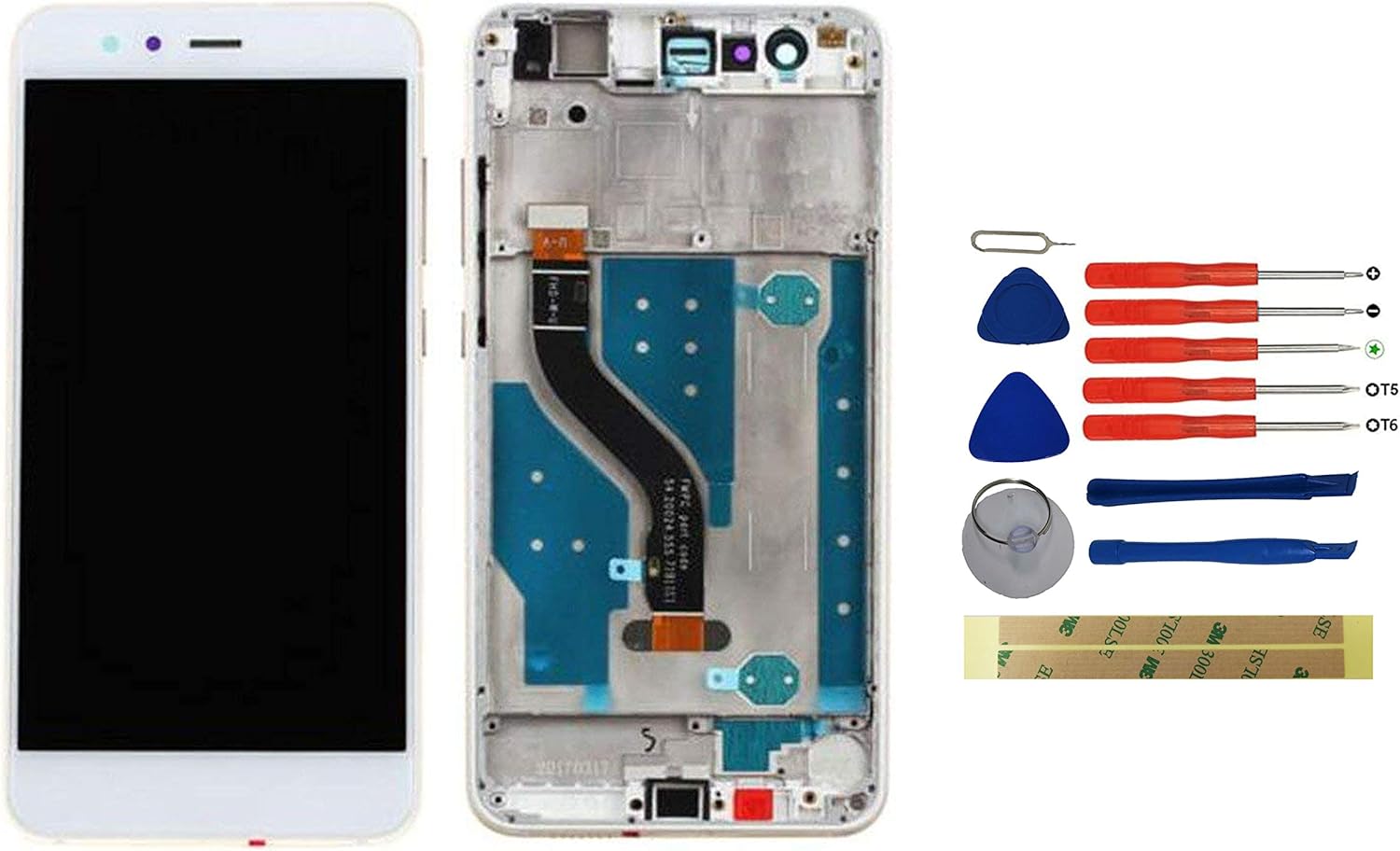
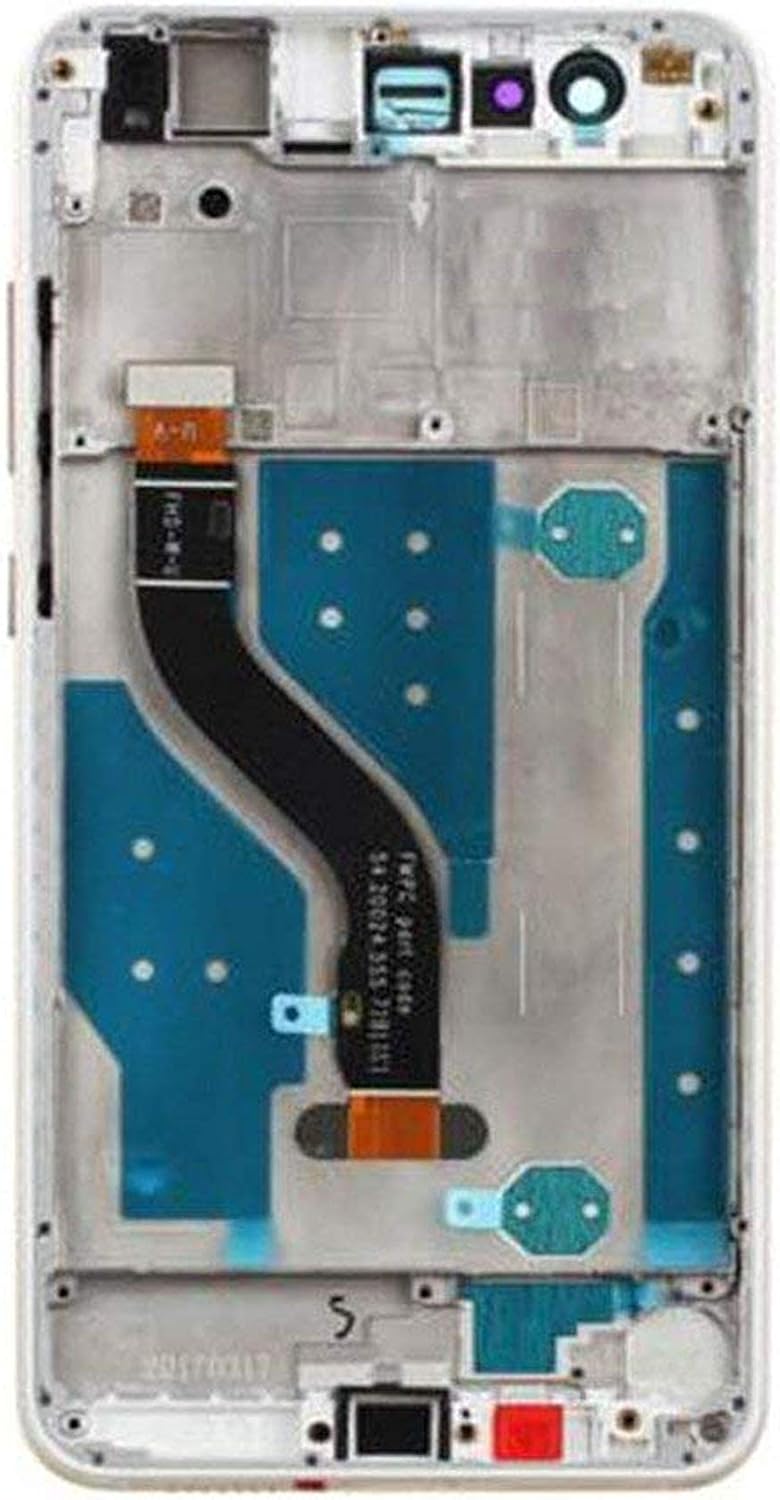
- 1 x LCD Touchscreen with Frame (White)
- 1 x Toolkit (various screwdrivers, pry tools, suction cup, SIM ejector pin, guitar picks)
- 2 x 3M жабышчаак ленталар
- 1 x Card Pin (SIM ejector tool)


Орнотуу боюнча көрсөтмөлөр
Follow these guidelines carefully for a successful installation. Professional installation is recommended if you are not familiar with phone repair procedures.
- Орнотуу алдындагы тест: Before fully installing the screen, connect the digitizer and LCD to the motherboard. Power on the device and test the screen's touch functionality and display quality. Ensure all parts are working correctly.
- Этияттык менен мамиле кылуу: The connection points on the screen are very fragile. Exercise extreme caution during replacement.
- Колду кургак кармаңыз: Ensure your hands are dry and clean when handling and installing the screen to prevent damage from moisture or oils.
- No Installation Instructions Included: This product does not come with detailed step-by-step installation instructions. It is highly recommended to consult online resources such as YouTube for video tutorials specific to Huawei P10 Lite display replacement.
Маанилүү эскертүүлөр
- Сапатты камсыздоо: Our products undergo professional testing before shipment. Each unit is 100% tested and brand new to ensure quality.
- Кемчиликтүү продукт саясаты: If the product you receive is defective, crashed, or damaged, do not install it on your phone, tablet, or laptop. Contact us immediately for assistance.
- Professional Skill Recommended: Replacing a phone screen requires technical skill. If you are unsure about the process, it is advisable to seek assistance from a professional technician.
Продукт спецификациялары
| Атрибут | Деталь |
|---|---|
| Бренд | Yixi |
| Моделдин шайкештиги | Huawei P10 Lite |
| Түс | Ак |
| Type | LCD Touchscreen with Frame |
| Өндүрүүчү | yixidian |
| Өндүрүүчүнүн маалымдамасы | HUAP10LITEWZCKA |
| бери Amazon.de жеткиликтүү | 17-май, 2020-жыл |
| Программалык камсыздоонун жаңыртууларына кепилдик берилет | Белгисиз |
Проблемаларды чечүү
If you encounter issues after installation, please consider the following:
- Display Not Working/Touch Unresponsive: Ensure all flex cables are securely connected to the motherboard. Re-check the connections and perform the pre-installation test again.
- Display Issues (Lines, Spots): This may indicate a defective unit or damage during installation. Do not force the display into place. If the issue persists after re-checking connections, contact customer support.
- Tools Missing/Damaged: If any tools or components were missing or damaged upon arrival, please contact us immediately.
Кепилдик жана колдоо
If you have any questions or experience problems with our product, please do not hesitate to contact us. You can send us a message via Amazon's messaging system. Our customer service team aims to respond within 24 hours. Your patience is greatly appreciated.
Ask a question about this manual
Ask about setup, troubleshooting, compatibility, parts, safety, or missing instructions. Manuals+ will review the question and use this page’s manual context to help answer it.