
Introduction
This manual provides detailed instructions for the safe and effective operation of your BTMETER Digital Tachometer BT-9235C. This non-contact device is designed for measuring revolutions per minute (RPM) in various rotating systems, including automotive engines, lawn mowers, lathes, milling machines, and HVAC fans. Please read this manual thoroughly before use and keep it for future reference.
Өзгөчөлүктөрү
- Wide measurement range: 7.0 to 99999 RPM with high accuracy.
- Non-contact measurement using a red light pointer for precise targeting up to 39 inches.
- Fast response time of 1 second for instant results.
- Data memory function: Stores up to 10 sets of data, including maximum, minimum, and average readings.
- Large, backlit LCD display for clear readability in various lighting conditions.
- Automatic power-off feature to conserve battery life.

Пакеттин мазмуну
Пакетти ачканда бардык буюмдар бар экенин жана жакшы абалда экендигин текшериңиз:
- BTMETER Digital Tachometer BT-9235C
- Instruction Manual
- Reflective Tape (24 inches long)
- Ташуу кутусу
- 2 x 1.5V AA Size Batteries (may vary, check product specifications)

Жайгашуу
Батарея орнотуу
- Locate the battery compartment on the back of the tachometer.
- Батареянын капкагын жылдырыңыз.
- Insert two 1.5V AA size batteries, ensuring correct polarity (+/-).
- Батареянын капкагын бекем жабыңыз.

Applying Reflective Tape
For accurate non-contact measurements, reflective tape must be applied to the rotating object.
- Cut a small piece of reflective tape (approximately 0.5 to 1 inch).
- Clean the surface of the rotating object where the tape will be applied.
- Firmly stick the reflective tape onto the rotating object. For best results, place the tape on the edge of the object.
Иштөө нускамалары
Non-Contact RPM Measurement
- Ensure batteries are installed and reflective tape is applied to the target object.
- Press the "ON/TEST" button to power on the tachometer. The display will show "SCAN".
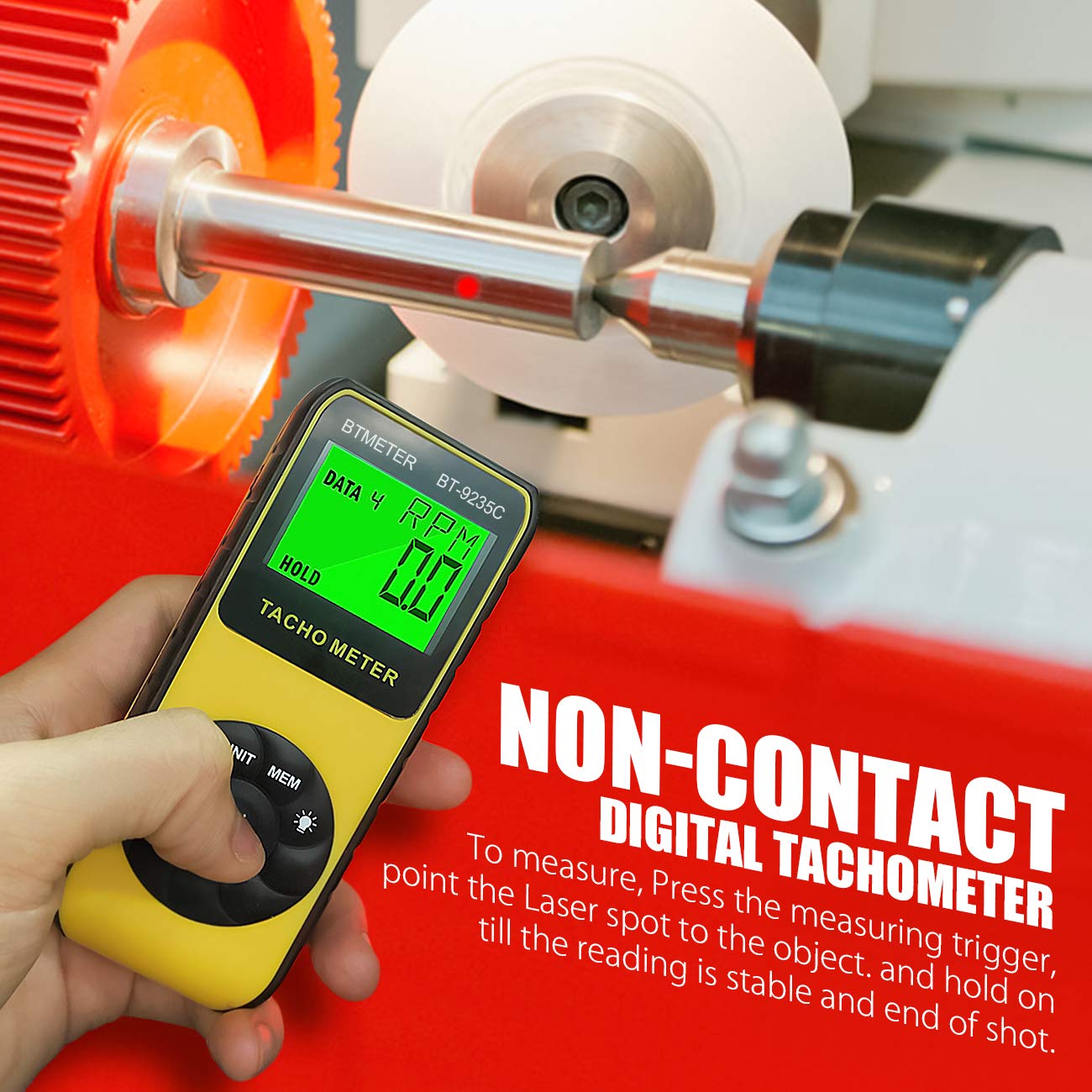
- Point the red light pointer at the reflective tape on the rotating object. Maintain a distance of 2 to 39 inches (50-1000mm) from the target.
- Hold the "ON/TEST" button down. The tachometer will begin measuring and display the RPM.
- Release the "ON/TEST" button to stop measurement. The last reading will be held on the display.
Laser Lock Function
To maintain continuous laser emission without holding the "ON/TEST" button:
- Press the "LOCK" button. The laser will remain on, allowing for extended measurement periods without continuous button press.
- To deactivate the laser lock, press the "LOCK" button again.
Маалыматтарды сактоо жана кайра чакырып алуу
The tachometer can store and display maximum, minimum, and average values from a measurement session.
- During a measurement, press the "MEM" button to store the current reading. The device automatically stores MAX, MIN, and AVG data for up to 10 sets.
- To recall stored data, press the "MEM" button repeatedly while the device is on but not actively measuring. Each press will cycle through MAX, MIN, and AVG values for the stored data sets.
Тиркемелер
The BTMETER BT-9235C Digital Tachometer is suitable for a wide range of applications requiring precise RPM measurement:
- Автоунаа: Measuring engine RPM for diagnostics and tuning.
- Өнөр жай: Monitoring rotational speed of machinery such as motors, electric fans, pumps, and conveyor belts.
- Өндүрүш: Quality control for rotating parts in production lines.
- HVAC: Checking fan and blower speeds in heating, ventilation, and air conditioning systems.

Техникалык тейлөө
To ensure the longevity and accuracy of your tachometer, follow these maintenance guidelines:
- Тазалоо: Wipe the device with a soft, dry cloth. Do not use abrasive cleaners or solvents. Keep the laser emission and receiving ports clean and free of dust.
- Сактагыч: Store the tachometer in its protective carrying case when not in use. Keep it in a cool, dry place, away from direct sunlight and extreme temperatures.
- Батареяны алмаштыруу: If the low battery indicator appears on the display, replace the batteries promptly to avoid inaccurate readings or device malfunction. Remove batteries if the device will not be used for an extended period.
Проблемаларды чечүү
If you encounter issues with your BTMETER Digital Tachometer, refer to the following common problems and solutions:
| Көйгөй | Мүмкүн себеп | Чечим |
|---|---|---|
| Дисплей жок же алсыз дисплей | Төмөн же өлүп калган батарейкалар; туура эмес батарея орнотуу. | Батареяларды жаңысына алмаштырыңыз; туура полярдуулугун камсыз кылуу. |
| Так эмес же туруксуз көрсөткүчтөр | Reflective tape not properly applied; insufficient reflective surface; measurement distance too far or too close; ambient light interference. | Ensure tape is flat and clean; use a larger piece of tape if needed; adjust measurement distance (2-39 inches); minimize strong light sources. |
| Laser not emitting | Device off; "ON/TEST" button not pressed or "LOCK" not activated; laser emission port obstructed. | Turn on the device; press and hold "ON/TEST" or activate "LOCK"; clean the laser emission port. |
| Түзмөк күйбөйт | Dead batteries; device malfunction. | Батареяларды алмаштырыңыз; эгер көйгөй чечилбесе, кардарларды тейлөө кызматына кайрылыңыз. |
Техникалык шарттар
| Параметр | Нарк |
|---|---|
| Бренд | BTMETER |
| Модел | BT-9235C |
| Өлчөө диапазону | 8 000 - 24 000 RPM |
| Accuracy (7.0-5999.9 RPM) | ±0.01% ±1 цифра |
| Accuracy (5999.9-99999 RPM) | ±0.05% ±1 цифра |
| Resolution (7.0-9999.9 RPM) | 0.1 RPM |
| Resolution (10000-99999 RPM) | 1 RPM |
| Аныктоо түрү | Laser Diode (Non-Contact) |
| Жооп убактысы | 1 секунд |
| Иштөө температурасы | 0-50°C (32-122°F), 10-90% RH |
| Авто өчүрүү | Automatically after approx. 30 seconds |
| Max/Min/Avg Function | Ооба |
| Эс | 40 data points (10 sets of MAX, MIN, AVG, Last data) |
| Батарея түрү | 2 x 1.5V AA Size Battery |
| Өлчөмдөрү (L x W x Y) | 6.69 x 3.15 x 1.97 дюйм (160 x 73 x 40 мм) |
| Элемент Салмагы | 5.28 ounces (approx. without battery) |
| Материал | Пластик |
| UPC | 782910435331 |

Кепилдик жана колдоо
BTMETER provides a 12-month product warranty and lifetime technical support for the BT-9235C Digital Tachometer. This warranty covers defects in materials and workmanship under normal use.
For technical assistance, warranty claims, or any questions regarding your product, please contact BTMETER customer support through the retailer where the product was purchased or visit the official BTMETER webбайланыш маалыматы үчүн сайт.