
Introduction
Welcome to your new Hotmoon Smart Light Bulbs. These RGBW LED bulbs offer 16 million colors, warm white (2700K), and smart control features. This manual provides detailed instructions for installation, operation, and troubleshooting to ensure optimal performance and a seamless smart lighting experience.
Маанилүү коопсуздук маалыматы
- Орнотуудан жана колдонуудан мурун бардык нускамаларды окуп чыгыңыз.
- Do not use with dimmers other than those controlled by the Smart Life app or compatible voice assistants.
- Ensure power is off at the switch before installing or removing the bulb.
- Suitable for indoor use in dry locations only.
- Операциялык томtagд: 100-240V AC.
- сууга же нымдуулукка дуушар кылбаңыз.
Пакеттин мазмуну
- 4 x Hotmoon 9W Smart LED Light Bulbs
- 1 x User Manual
Техникалык шарттар
| Ватtage | 9W |
| Жарык агымы | 900LM |
| Түс температурасы | 2700K + RGB |
| Лампанын түрү | A19 |
| Негизги түрү | E26 |
| Киргизүү көлөмүtage | 100-240В AC |
| Зымсыз түрү | 2.4 ГГц Wi-Fi (5 ГГц колдоого алынбайт) |
| Орточо жашоо | Болжол менен 20,000 саат |
| Башкаруу ыкмасы | App (Smart Life), Voice (Alexa, Google Home), IFTTT |
| Сертификаттар | CE, FCC |
Орнотуу колдонмосу
1. Физикалык орнотуу
- Жарык берүүчү жабдыктын кубат которгучу ӨЧҮК абалында экенин текшериңиз.
- Carefully screw the smart bulb into a standard E26 light socket.
- Жарык берүүчү лампанын кубат которгучун күйгүзүңүз. Лампочка күйүп турушу керек.
2. Smart Life колдонмосун жүктөп алыңыз
- Издөө "Smart Life" in your mobile device's app store (iOS App Store or Google Play Store).
- Колдонмону жүктөп алып, орнотуңуз.
- Жаңы каттоо эсебин каттаңыз же сизде мурунтан эле бар болсо кириңиз.
3. Pair the Smart Bulb with Wi-Fi
- Open the Smart Life app on your mobile device.
- Tap the "+" icon in the top right corner or select "Add Device".
- Navigate to "Lighting" and select "Light Source (Wi-Fi)".
- Ensure the smart bulb is blinking rapidly. If it is not, turn the light switch OFF-ON-OFF-ON-OFF-ON (3 cycles) to reset the bulb until it blinks rapidly.
- Confirm the bulb is blinking rapidly in the app.
- 2.4 ГГц Wi-Fi тармагыңыздын атын жана сырсөзүн киргизиңиз. Эскертүү: 5 ГГц Wi-Fi тармактары колдоого алынбайт. Ensure your phone is connected to the 2.4GHz network during this process.
- Follow the on-screen instructions in the app to complete the pairing process. Once connected, you can rename your bulb for easier control.
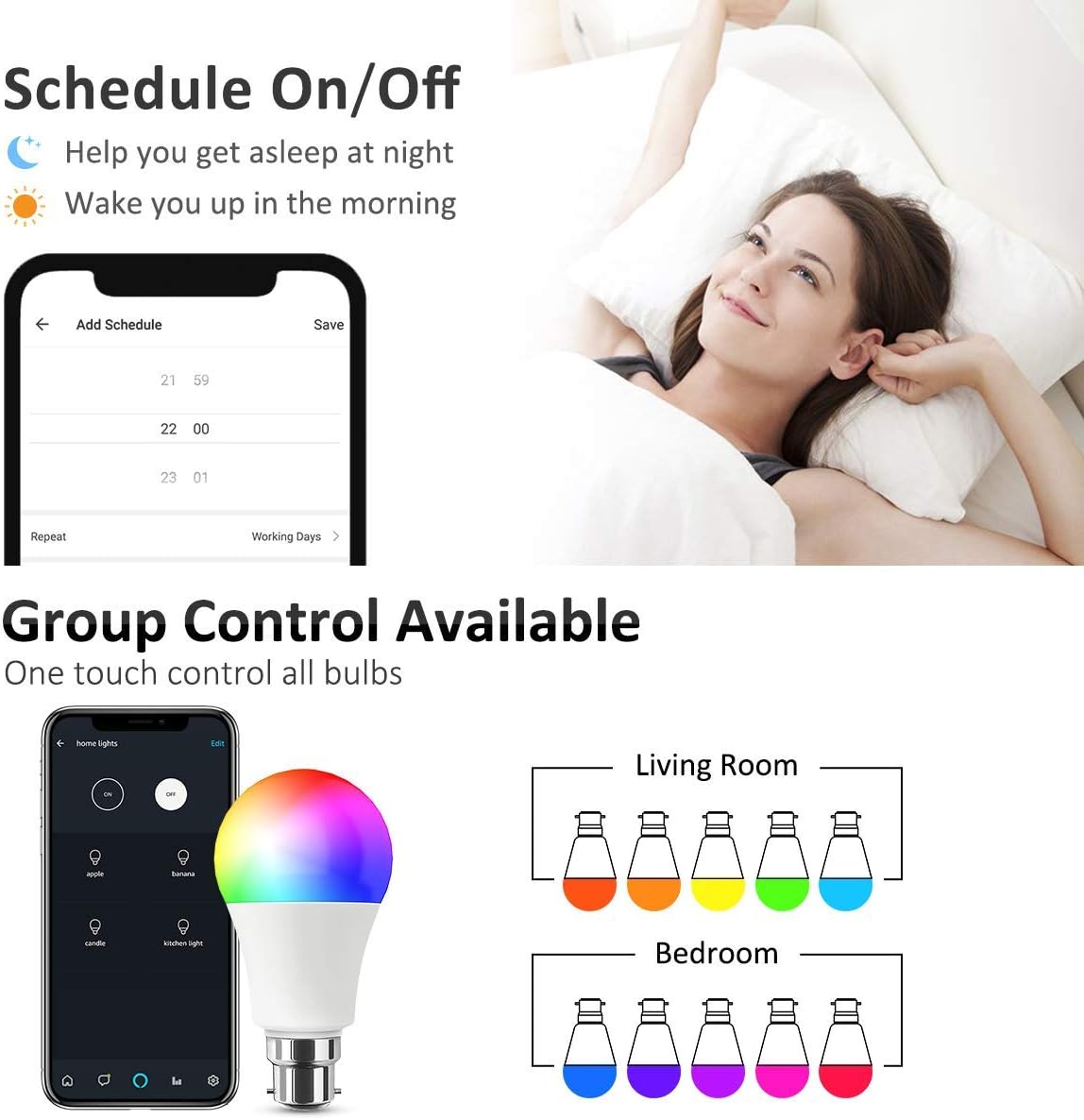
Image: Smart Life App interface for scheduling and group control.
4. Connect to Voice Assistants (Optional)
- Amazon Alexa үчүн:
- Amazon Alexa колдонмосун ачыңыз.
- Go to "Skills & Games", search for "Smart Life".
- Enable the skill and link your Smart Life account using your Smart Life app credentials.
- Discover devices. Alexa will find your smart bulbs.
- Google Home үчүн:
- Google Home колдонмосун ачыңыз.
- Tap the "+" icon -> "Set up device" -> "Works with Google".
- Издөө "Smart Life" and link your account using your Smart Life app credentials.
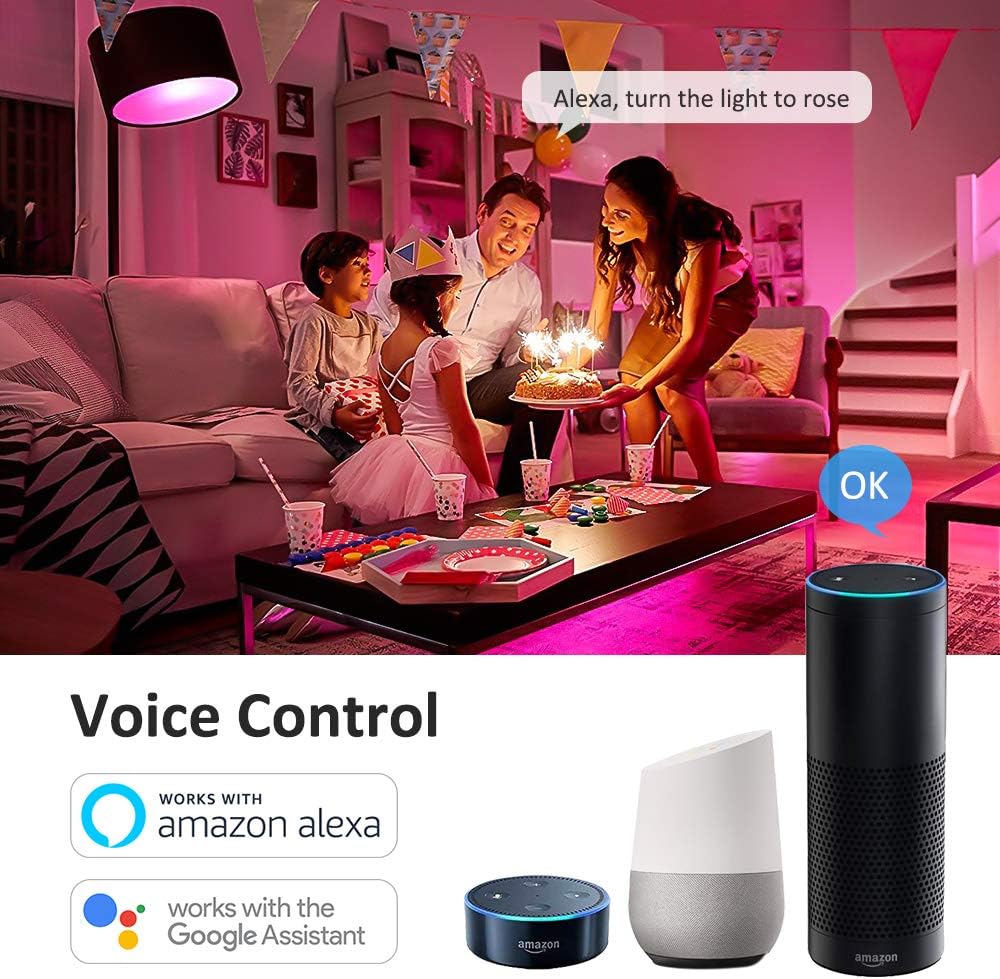
Image: Voice control integration with Amazon Alexa and Google Assistant.
Иштөө нускамалары
1. Smart Life тиркемеси аркылуу негизги башкаруу
- Күйгүзүү/өчүрүү: Кубатты өчүрүү үчүн колдонмодогу лампа сүрөтчөсүн таптаңыз.
- Жарыктык: Adjust the slider to set the desired brightness level (0-100%).
- Түс өзгөртүү: Select from 16 million colors using the intuitive color wheel.
- Жылуу ак: Adjust the color temperature slider to achieve various shades of warm white light (2700K).
- Сахна режимдери: Choose from 8 pre-set scene modes (e.g., Night, Read, Meeting, Leisure, Soft, Rainbow, Shine, Gorgeous) to instantly change the room's atmosphere.

Image: Smart Life App interface demonstrating Warm White, Color, and Scene modes.

Сүрөт: Мисample of 16 million colors and 8 lighting scenes in a room setting.
2. Үн менен башкаруу
Once connected to Amazon Alexa or Google Home, you can control your smart bulbs using simple voice commands:
- "Алекса, [Лампанын аты] күйгүз."
- "Hey Google, set the [Bulb Name] to blue."
- "Alexa, dim the [Bulb Name] to 50%."
- "Hey Google, change [Bulb Name] to warm white."
3. Таймер жана график функциялары
Utilize the Smart Life app to set custom schedules and timers for your bulbs:
- График: Program your lights to turn on or off at specific times, such as waking you up in the morning or turning off when you leave home.
- Таймер: Set a countdown timer for the light to turn off after a specified duration.
4. Топтук көзөмөл
The Smart Life app allows you to group multiple smart bulbs together. This enables you to control all grouped bulbs simultaneously with a single command, creating a unified lighting experience for a room or area.

Image: Remote control and group control functionality via the Smart Life App.
Техникалык тейлөө
- Clean the bulb with a soft, dry cloth only. Do not use liquid cleaners or abrasive materials.
- There are no user-serviceable parts inside the bulb. Do not attempt to disassemble or repair the product.
- Ensure the bulb is cool before handling or cleaning.
Проблемаларды чечүү
- Bulb not pairing/connecting to Wi-Fi:
- Wi-Fi тармагыңыз 2.4 ГГц экенин текшериңиз. 5 ГГц тармактары колдоого алынбайт.
- Check the Wi-Fi signal strength near the bulb. Move the bulb closer to your router if necessary.
- Reset the bulb by cycling the power switch OFF-ON-OFF-ON-OFF-ON (3 cycles) until it blinks rapidly, then attempt pairing again.
- Ensure your mobile device is connected to the same 2.4GHz Wi-Fi network during the pairing process.
- Үн менен башкаруу иштебей жатат:
- Verify that the Smart Life skill/service is enabled and correctly linked to your Amazon Alexa or Google Home account.
- Ensure the device names in the Smart Life app match the names you are using for voice commands.
- Alexa же Google Home колдонмоңузда түзмөктөрдү кайра таап көрүңүз.
- Bulb not responding or showing incorrect colors:
- Check the bulb's power supply by turning the light switch off and on.
- Try resetting the bulb by cycling power (OFF-ON-OFF-ON-OFF-ON).
- Ensure the Smart Life app is updated to the latest version.
- If a single bulb consistently malfunctions after troubleshooting, it may be defective.
Кепилдик жана колдоо
Hotmoon smart light bulbs come with a standard manufacturer's warranty. Please refer to the original purchase documentation or product packaging for specific warranty terms and duration.
For technical support, warranty claims, or any questions regarding your Hotmoon Smart Light Bulbs, please contact Hotmoon customer service through your retailer or the contact information provided with your purchase. Please have your model number (HM-LB07-RGBW-US-4-B) and proof of purchase ready when contacting support.