
1. Киришүү
The Eonon X3 is a 7-inch double DIN car stereo featuring a Linux operating system, designed to enhance your driving experience with advanced connectivity and audio capabilities. This unit supports wireless Apple CarPlay and Android Auto, allowing for smart and safe phone integration for navigation, calls, messages, and music. It includes a QLED touchscreen, physical buttons for ease of use, and a built-in DSP for superior audio quality. The X3 also offers versatile input/output options, including Type-C fast charging, MirrorLink, and video input/output.
2. Орнотуу жана орнотуу
2.1 Product Dimensions and Compatibility
The X3 features a removable panel and can be installed in vehicles with dashboard dimensions between 170*96 mm and 178*100 mm. If your car's dashboard dimensions do not match these, an additional installation kit (not included) may be required. Use keywords like "car make, model, and year + ISO harness" or "car make, model, and year + 2 Din kit" to find appropriate accessories online.

Image: Diagram showing the dimensions of the Eonon X3 car stereo (178x100mm or 170x96mm) and its removable panel. It also illustrates the need for an additional installation kit if dashboard dimensions do not match.

Image: Illustration showing a car dashboard that requires an additional 2 DIN installation kit (not included) for the Eonon X3 car stereo. It also provides keywords for finding compatible kits online.
2.2 Wiring Diagram and Accessories
Refer to the wiring diagram for proper connection of all components. The package includes a power cable, 10A fuse, external microphone, user manual, screws, and a backup camera (A0125).

Image: Detailed wiring diagram for the Eonon X3 car stereo, labeling various input/output ports such as GND, reverse wire, SWC cables, ISO port, brake shift control, USB, external microphone, radio antenna input, backup camera input, subwoofer output, video input/output, and audio input/output.
Image: Visual representation of the accessories included with the Eonon X3 car stereo, including power cable, external microphone, parking brake signal wire, 10A fuse, screws, rotary knob, A0125 backup camera, and user manual.
2.3 Backup Camera Installation (A0125)
The Eonon X3 comes with an A0125 backup camera. Proper connection is crucial for its functionality. Follow the steps below based on your car radio's configuration.
2.3.1 Connecting A0125 Backup Camera to Universal Car Radio
This video demonstrates how to connect the A0125 backup camera to a universal car radio. Ensure the backup camera video input cable is connected to the car radio, and the backup camera is connected to the AV power cable of A0125. Connect the GND wire to the car radio's GND and the +12V wire to the car reversing light. Insulate all cables properly.
Video: Step-by-step guide on connecting the A0125 backup camera to a universal car radio. It shows connecting the camera's video input to the car radio, connecting the camera to its AV power cable, and wiring the power and ground to the car's reversing light and ground respectively. All connections are then insulated.
2.3.2 Connecting A0125 Backup Camera to Dedicated Car Radio with CAN bus and Backup Camera Power Cable
This video illustrates the connection process for the A0125 backup camera to a dedicated car radio that includes a CAN bus and a dedicated backup camera power cable. Connect the car radio's backup camera video input cable and audio adapter cable to the car radio. Connect the backup camera to the AV power cable of A0125. Connect the reverse trigger wire of the backup camera to the "+12V for backup camera" wire of the car radio. Insulate all cables.
Video: Detailed instructions for installing the A0125 backup camera with a dedicated car radio featuring CAN bus and a backup camera power cable. It covers connecting video and audio cables, the camera's AV power, and the reverse trigger wire to the car radio's dedicated backup camera power line. Insulation of connections is also shown.
2.3.3 Connecting A0125 Backup Camera to Dedicated Car Radio with CAN bus (No Backup Camera Power Cable)
This video provides guidance for connecting the A0125 backup camera to a dedicated car radio with a CAN bus but without a dedicated backup camera power cable. Connect the car radio's backup camera video input cable and audio adapter cable to the car radio. Connect the backup camera to the AV power cable of A0125. Connect the GND wire to the car radio's GND and the +12V wire to the car reversing light. Insulate all cables.
Video: Guide on connecting the A0125 backup camera to a dedicated car radio with CAN bus but lacking a dedicated backup camera power cable. It details connecting video and audio cables, the camera's AV power, and wiring the power and ground to the car's reversing light and ground. Insulation of connections is demonstrated.
3. Иштөө нускамалары
3.1 Колдонуучу интерфейси жана башкаруу элементтери
The X3 features a user-centric design with physical buttons and a volume knob for intuitive control, minimizing distractions while driving. The 7-inch QLED touchscreen offers a 1280x720 resolution, 178° viewing angles, and 1080P video playback for a clear and vibrant display.
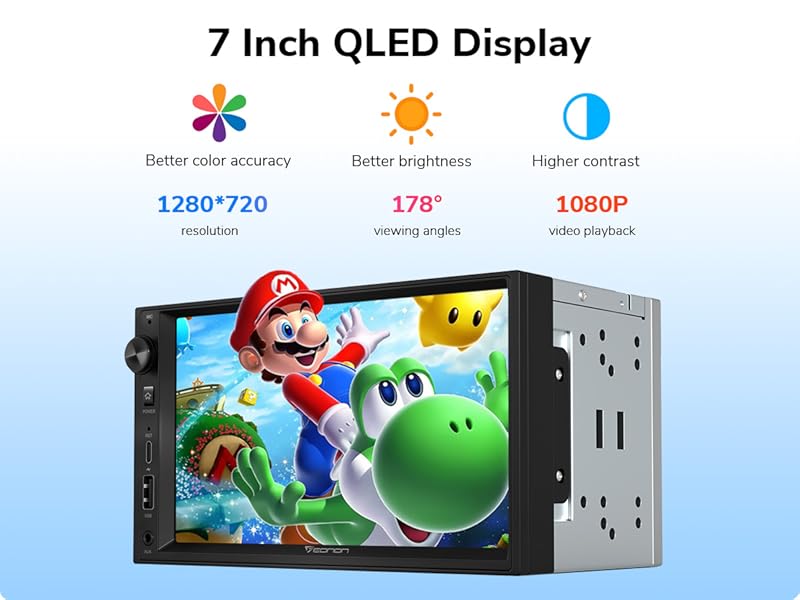
Image: A 7-inch QLED display of the Eonon X3 car stereo, highlighting its 1280x720 resolution, 178° viewing angles, and 1080P video playback capabilities.
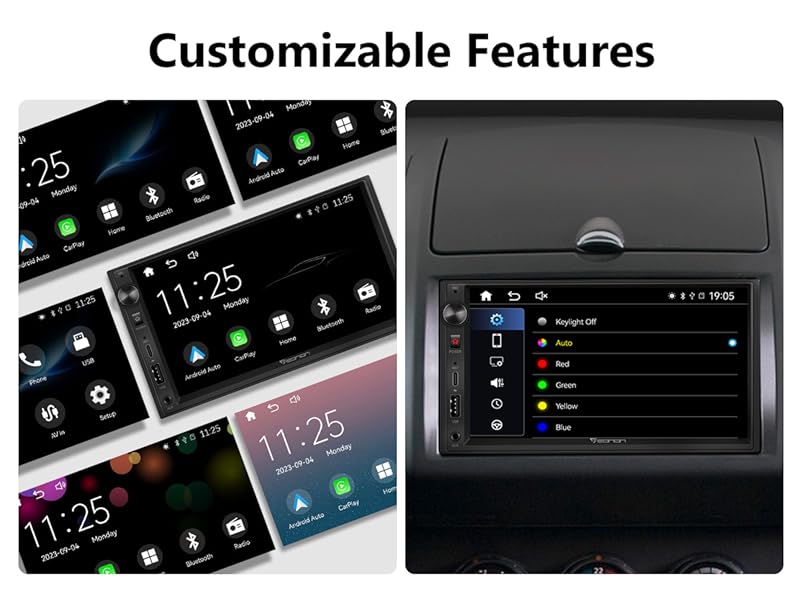
Image: Screenshots of the Eonon X3 user interface, demonstrating customizable features and various menu options for personalization.
3.2 Wireless CarPlay жана Android Auto
Connect your smartphone wirelessly to access CarPlay or Android Auto. This allows you to navigate, make calls, send messages, and listen to music safely using voice commands (Siri or Google Assistant).

Image: Depicts a driver interacting with the Eonon X3 car stereo using voice commands for CarPlay and Android Auto, showcasing navigation, music playback, and call functions.
3.3 Built-in DSP and Audio Features
The built-in Digital Signal Processor (DSP) suppresses noise without blocking speech signals, providing a superior audio experience. It supports 7 EQ modes and a 16-band graphic equalizer with a maximum output power of 4x45W.
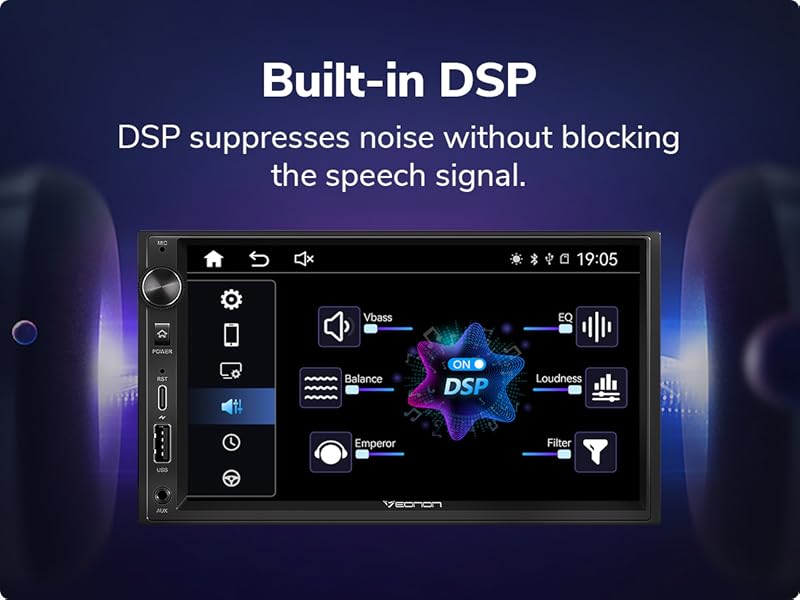
Image: Screenshot of the Eonon X3's built-in DSP interface, showing various audio settings like Vbass, EQ, Loudness, Emperor, and Filter for sound customization.
3.4 Рулду башкаруу (SWC)
The unit supports analog signal Steering Wheel Control (SWC), allowing you to manage functions like volume, track changes, and calls directly from your steering wheel.
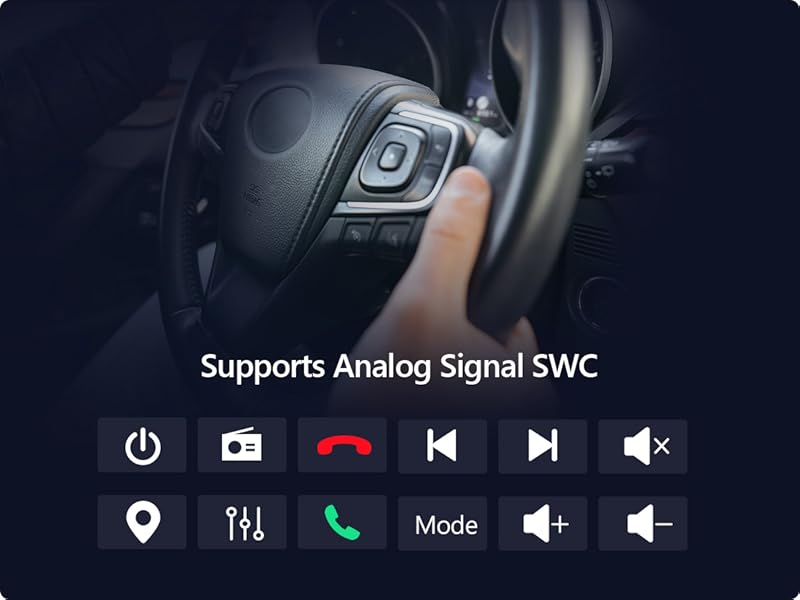
Image: A car steering wheel with control buttons, indicating support for analog signal SWC for managing the car stereo's functions.
3.5 Байланыш
The X3 offers various connectivity options including AUX, Bluetooth, and USB. It features a USB Type-C port for fast charging and a data USB port. Bluetooth 4.2 enables hands-free calling and music streaming.
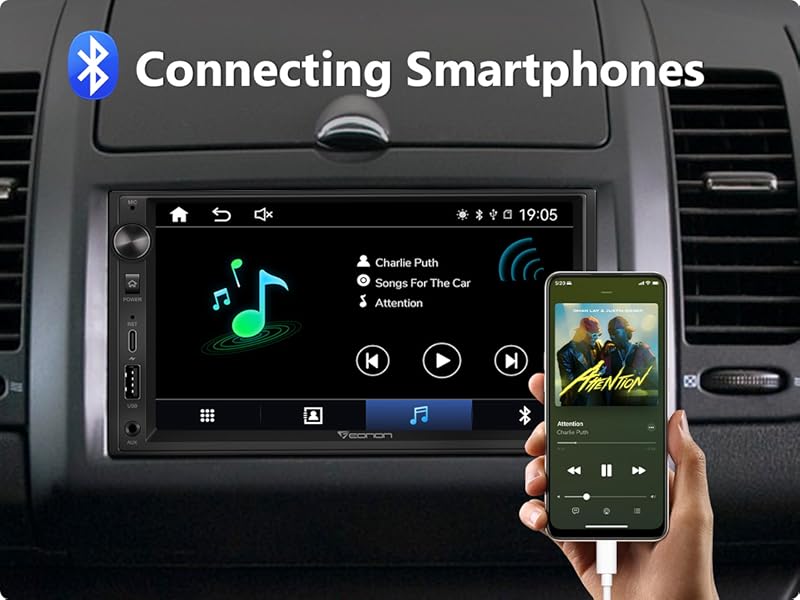
Image: A smartphone connected to the Eonon X3 car stereo via Bluetooth, displaying music playback controls on both devices.
4. Техникалык тейлөө
No specific maintenance instructions are provided in the product information. For general maintenance, keep the screen clean with a soft, dry cloth and ensure all connections are secure.
5. Кыйынчылыктарды
No specific troubleshooting guide is provided in the product information. If you encounter issues, ensure all wiring connections are correct and secure. For persistent problems, contact Eonon customer support.
6. Техникалык шарттар
| Өзгөчөлүк | Деталь |
|---|---|
| Бренд | Eonon |
| Модель номери | X3-FR |
| Байланыш технологиясы | AUX, Bluetooth, USB |
| Өзгөчөлүктөр | Android Auto, Apple CarPlay, Built-in Bluetooth, Touchscreen |
| Шайкеш түзмөктөр | Смартфон |
| Аудио чыгаруу режими | Стерео |
| Көлөмдүү үн каналынын конфигурациясы | 2.0 |
| Видеону коддоо | AVC, HEVC Main 10, XVID |
| Түс | Кара |
| Чыгуу күчү | 45 Ватт |
| Башкаруу ыкмасы | Колдонмо, тийүү |
| Аудио чыгаруу түрү | Баяндамачылар |
| Зымсыз технология | Bluetooth |
| Формат | AVI, WAV, WMA |
7. Кепилдик жана колдоо
The product comes with a 30-day refund policy for any reason and a 2-year warranty for quality issues. For support, please refer to the contact information provided in your purchase documentation or visit the official Eonon webсайт.