
LEXIN ET COM
LEXIN ET-COM Bluetooth Motorcycle Intercom System User Manual
Model: ET COM | Brand: LEXIN
1. Киришүү
The LEXIN ET-COM is a Bluetooth motorcycle communication system designed to enhance your riding experience. It allows for two-way intercom communication between riders, hands-free phone calls, music streaming, and FM radio reception. This system incorporates advanced DSP and CVC noise cancellation technologies for clear audio, even at high speeds.
Негизги өзгөчөлүктөр төмөнкүлөрдү камтыйт:
- Эки тараптуу интерком: Communicate with up to 2 riders within a 1200-meter range.
- Bluetooth V5.0: Зымсыз байланыштын туруктуу жана натыйжалуу иштешин камсыз кылат.
- DSP жана CVC ызы-чууну жокко чыгаруу: Reduces external noise for clear audio quality.
- Батареянын узак иштөө мөөнөтү: 800mAh battery provides up to 15 hours of music playback, 8 hours of talk time, and 300 hours of standby.
- FM радиосу: Жолдо көңүл ачуу үчүн орнотулган FM радио.
- Үн жардамчысын колдоо: Access Siri and S Voice for hands-free control.
- IP67 сууга туруктуулугу: Ар кандай аба ырайынын шарттарына туруштук берүү үчүн иштелип чыккан.
- Interchangeable Face Plates: Customize the unit's appearance with different colored housings.

Image: The LEXIN ET-COM unit securely mounted on the side of a motorcycle helmet.

Image: A visual representation of DSP and CVC advanced noise cancellation technology, showing how external noise is copied and canceled for improved audio clarity.
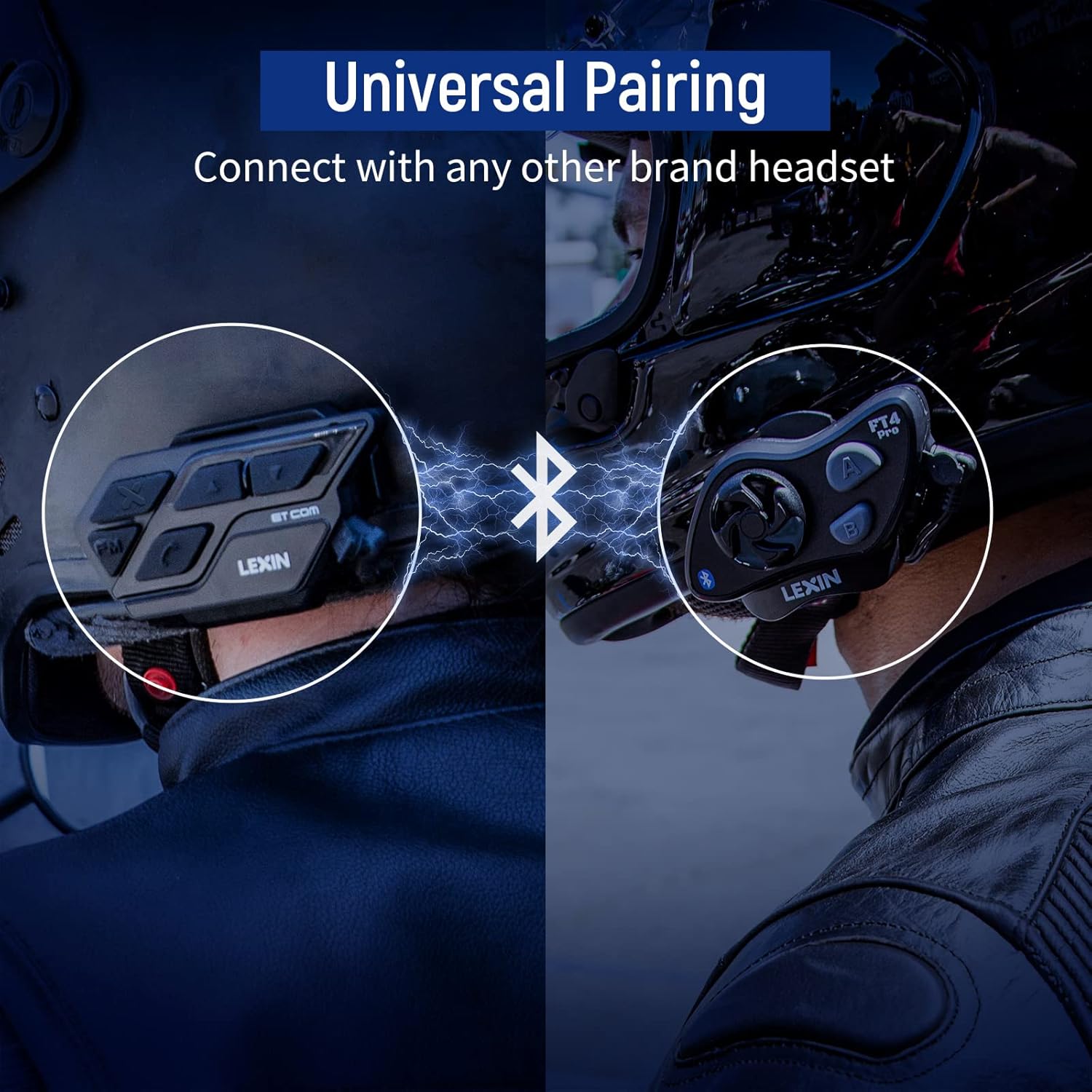
Image: A motorcycle helmet with the LEXIN ET-COM unit shown in rainy conditions, highlighting its IP67 water resistance for all-weather use.

Image: The LEXIN ET-COM unit displaying its 800mAh battery capacity, indicating 300 hours of standby time, 15 hours of music playback, and 1.5 hours of charging time.
2. Пакеттин мазмуну
Пакетиңизде бардык буюмдар бар экенин текшериңиз:
- LEXIN ET-COM Main Unit
- Microphone (Boom or Button type)
- Steel Needle (for housing removal)
- Аллен Кей
- Монтаждоо бурамалар
- Microphone Fixing Piece
- Динамик площадкалары
- Металл клип
- 3M жабышчаак базасы
- Колдонуучунун колдонмосу
- Type-C USB маалымат кабели
- 5 Additional Decorative Color Housings

Image: A comprehensive diagram illustrating all components included in the LEXIN ET-COM package, along with a visual guide for helmet installation.
3. Орнотуу жана орнотуу
3.1 Бөлүктү кубаттоо
Before first use, fully charge the ET-COM unit. Connect the provided Type-C USB data cable to the charging port on the unit and to a USB power source. The LED indicator will show charging status and turn off when fully charged.
3.2 Туулгага орнотуу
The ET-COM unit can be mounted to your helmet using either the metal clip or the 3M adhesive base. Choose the method that best suits your helmet type and preference.
- Клип орнотуу: Slide the metal clip between the helmet shell and the inner padding. Secure the ET-COM unit to the clip.
- Жабышкак орнотуу: Clean the desired mounting area on the helmet surface. Peel off the protective film from the 3M adhesive base and firmly press the ET-COM unit onto the helmet. Hold for 30 seconds to ensure a strong bond.
3.3 Динамикти жана микрофонду орнотуу
Install the speakers and microphone inside your helmet:
- Attach the speaker pads to the inside of the helmet, aligning them with your ears.
- Place the speakers into the pads.
- Position the microphone in front of your mouth, ensuring it is close but not touching. Use the microphone fixing piece if necessary.
- Connect the speaker and microphone cables to the corresponding ports on the ET-COM unit.
3.4 Bluetooth аркылуу телефонду жупташтыруу
To pair your ET-COM with your mobile phone:
- Ensure the ET-COM unit is off.
- Жупташтыруу режимин көрсөткөн LED индикатору кезектешип кызыл жана көк түстө күйүп-өчкөнгө чейин Кубат баскычын басып туруңуз.
- On your phone, enable Bluetooth and search for new devices.
- Select "LEXIN ET-COM" from the list of available devices.
- Жупташкандан кийин LED индикатору жай көк түстө күйөт.
3.5 Intercom Pairing (Unit-to-Unit)
To pair two ET-COM units for intercom communication:
- Ensure both ET-COM units are off.
- On both units, press and hold the Intercom button until the LED indicators flash red and blue alternately.
- Briefly press the Intercom button on one of the units. The units will search for each other.
- Once paired, the LED indicators on both units will flash blue slowly.

Image: An illustration demonstrating the universal pairing capability of the LEXIN ET-COM, connecting with another brand's headset via Bluetooth.
4. Иштөө нускамалары
4.1 Күйгүзүү/өчүрүү
- Күйгүзүү: Жарык диоду көк түстө күйгүчө кубат баскычын болжол менен 3 секунд басып туруңуз.
- Өчүрүү: Светодиод кызыл күйүп, анан өчкөнчө кубат баскычын болжол менен 3 секунд басып туруңуз.
4.2 Үндү башкаруу
- Көлөмүн жогорулатуу: Үндү катуулатуу баскычын (+) басыңыз.
- Көлөмдү азайтуу: Үндү азайтуу баскычын (-) басыңыз.
4.3 Музыканы ойнотуу
- Ойнотуу/тындыруу: Press the Multi-function button (often the central button).
- Кийинки трек: Press the Volume Up button (+) for 2 seconds.
- Мурунку трек: Press the Volume Down button (-) for 2 seconds.
4.4 FM радиосу
- FM радиосун күйгүзүү/өчүрүү: FM баскычын басыңыз.
- Скандоо станциялары: Press the Volume Up (+) or Volume Down (-) button briefly to change stations.
4.5 Домофондук байланыш
- Домофонду баштоо: Briefly press the Intercom button.
- Домофондун аягы: Домофон баскычын кайрадан кыскача басыңыз.
4.6 Телефон чалуулар
- Чакырууга жооп берүү: Көп функциялуу баскычты кыскача басыңыз.
- Чакырууну аяктоо: Көп функциялуу баскычты кыскача басыңыз.
- Чакырууну четке кагуу: Көп функциялуу баскычты 2 секунд басып туруңуз.
- Акыркы номерди кайра терүү: Көп функциялуу баскычты эки жолу басыңыз.
4.7 Үн жардамчысы
- Activate Voice Assistant (Siri/S Voice): Press and hold the Multi-function button for 2 seconds (when not on a call or intercom).
Сүрөт: деталдуу view of the LEXIN ET-COM unit, highlighting the various control buttons for power, volume, FM, and intercom functions.
5. Техникалык тейлөө
5.1 Тазалоо
Аппаратты жумшак менен сүртүңүз, гamp cloth. Do not use harsh chemicals or abrasive cleaners. Ensure the charging port cover is securely closed to maintain water resistance.
5.2 Батареяга кам көрүү
Батареянын иштөө мөөнөтүн узартуу үчүн:
- Charge the unit fully before long periods of storage.
- Аппаратты экстремалдык температурага тийгизүүдөн сактаңыз.
- Recharge the unit at least once every three months if not in regular use.
5.3 Changing Face Plates
The ET-COM unit features interchangeable decorative face plates:
- Carefully insert the steel needle into the small slot on the side of the unit to release the current face plate.
- Gently pry off the old face plate.
- Align the new face plate with the unit and press firmly until it clicks into place.

Image: A step-by-step guide demonstrating how to remove and replace the interchangeable 6-color face plates on the LEXIN ET-COM unit.
6. Кыйынчылыктарды
| Көйгөй | Мүмкүн себеп | Чечим |
|---|---|---|
| Түзмөк күйбөйт | Low battery; Unit frozen | Charge the unit fully; Perform a reset by pressing and holding the Power button for 10 seconds. |
| Динамиктерден үн жок | Volume too low; Speakers not connected properly; Faulty speakers | Increase volume; Check speaker connections; Test with another audio source or contact support. |
| Телефон/домофон менен жупташтырылбай жатат | Unit not in pairing mode; Bluetooth interference; Already paired to max devices | Ensure unit is in pairing mode (flashing red/blue); Move away from other Bluetooth devices; Clear previous pairings and try again. |
| Intercom range is short or connection is unstable | Obstructions (buildings, terrain); Weather conditions; Too many paired devices | Ensure clear line of sight; Reduce distance between units; Try re-pairing. |
| Poor audio quality / static | Microphone placement; Speaker placement; Environmental noise | Adjust microphone closer to mouth; Ensure speakers are centered over ears; DSP/CVC should mitigate noise, but extreme conditions may affect quality. |
7. Техникалык шарттар
- Модель аты: ET COM
- Bluetooth версиясы: V5.0
- Байланыш технологиясы: Зымсыз
- Домофон диапазону: Up to 1200 meters (0.7 miles) for 2 riders
- Батарея түрү: Литий-ион
- Батарея сыйымдуулугу: 800 мАч
- Музыка ойнотуу убактысы: 15 саатка чейин
- Сүйлөшүү убактысы: 8 саатка чейин
- Күтүү убактысы: 300 саатка чейин
- Заряддоо убактысы: Болжол менен 1.5 саат
- Сууга туруктуулук деңгээли: IP67 (Impermeable)
- Ызы -чууну жокко чыгаруу: DSP жана CVC
- Башкаруу түрү: Үн менен башкаруу
- Гарнитура уячасы: USB
- Форма фактору: Circum-Auricular
- Жаш аралыгы Сүрөттөмө: бойго жеткен
8. Кепилдик жана колдоо
For warranty information and technical support, please refer to the official LEXIN webсайтка же сатуучуга кайрылыңыз. Ар кандай кепилдик дооматтары үчүн сатып алганыңыздын далилин сактаңыз.
If you encounter issues not covered in this manual, please reach out to LEXIN customer service for assistance.
Ask a question about this manual
Ask about setup, troubleshooting, compatibility, parts, safety, or missing instructions. Manuals+ will review the question and use this page’s manual context to help answer it.