
1. Киришүү
Thank you for choosing the Lepro Smart LED Strip Light. This manual provides essential information for the safe and efficient use of your new LED strip light. Please read these instructions carefully before installation and operation, and retain them for future reference.
2. Коопсуздук маалыматы
- Орнотуудан же техникалык тейлөөдөн мурун электр кубаты өчүрүлгөнүн текшериңиз.
- Операциялык томtage is 12V. Use only the provided power adapter.
- This product is IP65 waterproof, suitable for both indoor and outdoor use. However, the power adapter and controller are not waterproof and must be protected from moisture.
- LED тилкесин кескин ийбеңиз же ашыкча күч колдонбоңуз, анткени бул чынжырды бузушу мүмкүн.
- Балдар жетпеген жерде сактаңыз.
- The LED strip is designed with short-circuit protection for enhanced safety.
- Узак убакыт бою жарык булагына түздөн-түз көз тийбеңиз.
3. Пакеттин мазмуну
Пакетте бардык компоненттер бар экенин текшериңиз:
- 5m RGB IP65 Waterproof LED Strip
- WiFi контроллери
- Power Adapter (European Adapter 12V 1.5A)
- Алыстан башкаруу
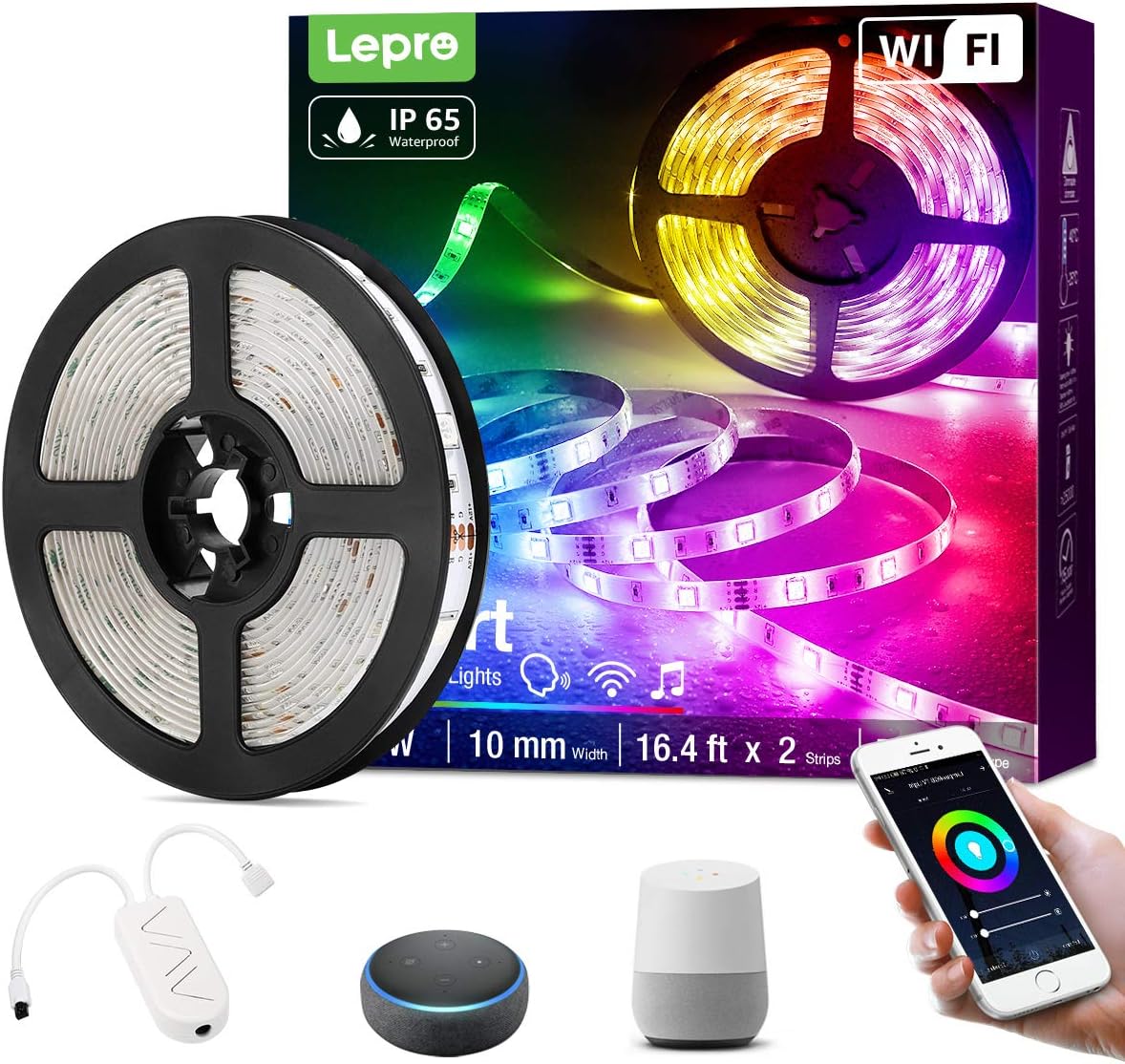
Сүрөт 3.1: Бүттүview of the Lepro Smart LED Strip Light and its included components, such as the LED strip reel, WiFi controller, and power adapter.
4. Продукциянын өзгөчөлүктөрү
- Smart Control: Connects via WiFi (2.4 GHz only) for stable control.
- Үн менен башкаруу: Compatible with Amazon Alexa and Google Assistant, no additional hub required.
- Колдонмонун иштеши: Features include countdown, automatic execution, timer function for preset scenarios, and various scene modes.
- Dimmable RGB: Offers a wide range of colors and adjustable brightness.
- IP65 Суу өткөрбөйт: Designed for versatile indoor and outdoor decoration.
- Жогорку жарыктык: Equipped with 30 LEDs per meter for enhanced illumination.
- Коопсуз тийүү: Operates at a low 12V, ensuring minimal heat and safety.

Сүрөт 4.1: The IP65 waterproof LED strip installed in an outdoor setting, demonstrating its suitability for various environments.

Сүрөт 4.2: Top image shows a hand safely holding the illuminated LED strip. Bottom image provides a close-up view of the IP65 waterproof coating on the LED strip.
5. Орнотуу боюнча колдонмо
- Бетти тазалоо: Орнотуу бетинин таза, кургак жана жылмакай экенине ынаныңыз.
- Өлчөө жана кесүү (кошумча): If necessary, measure the desired length and cut the LED strip only at the designated cutting marks (usually indicated by a scissor icon or copper pads).
- Кабык жана таякча: Remove the adhesive backing from the LED strip and firmly press it onto the desired surface.
- Туташуу компоненттери: Connect the LED strip to the WiFi controller, and then connect the controller to the power adapter.
- Плагин: Кубат адаптерин стандарттуу электр розеткасына сайыңыз.
6. Иштөө нускамалары
6.1 Basic Control with Controller Button
After plugging in the strip, you can use the physical button on the controller to:
- Жарыктарды КҮЙГҮЗҮҮ/ӨЧҮРҮҮ.
- Cycle through different scene modes.
- Reset the device (usually by holding the button for several seconds).
6.2 Smart Control via Lepro LampUX App
For full functionality, download the "Lepro LampUX" app from your smartphone's app store.
- Колдонмону жүктөп алуу: Издөө "Лепро Л."ampUX" and install it.
- Катталуу/Кирүү: Каттоо эсебин түзүү же кириңиз.
- Түзмөк кошуу: Follow the in-app instructions to add your LED strip light. Ensure your phone is connected to a 2.4 GHz WiFi network during setup.
- Контролдоо: Once connected, you can control power, color, brightness, set timers, schedules, and customize scene modes directly from the app.

Сүрөт 6.1: A smartphone screen showing the Lepro LampUX app interface, including a color wheel for light customization and options for smart control. The image also depicts a modern home with LED strip lighting.

Сүрөт 6.2: A collage of smartphone screens illustrating various features of the Lepro LampUX app, such as timer settings, scheduling, color options, smart modes, scene modes, and DIY customization.
6.3 Alexa/Google жардамчысы менен үн менен башкаруу
To enable voice control, link your Lepro LampUX account with Amazon Alexa or Google Assistant:
- Акылдуу жардамчы колдонмосун ачыңыз: Open the Amazon Alexa or Google Home app on your smartphone.
- Көндүм/аракетти иштетүү: Издөө "LE Лampux" skill (for Alexa) or action (for Google Assistant) and enable it.
- Каттоо эсебин байланыштыруу: Follow the prompts to link your Lepro LampUX account.
- Түзмөктөрдү табуу: Once linked, ask your smart assistant to discover new devices.
- Үн буйруктары: You can now use voice commands such as "Alexa, turn on the bedroom light" or "Hey Google, change the strip light to purple."

Сүрөт 6.3: A visual guide on a smartphone screen demonstrating the process of linking the Lepro LampUX app with Amazon Alexa, showing the steps to enable the skill and connect accounts.

Сүрөт 6.4: A family enjoying LED strip lighting in their living room, with smart speakers visible, illustrating the convenience of voice control with commands like "Alexa, change the strip light to purple."
7. Техникалык тейлөө
- Тазалоо: Gently wipe the LED strip with a soft, dry cloth. Do not use abrasive cleaners or solvents.
- Текшерүү: Тилкени жана туташууларды бузулуу же эскирүү белгилерин мезгил-мезгили менен текшерип туруңуз.
- Сактагыч: If storing the strip for an extended period, ensure it is clean, dry, and coiled loosely to prevent damage.
8. Кыйынчылыктарды
| Көйгөй | Мүмкүн себеп | Чечим |
|---|---|---|
| LED тилкеси күйбөйт. | Электр кубаты жок, туташуу бош, адаптер бузулган. | Розетканы текшериңиз, бардык туташуулардын бекем экенин текшериңиз, башка розетканы колдонуп көрүңүз. |
| WiFi'га туташа албай жатат. | Incorrect WiFi band (not 2.4 GHz), incorrect password, too far from router. | Ensure your router is broadcasting a 2.4 GHz signal. Verify WiFi password. Move the strip closer to the router. Reset the controller and try again. |
| Үн башкаруу иштебейт. | Skill/Action not enabled, account not linked, incorrect commands. | Check if the "LE Lampux" skill/action is enabled and your account is linked in the Alexa/Google Home app. Use precise commands. |
| Colors are inconsistent or incorrect. | Damaged section of the strip, connection issue. | Inspect the strip for physical damage. Ensure connections are firm. |
9. Техникалык шарттар
| Атрибут | Деталь |
|---|---|
| Бренд | Лепро |
| Модель номери | PR904116-RGB-WP-EU |
| Продукциянын өлчөмдөрү | 16.5 x 16.5 x 6.5 см (пакеттелген) |
| Элемент Салмагы | 320 грамм |
| Узундук | 5 метр |
| Түс | RGB |
| Суу өткөрбөйт рейтинги | IP65 (LED Strip only) |
| Тtage | 12 вольт |
| Күч | 24 Ватт |
| Лампанын түрү | LED |
| Байланыш | WiFi (2.4 ГГц гана) |
| Шайкештик | Amazon Alexa, Google Жардамчысы |
| Камтылган компоненттер | LED Strip, WiFi Controller, Remote Control, Power Adapter |
10. Кепилдик жана колдоо
Кепилдик маалыматын же техникалык колдоону сатып алууда камтылган документтерди караңыз же расмий Lepro компаниясына барыңыз website. Contact details for customer service are typically available on the product packaging or the brand's online support page.