
1. Киришүү
The Walfront FY8300S-20M is a high-performance 3-channel arbitrary waveform generator that integrates multiple functions including a function generator, arbitrary waveform generator, pulse generator, 4-channel TTL generator, frequency counter, and meter. Utilizing Direct Digital Synthesis (DDS) technology, it produces accurate, stable, and low-distortion output signals. This manual provides essential information for the safe and efficient operation of your device.
2. Коопсуздук маалыматы
Түзмөктү иштетүүдөн мурун бардык коопсуздук көрсөтмөлөрүн окуп чыгып, түшүнүп алыңыз. Бул көрсөтмөлөрдү аткарбоо электр тогуна урунууга, өрткө же продуктунун бузулушуна алып келиши мүмкүн.
- Электр камсыздоо: Ensure the device is connected to a power source that matches the specified voltage (240 Volts AC Mains).
- Негиздөө: Түзмөктү ар дайым туура жерге туташтырылган розеткага туташтырыңыз.
- Курчап турган чөйрө: Operate the device in a dry, well-ventilated area, away from direct sunlight, high temperatures, humidity, and corrosive gases.
- Вентиляция: Желдетүүчү тешиктерди жаппаңыз. Ашыкча ысып кетүүнүн алдын алуу үчүн жетиштүү аба агымы зарыл.
- Тейлөө: Аппаратты өзүңүз тейлөөгө аракет кылбаңыз. Бардык тейлөөлөрдү квалификациялуу кызматкерлерге тапшырыңыз.
- Чыгуу коргоо: The device includes output short-circuit protection. However, avoid prolonged short-circuit conditions to prevent potential damage.
3. Продукт бүтүп калдыview
3.1 Негизги өзгөчөлүктөрү
- Жогорку аткаруу: Combines function, arbitrary waveform, pulse, and 4-channel TTL generation with frequency counting.
- DDS Technology: Utilizes Direct Digital Synthesis for accurate, stable, and low-distortion output signals.
- Three Independent Channels: Features three completely independent output channels that can work synchronously with adjustable phase differences.
- Интуитивдик операция: Quick saving of current instrument parameters via the OK key, with automatic loading on startup.
- Комплекстүү коргоо: Includes output short-circuit protection and standard channel tracking.
- Кеңейтүү: Supports up to 98 function/arbitrary waveforms and an open communication protocol for secondary development.
3.2 Компоненттер жана башкаруу элементтери
The FY8300S-20M features a clear display, control buttons, a rotary encoder, and multiple output ports. Familiarize yourself with the layout for efficient operation.

1-сүрөт: Фронт view of the Walfront FY8300S-20M, highlighting its Direct Digital Synthesis (DDS) capabilities, arbitrary waveform memory, adjustable pulse width, pulse frequency, and independent duty cycle control for both channels.
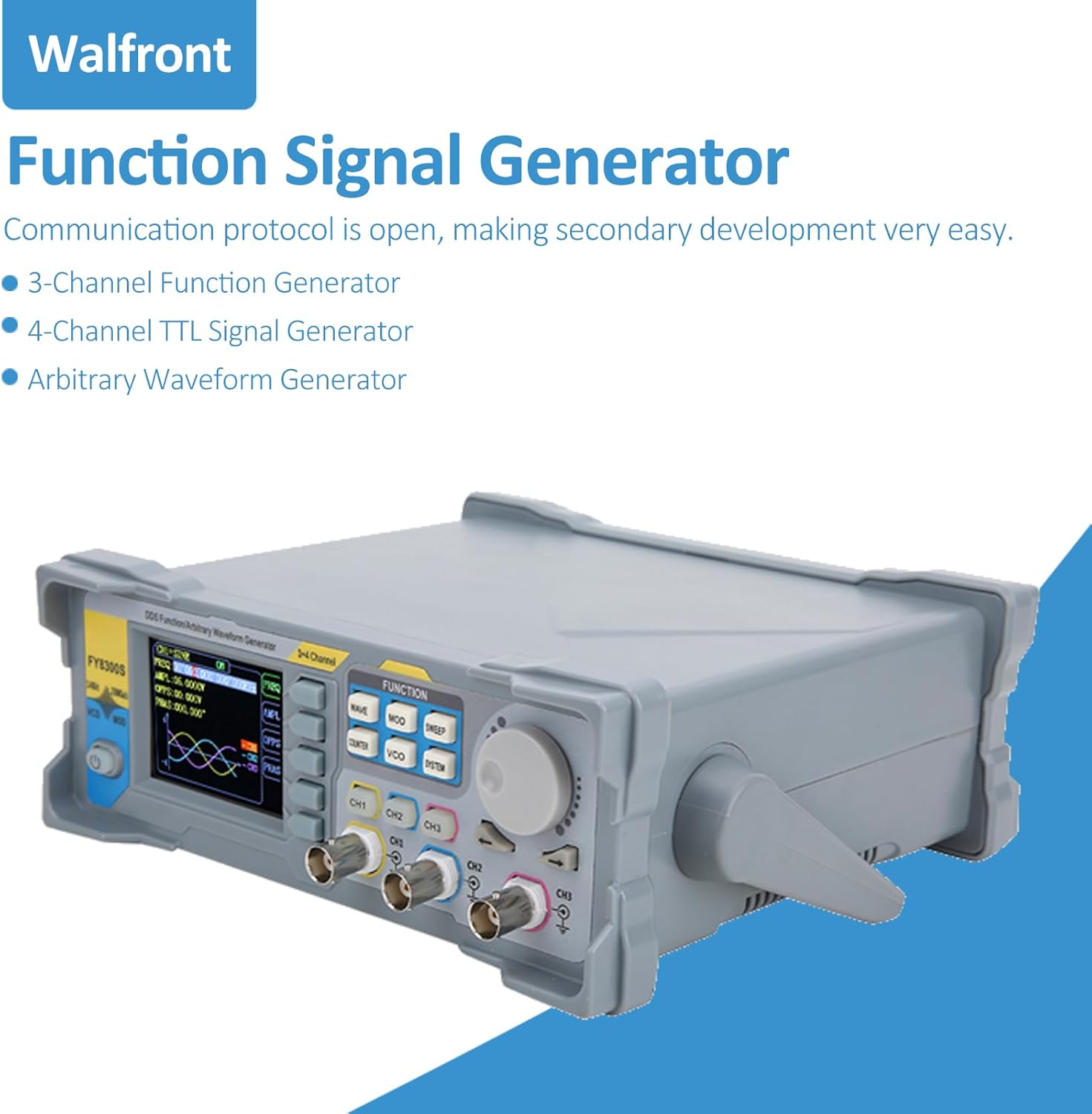
2-сүрөт: Бурчтуу view of the Walfront FY8300S-20M Function Signal Generator, illustrating its design and the open communication protocol for secondary development, along with its capabilities as a 3-channel function generator, 4-channel TTL signal generator, and arbitrary waveform generator.

3-сүрөт: Фронт view of the Walfront FY8300S-20M, emphasizing its large-scale integrated circuit design, output short-circuit protection, and completely independent three-channel output capabilities.
3.3 Пакеттин мазмуну
Пакетте бардык буюмдар бар экенин текшериңиз:
- 1 x Generator Host (Walfront FY8300S-20M)
- 1 x Host Power Cord
- 3 x Клип сызыгы
- 3 x BNC-BNC кабели
- 1 x USB кабели

4-сүрөт: The Walfront FY8300S-20M generator shown with its included accessories: power cord, clip lines, BNC-BNC cables, and USB cable. Accompanying text details key specifications such as display type, maximum output frequency, sampling rate, frequency accuracy, and output ampжарыктык.
4. Орнотуу
- Пакеттен чыгаруу: Carefully remove the generator and all accessories from the packaging. Inspect for any signs of damage.
- Жайгашкан жери: Place the generator on a stable, level surface with adequate ventilation around the unit.
- Кубат туташуу: Connect the provided power cord to the AC input on the rear panel of the generator and then to a grounded AC mains outlet.
- Баштапкы күйгүзүү: Press the power button on the front panel to turn on the device. The display should illuminate.
- Чыгууларды туташтыруу: Use the BNC-BNC cables or clip lines to connect the desired output channels (CH1, CH2, CH3) to your test circuit or measurement device.
- USB туташуу (кошумча): For PC control and secondary development, connect the USB cable from the generator to your computer.
5. Иштөө нускамалары
The FY8300S-20M offers a user-friendly interface for generating various waveforms. The main controls include function buttons, a rotary encoder for value adjustment, and channel-specific output controls.
5.1 Толкун формасын түзүүнүн негизги ыкмалары
- Каналды тандоо: басыңыз CH1, CH2, же CH3 button to select the desired output channel.
- Select Waveform: басыңыз WAVE button to cycle through available waveforms (Sine, Square, Triangle, Pulse, Arbitrary, etc.).
- Жыштыкты жөндөө: Use the rotary encoder to adjust the frequency. Press the encoder to switch between coarse and fine adjustment.
- Тууралоо Ampжарыктык: басыңыз AMPL button and use the rotary encoder to set the desired peak-to-peak ampжарыктык.
- Adjust Offset: басыңыз OFFS button and use the rotary encoder to set the DC offset.
- Чыгарууну иштетүү: Ensure the selected channel's output is enabled (usually indicated by an LED or on-screen icon).
5.2 Өркүндөтүлгөн функциялар
- Arbitrary Waveform: The device supports up to 98 arbitrary waveforms. Refer to the detailed software manual for creating and loading custom waveforms.
- Pulse Generation: For pulse waveforms, adjust pulse width and pulse frequency independently. The pulse amplitude can also be set.
- Фазаны тууралоо: For multi-channel synchronous operation, adjust the phase difference between channels (0 to 359.99°).
- Жыштык эсептегичи: колдонуу COUNTER function to measure external frequencies.
- Сактоо орнотуулары: басып, кармап туруңуз OK key to save the current instrument parameters. These settings will be automatically loaded upon the next startup.

5-сүрөт: A split image showing the top-front of the Walfront FY8300S-20M, illustrating its user-friendly interface with shortcut keys for simplified operation. The bottom part shows the rear panel, emphasizing the stable and low-distortion output signal achieved through DDS technology.
6. Техникалык тейлөө
- Тазалоо: Аппараттын сыртын тазалоо үчүн жумшак, кургак чүпүрөктү колдонуңуз. Абразивдүү тазалагычтарды же эриткичтерди колдонбоңуз.
- Өчүрүү: Always turn off and unplug the device before cleaning or when not in use for extended periods.
- Сактагыч: Store the generator in a cool, dry place, away from dust and extreme temperatures.
- Текшерүү: Periodically inspect cables and connectors for wear or damage. Replace if necessary.
7. Кыйынчылыктарды
If you encounter issues with your Walfront FY8300S-20M, refer to the following common problems and solutions:
| Көйгөй | Мүмкүн себеп | Чечим |
|---|---|---|
| Түзмөк күйбөйт | No power supply; Faulty power cord; Power button not pressed. | Check power cord connection; Ensure outlet has power; Press power button firmly. |
| Чыгуу сигналы жок | Output channel not enabled; Incorrect waveform parameters; Faulty cable connection. | Ensure channel output is enabled; Verify frequency/amplitude settings; Check cable connections. |
| Дисплей бош же тоңуп калган | Software error; Device malfunction. | Restart the device; If problem persists, contact customer support. |
| Inaccurate frequency/ampжарыктык | Incorrect settings; Calibration required. | Double-check all parameter settings; If consistently inaccurate, contact customer support for calibration information. |
If the problem persists after attempting these solutions, please contact Walfront customer support for further assistance.

6-сүрөт: The Walfront FY8300S-20M generator and its accessories in a laboratory environment, illustrating its robust short-circuit protection feature, which allows signal output terminals to operate safely under load short-circuit conditions for up to 60 seconds.
8. Техникалык шарттар
The following are the technical specifications for the Walfront FY8300S-20M 3-Channel Arbitrary Waveform Generator:
- Дисплей: 2.4 inches (320 x 240) color LCD
- Maximum Output Frequency: 60MHz (Sine wave)
- Sampлинг чен: 250MSa / s
- Vertical Resolution: 14 бит
- Жыштыктын тактыгы: 10ге чейин-6 тартип
- Жыштыктын чечилиши: 1 мкГц (0.000001Гц)
- Чыгуу Ampжарыктык: Up to 24Vpp, resolution up to 1mV (0.001V)
- DC Bias Function: -12V ~ +12V (for frequencies <20MHz), resolution up to 1mV
- Duty Cycle Adjustment: Independent for two channels, accuracy up to 0.01%
- Pulse Width & Frequency: Continuously adjustable, range 20ns-1S
- Пульс Ampжарыктык: Continuously adjustable between 0-12V, accuracy 0.001V
- Фазаны тууралоо: 0 ~ 359.99°, accuracy 0.01° (for three channels)
- Digital Output Function: Any CMOS level with amplitude of 0 ~ 12V
- Кубат булагы: Өзгөрмө ток (240 Вольт)
- Өзгөчө өзгөчөлүгү: Кыска туташуулардан коргоо
9. Кепилдик жана колдоо
For warranty information and technical support, please refer to the documentation provided with your purchase or visit the official Walfront website. If you require assistance with troubleshooting or repairs, please contact Walfront customer service. Ensure you have your model number (FY8300S-20M) and purchase details available when contacting support.
Walfront Store: Visit the Walfront Store on Amazon