
1. Киришүү
Thank you for choosing the Refoss HomeKit Outdoor Smart Plug MSS620. This device allows you to control two outdoor electrical appliances independently or simultaneously using a smartphone app or voice commands. It is designed for outdoor use with an IP44 waterproof rating, making it suitable for various environments like gardens, patios, and garages. Please read this manual carefully before use to ensure proper installation and operation.

Image: The Refoss HomeKit Outdoor Smart Plug MSS620, showing its compact design with two outlets and a power cord.
2. Коопсуздук маалыматы
- IP44 суу өткөрбөйт рейтинги: The outdoor socket is IP44 rated, providing protection against solid objects larger than 1mm and splashes of water from any direction. It includes a dustproof cover for added protection.
- Чөмүлбө: The Refoss outdoor socket must not be immersed in water or flushed directly with water.
- Туура орнотуу: Ensure the device is installed in a location where it is protected from direct heavy rain or prolonged exposure to water.
- Электр коопсуздугу: Do not exceed the maximum load of 16A (3840W) per outlet. Overloading can cause damage to the device and pose a fire hazard.
- Иштөө чөйрөсү: Аппаратты белгиленген температура жана нымдуулук диапазондорунда колдонуңуз.
- Балдар жана үй жаныбарлары: Keep the device out of reach of children and pets to prevent accidents.

Image: Diagram illustrating the IP44 splashproof design, showing that the device is safe for outdoor use with splashes but should not be immersed or flushed with water.
3. Пакеттин мазмуну
Сураныч, пакетте төмөнкү нерселерди текшериңиз:
- 1 x Refoss HomeKit Outdoor Smart Plug MSS620
- 1 x User Manual
4. Продукциянын өзгөчөлүктөрү
- Dual Individual Outlets: Control two connected devices simultaneously or separately. Each outlet supports a maximum load of 16A, 3840W.
- Алыстан башкаруу: Manage your outdoor appliances from anywhere using the eHomelife app or Apple Home app (iOS 13 or later).
- Үн менен башкаруу: Compatible with Siri, Amazon Alexa, and Google Assistant for convenient hands-free operation.
- Scheduling & Timer Function: Set custom schedules to automatically turn devices on/off, optimizing energy usage and simplifying daily routines.
- IP44 Суу өткөрбөйт: Designed for outdoor use with protection against splashes and dust.
- 2.4 ГГц Wi-Fi колдоосу: Connects to your home network via 2.4GHz Wi-Fi (5GHz Wi-Fi networks are not supported).

Image: A user interacting with a smart home system, demonstrating voice control compatibility with Siri, Alexa, and Google Home for the outdoor smart plug.
5. Орнотуу нускамалары
5.1 Физикалык орнотуу
- Choose a suitable outdoor location for the smart plug, ensuring it is protected from direct heavy rain.
- Plug the Refoss HomeKit Outdoor Smart Plug into a standard electrical outlet.
- Connect your outdoor appliances (e.g., garden lights, fountain pumps) to the two outlets of the smart plug.
5.2 Колдонмону жүктөп алуу жана жупташтыруу
- жүктөп алыңыз eHomelife app from the Apple App Store or Google Play Store. For Apple HomeKit users, you can also use the built-in Apple Home колдонмосу.
- Смартфонуңуздун a'га туташып турганын текшериңиз 2.4GHz Wi-Fi тармагы. The smart plug does not support 5GHz Wi-Fi.
- Open the eHomelife app and follow the on-screen instructions to add a new device. You may need to scan a QR code on the device or its packaging.
- During the pairing process, the app will guide you to connect the smart plug to your 2.4GHz Wi-Fi network.
- Once successfully paired, you can name the device and its individual outlets within the app.
5.3 Үн жардамчыларына туташуу
To enable voice control, link your eHomelife account with your Amazon Alexa or Google Assistant account through their respective apps. For Apple HomeKit, the device will automatically appear in the Home app after pairing.
6. Иштөө нускамалары
6.1 Кол менен башкаруу
The smart plug has a physical button. Pressing this button will toggle the power for both outlets simultaneously.
6.2 Колдонмону башкаруу
Open the eHomelife app or Apple Home app on your smartphone.
- Tap on the device icon to turn the entire smart plug on or off.
- To control individual outlets, tap on the device to access its detailed control interface. Here, you can toggle each outlet (e.g., 'Outlet 1', 'Outlet 2') independently.
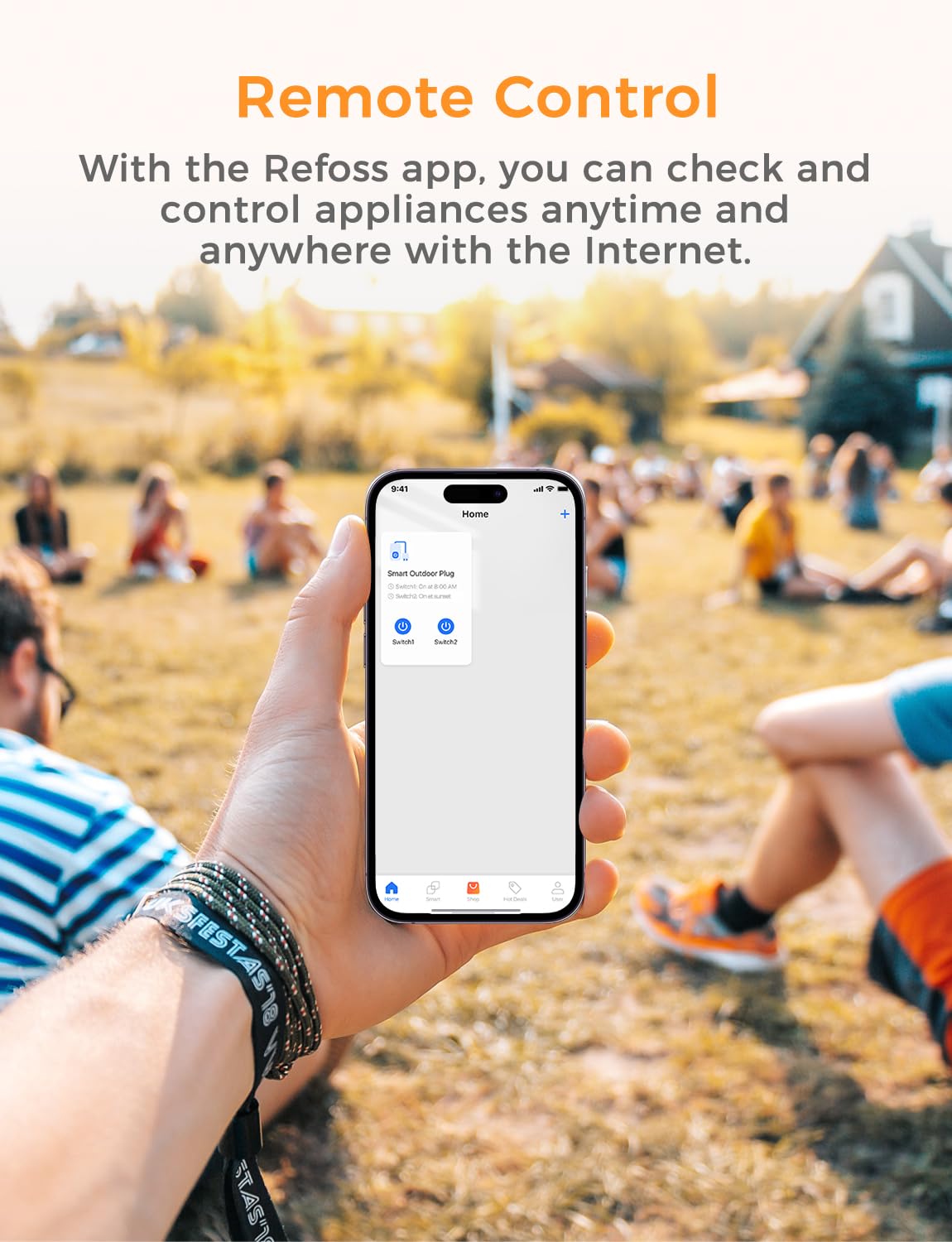
Image: A smartphone screen displaying the Refoss app interface, showing remote control functionality for a smart outdoor plug.

Image: An outdoor smart plug connected to two different light strings, illustrating the ability to control each outlet separately via the Refoss app.
6.3 Үн менен башкаруу
Once linked, use voice commands with your preferred assistant:
- Сири: "Hey Siri, turn on the garden lights."
- Alexa: "Alexa, turn off the outdoor fountain."
- Google Жардамчысы: "Hey Google, set the patio heater to on."
6.4 Пландаштыруу жана таймерлер
Within the eHomelife app, navigate to the 'Schedule' or 'Timer' section for your smart plug.
- Create custom schedules for specific times of day or days of the week.
- Set countdown timers for devices to turn off after a set duration.
- The scheduling function operates locally and will continue to work even if your internet connection is temporarily unavailable.
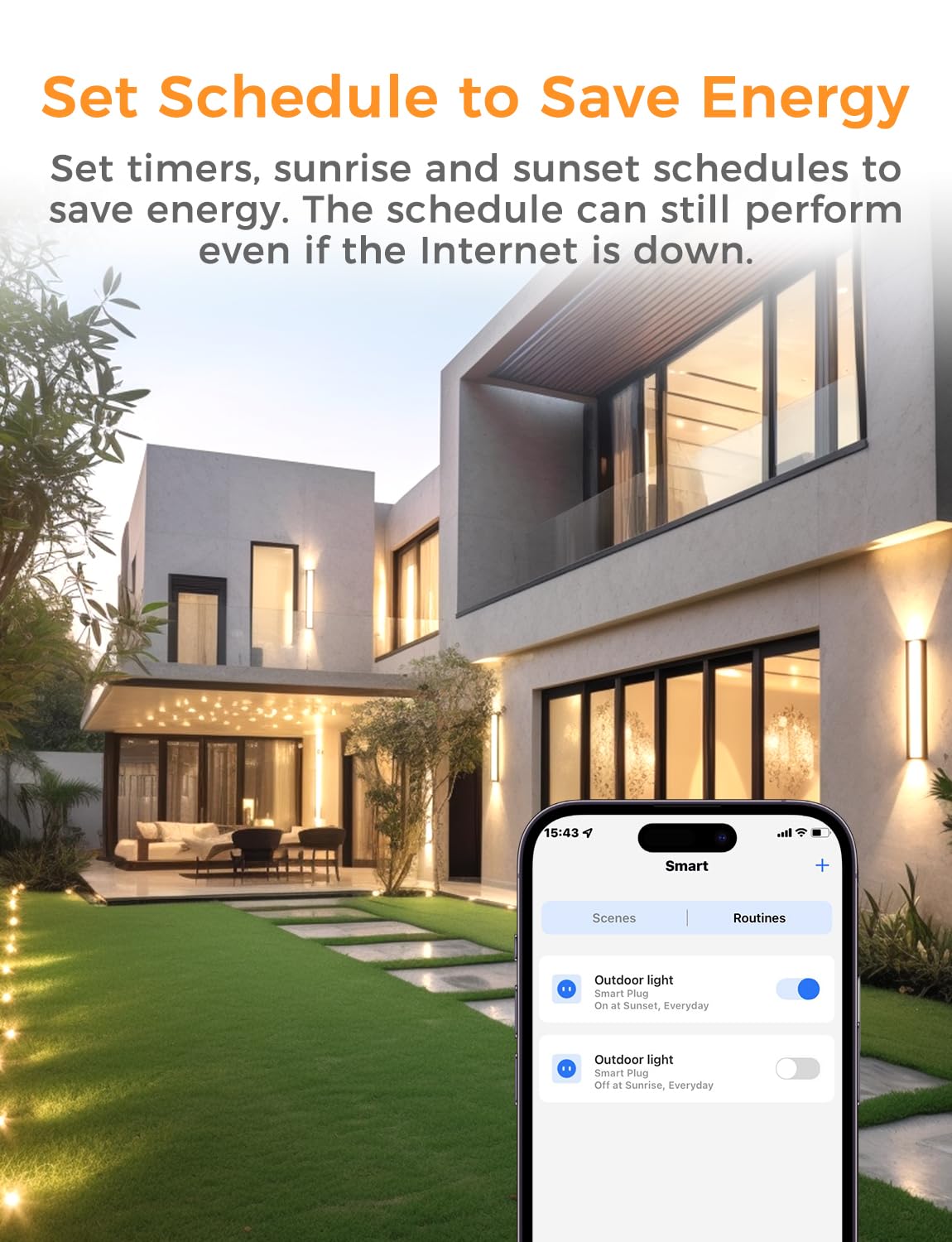
Image: A smartphone displaying the Refoss app's scheduling interface, showing options to set routines for outdoor lights to turn on and off at sunrise/sunset, helping to save energy.
7. Техникалык тейлөө
- Тазалоо: Disconnect the smart plug from power before cleaning. Use a soft, dry cloth to wipe the surface. Do not use liquid cleaners or immerse the device.
- Сактагыч: Эгер акылдуу сайгычты көпкө чейин колдонбосоңуз, аны салкын, кургак жерде, күн нуру түз тийбеген жана нымдуулуктан алыс сактаңыз.
- Текшерүү: Электр шнурун жана сайгычын бузулуу белгилери бар-жогун мезгил-мезгили менен текшерип туруңуз. Бузулган болсо, колдонбоңуз.
8. Кыйынчылыктарды
- Түзмөк жооп бербейт:
- Check if the smart plug is properly plugged into a working power outlet.
- Verify your Wi-Fi network is active and the smart plug is within range.
- Смартфонуңуз интернетке туташып турганын текшериңиз.
- Try restarting the smart plug by unplugging it for 10 seconds and plugging it back in.
- Wi-Fi'га туташуу мүмкүн эмес:
- Confirm your Wi-Fi network is 2.4GHz. The device does not support 5GHz Wi-Fi.
- Wi-Fi сырсөзүңүздүн туура экенин текшериңиз.
- Move the smart plug closer to your Wi-Fi router during setup.
- If using a mesh network, ensure your phone is connected to the 2.4GHz band during the initial pairing process.
- Үн менен башкаруу иштебей жатат:
- Ensure the smart plug is successfully linked to your voice assistant account (Siri, Alexa, Google Assistant).
- Check the device name in the app and use clear, correct commands.
9. Техникалык шарттар
| Спецификация | Деталь |
|---|---|
| Модель номери | MSS620 |
| Өндүрүүчү | Refoss |
| Продукциянын өлчөмдөрү (LxWxH) | 15.1 x 8 x 5 см |
| Салмагы | 417.6 г |
| Operating Voltage | 240 вольт |
| Current Rating (Max per outlet) | 16 Ampere |
| Max Load (Max per outlet) | 3840 Ватт |
| Иштөө режими | КҮЙГҮЗҮҮ ӨЧҮРҮҮ |
| Туташуу түрү | Плагин |
| Которуу түрү | Алыстан башкаруу |
| Материал | Поливинилхлорид |
| Суу өткөрбөйт рейтинги | IP44 |
| Wi-Fi стандарты | 2.4 ГГц гана |
10. Кепилдик жана колдоо
Кепилдик: Refoss offers a free replacement for any product issues within two years from the date of purchase.
Колдоо: If you encounter any problems or have questions regarding your Refoss HomeKit Outdoor Smart Plug MSS620, please contact Refoss customer support. Support will respond within 24 business hours to assist you.
For the latest support information and contact details, please visit the official Refoss webсайтка же продуктунун таңгагында берилген байланыш маалыматына кайрылыңыз.