
Introduction
Thank you for choosing BEBEN T9 Wireless Earbuds. These earbuds are designed to provide a high-quality audio experience with advanced features such as Bluetooth 5.3 connectivity, intelligent touch control, and a long-lasting battery. This manual will guide you through the setup, operation, and maintenance of your new earbuds to ensure optimal performance and longevity.
Кутуда эмне бар
- BEBEN T9 Wireless Earbuds (Left and Right)
- Заряддоо кутусу
- USB заряддоо кабели (Type-C)
- User Manual
Продукт бүттүview
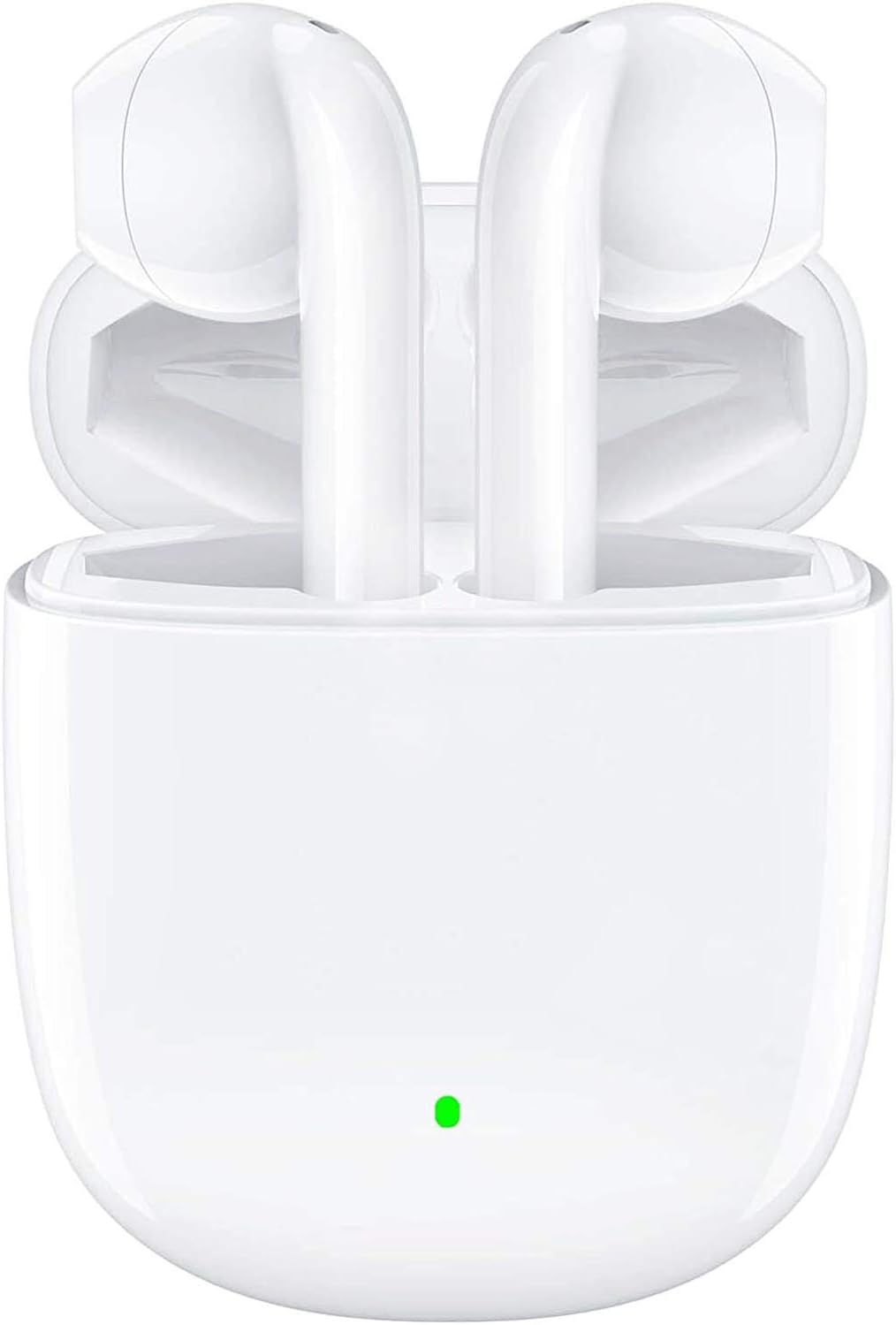
The BEBEN T9 Wireless Earbuds are housed in a compact charging case, designed for portability and convenience. The earbuds feature an ergonomic semi-in-ear design for comfortable wear.

Each earbud is equipped with a 14mm dynamic driver, engineered to deliver high-fidelity stereo sound with clear audio reproduction.

The charging case is designed to be pocket-sized, making it easy to carry your earbuds and charge them on the go. Its dimensions are approximately 2.2 inches by 1.85 inches by 0.86 inches.
Жайгашуу
1. Кулакчындарды жана кутуну кубаттоо
Before first use, ensure both the earbuds and the charging case are fully charged. The charging case provides extended battery life for your earbuds.
- Кулакчындарды заряддоо кутусуна салыңыз.
- Connect the provided USB Type-C charging cable to the charging port on the case and to a compatible USB power source (e.g., wall adapter, computer USB port, power bank).
- The indicator light on the charging case will show charging status. A full charge typically takes about 1.5 hours.
- Once fully charged, the earbuds offer 4 to 5 hours of continuous use, and the charging case provides multiple recharges for a total playtime of up to 35 hours.

The earbuds and case support Type-C fast charging, providing up to 35 hours of total playtime with the charging case's backup power.
2. Түзмөгүңүз менен жупташтыруу (бир кадамдуу жупташтыруу)
The BEBEN T9 earbuds feature a convenient one-step pairing process thanks to Bluetooth 5.3 technology.
- Ensure Bluetooth is enabled on your smartphone, tablet, or other Bluetooth-enabled device.
- Заряддоо кутусунун капкагын ачыңыз. Кулакчындар автоматтык түрдө күйүп, жупташтыруу режимине өтөт.
- On your device, search for Bluetooth devices and select "T9" from the list.
- Туташкандан кийин, сиз ырастоо үнүн угасыз жана кулакчындар колдонууга даяр болот.
- After the initial pairing, the earbuds will automatically connect to the last paired device when you open the charging case.

The earbuds offer one-step pairing, automatically connecting to your device when the charging case is opened.
Иштөө нускамалары
Интеллектуалдык сенсордук башкаруу
The T9 earbuds utilize intelligent touch controls for various functions. Gently tap the touch area on either earbud to perform the following actions:

The earbuds feature intelligent touch controls for easy management of music playback, calls, and voice assistant activation.
| Акция | Command басыңыз |
|---|---|
| Музыканы ойнотуу/тындыруу | Кулакчындарды бир жолу таптаңыз |
| Чалууга жооп берүү/аяктоо | Кулакчындарды бир жолу таптаңыз |
| Чакырууну четке кагуу | Press and hold for 2 seconds on either earbud |
| Кийинки ыр | Оң кулакчынды эки жолу таптаңыз |
| Мурунку ыр | Сол кулакчынды эки жолу таптаңыз |
| Үндү көтөрүү | Оң кулакчынды үч жолу басыңыз |
| Үндү төмөндөтүү | Сол кулакчынды үч жолу басыңыз |
| Үн жардамчысын иштетүү (Siri/Google Жардамчы) | Press and hold for 3 seconds on either earbud |
Single Earbud Mode vs. Binaural Mode
The T9 wireless earbuds allow flexible usage, supporting both single earbud (mono) and binaural (stereo) modes. You can switch between modes seamlessly.
- Жалгыз кулакчын режими: You can use either the left or right earbud independently. Simply take one earbud out of the charging case, and it will connect to your device. This is useful for situations where you need to be aware of your surroundings.
- Бинауралдык режим: To use both earbuds for stereo sound, take both earbuds out of the charging case. They will automatically connect to each other and then to your device.
- Которуу режимдери: If you are using one earbud and wish to switch to binaural mode, simply take the other earbud out of the case. They will automatically connect. If you are using both and wish to switch to single mode, place one earbud back into the charging case; the other will continue to function.

The earbuds support flexible usage, allowing for single earbud use, binaural stereo sound, or even sharing one earbud with another person.
Техникалык тейлөө
Тазалоо
Үзгүлтүксүз тазалоо үн сапатын жана гигиенаны сактоого жардам берет.
- Кулакчындарды жана кубаттоочу кутуну сүртүү үчүн жумшак, кургак, түксүз чүпүрөктү колдонуңуз.
- өжөр кир үчүн, бир аз гampчүпүрөктү суу же жумшак, абразивдүү тазалагыч менен жууп салыңыз.
- Катуу химиялык заттарды, спиртти же абразивдик материалдарды колдонбоңуз.
- Кулакчындардагы жана кутудагы кубаттоо контакттары таза жана кургак экенин текшериңиз.
Сактагыч
Колдонулбаганда, кулакчындарды коргоо жана кубаттоо үчүн кубаттоочу кутучага сактаңыз.
- Салкын, кургак жерде, экстремалдык температурадан жана түз күндүн нурунан алыс сактаңыз.
- Чаңдуу же кир чөйрөдө сактоодон алыс болуңуз.
Суу каршылык
The BEBEN T9 earbuds are designed with a waterproof exterior, making them suitable for sports and fitness activities where they may encounter sweat or light splashes. However, they are not designed for submersion in water. Avoid prolonged exposure to water or using them while swimming or showering.
Проблемаларды чечүү
| Көйгөй | Мүмкүн чечим |
|---|---|
| Кулакчындар жупташтырылбай жатат/туташтырылбай жатат | Ensure earbuds are charged. Turn off and on Bluetooth on your device. Forget "T9" in your device's Bluetooth settings and re-pair. Place earbuds back in case, close lid, then open again. |
| Бир гана кулакчын иштейт | Ensure both earbuds are charged. Place both earbuds back in the charging case, close the lid for 5 seconds, then open it again. They should automatically re-sync. |
| Көлөмү төмөн же үн сапаты начар | Adjust volume on both your device and using the earbud touch controls. Ensure earbuds are clean and free of debris. Check if the earbuds are properly seated in your ears. |
| Кулакчындар заряддалбай жатат | Ensure the charging cable is securely connected to both the case and the power source. Check if the charging contacts on the earbuds and inside the case are clean. Try a different USB port or cable. |
| Тийүү башкаруулары жооп бербейт | Манжаларыңыздын таза жана кургак экенине ынаныңыз. Кулакчындарды кутуга салып, кайра алып чыгып, кайра күйгүзүп көрүңүз. |
Техникалык шарттар
| Өзгөчөлүк | Деталь |
|---|---|
| Модель аты | T9 |
| Байланыш технологиясы | Зымсыз (Bluetooth) |
| Зымсыз байланыш технологиясы | Bluetooth 5.3 |
| Bluetooth диапазону | 10 метрге чейин (33 фут) |
| Аудио драйвер түрү | Динамикалык драйвер |
| Аудио драйверинин өлчөмү | 13 миллиметр |
| Батареянын иштөө мөөнөтү (наушник) | 4-5 hours (continuous use) |
| Жалпы ойноо убактысы (заряддоо кутусу менен) | 35 саатка чейин |
| Заряддоо порту | USB Type-C |
| Башкаруу ыкмасы | Touch Control |
| Сууга туруктуулук деңгээли | Waterproof (suitable for sweat/light splashes) |
| Кулак жайгаштыруу | Кулактын ичинде (жарым кулакка орнотулуучу дизайн) |
| Продукциянын өлчөмдөрү | 3.15 x 3.15 x 3.15 дюйм |
| Элемент Салмагы | 3.2 унция |
Кепилдик жана колдоо
BEBEN products are manufactured to high standards and undergo rigorous quality checks. For specific warranty information, please refer to the warranty card included with your product or visit the official BEBEN webсайт.
If you encounter any issues or have questions regarding your BEBEN T9 Wireless Earbuds, please contact BEBEN customer support through the retailer's platform or the contact information provided on the official BEBEN webсайт. Колдоо кызматына кайрылганда продуктуңуздун моделин жана сатып алуу жөнүндө маалыматты даярдап коюңуз.