
1. Киришүү
This manual provides essential information for the installation, operation, and maintenance of your Segotep GM850 850W Power Supply. Please read this manual thoroughly before installation and retain it for future reference. The Segotep GM850 is a high-performance, fully modular power supply designed to meet the demands of modern computing systems, including those with NVIDIA RTX 20/30/40/50 Series and AMD Graphics Cards.

Image 1.1: Segotep GM850 850W Power Supply and Retail Box
2. Коопсуздук маалыматы
Observe the following safety precautions to prevent injury or damage to your equipment:
- Кубат булагын орнотуудан, алып салуудан же тазалоодон мурун ар дайым кубат шнурун розеткадан сууруп алыңыз.
- Электр менен камсыздоо блогун ачпаңыз. Жогорку томtages ичинде бар жана колдонуучу тейлей турган бөлүктөр жок. Аппаратты ачуу кепилдикти жокко чыгарат.
- Ensure the power supply is installed in a well-ventilated area, free from excessive heat, humidity, or dust.
- Бул кубат булагы менен кошо берилген модулдук кабелдерди гана колдонуңуз. Шайкеш келбеген кабелдерди колдонуу кубат булагына же туташкан компоненттерге зыян келтириши мүмкүн.
- Электр булагын жерге туташтырылган розеткага туташтырыңыз.
- Avoid placing objects into the fan grille or ventilation openings of the power supply.

Image 2.1: Safety Protection Features (OVP, OCP, OPP, SPD, OTP, UVP, SCP)
3. Пакеттин мазмуну
Verify that all items are present in your Segotep GM850 850W Power Supply package:
- Segotep GM850 850W Power Supply Unit
- AC Power Cord
- Modular Cable Set (see Image 3.1 for details)
- Монтаждоо бурамалар
- 24-Pin Bridge Tool (for testing, if included)
- Колдонуучунун Колдонмосу (бул документ)

Image 3.1: Included Modular Cables and 24-Pin Bridge Tool
4. Продукциянын өзгөчөлүктөрү
- ATX 3.1 жана PCIe 5.1 даяр: This power supply is compliant with the latest ATX 3.1 and PCIe 5.1 standards, ensuring compatibility with next-generation hardware. It is designed to handle power excursions up to 200% of total power and 300% of GPU power, providing stable power delivery for high-performance graphics cards.
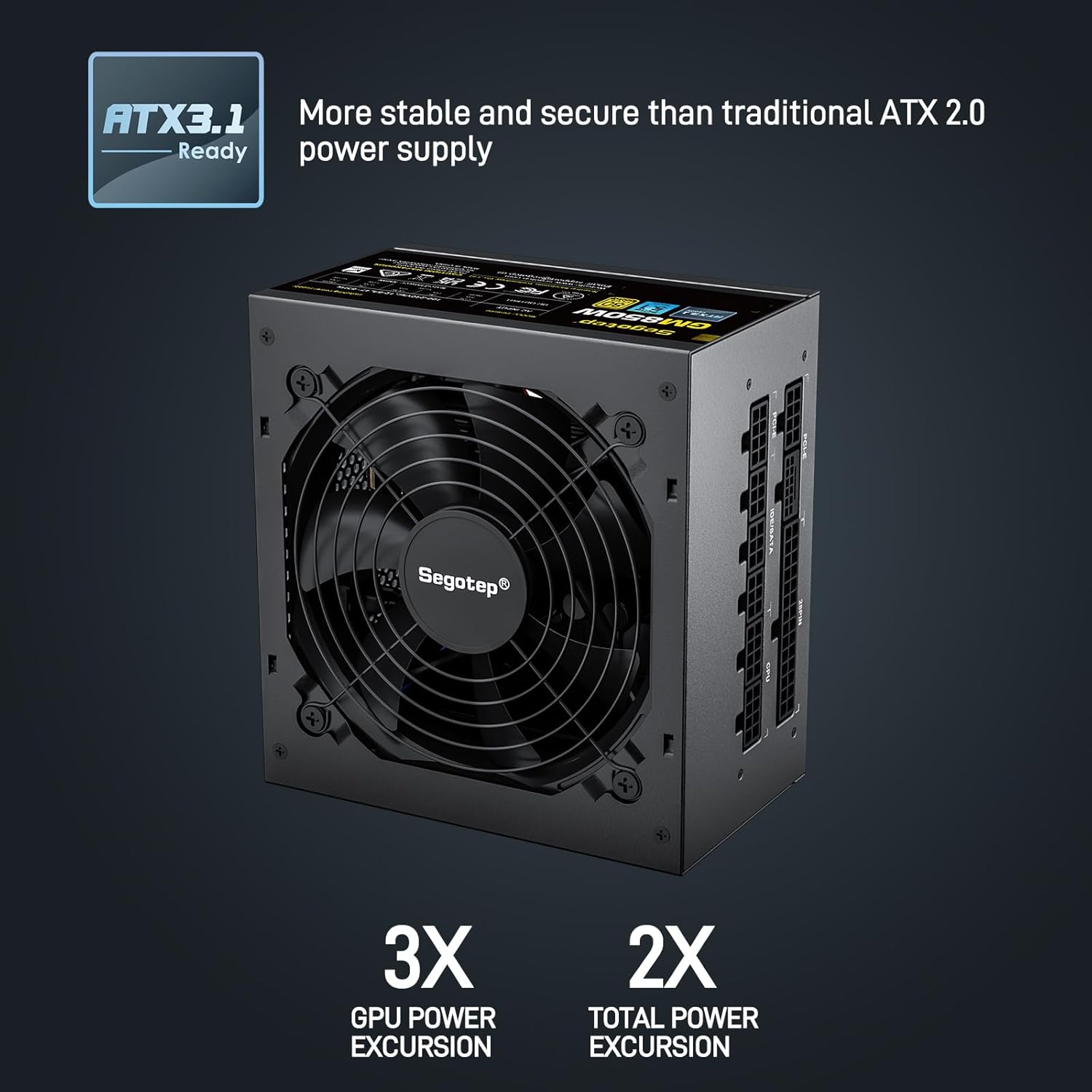
Image 4.1: ATX 3.1 Compliance and Power Excursion Handling
- 80 Plus Gold сертификаты: The 80 PLUS Gold certification guarantees high power efficiency, reducing energy waste and operating costs. This results in less heat generation and a quieter system.
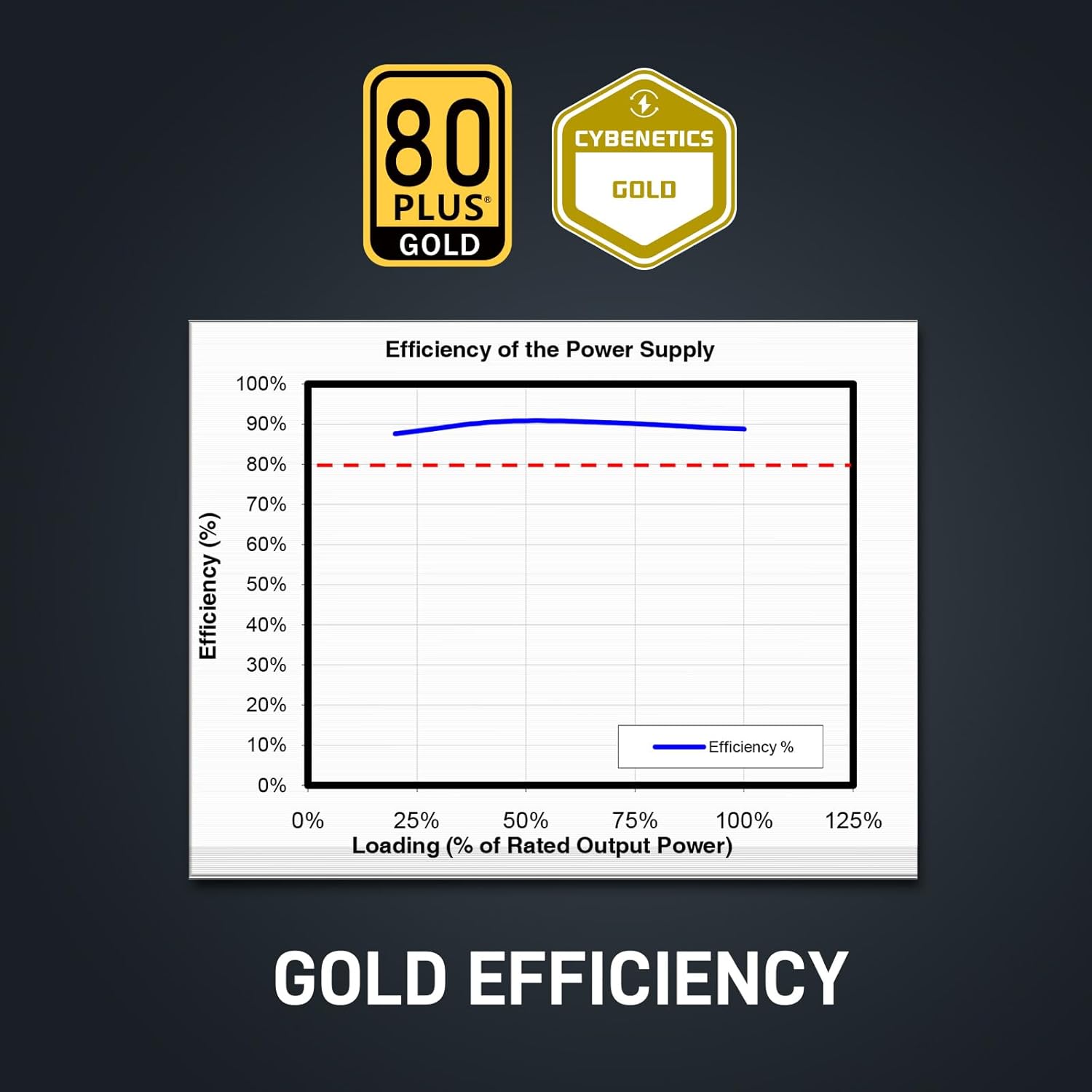
Image 4.2: 80 Plus Gold Efficiency Certification
- Толугу менен модулдук дизайн: The fully modular cable system allows you to connect only the cables your system requires, improving airflow within your PC case and simplifying cable management. The flat black cables enhance the aesthetic appeal of your build.
- Native 12VHPWR Cable: Equipped with a native 12VHPWR cable, this PSU can deliver up to 600W of power directly to PCIe 5.1 graphics cards, eliminating the need for adapters and ensuring stable power delivery.
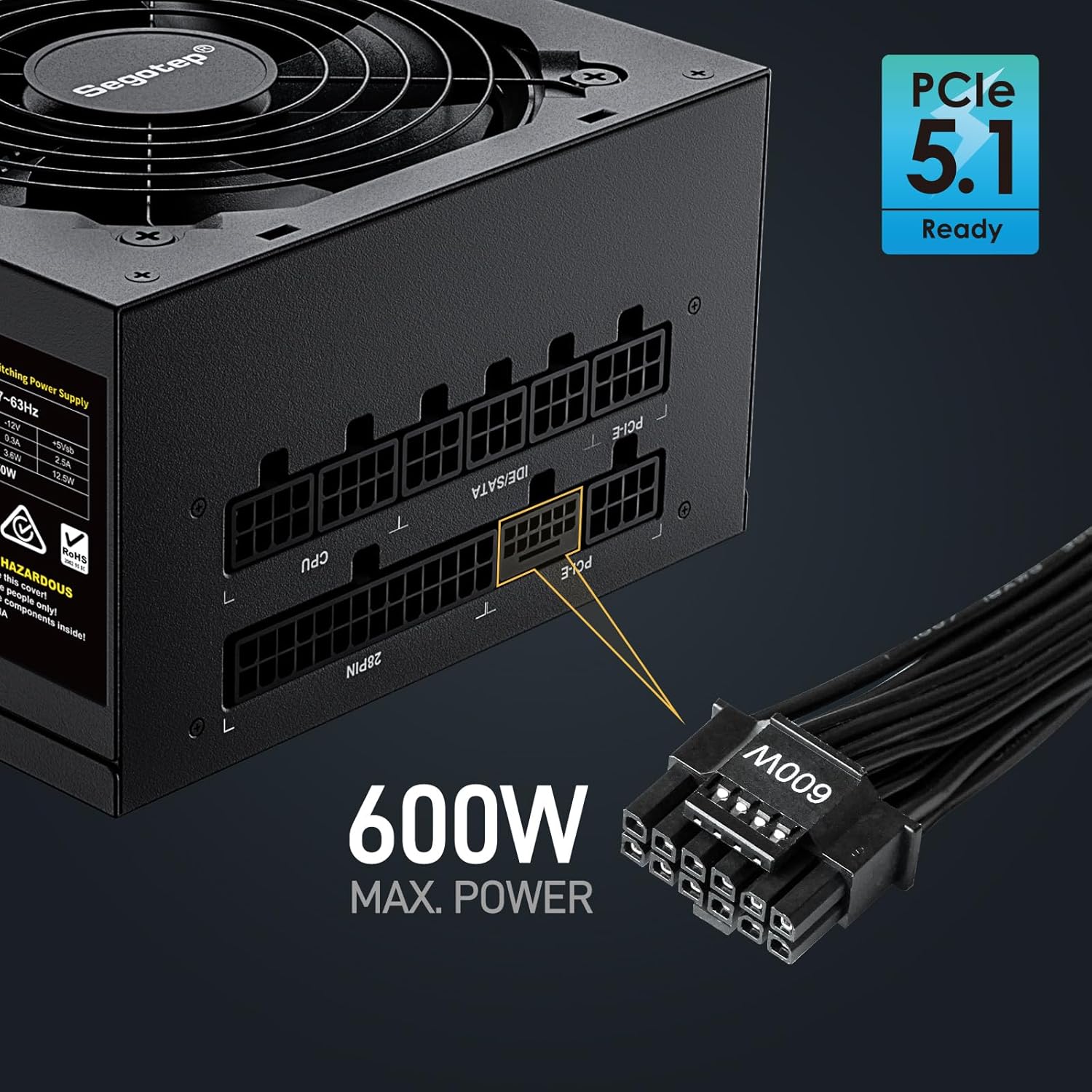
Image 4.3: Native 12VHPWR Cable for PCIe 5.1 Graphics Cards
- Stable +12V Output: Featuring a DC-DC structure, Full Bridge LLC resonance assist, and 12V synchronous rectification, the GM850 provides a highly stable and safe +12V output, crucial for sensitive components like the CPU and GPU.
- Комплекстүү коопсуздук чаралары: The power supply incorporates multiple protection circuits to safeguard your components: OVP (Over Voltage Protection), OCP (Over Current Protection), OPP (Over Power Protection), SPD (Surge Protection Device), OTP (Over Temperature Protection), UVP (Under Voltage Protection), and SCP (Short Circuit Protection).
- 120 мм FDB желдеткичи: A 120mm Fluid Dynamic Bearing (FDB) fan provides efficient cooling with minimal noise, contributing to a quieter computing experience.

Image 4.4: Graphics Card Compatibility and Connector Types
5. Орнотуу боюнча колдонмо
Follow these steps to install your Segotep GM850 850W Power Supply:
- Даярдоо: Компьютериңиздин өчүрүлгөнүн жана розеткадан суурулганын текшериңиз. Компьютериңиздин корпусун ачыңыз.
- Эски PSUну алып салуу (эгер бар болсо): Эски кубат булагынан бардык кабелдерди ажыратыңыз. Эски кубат булагын бурап чыгарып, корпустан чыгарыңыз.
- Жаңы PSUну орнотуу: Carefully slide the Segotep GM850 into the power supply bay of your computer case. Secure it with the provided mounting screws.
- Негизги кабелдерди туташтыруу:
- 20+4 Pin ATX Motherboard Cable: Connect the main motherboard power cable to the corresponding port on your motherboard.
- 4+4 Pin CPU Cable(s): Connect the CPU power cable(s) to the CPU power port(s) on your motherboard.
- Connect Graphics Card Cables:
- For PCIe 5.1 compatible graphics cards, use the native 12VHPWR (16-pin) cable.
- For older graphics cards, use the 6+2 pin PCIe cables as required by your GPU.
- Перифериялык кабелдерди туташтыруу: Connect SATA power cables to your SSDs, HDDs, and optical drives. Connect IDE/Molex cables for any other peripherals that require them.
- Кабелдик башкаруу: Utilize the fully modular design and flat cables to route and manage cables neatly within your case for optimal airflow and aesthetics.
- Акыркы текшерүү: Бардык туташуулардын коопсуздугун текшерүү үчүн аларды эки жолу текшериңиз. Компьютериңиздин корпусун жабыңыз.
- Күйгүзүү: Plug the AC power cord into the power supply and then into a grounded wall outlet. Flip the power switch on the PSU to the 'ON' position. Power on your computer.

Image 5.1: Segotep GM850 Power Supply Installed in a PC Case
6. Операция
Once installed, the Segotep GM850 850W Power Supply operates automatically, providing stable power to your system. The 120mm FDB fan adjusts its speed based on the power supply's temperature and load, ensuring efficient cooling while maintaining low noise levels. No user intervention is typically required during normal operation.
7. Техникалык тейлөө
Электр менен камсыздооңуздун оптималдуу иштешин жана узак мөөнөттүү иштешин камсыз кылуу үчүн, төмөнкү техникалык тейлөө боюнча кеңештерди карап чыгыңыз:
- Чаңды тазалоо: Periodically clean the exterior of the power supply and its fan grille to prevent dust buildup, which can impede airflow and cooling. Use compressed air to gently clear dust from the fan and vents. Ensure the system is powered off and unplugged before cleaning.
- Кабелдик текшерүү: Occasionally check all modular cable connections to ensure they are seated firmly.
- Курчап турган чөйрө: Maintain a clean, cool, and dry environment for your computer to prevent excessive strain on the power supply.
8. Кыйынчылыктарды
Эгерде сиз электр менен камсыздоодо көйгөйлөргө туш болсоңуз, төмөнкү кеңири таралган көйгөйлөрдү жана чечимдерди караңыз:
| Көйгөй | Мүмкүн себеп | Чечим |
|---|---|---|
| Компьютер күйбөйт. | Power cord not connected, PSU switch off, faulty component, insufficient power. | Ensure power cord is secure. Check PSU switch is ON. Verify all modular cables are correctly connected. Test with minimal components. |
| Система бузулат же туш келди кайра жүктөлөт. | Overload, overheating, unstable power delivery. | Жалпы системанын ваттын камсыз кылууtage does not exceed 850W. Check for proper ventilation. Verify all cables are securely connected. |
| Fan is excessively loud. | Dust buildup, high load, fan malfunction. | Clean dust from the fan and vents. Ensure adequate case airflow. If noise persists, contact support. |
| Күйүү жыт же түтүн. | Serious component failure. | Immediately disconnect power from the wall outlet. Do not attempt to power on the system. Contact Segotep support. |
If these steps do not resolve your issue, please contact Segotep customer support.
9. Техникалык шарттар
| Өзгөчөлүк | Деталь |
|---|---|
| Модель аты | GM850 |
| Чыгуу Wattage | 850 Ватт |
| Натыйжалуулуктун сертификациясы | 80 PLUS Gold |
| Форма фактору | ATX 3.0 (Compatible with ATX 3.1) |
| Туташтыргыч түрү | ATX 3.1, PCI Express 5.1 (Native 12VHPWR) |
| Муздатуу ыкмасы | Аба (120 мм FDB желдеткич) |
| Продукциянын өлчөмдөрү (L x W x Y) | 5.91 x 5.51 x 3.35 дюйм |
| Элемент Салмагы | 5.29 фунт |
| Шайкеш түзмөктөр | Gaming Console (PC) |
| Коргоо | OVP, OCP, OPP, SPD, OTP, UVP, SCP |
10. Кепилдик жана колдоо
The Segotep GM850 850W Power Supply comes with a 5 жылдык кепилдик from the date of purchase, covering defects in materials and workmanship under normal use. This warranty does not cover damage caused by improper installation, accidents, abuse, misuse, natural disaster, or unauthorized modification.
For technical support, warranty claims, or further assistance, please contact Segotep customer service through their official website or the retailer where the product was purchased. Please have your proof of purchase and product model information ready when contacting support.
Segotep Inc.
Webсайт: www.segotep.com
Электрондук почта: support@segotep.us