
1. Киришүү
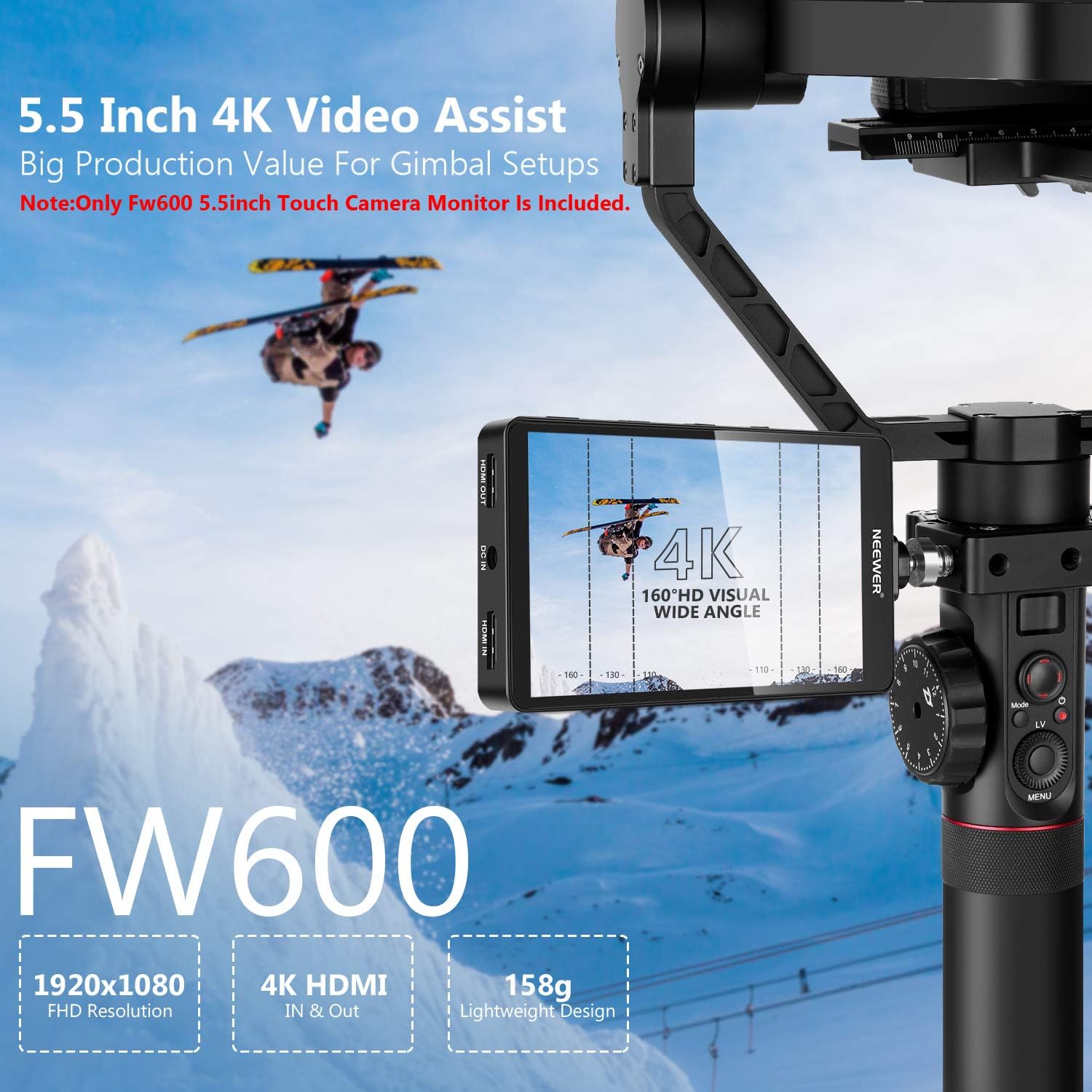
The NEEWER FW600 is a 5.5-inch Full HD 1920x1080 touch screen camera field monitor designed to enhance your video production workflow. It features 4K HDMI input/output, RGB waveform, vector scope, 3D-LUT support, and various video peaking focus assist functions. This manual provides detailed instructions for setup, operation, and maintenance of your FW600 monitor.
2. Коопсуздук маалыматы
- Электр шок же өрт болбош үчүн мониторду жамгырга же нымдуулукка дуушар кылбаңыз.
- Avoid direct sunlight exposure for extended periods, especially when not in use.
- Агрегатты ажыратпаңыз. Бардык тейлөөлөрдү квалификациялуу кызматкерлерге тапшырыңыз.
- Use only power adapters and batteries specified by the manufacturer.
- Мониторду күчтүү магнит талаасынан алыс кармаңыз.
- Clean the screen with a soft, dry cloth. Avoid using liquid cleaners.
3. Пакеттин мазмуну
Төмөндө тизмеленген нерселердин баары пакетиңизге камтылганын текшериңиз:
- NEEWER FW600 5.5-Inch Monitor
- Sun Shade
- Tilt Арм
- Микрофибр кездеме
- U Disk (USB Flash Drive)
- HDMI Micro Cable
- Mini HDMI Cable
- OTG кабели
- USB кабели

4. Продукт бүтүп калдыview
The FW600 monitor features a compact design with essential ports for connectivity and power. Understanding the layout of these components is crucial for proper operation.

4.1. Порттор жана башкаруу элементтери
- HDMI IN: Connects to your camera's HDMI output for video signal input.
- HDMI OUT: Provides a loop-out signal to another monitor or device.
- DC IN: Power input for external power sources (e.g., AC adapter, not included).
- 8V DC ЧЫГЫШ: Power output to power compatible camera accessories.
- 3.5mm Earphone Slot: Аудио мониторинг жүргүзүү үчүн.
- USB жаңыртуу: Used for firmware updates and 3D-LUT loading.
- Батарея плитасы: Located on the rear, compatible with Sony NP-F550/F970 series batteries.

5. Орнотуу
5.1. Мониторду орнотуу
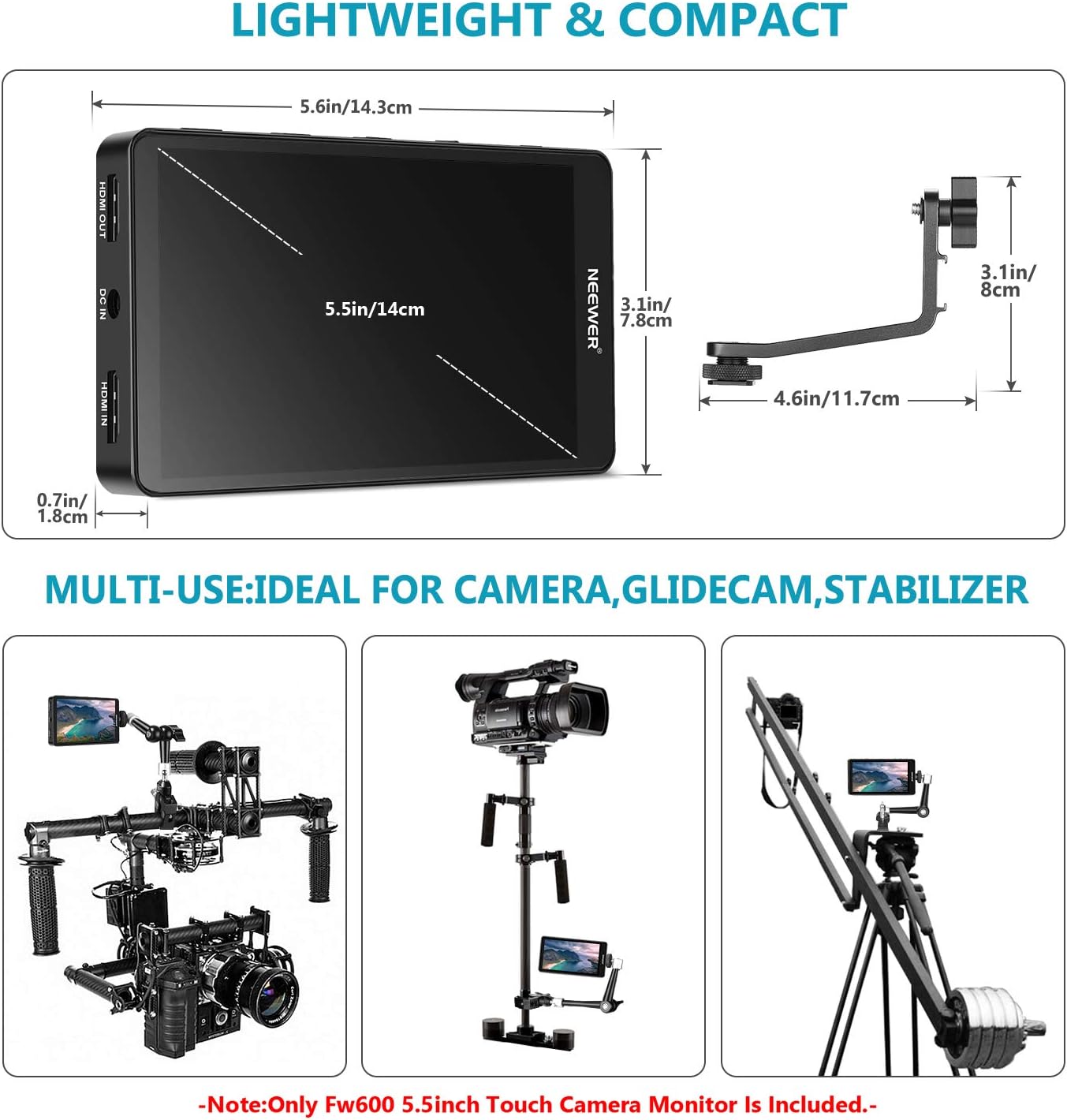
The FW600 monitor can be mounted using the included tilt arm or other compatible mounting solutions.
- Attach the tilt arm to the 1/4"-20 screw hole on the side of the monitor.
- Secure the tilt arm to your camera's hot shoe or a cage using its cold shoe mount.
- Оптималдуу болушу үчүн монитордун бурчун тууралаңыз viewing.
5.2. Мониторду кубаттоо
The FW600 can be powered by an NP-F series battery or an external DC power source.
- Using an NP-F Battery: Slide a compatible Sony NP-F550/F970 battery onto the battery plate on the rear of the monitor until it clicks into place.
- DC кубатын колдонуу: Connect a compatible DC power adapter (not included) to the "DC IN" port.
5.3. Камерага туташуу
Connect your camera to the monitor using an HDMI cable.
- Ensure both the camera and monitor are powered off.
- Connect one end of the HDMI Micro Cable or Mini HDMI Cable (depending on your camera's port) to your camera's HDMI output.
- Connect the other end of the cable to the "HDMI IN" port on the FW600 monitor.
- Power on the monitor, then power on your camera. The camera's video feed should appear on the monitor.
6. Мониторду иштетүү
6.1. Basic Operation and Menu Navigation
The FW600 features a touch screen for intuitive control. Tap the screen to access the main menu and adjust settings.

6.2. Негизги функциялар жана функциялар
The FW600 offers a range of professional monitoring tools:
- 3D-LUT: Load custom 3D Look-Up Tables for accurate color grading preview. Use the included U Disk and OTG cable to transfer LUT files.
- Толкун формасы: Displays the luminance and chrominance levels of your video signal, aiding in exposure control.
- Вектордук чөйрө: Visualizes the color information of your image, helping to ensure accurate color balance.
- Чокуга багытталган жардам: Highlights in-focus areas with a selectable color, making it easier to achieve sharp focus.
- Жалган түс: Assigns false colors to different exposure levels, providing a quick visual guide for correct exposure.
- Зебра: Overlays stripes on areas exceeding a set exposure threshold, indicating overexposed regions.
- Гистограмма: Shows the distribution of tonal values (brightness) in your image.
- Чоңойтуу: Magnifies a portion of the image for critical focus checking.
- Сүрөттү которуу: Flips the image horizontally or vertically, useful for various mounting orientations.

6.3. Жарыкты жөндөө
The monitor features 450 cd/m² brightness, suitable for various lighting conditions. Adjust the brightness via the on-screen menu for optimal viewing.
6.4. Расмий продукт Video
Watch this official video for a visual guide on the NEEWER FW600 Monitor's features and operation.
Video: An official product video demonstrating the features and usage of the NEEWER FW600 Monitor.
7. Техникалык тейлөө
- Тазалоо: Use the provided microfiber cloth to gently wipe the screen and body of the monitor. Do not use abrasive cleaners or solvents.
- Сактагыч: When not in use, store the monitor in a dry, dust-free environment. Use the sun shade to protect the screen during transport.
- Батареяга кам көрүү: If using batteries, remove them during long periods of inactivity to prevent leakage.
8. Кыйынчылыктарды
| Көйгөй | Мүмкүн себеп | Чечим |
|---|---|---|
| Экранда сүрөт жок. | Monitor not powered on; HDMI cable loose or incorrect input selected; camera not outputting signal. | Ensure monitor is powered on. Check HDMI cable connection. Verify camera HDMI output settings. Select correct input source on monitor. |
| Сүрөт бурмаланып же жыпылыктап турат. | Faulty HDMI cable; incompatible resolution/frame rate; interference. | Try a different HDMI cable. Adjust camera output resolution/frame rate to match monitor's supported modes (up to 4K 30Hz). Move away from strong electromagnetic sources. |
| Сенсордук экран жооп бербейт. | Убактылуу программалык камсыздоонун катасы; экран кир. | Restart the monitor. Clean the screen with a microfiber cloth. |
| Monitor overheats and shuts off. | Prolonged use in high temperatures; poor ventilation. | Allow the monitor to cool down. Operate in a well-ventilated area. Reduce screen brightness if possible. |
| Cannot load 3D-LUTs. | Туура эмес file format; USB connection issue. | Ensure LUT files are in a compatible format (e.g., .cube). Verify the OTG cable and U Disk connection. Refer to the specific LUT loading instructions in the monitor's full manual (if available). |
9. Техникалык шарттар
| Өзгөчөлүк | Деталь |
|---|---|
| Screen Size | 5.5 дюйм |
| Резолюция | 1920x1080 (FHD 1080p) |
| Дисплей түрү | ЖК, IPS панели |
| Жарыктык | 450 кд/м² |
| Контраст катышы | 2000:1 |
| Viewбурч | 160 градус |
| Аспект катышы | 16:10, 16:9, 4:3 |
| Жаңыртуу ылдамдыгы | 60 Гц |
| Байланыш | HDMI In, HDMI Out, DC In, 8V DC Out, 3.5mm Earphone, USB Upgrade |
| Power Input | DC 7-24V (NP-F battery or external DC) |
| Өлчөмдөр (D x W x H) | 0.7"D x 5.6"W x 3.1"H (1.8cmx14.3cmx7.8cm) |
| Салмагы | Approximately 158g (without battery) |
| Өзгөчөлүктөр | Touchscreen, 3D-LUT, Waveform, Vector Scope, Histogram, Peaking Focus, False Color, Zebra, Zoom, Image Flip |
10. Кепилдик жана колдоо
NEEWER products typically come with a limited warranty. Please refer to the warranty card included with your product or visit the official NEEWER webдеталдуу кепилдик шарттары жана шарттары үчүн сайт.
Кардарларды колдоо
For technical assistance, troubleshooting, or service inquiries, please contact NEEWER customer support through their official website or the contact information provided in your product packaging. When contacting support, please have your product model (FW600) and purchase details ready.
Расмий NEEWER Webсайт: www.neewer.com