
Introduction
This manual provides comprehensive instructions for the setup, operation, maintenance, and troubleshooting of your CAMMHD V5-32 Body Camera. Designed for law enforcement and security personnel, this device offers high-resolution video recording, audio capture, motion detection, and infrared night vision capabilities in a durable, waterproof design. Please read this manual thoroughly to ensure proper use and to maximize the performance of your body camera.
Пакеттин мазмуну
Таңгактан чыгарганда, таңгагыңызда төмөнкү нерселердин бардыгы бар экенин текшериңиз:
- CAMMHD V5-32 Body Camera
- Далыга клип
- Артка клип
- Кубаттоочу баш (кубат адаптери)
- Data Cable (Micro USB 2.0)
- Колдонуучунун колдонмосу (англисче)
- White Color Box

Image: CAMMHD V5-32 Body Camera and its included accessories, such as the shoulder clip, back clip, charging head, and data cable.
Жайгашуу
1. Батареяны заряддоо
Before initial use, fully charge the camera's internal 3000mAh battery.
- Connect the data cable to the camera's Micro USB 2.0 port.
- Connect the other end of the data cable to the charging head.
- Заряддоочу башты стандарттуу розеткага сайыңыз.
- The charging indicator light will illuminate. Once fully charged, the indicator light may change color or turn off.
A full charge typically provides 6-8 hours of continuous video recording.

Image: Visual representation of the camera's 3000mAh battery capacity.
2. Камераны орнотуу
Use the provided shoulder clip or back clip to securely attach the camera to your uniform or gear.
- Shoulder Clip: Ideal for attaching to shoulder straps or epaulets.
- Артка клип: Suitable for attaching to pockets, belts, or other secure points.
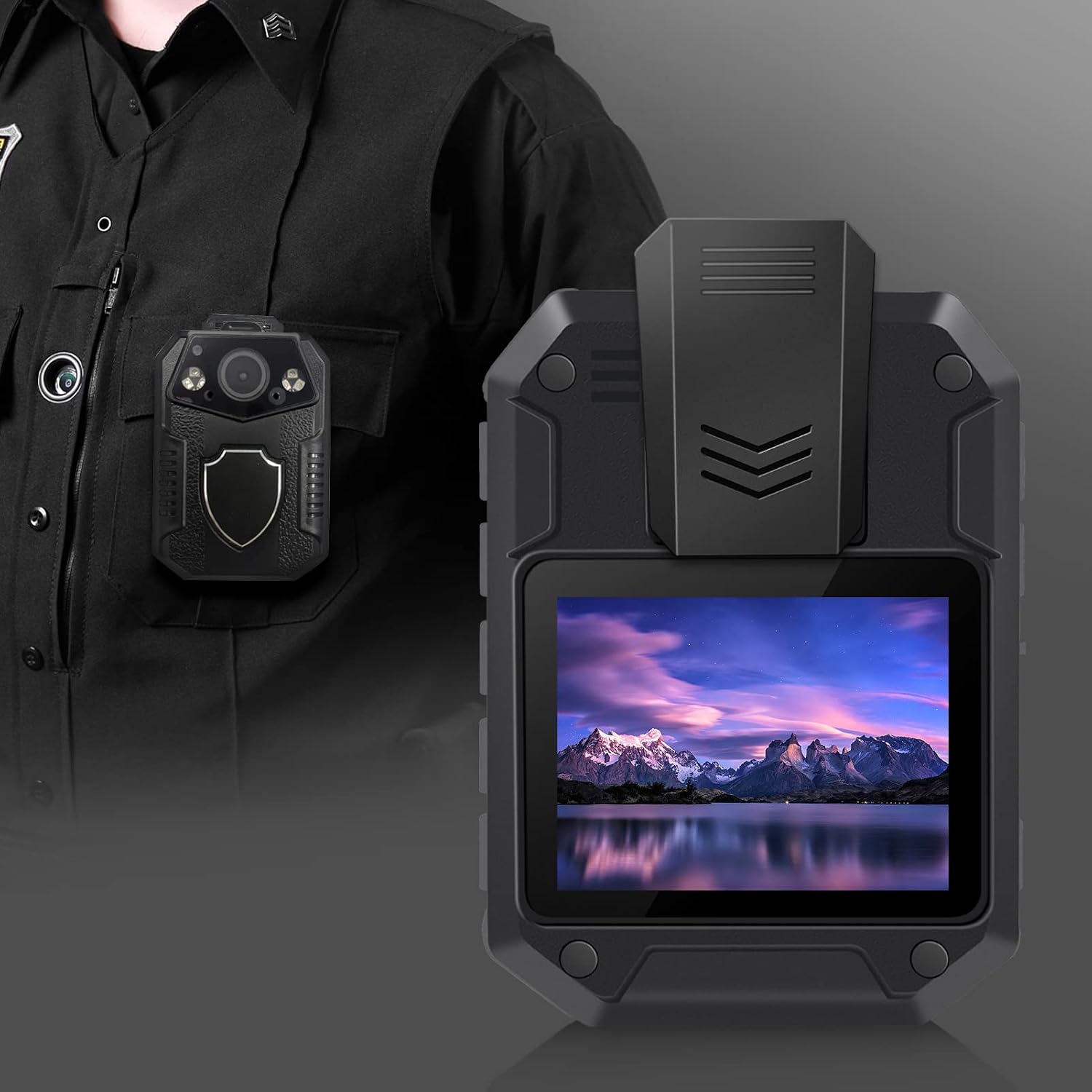
Image: The CAMMHD V5-32 body camera securely mounted on a uniform, ready for use.
3. Баштапкы күйгүзүү жана орнотуулар
Refer to the included English user manual for detailed instructions on initial power-on, setting date/time, video resolution, and other operational parameters. The camera features a 2-inch screen for easy navigation.
Иштөө нускамалары
Видео жаздыруу
The camera supports various video resolutions including 1296P, 1080P, and 720P, with H.264 compression.
- Жаздырууну баштоо: Press the dedicated video recording button once to start recording.
- Жаздырууну токтотуу: Press the video recording button again to stop and save the current recording.
- Цикл жаздыруу: The camera features loop recording, automatically overwriting the oldest fileэс толгондо с.

Image: Visual comparison of 2160P (4K) and 1080P video resolutions, demonstrating the camera's image clarity.
Аудио жаздыруу
The camera can record audio independently or alongside video.
- Start Audio Recording: Press the dedicated audio recording button.
- Stop Audio Recording: Press the audio recording button again.
- Аудио fileлар WAV форматында сакталат.
Сүрөт тартуу
Capture still images with the 36-megapixel camera.
- Сүрөткө тартуу: Press the dedicated photo button.
- Photos are saved in JPG format.
Түнкү көрүнүш
The camera is equipped with 6 infrared lights for clear night vision up to 15-20 meters.
- Activate Night Vision: Night vision can be manually activated or set to automatic mode via the camera's menu.
Motion Detection
Enable motion detection to automatically start recording when movement is detected within the 170° field of view.
- Иштетүү/Өчүрүү: Access the motion detection setting through the camera's menu.
Техникалык тейлөө
Камераны тазалоо
Оптималдуу иштөөнү жана сүрөттүн сапатын сактоо үчүн:
- Wipe the camera lens and screen with a soft, lint-free cloth.
- For stubborn smudges, use a slightly damp cloth with mild cleaning solution, then dry immediately.
- Абразивдүү тазалагычтарды же эриткичтерди колдонбоңуз.
Сактоо жана иштетүү
Камераны салкын, кургак жерде күндүн тике тийген нурунан жана экстремалдык температурадан алыс сактаңыз.
- Avoid dropping or subjecting the camera to severe impacts, despite its durable ABS engineering plastic casing.
- Ensure the Micro USB port cover is securely closed to maintain IP67 waterproof and dustproof rating.
Маалыматтарды башкаруу
Regularly transfer recorded data to a computer or external storage device to free up the camera's 32GB internal memory. The camera supports expandable storage up to 512GB via a compatible memory card.
- Connect the camera to a computer using the provided data cable.
- Камера алынуучу сактагыч түзмөгү катары пайда болот.
- Copy desired fileс компьютериңизге.
- Safely eject the camera from your computer before disconnecting the cable.
Проблемаларды чечүү
| Көйгөй | Мүмкүн болгон себеп / Чечим |
|---|---|
| Камера күйбөйт. |
|
| Cannot record video/audio. |
|
| Сүрөт/видео сапаты начар. |
|
| Камера компьютер тарабынан таанылган жок. |
|
Техникалык шарттар
| Өзгөчөлүк | Деталь |
|---|---|
| Модель номери | V5-32 (Manufacturer Model: TLV5) |
| Screen Size | 2 дюйм |
| Ички сактагыч | 32 ГБ |
| Кеңейтүүчү сактагыч | Supports up to 512GB (via compatible memory card) |
| Video Resolution | 1296P, 1080P, 720P (H.264 compression, up to 4K 3840x2160) |
| Камера пикселдери | 36 млн |
| Shooting Angle | 170° |
| Батарея сыйымдуулугу | 3000mAh |
| Батареянын иштөө мөөнөтү (Видео) | 6-8 hours (continuous recording) |
| Суу өткөрбөйт рейтинги | IP67 |
| Инфракызыл жарыктар | 6 |
| Түнкү көрүнүш аралык | 15-20 метр |
| Берилиштер интерфейси | Микро USB 2.0 |
| Video Format | MP4 |
| Аудио формат | WAV |
| Сүрөт форматы | JPG |
| Өлчөмдөрү (L x W x Y) | 75 мм x 58 мм x 29.5 мм |
| Casing Материал | ABS Engineering Plastic |
| UPC | 783919750197 |
Кепилдик жана колдоо
Кардарларды колдоо
For any questions, technical assistance, or support regarding your CAMMHD V5-32 Body Camera, please contact our customer service team.
- Электрондук почта: CAMMHD-SERVICE@outlook.com
Please have your product model (V5-32) and any relevant purchase information ready when contacting support.
Кепилдик маалымат
Кепилдиктин так чоо-жайы, адатта, сатып алуу документтериңиз менен бирге берилет. Шарттар жана эрежелер менен таанышуу үчүн кепилдик картасын же продуктуңуздун таңгагында камтылган маалыматты караңыз.