
GOKOO B08FMBHSWD
GOKOO Smart Watch B08FMBHSWD User Manual
Introduction
This manual provides essential information for the proper setup, operation, and maintenance of your GOKOO Smart Watch B08FMBHSWD. Please read it thoroughly before using the device to ensure optimal performance and longevity.
The GOKOO Smart Watch is a versatile fitness tracker and smartwatch designed to monitor various health metrics and assist with daily activities. It features a full touch screen, heart rate and blood oxygen monitoring, sleep tracking, multiple sports modes, and notification capabilities.
Продукт бүттүview
The GOKOO Smart Watch B08FMBHSWD is equipped with advanced features to support your active lifestyle and health monitoring needs.
- All-day Activity Tracking: Records steps, calories, and mileage. Supports 10 sports modes including walking, running, yoga, and swimming.
- Ден соолуктун комплекстүү мониторинги: Continuously monitors heart rate and blood oxygen levels. Features automatic sleep tracking, breathing training, and sedentary reminders.
- Бышык жана суу өткөрбөй турган дизайн: IP68 waterproof rating suitable for daily use and swimming.
- Ыңгайлаштырылган дисплей: 1.3-inch round high-definition screen with personalized UI interfaces.
- Акылдуу эскертмелер: Synchronizes messages and allows management of incoming calls.
- Батареянын узак иштөө мөөнөтү: Up to 10 days of usage on a single charge (200MA battery).
- Кеңири шайкештик: Works with Android 5.0+ and iOS 9.0+ devices.

Figure 1: GOKOO Smart Watch highlighting its design and core functionalities.
Жайгашуу
1. Аппаратты заряддоо
Before initial use, fully charge your GOKOO Smart Watch. Connect the magnetic charging cable to the charging contacts on the back of the watch and plug the USB end into a power adapter (not included) or a computer's USB port. The watch display will indicate charging status.
A full charge typically takes approximately 2 hours and provides up to 10 days of usage, depending on individual use patterns.

Figure 2: Illustration of the watch's IP68 waterproof capability and its extended battery life.
2. Колдонмону орнотуу жана жупташтыруу
- Колдонмону жүктөп алыңыз: Издөө the official GOKOO companion app in your smartphone's app store (Apple App Store for iOS, Google Play Store for Android).
- Install and Register: Каттоо эсебин түзүү же кирүү үчүн колдонмону орнотуп, экрандагы нускамаларды аткарыңыз.
- Bluetooth иштетүү: Смартфонуңузда Bluetooth иштетилгенин текшериңиз.
- Саатты жупташтыруу: Open the GOKOO app, navigate to the device pairing section, and select your GOKOO Smart Watch from the list of available devices. Confirm the pairing request on both your phone and the watch if prompted.
- Уруксаттарды берүү: Колдонмонун туура иштеши үчүн керектүү уруксаттарды (мисалы, эскертмелер, жайгашкан жер, ден соолук маалыматтары) бериңиз.
The watch will synchronize its language with your phone upon successful connection.
Иштөө нускамалары
1. Негизги навигация
- Сенсордук экран: The watch features a full touch screen for interaction.
- Өйдө/ылдый сүрүү: Менюларды жана эскертмелерди сыдырыңыз.
- Солго/Оңго сүрүү: Ар кандай виджеттерге же тез функцияларга кирүү.
- таптаңыз: Бир нерсени тандаңыз же аракетти ырастаңыз.
- Каптал баскычы: Адатта, башкы экранга кайтуу же дисплейди иштетүү/өчүрүү үчүн колдонулат.

Figure 3: The watch interface displaying multiple functions and touch screen interaction methods.
2. Иш-аракеттерди көзөмөлдөө
The watch automatically tracks your daily steps, calories burned, and distance traveled. For specific activities, you can select from 10 sports modes:
- Жөө жүрүү
- чуркоо
- Йога
- Сууда сүзүү
- Велосипед тебүү
- альпинизм
- Баскетбол
- Футбол
- Бадминтон
- Өткөрүп жиберүү
To start a workout, navigate to the 'Sports' menu on your watch, select the desired activity, and tap to begin. The watch will record your exercise data, which can be reviewшериктик колдонмодо ed.

Figure 4: The watch interface showing available sports monitoring modes.

Figure 5: The watch tracking an outdoor run, displaying distance, calories, and a trajectory map.
3. Ден соолуктун мониторинги
- Жүрөктүн кагышы: Саат жүрөктүн кагышын тынымсыз көзөмөлдөйт. View саат боюнча реалдуу убакыт дайындары же колдонмодогу деталдуу тарыхый маалыматтар.
- Кандагы кычкылтек (SpO2): Күн бою кандагы кычкылтектин деңгээлин көзөмөлдөңүз.
- Уйкуга көз салуу: The watch automatically records your sleep quality, including deep sleep, light sleep, and wake times. Review sleep patterns in the app to help adjust your habits.
- Дем алуу тренинги: Access guided breathing exercises on the watch to help reduce stress and improve relaxation.
- Отуруучу эскертүүлөр: Set reminders in the app to prompt you to move after periods of inactivity.

Figure 6: The watch displaying real-time heart rate and blood oxygen data during exercise.
4. Эскертмелер жана акылдуу функциялар
Once paired with your smartphone, the GOKOO Smart Watch can display notifications for incoming calls, messages, and various app alerts. You can read messages directly on your wrist and manage incoming calls (answer/reject) without reaching for your phone.
- Чалууларды башкаруу: Swipe on the watch screen to accept or reject incoming calls.
- Билдирүү дисплейи: View text messages and app notifications.
- Аба ырайы: Access current weather information.
- Музыкалык башкаруу: Смартфонуңузда музыканы ойнотууну көзөмөлдөңүз.
- Камераны алыстан башкаруу: Саатты телефонуңуздун камерасы үчүн алыстан жапкыч катары колдонуңуз.
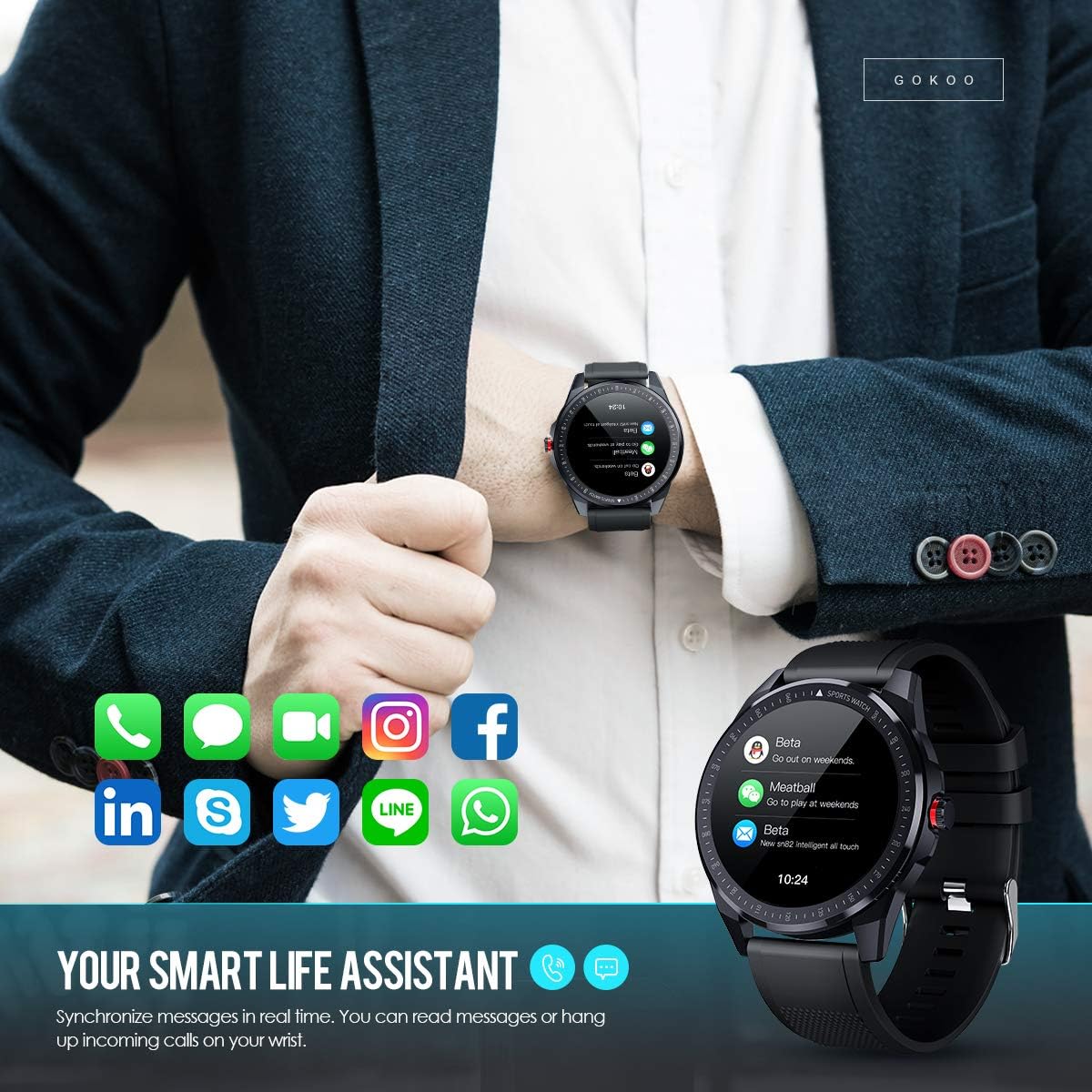
Figure 7: The watch showing synchronized notifications from a smartphone.
5. Ыңгайлаштыруу
The GOKOO Smart Watch allows for personalization of its interface. You can select from various pre-installed watch faces or download additional styles through the companion app to match your preference.
Техникалык тейлөө
1. Тазалоо
Regularly clean your watch and strap to prevent skin irritation and maintain device hygiene. Use a soft, lint-free cloth. If necessary, slightly dampкездемени суу менен сүртүңүз. Катуу химиялык заттарды, абразивдүү тазалоочу каражаттарды же аэрозоль чачыраткычтарды колдонуудан алыс болуңуз.
2. Сууга туруктуулук боюнча көрсөтмөлөр
The GOKOO Smart Watch has an IP68 waterproof rating, meaning it is resistant to dust and can withstand immersion in water up to 1.5 meters for 30 minutes. It is suitable for daily use, hand washing, rain, and swimming.
Маанилүү: Do not use the watch in hot water baths, saunas, or during diving. High temperatures and high pressure can compromise the waterproof seals and cause damage.
3. Батареяга кам көрүү
- Батареяны бат-баттан толук кубаттап калуудан алыс болуңуз.
- Charge the watch using the provided magnetic charging cable.
- Саатты узак убакытка колдонбогондо салкын, кургак жерде сактаңыз.
Проблемаларды чечүү
- Күйгүзүлбөй жаткан саат: Саат толук заряддалганын текшериңиз. Аны заряддагычка кеминде 30 мүнөт туташтырыңыз.
- Телефон менен жупташтыруу мүмкүн эмес:
- Телефонуңузда Bluetooth иштетилгенин текшериңиз.
- Саат телефонуңуздун Bluetooth диапазонунда экенин текшериңиз.
- Телефонуңузду да, саатыңызды да өчүрүп күйгүзүңүз.
- Check if the app has necessary permissions.
- Туура эмес ден соолук маалыматтары: Саат билегиңизге бекем тагылганын, туурасы билек сөөгүнөн бир манжага жакын экенин текшериңиз. Сааттын артындагы сенсорду тазалаңыз.
- Эскертмелер көрүнбөй жатат:
- Verify that notification permissions are granted in the app and your phone's settings.
- Саат Bluetooth аркылуу туташып турганын текшериңиз.
- Check if 'Do Not Disturb' mode is active on either the watch or phone.
- Батарейканын кыска мөөнөтү: Reduce screen brightness, disable continuous heart rate monitoring if not needed, and limit the number of active notifications.
Техникалык шарттар
| Өзгөчөлүк | Деталь |
|---|---|
| Бренд | ГОКОО |
| Модел | B08FMBHSWD |
| Screen Size | 1.3 дюйм |
| Операция системасы | Android 5.0 же андан жогору, iOS 9.0 же андан жогору |
| Шайкеш түзмөктөр | Смартфон |
| Батареянын иштөө мөөнөтү | 10 күнгө чейин (колдонууга жараша) |
| Батарея түрү | Литий полимери |
| Суу каршылык | IP68 |
| Зымсыз байланыш | Bluetooth |
| Адам интерфейсинин киргизүү | Сенсордук экран |
| Продукциянын өлчөмдөрү | 27 x 5 x 1.08 см; 168 г |

Figure 8: Detailed product dimensions of the GOKOO Smart Watch.
Кепилдик жана колдоо
For warranty information or technical support, please refer to the contact details provided with your purchase or visit the official GOKOO website. If you require a copy of this manual or have any questions regarding your GOKOO Smart Watch B08FMBHSWD, please contact customer service.
Ask a question about this manual
Ask about setup, troubleshooting, compatibility, parts, safety, or missing instructions. Manuals+ will review the question and use this page’s manual context to help answer it.