
Introduction
The Picun Elite P80S Wireless Headset provides a high-definition audio experience with multidimensional surround sound, extra bass, and noise reduction. Designed for comfort and versatility, it features both wireless and wired connectivity options, a detachable microphone, and intuitive controls. This manual provides detailed instructions for setup, operation, maintenance, and troubleshooting to ensure optimal performance of your headset.
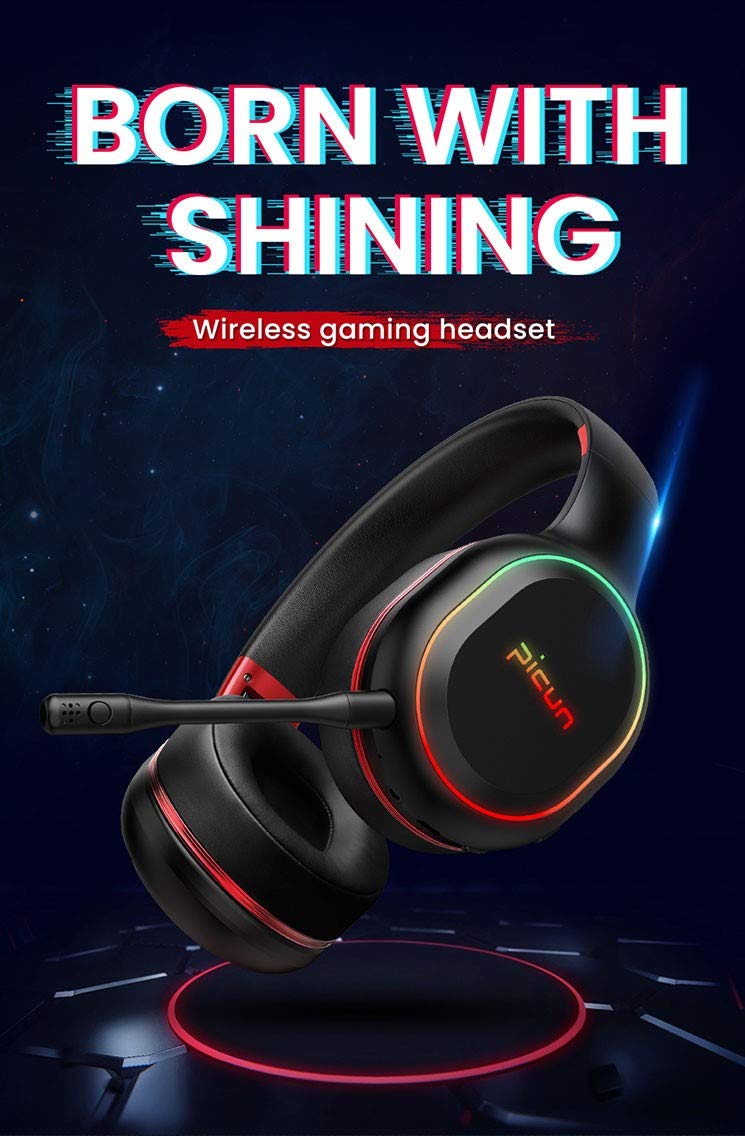
Image: The Picun Elite P80S Wireless Headset, showcasing its design and integrated microphone.
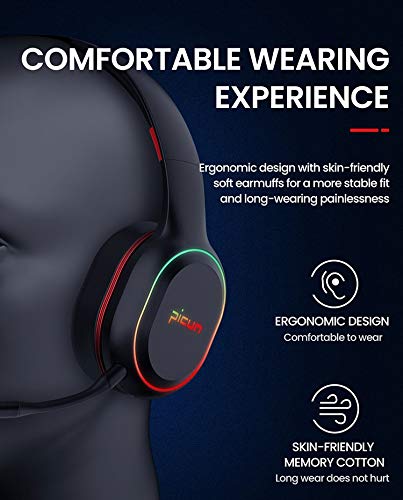
Image: The Picun Elite P80S Headset demonstrating its ergonomic design and comfortable earcups made from skin-friendly memory cotton.
Кутуда эмне бар
Пакетте бардык буюмдар бар экенин текшериңиз:
- Picun Elite P80S Wireless Headset
- Алынуучу микрофон
- USB заряддоо кабели
- 3.5 мм AUX аудио кабели
- Колдонуучунун Колдонмосу (бул документ)
Жайгашуу
1. Гарнитураны заряддоо
Before initial use, fully charge the headset. Connect the provided USB charging cable to the headset's charging port and to a compatible USB power source (e.g., computer USB port, USB wall adapter). The LED indicator will show charging status and turn off or change color when fully charged.
Толук кубаттоо зымсыз режимде болжол менен 40 саат оюн убактысын же 60 саат музыка/медиа ойнотууну камсыз кылат.
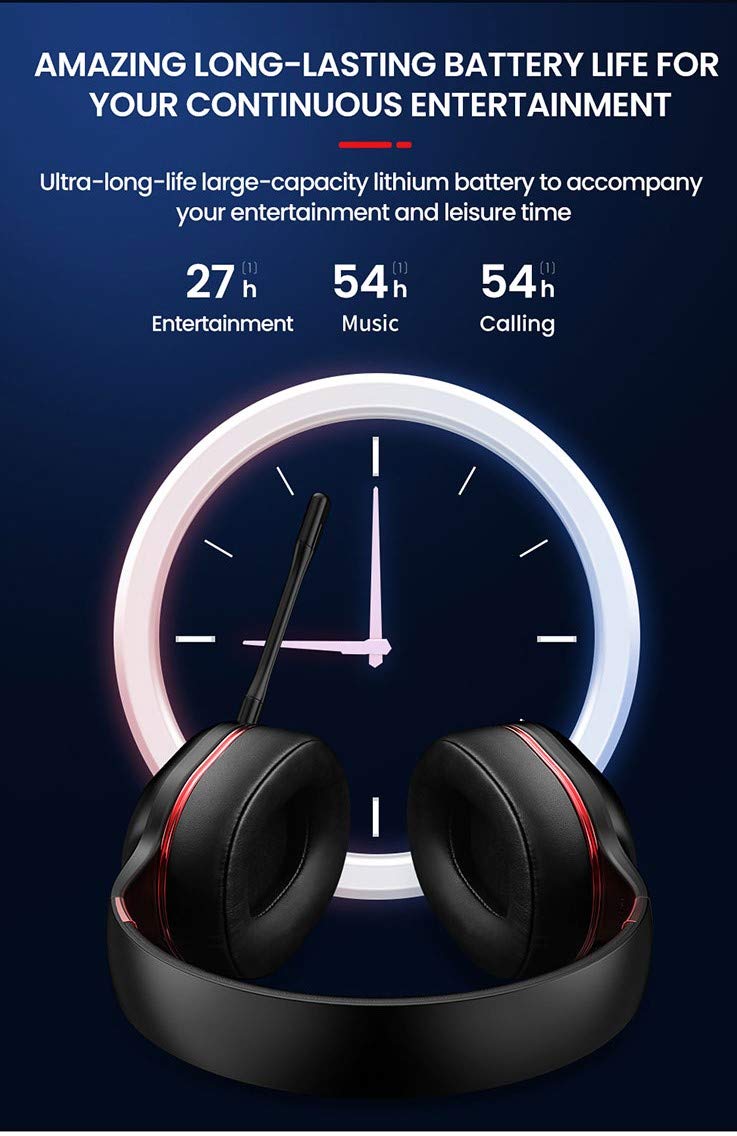
Image: Picun Elite P80S Headset illustrating long battery life for entertainment, music, and calls.
2. Микрофонду тиркөө
The professional detachable microphone can be inserted into the designated port on the left earcup. Ensure it is securely connected for clear voice communication. The microphone can be rotated 360 degrees for optimal positioning.
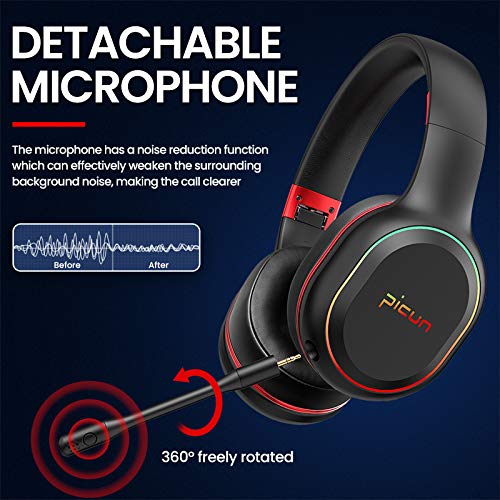
Image: Picun Elite P80S Headset showing the detachable microphone and its 360-degree rotation capability.
Иштөө нускамалары
1. Күйгүзүү/өчүрүү
- Күйгүзүү: LED индикатору күйгөнгө чейин Кубат баскычын болжол менен 3 секунд басып туруңуз.
- Өчүрүү: LED индикатору өчмөйүнчө кубат баскычын болжол менен 3 секунд басып туруңуз.
2. Bluetooth жупташтыруу (Зымсыз режим)
After powering on, the headset will automatically enter pairing mode (LED indicator will flash). On your device (smartphone, PC, console), enable Bluetooth and search for "Picun Elite P80S". Select it to connect. A voice prompt will confirm successful pairing. The headset maintains a stable connection up to 10 meters.

Image: Diagram illustrating the stable and instant connection features of the Picun Elite P80S headset, highlighting 10-meter transmission, audio/video synchronization, call stability, and no in-game delay.
3. Wired Mode (AUX Connection)
To use the headset in wired mode, connect the provided 3.5mm AUX audio cable to the headset's AUX port and to your audio source. Wired mode allows for indefinite playback regardless of battery charge. The headset functions as a passive headphone in wired mode.
4. Микрофонду колдонуу
- Detachable Pro Microphone: Provides high-definition vocals and effectively reduces ambient noise for clear communication during gaming or calls.
- Inbuilt Microphone: An additional microphone is integrated for general use, ensuring seamless communication even without the detachable mic.
5. Аудио өзгөчөлүктөрү
The Picun Elite P80S provides omnidirectional stereo sound, allowing for an immersive audio experience, especially beneficial for gaming to detect subtle sound cues.
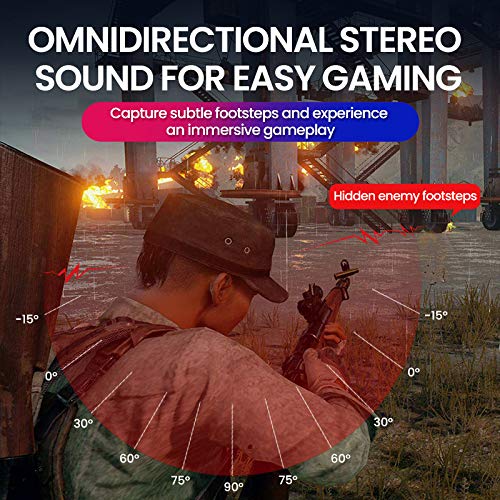
Image: A gaming scenario demonstrating the omnidirectional stereo sound capability, helping users identify sound sources like footsteps from various directions.
6. Медиа башкаруу элементтери
The headset features integrated buttons for easy control:
- Ойнотуу/тындыруу: Press the Multi-function button once to play or pause music/videos.
- Чалууга жооп берүү/аяктоо: Press the Multi-function button once to answer an incoming call, and again to end it.
- Үндү көзөмөлдөө: Use the Volume Up (+) and Volume Down (-) buttons to adjust the audio level.
- Кийинки / Мурунку трек: Long press Volume Up (+) for next track, Long press Volume Down (-) for previous track.
7. Dual Shock / Vibration Mode
Activate the Dual Shock / Vibration Mode for an enhanced immersive experience, particularly for deep bass in music and movies, or realistic vibrations during gaming. This mode can be toggled on or off using the dedicated switch on the headset.
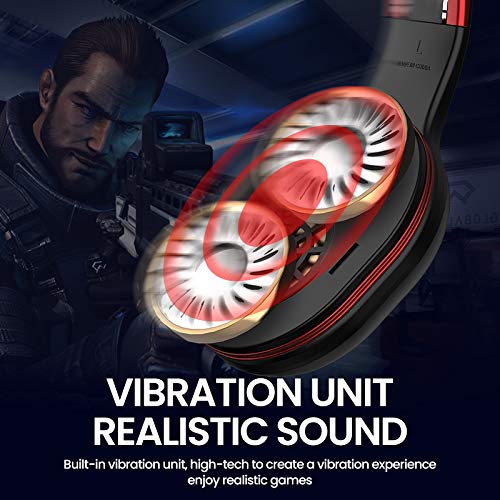
Image: Close-up of the Picun Elite P80S earcup highlighting the built-in vibration unit for realistic sound and gaming experience.
8. LED Light Display
The headset features a gradient colorful breathing light display. To turn the LED lights on or off, press and hold both the Volume Up (+) and Volume Down (-) buttons simultaneously for approximately 3 seconds.

Image: Picun Elite P80S Headset showcasing its gradient colorful breathing light effect, with instructions on how to activate/deactivate it.
Техникалык тейлөө
- Тазалоо: Гарнитураны тазалоо үчүн жумшак, кургак чүпүрөктү колдонуңуз. Абразивдүү тазалагычтарды же эриткичтерди колдонбоңуз.
- Сактагыч: Гарнитураны салкын, кургак жерде, күндүн түз нурунан жана өтө жогорку температурадан алыс сактаңыз. Бүктөлүүчү дизайны аны компакттуу сактоого мүмкүндүк берет.
- Батареяга кам көрүү: Батареянын иштөө мөөнөтүн узартуу үчүн, гарнитураны бат-баттан толук зарядсыздандырбаңыз. Узак мөөнөткө колдонулбаса да, аны үзгүлтүксүз заряддаңыз.
- Кабельге кам көрүү: Кабелдерди акырын кармаңыз. Зыян келтирбөө үчүн курч ийилгенден же ашыкча тартылуудан качыңыз.
Проблемаларды чечүү
No Power / Headset Not Turning On
- Ensure the headset is fully charged. Connect it to a power source using the USB charging cable.
- Verify that the power button is pressed and held for the correct duration (approx. 3 seconds).
Bluetooth аркылуу жупташтырылбай жатат
- Make sure the headset is in pairing mode (LED flashing). If not, power it off and on again.
- Ensure Bluetooth is enabled on your device and it is within 10 meters of the headset.
- Remove "Picun Elite P80S" from your device's Bluetooth list and attempt to pair again.
- Түзмөккө тиешелүү маселелерди болтурбоо үчүн башка түзмөк менен жупташып көрүңүз.
Үн жок / Төмөн үнү
- Гарнитурадагы жана туташкан түзмөгүңүздүн үнүнүн деңгээлин текшериңиз.
- If in wired mode, ensure the 3.5mm AUX cable is fully inserted into both the headset and the audio source.
- If in wireless mode, ensure the headset is properly paired and connected.
- Ар кандай аудио булактары же тиркемелери менен сынап көрүңүз.
Микрофон иштебейт
- Ажыратылуучу микрофон гарнитурага бекем сайылганын текшериңиз.
- Check microphone settings on your connected device (e.g., input device selection, volume levels).
- Test the microphone in different applications or communication platforms.
One Earpiece Not Working
- Туташкан түзмөгүңүздөгү аудио балансынын жөндөөлөрүн текшериңиз.
- If using the AUX cable, ensure it is fully inserted and try a different cable if available.
- Restart the headset and your connected device.
Техникалык шарттар
| Бренд | Пикун |
| Модель аты | Элита P80S |
| Түс | Кара |
| Форма фактору | Кулак үстүндө |
| Noise Control | Активдүү ызы-чууну жокко чыгаруу |
| Наушник уясы | 3.5 мм Джек |
| Коргоочу материал | Жасалма тери |
| Шайкеш түзмөктөр | Personal Computers/Laptops, Playstations/ X-box/ Nintendo Switch, Smartphones/Pads |
| Кабелдик өзгөчөлүктөрү | Алынуучу |
| Зымсыз технология түрү | Bluetooth |
| Башкаруу түрү | Үндү көзөмөлдөө |
| Башкаруу ыкмасы | Touch (for some functions, e.g., Play/Pause, Answer/End Call via Multi-function button) |
Кепилдик жана колдоо
For warranty information and technical support, please refer to the warranty card included with your product or contact Picun customer service through their official webсайт. Сураныч, кепилдик дооматтар үчүн сатып алуу далилиңизди сактап коюңуз.
For further assistance, please visit the official Picun support page or contact their customer service directly.